
How to Find a Video You Saved Months Ago
The reel you saved in spring is perfect for Thursday's pitch and it's nowhere. Here's where to look, platform by platform, in the order most likely to work.
By the Spark team ·

Start where you saved it. On Instagram, go to your profile, tap the three lines, then Saved and open All posts. On TikTok, it's the Favourites tab (the bookmark icon) on your profile. On YouTube, check Watch later and Liked videos in the You tab. If you never saved it, your watch history is next: TikTok keeps roughly 180 days, YouTube's history page is searchable on a computer, and Instagram now has a watch history for Reels.
Still nothing? It was probably sent to you rather than saved. Check browser history, Slack and WhatsApp. Every route is below, in the order most likely to work.
We've done this hunt more times than we'd like. The usual version at our studio: a director remembers "the one where a train floats over a field at dusk", the account name is long gone, and three people spend forty minutes scrolling three different phones.

Before you start: three questions that save an hour
Thirty seconds on these tells you which sections to read.
- Where did you see it? Feed, a DM, a link in Slack, a colleague's laptop? People are wrong about this surprisingly often. "It was on Instagram" regularly turns out to be a TikTok someone reposted to Instagram.
- Did you touch it? Saved, liked, shared, commented, sent it to someone? Each of those leaves a trail in a different place. Just watching it leaves the faintest trail of all.
- Roughly when? "Before the summer shoot" is enough. Most history screens filter by date, which turns 2,000 items into 200.
Instagram is where most of our lost references live, so it gets the most routes.
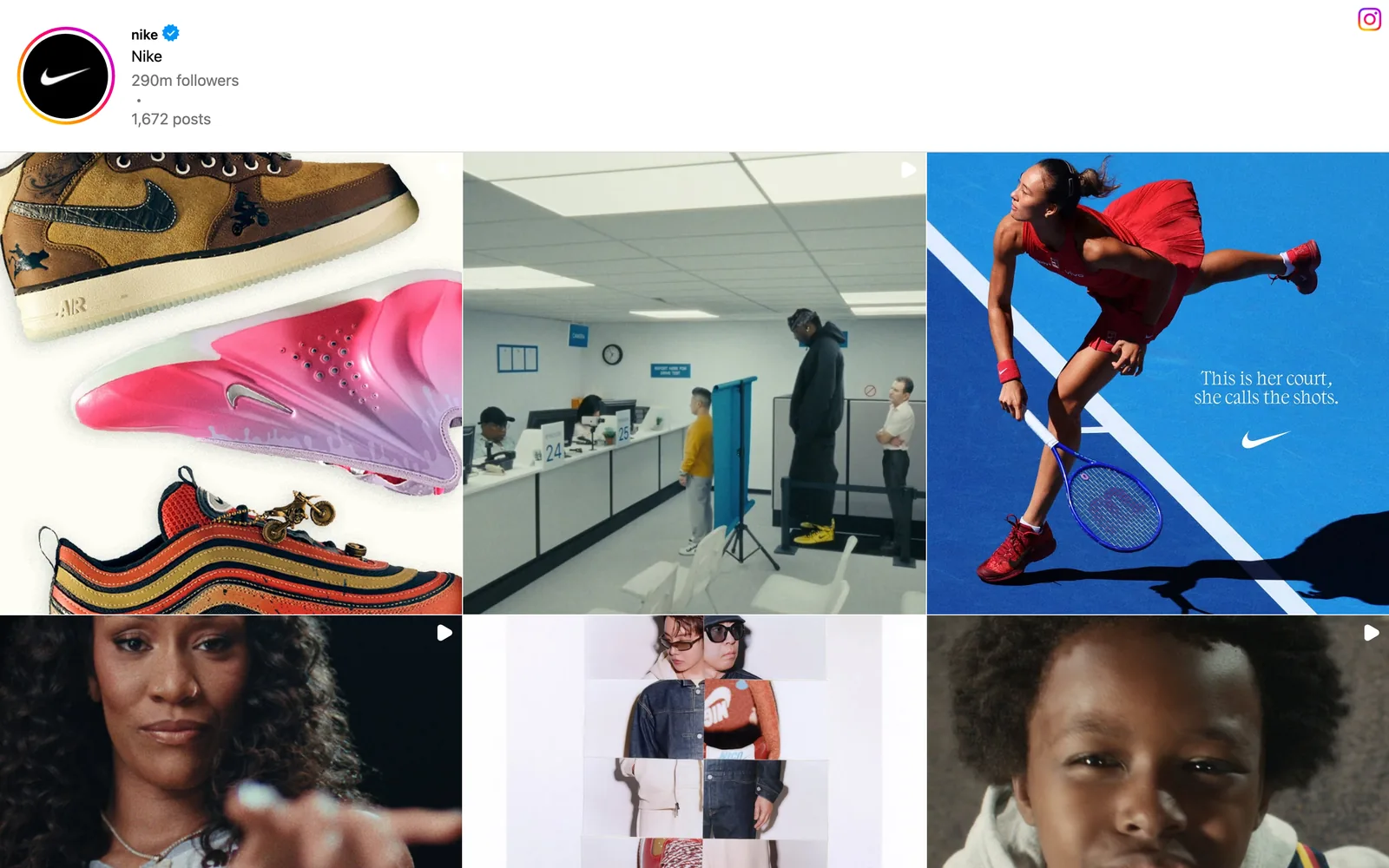
Your Saved posts
- Go to your profile and tap the three lines in the top corner.
- Tap Saved.
- Open All posts, not a single collection. Everything you've ever saved is in there, including things you filed into collections and forgot.
There's no search inside Saved, so you're scrolling. It's newest first, so if you know roughly when, swipe fast through the recent months. If the post has been deleted or the account has gone private, it simply won't be there, and Instagram won't tell you it's missing.
Liked posts and comments
If you liked it instead of saving it, go to Your activity (same menu), then Likes. On some versions it sits under Interactions. You can sort and filter by date range here, which is the most useful tool Instagram gives you for this job. Comments live in the same area, so if you left a "need this for the deck" under it, that's another way in.
Watch history for Reels
Instagram added a Watch history for Reels in late 2025, in Your activity. It covers recent viewing only (launch coverage put it at about 30 days), so it's for the reel you saw last month, not last spring.
DMs
If you sent the reel to anyone, it's in that conversation. Open the chat you most likely sent it to and scroll, or tap the person's name to see shared media. A lot of "saved" reels are really here.
Your Instagram data download
The slow, thorough option: Accounts Centre, then Your information and permissions, then Download your information. The export lists your saved and liked posts as links, so you can search with Cmd+F instead of your thumb. It can take a while to arrive.



Notice how each of those would be described from memory. Never by the account, always by what's in the frame. That's the problem every platform's Saved tab ignores, and we'll come back to it. More on keeping Instagram saves under control in how to save Instagram Reels for inspiration.
TikTok
TikTok keeps three separate lists and a watch history, and none of them has a search box. Work through them in this order.
Favourites
Go to your profile and tap the Favourites tab, the bookmark icon above your video grid. Check the loose Videos list and every Collection. No search here either. If you organise TikTok saves by collection, how to save and organise TikTok videos has a naming system that makes this much quicker next time.
Liked videos
The heart tab on your profile shows everything you've liked. Same deal: scroll, newest first.
Watch history
- Go to your profile and tap the three lines.
- Tap Settings and privacy.
- Open Activity center, then Watch history.
It keeps about the last 180 days. TikTok shuffles these menus between updates, so if Activity center has moved, look under Settings and privacy.


Search with the Watched filter
Search for a word you remember from the video, tap the filter icon and turn on the option for videos you've watched (there's one for videos you've liked too). It only reaches back over recent viewing, but for something you saw last week it's the fastest route there is.
Download your data
Settings and privacy, then Account, then Download your data. The file lists your favourites and watch history as links. It takes a few days, but it's searchable text.
YouTube
YouTube is the kindest of the three, because its history has a search box.
Watch later and Liked videos
Open the You tab (it replaced Library a while back). Watch later and Liked videos are both there, along with any playlists you've made. Clicking "Save" on a YouTube video puts it in a playlist, so check them all.
Search your watch history
On a computer, go to youtube.com/feed/history. There's a search watch history box on the page, and unlike Instagram or TikTok, it actually searches. Try a word from the title, the channel name or the subject. You can also search the same history at myactivity.google.com, under YouTube History, with a date filter.
The catch: it only works if watch history was on, and if auto-delete is set to 3 or 18 months, last year's video may already be gone. Check that setting afterwards. If YouTube is where most of your research happens, organising YouTube videos for creative research sets up playlists and a log so you're not back here next year.

Browser history
If you watched it on a laptop, your browser remembers. Press Cmd+Y in Chrome or Safari on a Mac, or Ctrl+H in Chrome or Edge on Windows. Search for the platform (instagram.com/reel, tiktok.com, vimeo.com) and scroll through the dates.
Chrome keeps about 90 days of history. Safari's default is a year. So for something from last spring, Safari users are in luck and Chrome users mostly aren't, unless it synced from another device. If the history leads you to a brand's or director's own website, not a platform, saving video references from websites covers getting a keepable copy this time.
Slack and WhatsApp
Plenty of references were never saved at all. Someone sent them to you.
Slack Search with modifiers: in:#refs has:link for links in a channel, from:@name for the person who sent it, during:march for the month. On Slack's free plan you can only see the last 90 days. Our guide on stopping references getting lost in Slack has more search tricks, and how to stop it happening again.
WhatsApp Open the chat, tap the contact or group name, then Media, links and docs and switch to Links. Every link ever shared in that chat, newest first. On recent versions, the search bar on the Chats screen can also filter by links or videos across every conversation.
WhatsApp is the black hole for us. Our DoP sends references at 11pm, they're perfect, and by Friday they're under 200 messages about call times. That's why Spark can now take a link or a video straight from a WhatsApp chat into the library.
If the video has gone
Sometimes you find the save and it's a grey box. The creator deleted it, went private, or got banned. Last resorts:
Check whether you sent it to someone. A forwarded video in WhatsApp or a file in Slack is a copy, not a link, so it may still play.
Search by what you remember. On TikTok and Instagram, search a line of dialogue or a caption phrase. Creators often repost. On YouTube, search the channel; it may have been re-uploaded or made unlisted.
Reverse image search a screenshot. If you grabbed a frame, run it through Google Lens. It's surprisingly good at finding the original or a repost.
Ask the creator. If it's for internal reference, a polite DM explaining what you loved about it sometimes gets you the file. Creators like being asked.
How to never do this again
The reason all of this hurts is that every platform saves a pointer to someone else's post, and none of them let you search by what was in it. You remember "the train floating over a field". No Saved tab on earth can find that.
So the fix is dull and it works: put the references that matter in one place you control, and make that place searchable by what's in the videos. You can do a version with a spreadsheet of links and a line of description each, and how to build a searchable creative library walks through the system for any tool. If it's usually a line of dialogue you're chasing, searching videos by transcript compares the tools that can find one.
Spark is what we built for it. Paste a link, send a reel to @sparkreferences, forward it on WhatsApp or use the Chrome extension, and Spark keeps its own copy of the video and where it came from. On Creator and Studio it also describes what's on screen and transcribes the audio.

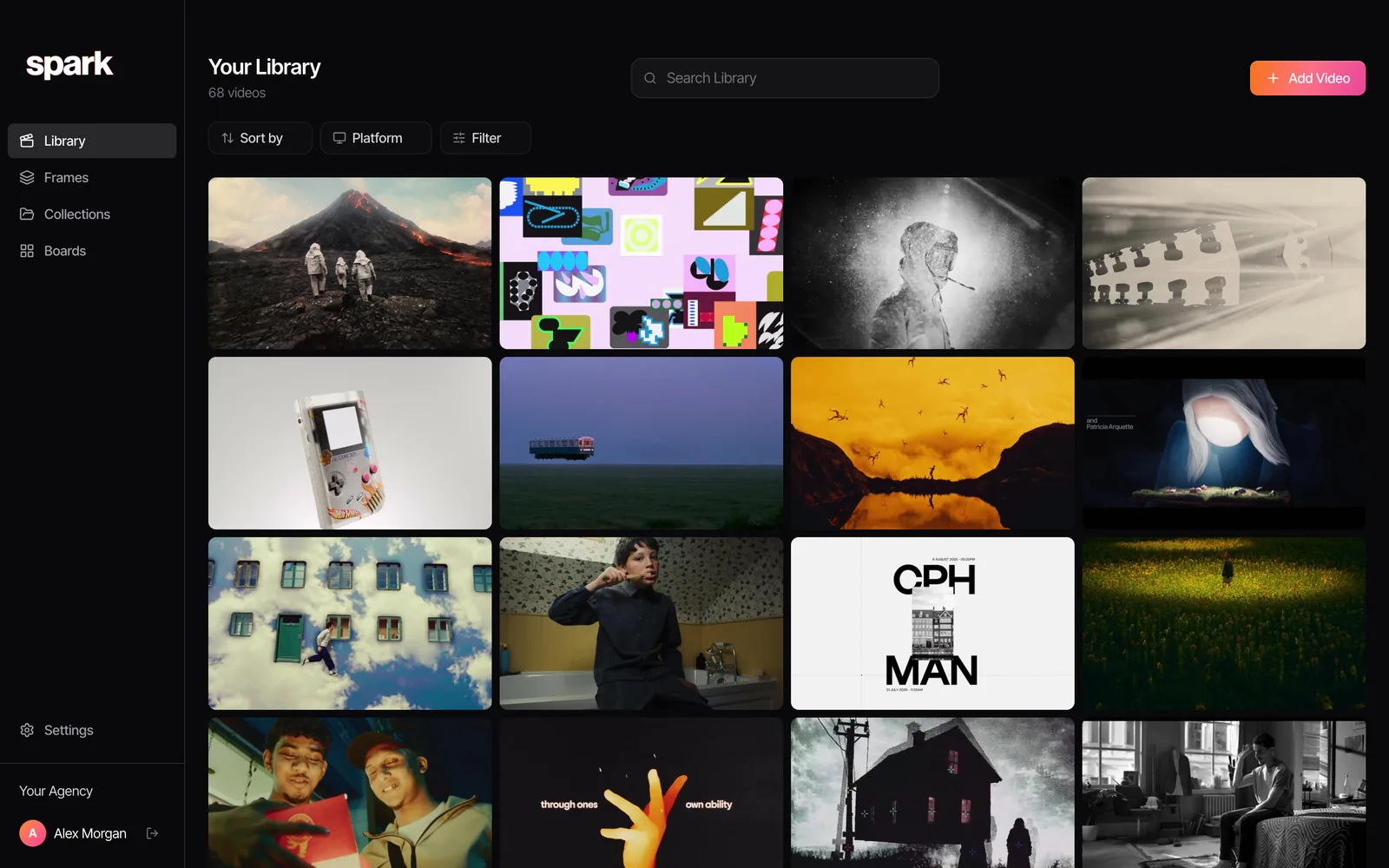
This is the full library that search ran across, all 68 references. Nobody tagged the metro carriage "surreal". Spark's description of it did the work.
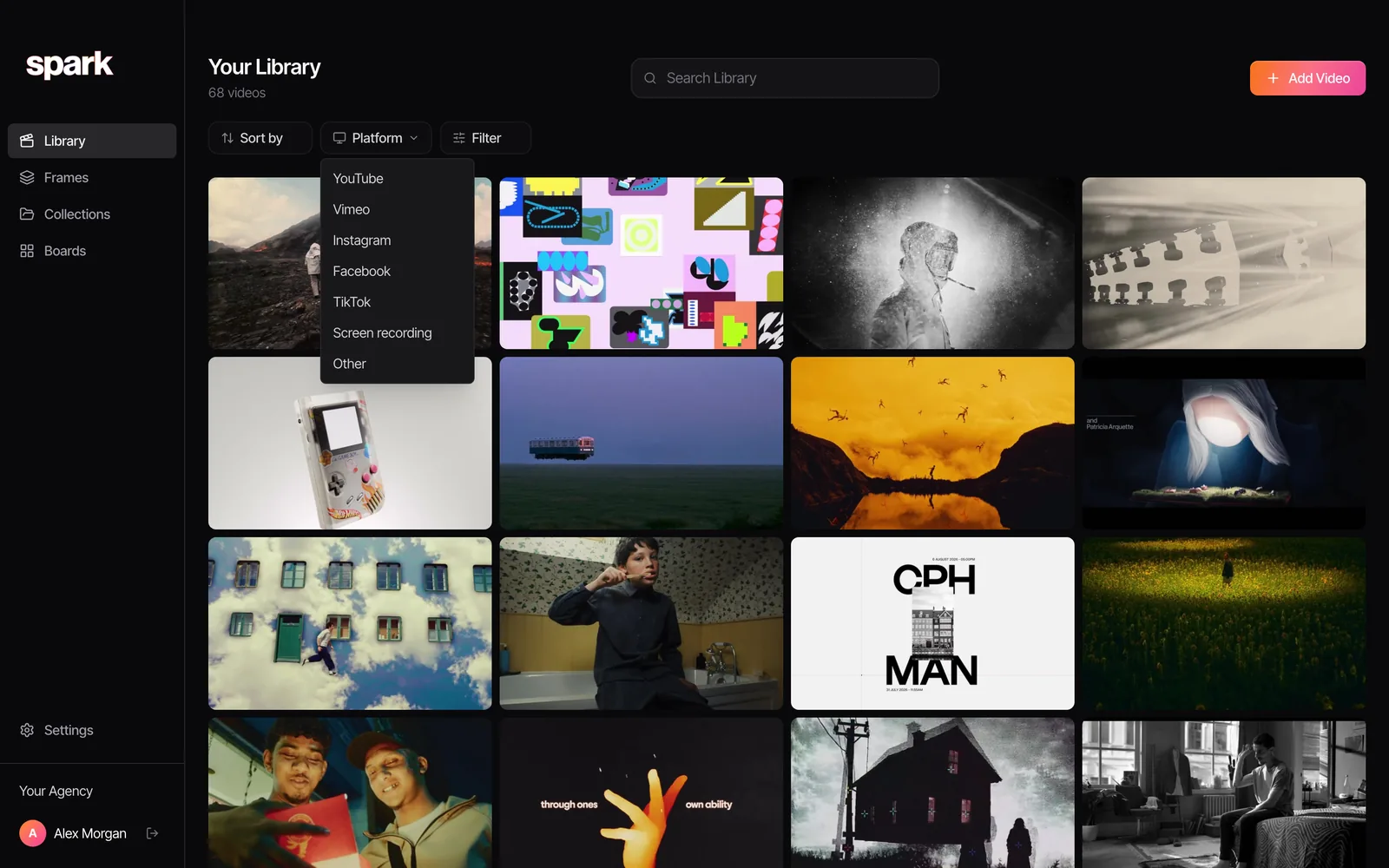
If you remember the platform but nothing else, the Platform filter cuts the library down in one click.
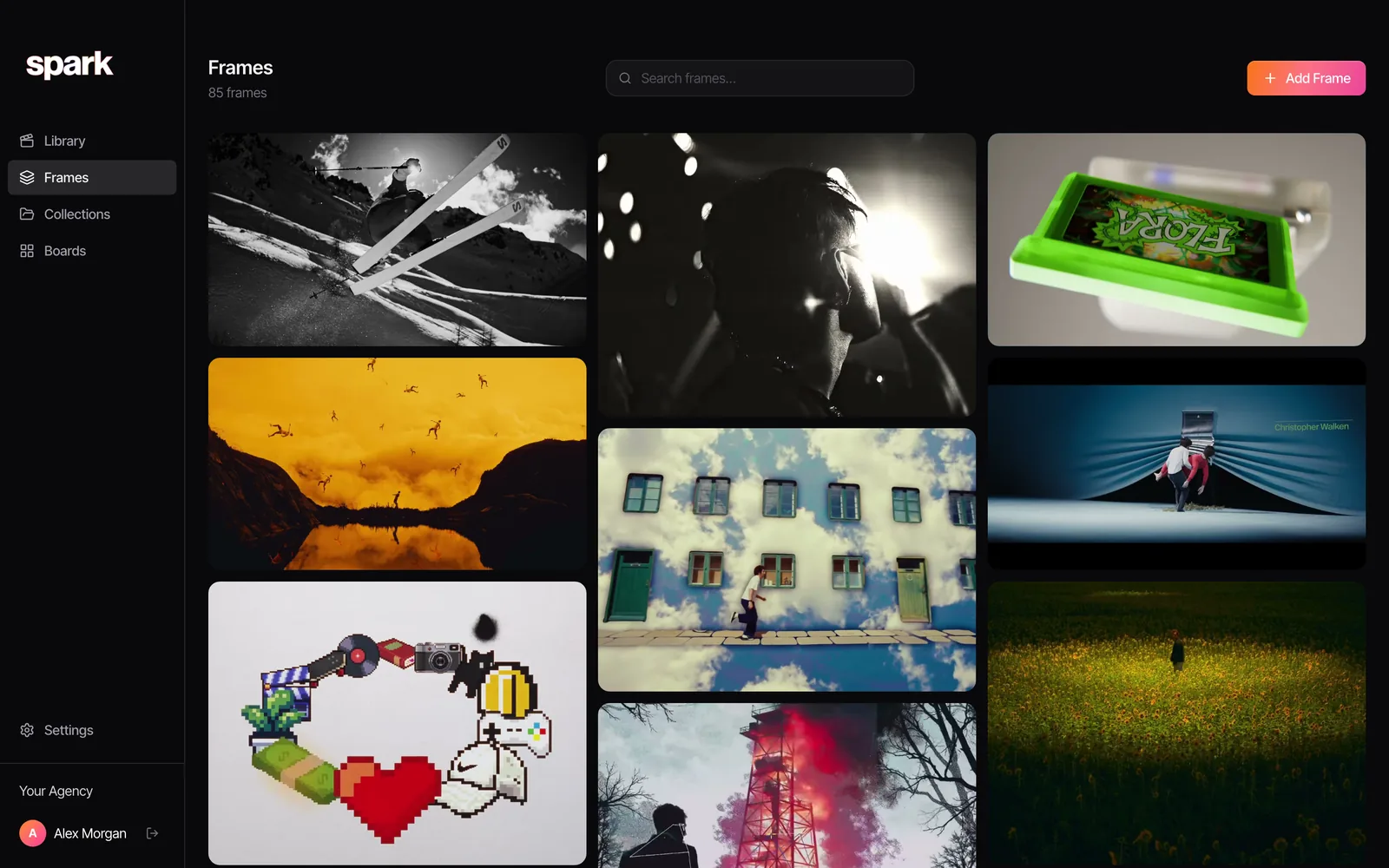
And the frames you pulled out of references live in their own wall, searchable by colour, so "that orange one with the birds" is also a findable thing.
The other half of prevention is a habit rather than a tool: write one line about why you saved something at the moment you save it. "Opening shot, slow push in, sound starts before picture." Ten seconds now, and it's the exact phrase future you will search for.
Found it? Well done. Now keep a copy before it disappears again. Need it in the deck? Turn the two seconds you want into a loop in the browser, with nothing uploaded.
FAQs
How do I find a video I saved on Instagram?
Go to your profile, tap the three lines in the top corner, then Saved and open All posts. Everything you've saved is there, including items in collections, newest first. If you liked it instead of saving it, check Your activity, then Likes, where you can filter by date.
Can I search my saved posts on Instagram or TikTok?
No. Neither Instagram's Saved nor TikTok's Favourites has a search box, so you have to scroll. Your best shortcuts are date filters on liked posts and watch history, or requesting your data download, which gives you a list of links you can search as text.
How far back does TikTok watch history go?
About 180 days. Find it under Settings and privacy, then Activity center, then Watch history. Anything older than that is gone from the history, though it may still be in your Favourites or Liked videos if you tapped either.
How do I find a YouTube video I watched months ago?
On a computer, go to youtube.com/feed/history and use the search box on that page, or search your YouTube history at myactivity.google.com with a date filter. It only works if watch history was switched on, and auto-delete settings may have removed older entries.
Why did a video disappear from my saved posts?
Saved posts and Favourites are links to someone else's post, not copies. If the creator deletes it, archives it, makes their account private or is banned, it disappears from your saves without warning. For anything important, keep a copy of the video somewhere you control.
Is there a way to find a video if I only remember what was in it?
Not inside Instagram, TikTok or YouTube's saved lists, which only show thumbnails. Try searching a line of dialogue or caption on the platform, or reverse image search a screenshot with Google Lens. For the future, a library that describes and transcribes your saved videos lets you search by what was said or shown.
Keep reading
All articles
How to Build a Searchable Creative Inspiration Library
Your references live in nine places and none of them has a decent search bar. This is the four-step system we run at our own production company, in whatever tool you like.
How to Save Instagram Reels for Creative Inspiration
Instagram's Saved tab is a fine bookmark and a terrible archive. Here's how to use it well, where it lets you down, and what we do with the reels that matter.

How to Make a Moodboard for a Video Project
Twenty well-chosen frames with a line of explanation under each will do more for your shoot than two hundred beautiful pins. Here's how to build that board, section by section.