
How to Build a Searchable Creative Inspiration Library
Your references live in nine places and none of them has a decent search bar. This is the four-step system we run at our own production company, in whatever tool you like.
By the Spark team ·
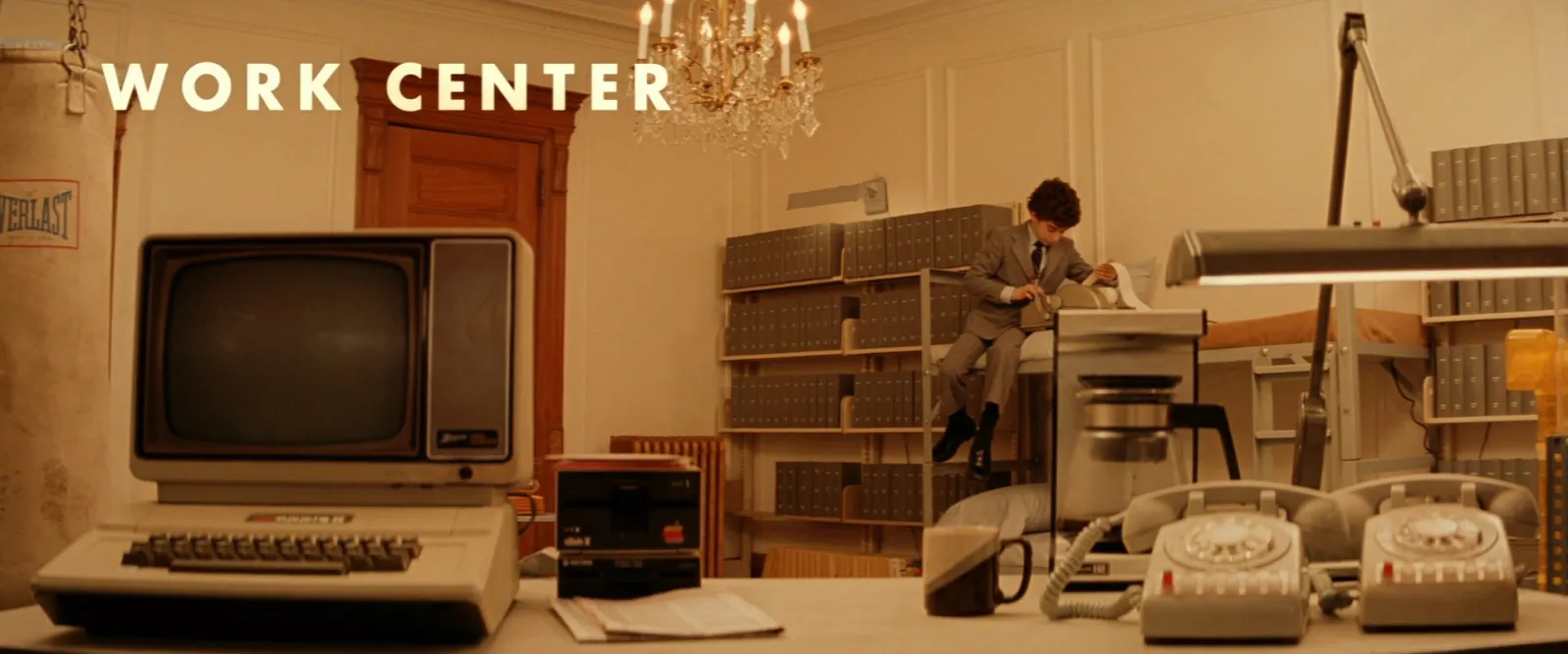
A creative reference library you can search comes down to four habits. Capture everything into one place. Tag it with a fixed vocabulary the moment you save it. Search by what you'll remember later (a mood, a colour, a line of dialogue) instead of where you found it. Then share it in a form other people can open.
The tool matters less than the vocabulary. Get the tags right and a spreadsheet will do. Get them wrong and the priciest app on the market becomes a very tidy landfill.
We run a production company, Perspective Pictures, and we built Spark because our own library kept collapsing. What follows is the method we settled on after a few years of getting it wrong, the tag list we use, and a straight look at where Notion, Eagle, Are.na and Spark each fit.
Why most reference libraries die by month three
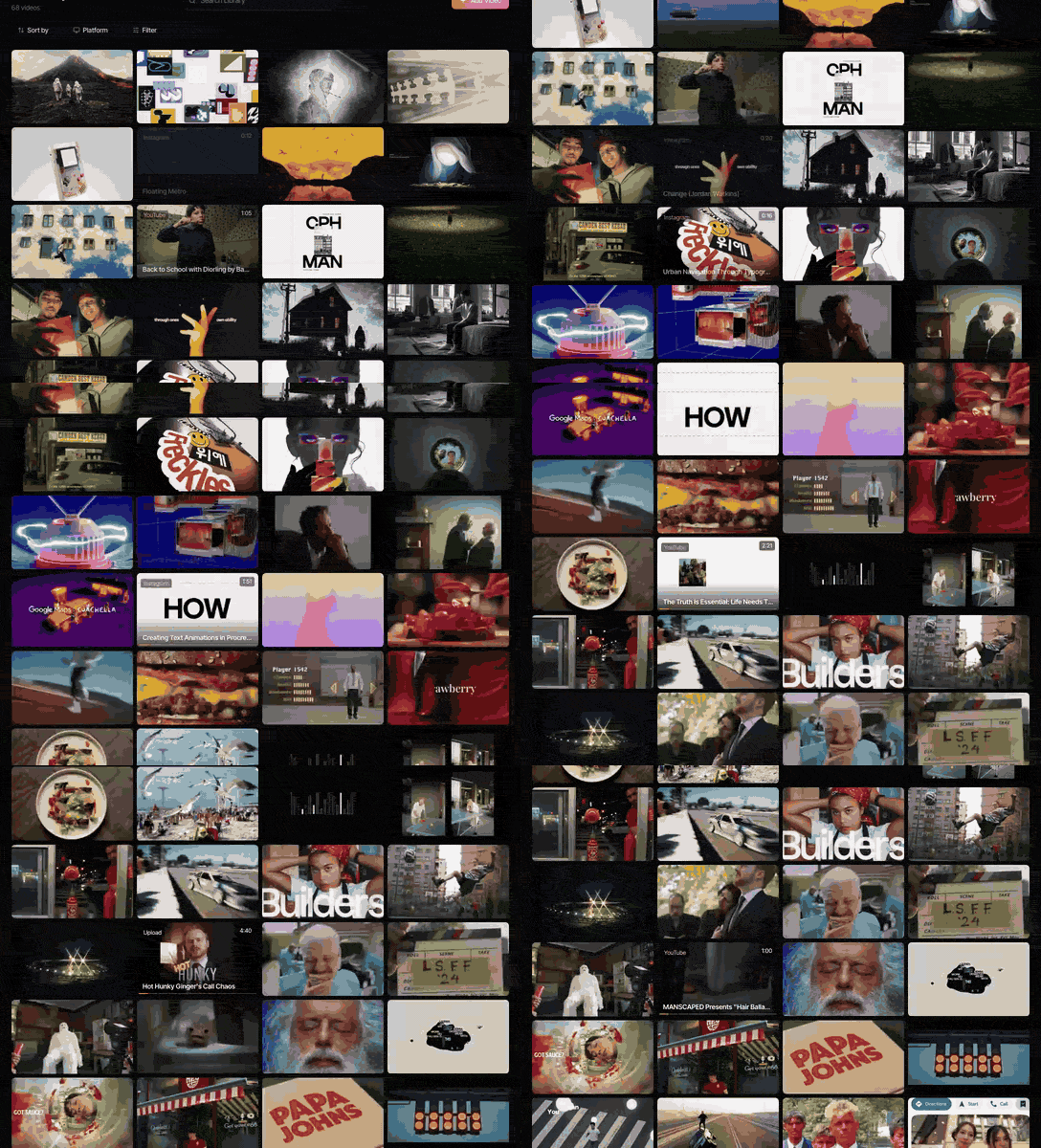
Everyone starts well. A folder called INSPO, a Pinterest board, a Notion page with a nice cover image. Three months later the folder holds 1,400 files called IMG_4471.MOV and the trainer ad with the slow push through the locker room is lost, even though three people definitely saved it.
It fails for boring reasons.
References arrive from everywhere. An Instagram save on the train. A TikTok favourite. A YouTube link in Slack, a Vimeo password in an email, a reel your DoP sent on WhatsApp at 11pm with the message "THIS". A library that lives in only one of those places catches a fraction of them.
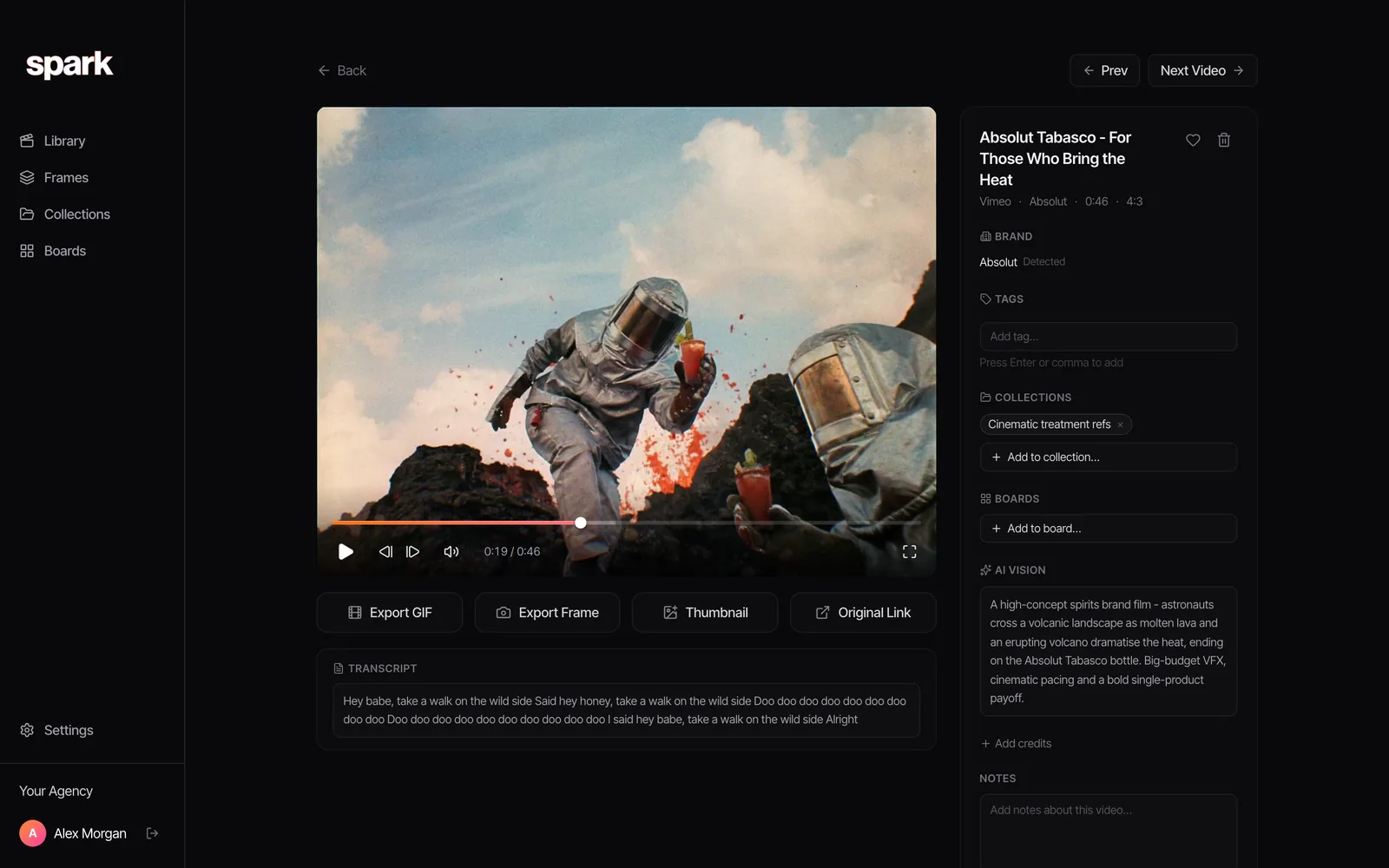
Saving takes a second and labelling takes ten, so the labelling never happens. Months later you search by memory, and memory doesn't store filenames. You won't remember the account. You'll remember "the one with the astronauts and the volcano", and if nothing in your library knows that, you're scrolling.
And links rot. Posts get deleted, accounts go private, Vimeo links get passworded once the campaign wraps. A library of links is a library of future error pages.
Step 1: Capture everything into one inbox
One destination. Not one app per platform, and not "the good stuff goes in Notion, the rest stays in Instagram". One place, with a capture route from every source you use.
Map where your references came from last week. For us it looked like this:
| Source | How it usually arrives | Capture route |
|---|---|---|
 Instagram reels Instagram reels | Scrolling, DMs from colleagues | Share it into your library, or copy the link |
 TikTok TikTok | Scrolling, Favourites | Copy the link |
  YouTube and Vimeo YouTube and Vimeo | Links in email and Slack | Paste the link |
 Ads Ads | Meta Ad Library, TikTok Creative Center | Copy the ad's link |
 WhatsApp WhatsApp | The 11pm "THIS" | Forward it somewhere searchable the same night |
| Client material | Portals, review links, private pages | Download if allowed, otherwise screen record |
Two habits make capture stick. Keep a copy as well as the link wherever the platform and your use allow it, because a link is a promise someone else can break. And make the capture route quicker than the alternative. If saving takes longer than a screenshot, you'll screenshot, and that screenshot will live on your phone forever next to a photo of a parking ticket.
In Spark, the capture routes are the reason the app exists. You paste a link into Add Video, right-click with the Chrome extension, share a reel to @sparkreferences in Instagram DMs, send a link or a video on WhatsApp, upload files or pull from Google Drive. Anything behind a login goes in through the screen recorder.
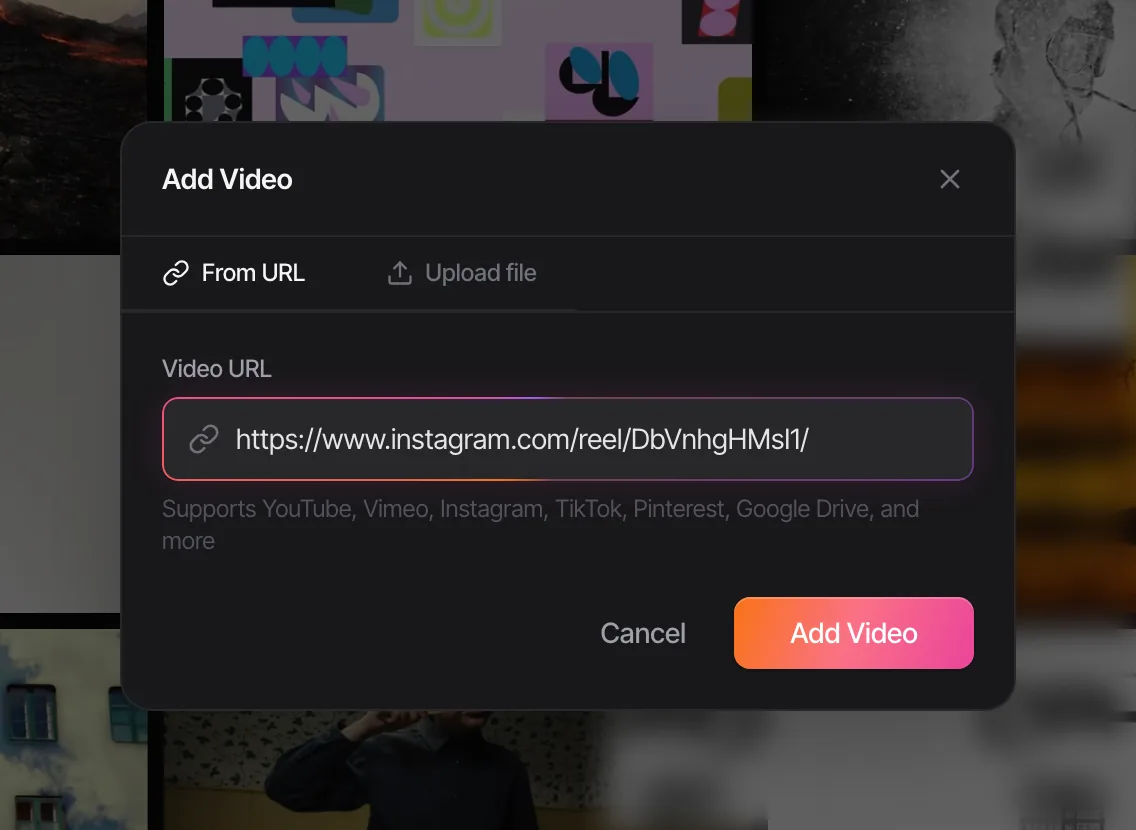
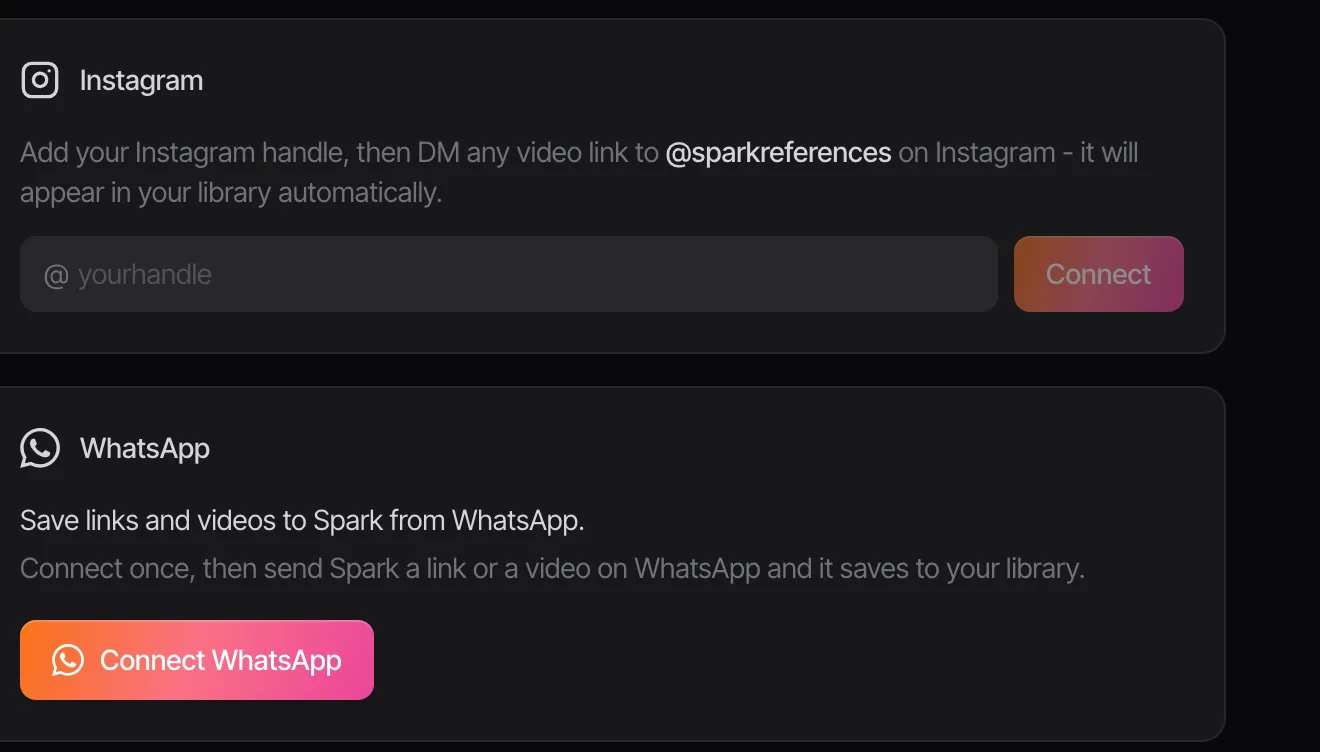
If Instagram is your biggest leak, there's a separate guide to saving reels for inspiration, and another on getting TikTok favourites out of the app.
Write down why, in five words
When you save something, add a note of five words or fewer. "Push-in on the reveal." "Grade, not the edit." "Cast type for the dad." It jogs your memory and it's short enough that you'll keep doing it. Of everything here, this habit does the most for findability, and it costs nothing.
Step 2: Tag with a fixed vocabulary
This is the bit that decides whether you'll ever find anything again. Free-for-all tagging gives you "moody", "Moody", "dark moody" and "vibes" as four separate tags within a month. A fixed vocabulary, agreed once and written down, gives you something you can search.
Tag along the lines people brief in. These seven cover nearly every creative conversation we have:
| Dimension | The question it answers | Example tags |
|---|---|---|
| Technique | How was it made? | handheld, locked-off, oner, split diopter, macro, drone, stop motion, match cut |
| Mood | How does it feel? | tense, euphoric, melancholy, deadpan, intimate, ominous, playful |
| Colour | What's the palette? | warm, cool, pastel, monochrome, neon, desaturated |
| Light | Where's the light coming from? | hard sun, overcast, golden hour, practicals, haze, silhouette, top light |
| Movement | What do the camera and the edit do? | static, push-in, dolly, whip pan, crash zoom, slow motion, speed ramp |
| Format | What is it? | commercial, music video, feature, social, title sequence, 9:16 |
| Project | Where might it be used? | the client, the pitch, or "unassigned" |
The rules that make it stick:
- One word per idea, written down. "Handheld", never "hand-held" or "shaky cam". Keep the list in a pinned doc and add to it on purpose.
- Three to six dimensions per reference, not all seven. If the colour isn't why you saved it, skip colour. People who tag everything end up tagging nothing.
- Lower case and singular. Search behaves better and there are no arguments about capitals.
- Project tags are temporary. "Dairy pitch" is useful for six weeks. Technique and mood keep a reference useful for six years.

The full film-literate word list, with a synonym table and the camera-move terms people mix up, is in our guide to tagging video references.
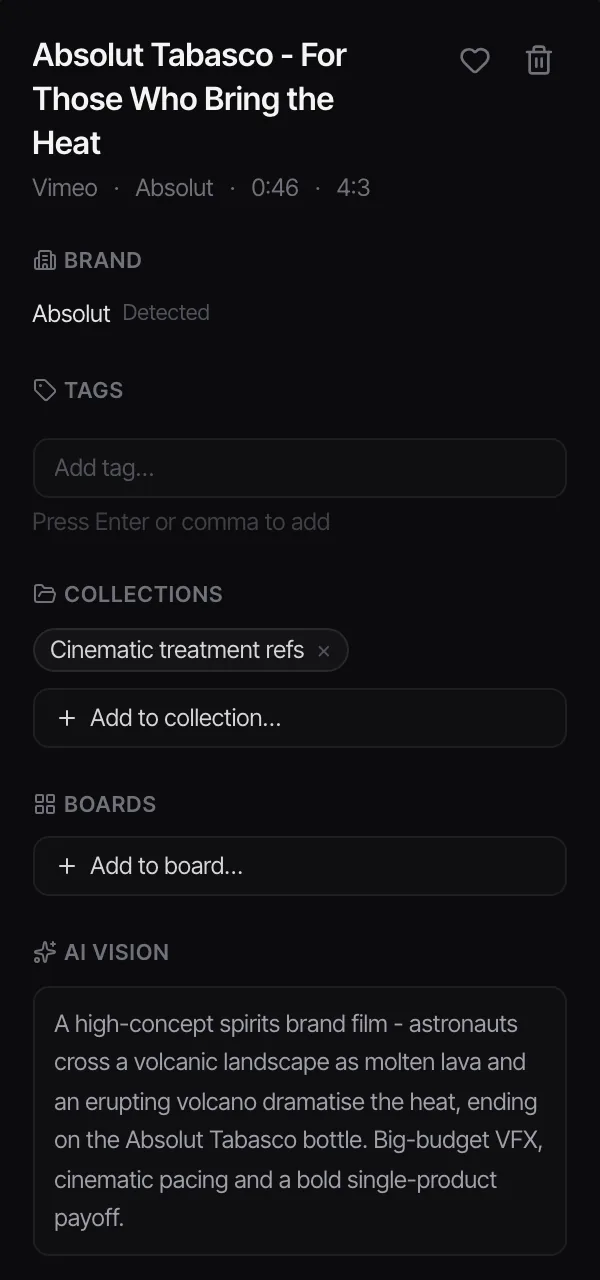
Tagging in practice: three references from our library
It clicks faster with real clips, so here are three from our own library, tagged the way we'd tag them.

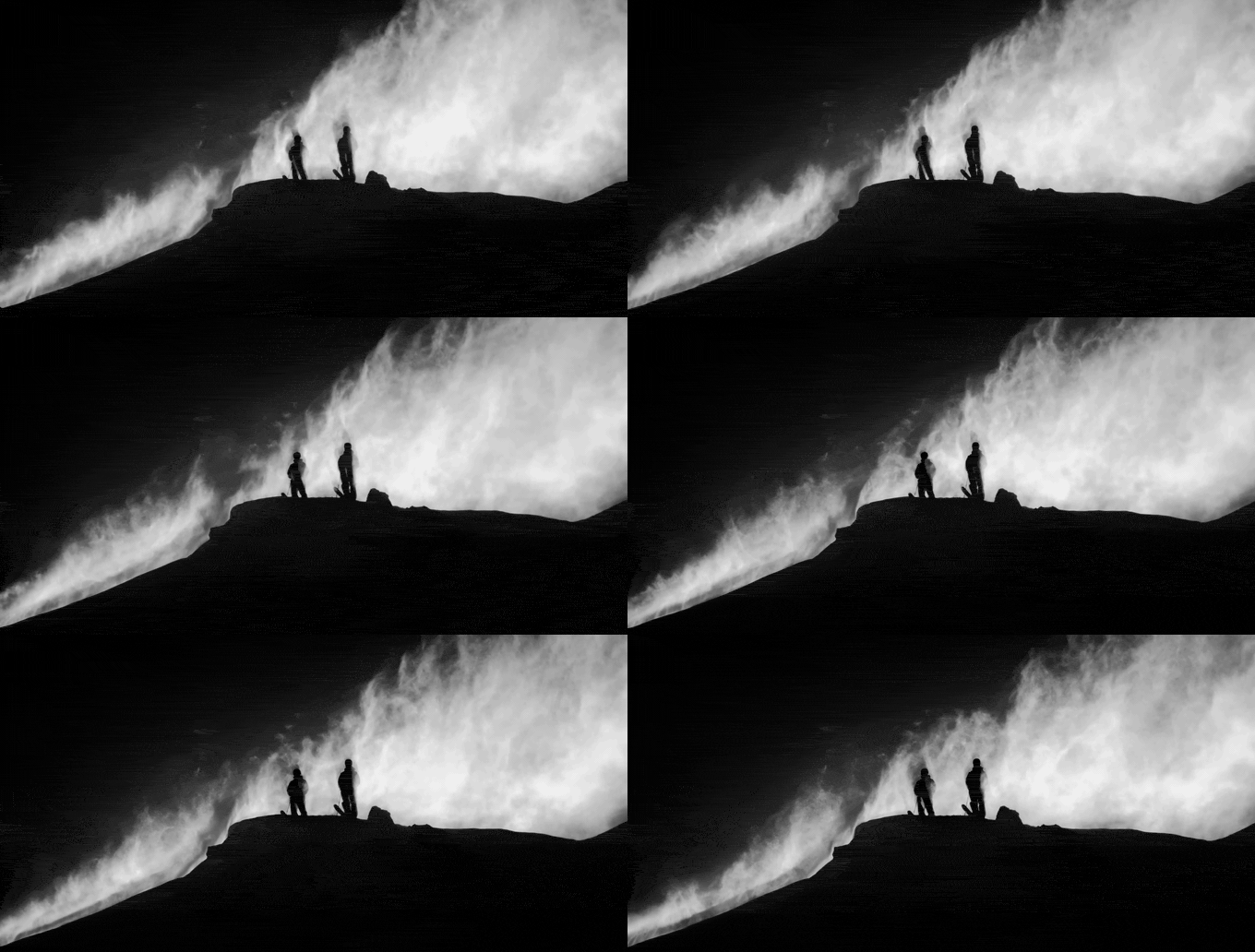

| Absolut Tabasco | Salomon Sentry Pro | Mile End Community Project | |
|---|---|---|---|
| Technique | VFX, wide | silhouette, wide | scope, tracking |
| Mood | epic, tongue in cheek | cold, exposed | quiet, hopeful |
| Colour | warm, orange on grey | monochrome | cool, teal |
| Light | daylight, lava glow | backlight, hard contrast | flat daylight |
| Movement | slow drift | locked-off, the wind does the work | tracks the rider |
| Five-word note | lava rivers sell the heat | ridge silhouettes, powder blowing | type cards, one lone cyclist |
Look at the movement row. Every answer there came from watching the clip. Pause any of them on a still and the row goes blank, because you can't tag camera movement from a frame. Movement is half of what makes a moving-image reference worth keeping, and it's the strongest argument for saving the clip rather than a screenshot of it.
Colour is the one dimension you can measure instead of guess. Drop a frame into our free colour palette extractor and you get the swatches and hex codes, which settles the "is that teal or green" argument before it starts.
Step 3: Retrieve by what you remember
Retrieval is the whole point, so build around how you'll look. You'll search by tag when you're building a brief (everything tagged haze and intimate). You'll search by words when you half remember something: a line of dialogue, a product, some on-screen text. And you'll browse by eye when you're hunting for an idea, scrolling thumbnails newest first.
Words are where most tools fall down. Plenty of good video references are memorable for what someone says or what's written on screen, and no tagging scheme catches that. Tools that transcribe audio, or at least let you search your notes, earn their keep here. We've compared the ways of doing it, from YouTube's transcript panel to Descript, in how to search videos by dialogue and transcript.
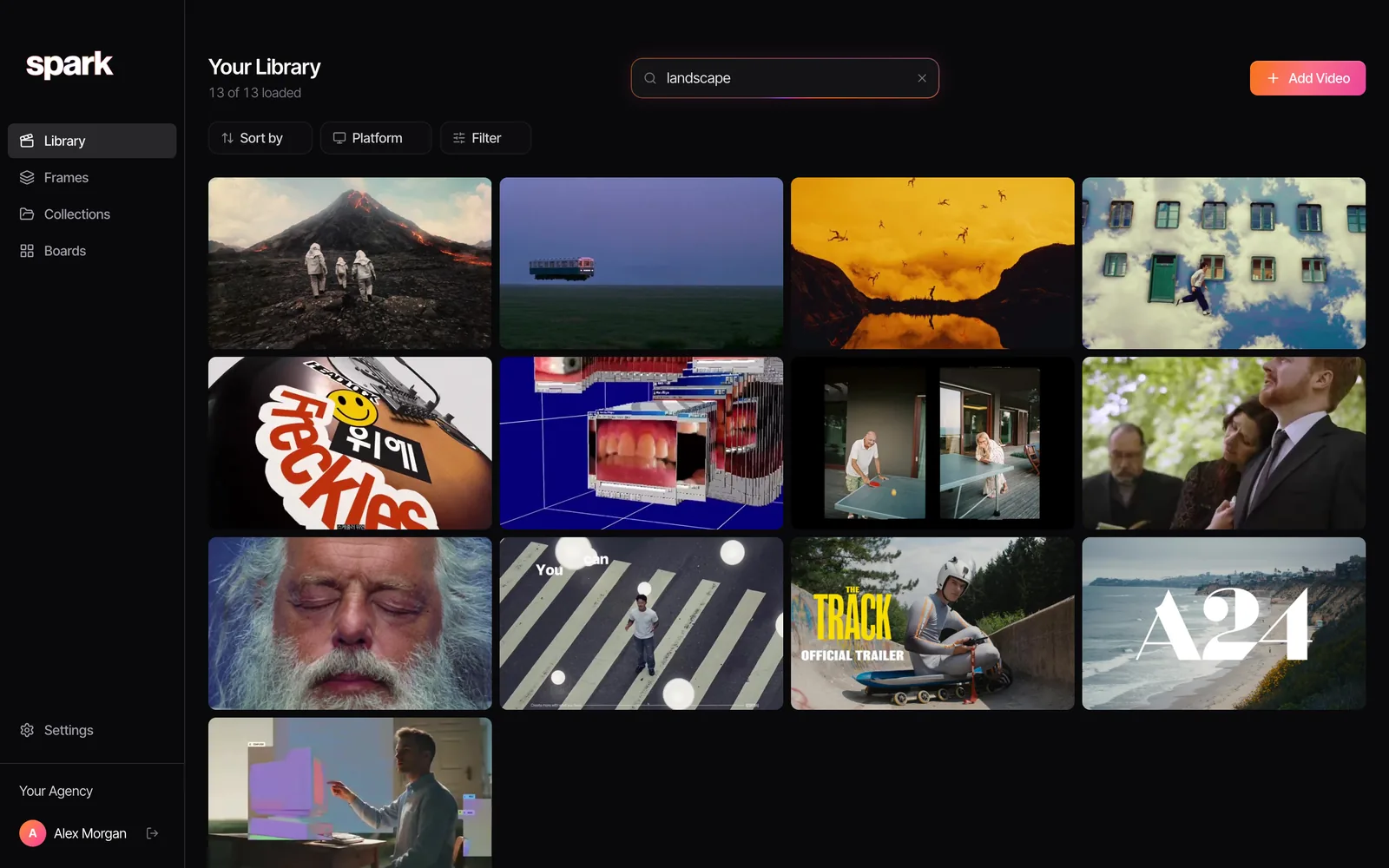
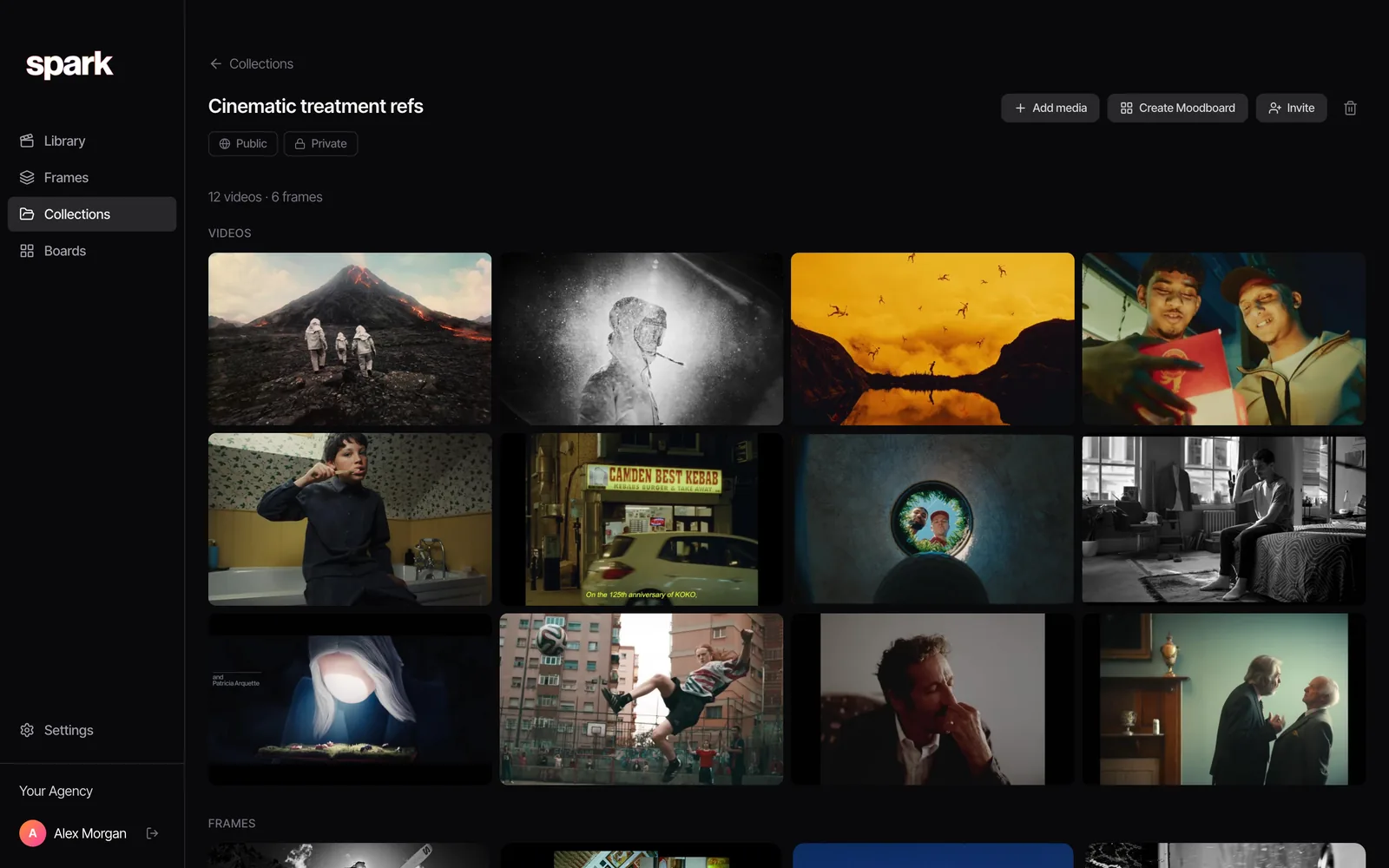
That screenshot is the case for machine help. Spark writes a description of what's in every video and transcribes the audio, then search reads those alongside your own tags and notes. None of those 13 references had "landscape" in the title.
Give your library a monthly drill. Think of something you saved more than three months ago and time how long it takes to find. Under thirty seconds, you're fine. Over two minutes, your tags or notes aren't working, and it's much easier to fix while the library is small. If you're already in that hole, our guide to finding a video you saved months ago has the platform-by-platform rescue steps.
Step 4: Share it in a form people can open
A library nobody else can see is a hobby. The reason to build one is so a director, a DoP or a client can look at exactly what you're looking at.
In practice that means three things. A team library everyone saves into and searches, which is where the fixed vocabulary really pays off, because five people tagging five ways is worse than no tags at all. A project selection: twenty references for one pitch, sent as a link instead of a zip called FINAL_refs_v3. And a client view, a tight set they can open on their phone between meetings, with nothing from another client's pitch sitting next to it.
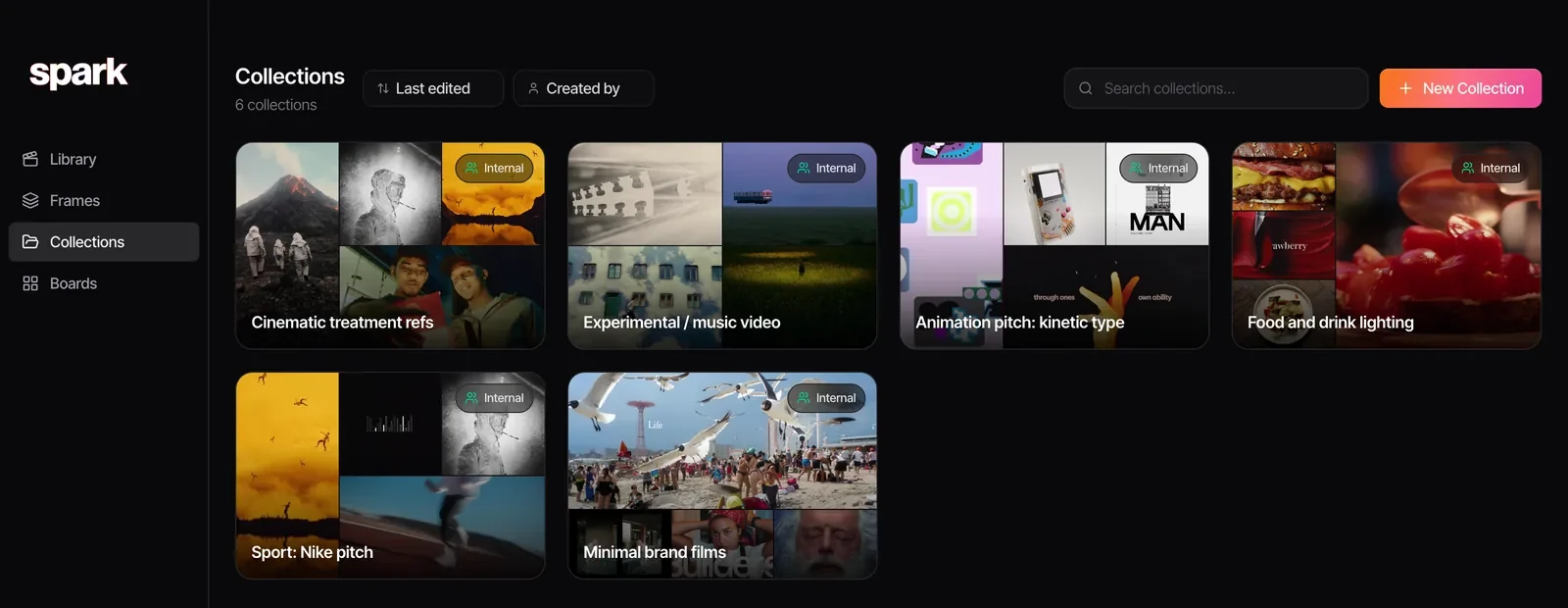
Keep the library and the selections apart. The library is the archive. Collections and boards are the edits you cut from it. Bin a board when the pitch is over, but never delete from the library, because the job you lose today is the reference you need next spring. The team version of all this, with an owner, naming rules and a weekly ritual, has its own guide.
Folders or tags?
Both, for different jobs. Folders (or collections, or boards) are for projects, which start and finish. Tags are for qualities, which stay true about a reference forever.
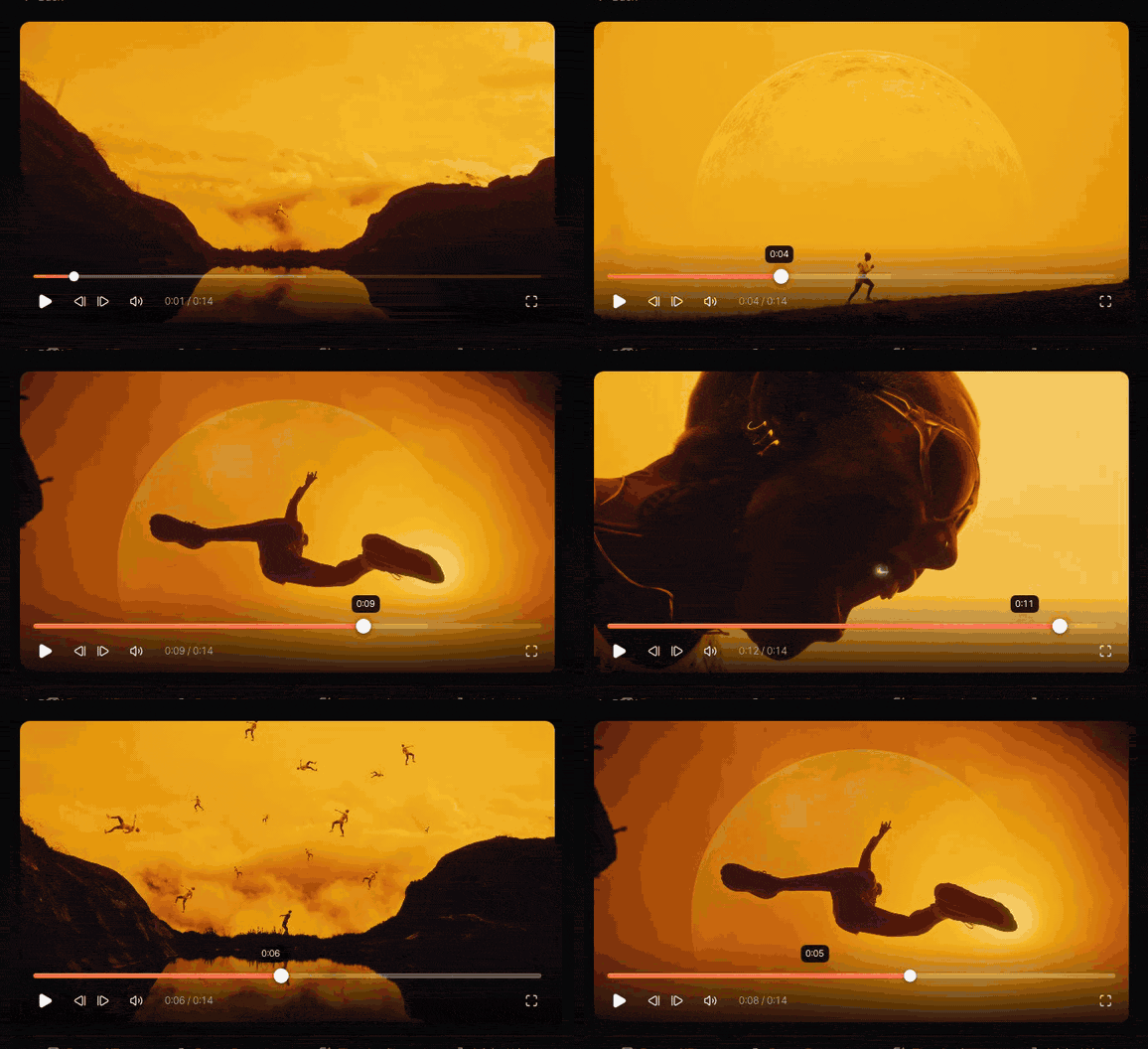
Folders alone break because a reference can only sit in one. Nike ACG's Change of pace, Paddy Cartwright's film with the runner leaping across a giant golden moon, is a silhouette reference, an orange grade reference and a sport reference all at once. In our library it sits in two collections, the cinematic treatment and the Nike pitch. File it under colour only and it's gone the day someone asks for silhouettes.
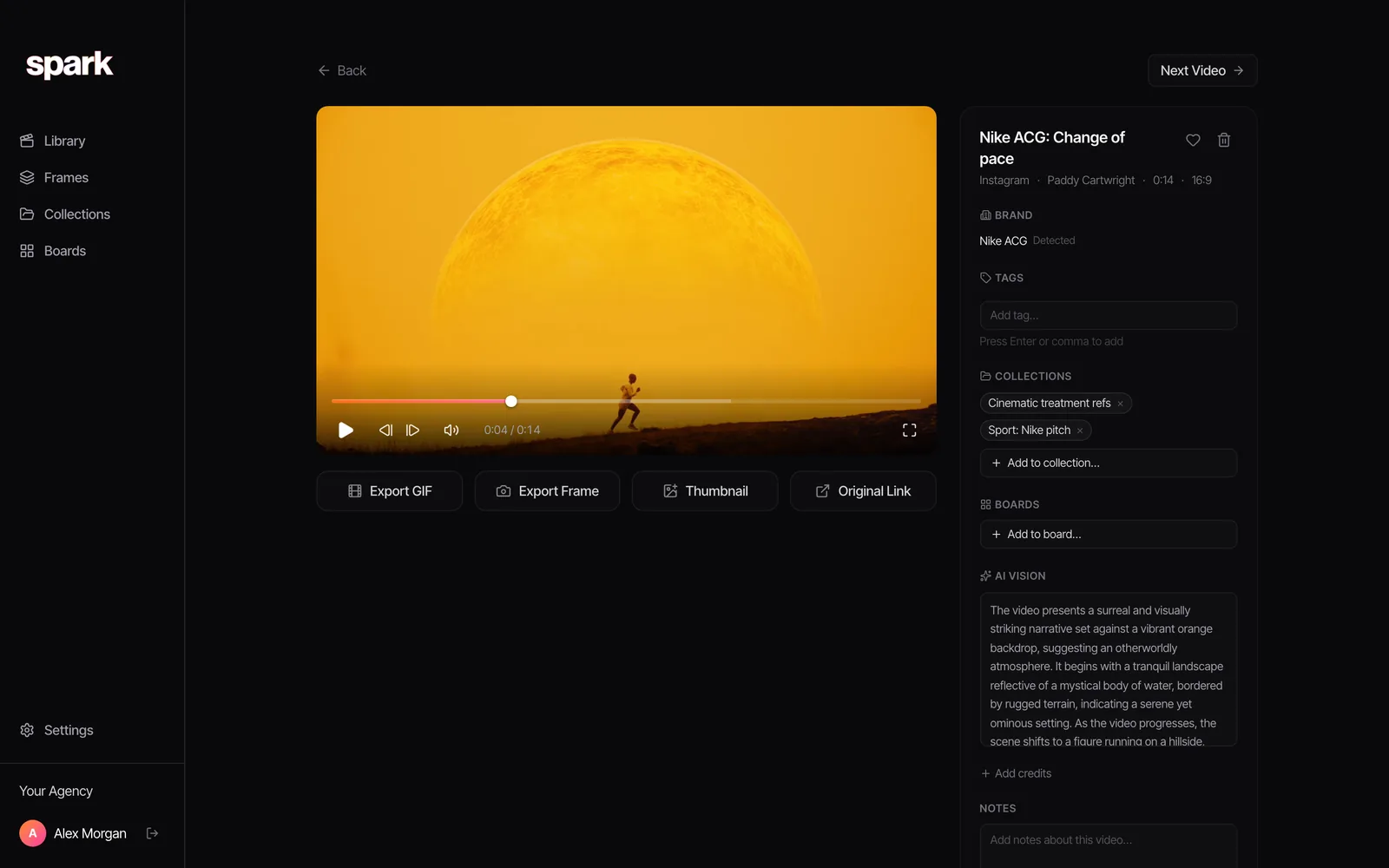
Tags alone break the other way, because a pitch needs a finished, ordered set to show someone. So tag for qualities, collect for projects, and let one reference sit in as many collections as it likes.
Which tool should you build it in?
The method works in anything from a spreadsheet up. The real question is how much of it the tool does for you, especially if your references mostly move. Short tour below, more detail in our comparison of creative reference management tools.
A folder and a spreadsheet
Free, private, entirely yours. One folder of files, one spreadsheet with a column per dimension and a source link. Fine for one person with a few hundred references. It falls over the moment you want thumbnails, want to search what's said in a clip, or want a team on it.
Notion
Notion is where a lot of teams start, because they already pay for it. A database with a property per dimension makes a tidy, shareable reference log, and there are community templates for exactly this.
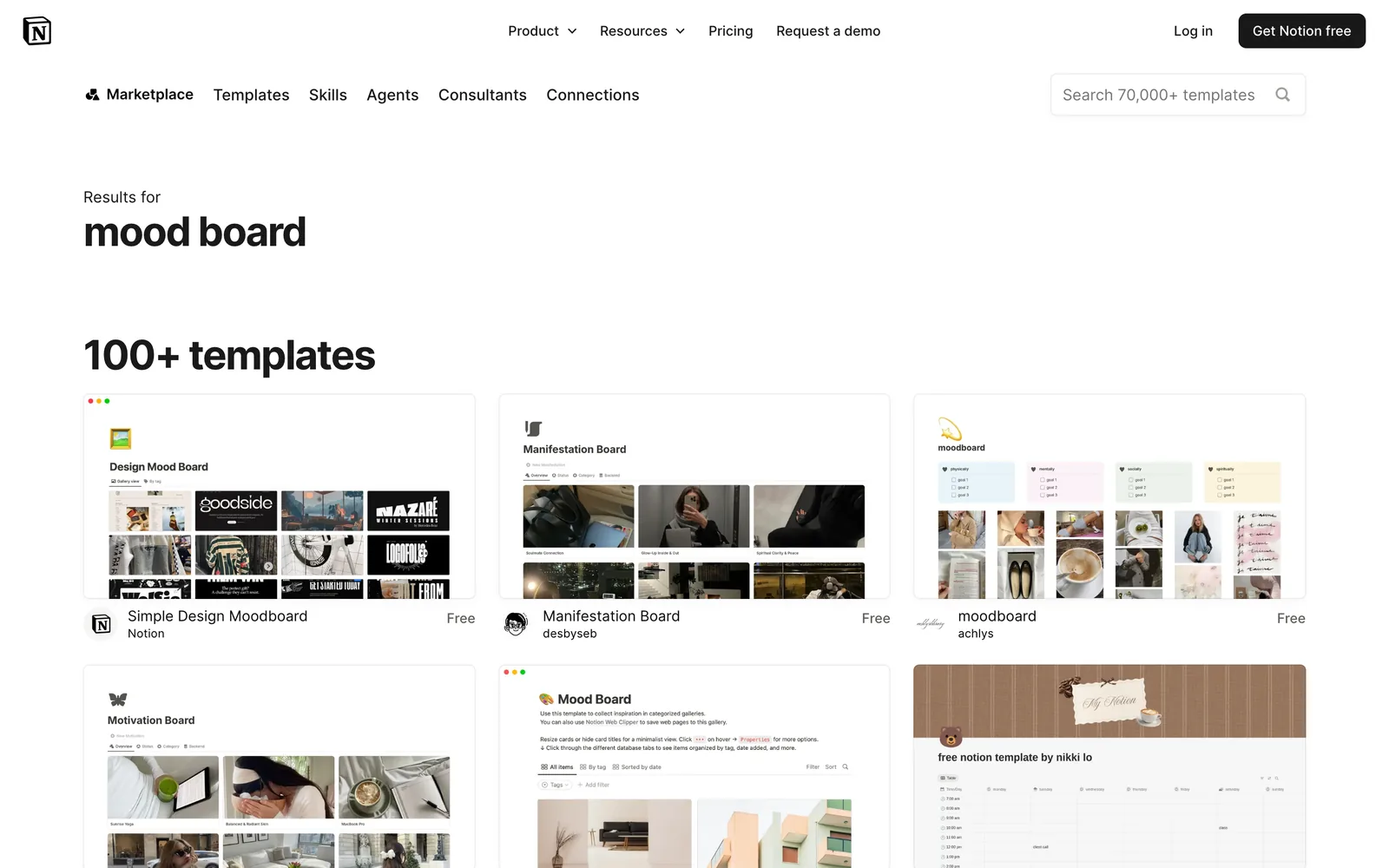
It's weaker at holding the media itself. Embeds depend on the original post staying up, and the free plan caps uploads at 5 MB a file, which is a few seconds of decent 1080p. Plus is £8.50 per member a month as of October 2026 and lifts the cap. Good for the notes around your references, less so as the place they live.
Eagle
Eagle is a one-off purchase ($34.95 as of October 2026, for two computers) that keeps everything as local files on your Mac or PC, with quick tagging, smart folders and, in newer versions, AI search by description or by image.
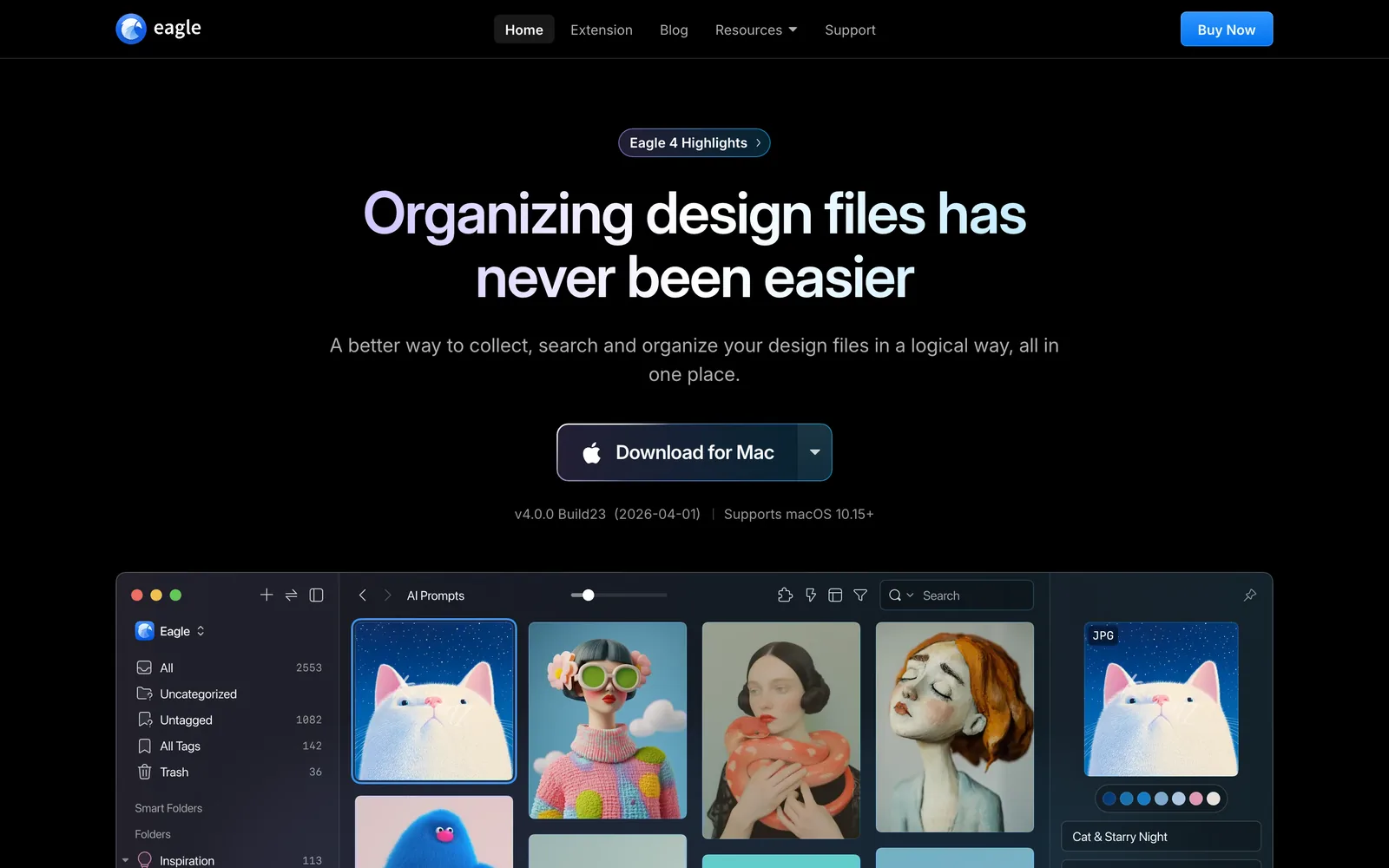
For a solo designer with a big folder of images who wants to own the files outright, it's excellent. It's built for one person, though, so sharing means a synced folder and some care, and getting reels and TikToks in usually means a community plugin or downloading them yourself first. We've put the two side by side in Spark vs Eagle.
Are.na
Are.na is calm, ad-free and good for thinking. Channels of images, links and text connect to each other, so it's as much a research practice as a library. Free up to 200 blocks, then Premium at $7 a month or $70 a year as of October 2026. It isn't built around video, and you won't be searching inside clips. If you think in connections, read Spark vs Are.na.
Spark
This one's ours, so weigh it accordingly. Spark runs on Mac and Windows and is built around this method with video at the centre. It keeps a copy of each reference along with its source, describes and transcribes it, and lets you pull GIFs and frames out of the exact moment you need. Free for 15 videos and 30 frames; Creator is £16 a month and Studio, for shared team workspaces, £23 per user a month.
Where it isn't the right pick: if your library is mostly still images and you want local files forever, Eagle is the better buy. If you want a public, connected research practice, Are.na is lovelier. And there's no mobile app, so on your phone you capture through the Instagram DM or WhatsApp.
A starter setup for this afternoon
If you'd rather start than keep reading:
- Pick one tool and one inbox, and commit to it for three months.
- Copy the seven-dimension tag list above into a doc. Cut what you'll never use, then add the techniques you talk about most.
- Pull last month's references out of Instagram Saved, TikTok Favourites, Slack and WhatsApp into the inbox. Just last month. Leave the archive for a rainy Friday.
- Tag those, with a five-word note on each.
- Make one collection for whatever you're pitching next.
- Put the thirty-second retrieval drill in your calendar, monthly.
The libraries that work aren't the biggest or the prettiest. They're the ones where the person who saved a reference isn't the only person who can find it.
FAQs
What is a creative reference library?
It's a single, searchable collection of the images, videos, ads and frames you use to brief, pitch and make work. A good one is tagged by qualities like technique, mood and light, so you can find a reference by what it looks like rather than where you saw it. People also call it a swipe file or an inspiration library.
How many tags should each reference have?
Three to six is the sweet spot, drawn from a fixed list. Fewer and you won't find it again, more and tagging becomes a chore you'll quietly stop doing. A short note on why you saved it is worth more than an extra three tags.
How do I stop saved references disappearing when posts get deleted?
Keep a copy as well as the link, where the platform and your use allow it. Links break when an account goes private or a post is removed, and platform save folders vanish with the original. For anything you can't download, a screen recording kept in your library is the fallback.
What's the best app for a video reference library?
It depends on what you save and who needs it. Eagle is great for a solo, image-heavy library of local files, Notion for a team that mostly wants a written log, and Spark for teams whose references are mostly video from social platforms and who want to search inside them. Our tool comparison, linked above, goes through each.
Is it OK to save other people's videos as references?
Keeping references for internal research and pitching is everyday practice in the industry, but the copyright still belongs to the creator. Credit the work when you show it, don't republish it as your own, and ask permission before using anything in public-facing material. If a project depends on it, check with a lawyer.
Keep reading
All articles
How to Find a Video You Saved Months Ago
The reel you saved in spring is perfect for Thursday's pitch and it's nowhere. Here's where to look, platform by platform, in the order most likely to work.
How to Save Instagram Reels for Creative Inspiration
Instagram's Saved tab is a fine bookmark and a terrible archive. Here's how to use it well, where it lets you down, and what we do with the reels that matter.

How to Make a Moodboard for a Video Project
Twenty well-chosen frames with a line of explanation under each will do more for your shoot than two hundred beautiful pins. Here's how to build that board, section by section.