
How to Make a Moodboard for a Video Project
Twenty well-chosen frames with a line of explanation under each will do more for your shoot than two hundred beautiful pins. Here's how to build that board, section by section.
By the Spark team ·
A good moodboard for a video project is 15 to 30 frames, sorted into six sections (tone, colour, light, framing, movement, and wardrobe and locations), with one line under each frame saying why it's there. It starts from the brief, it gets cut down hard, and it ends up in front of two very different audiences: the client, who needs to say yes, and the DoP, who needs to know what yes means.
That second audience is where most boards fall over. They're built to impress, so they're full of gorgeous frames that contradict each other, and nobody on set can tell what the director wants. Below is the process we use at Perspective Pictures for commercials, brand films and music videos, with example sections you can steal.
If you only want the layout done for you, skip to the moodboard maker on this site: drop in stills and GIFs, pick one of eight layouts and download a deck. But the layout is the last ten per cent. The other ninety is choosing.
(UGC ads shot on a creator's phone need a different kind of board, built around hooks rather than looks. That has its own guide.)
Start from the brief, not from Pinterest
Before you open a single tab, write one sentence about how the film should make people feel. Not what happens in it. How it feels.
"Warm, slightly ridiculous, and expensive" is a brief you can find pictures for. "Premium and authentic" is not, because every brand film ever made thinks it's premium and authentic.
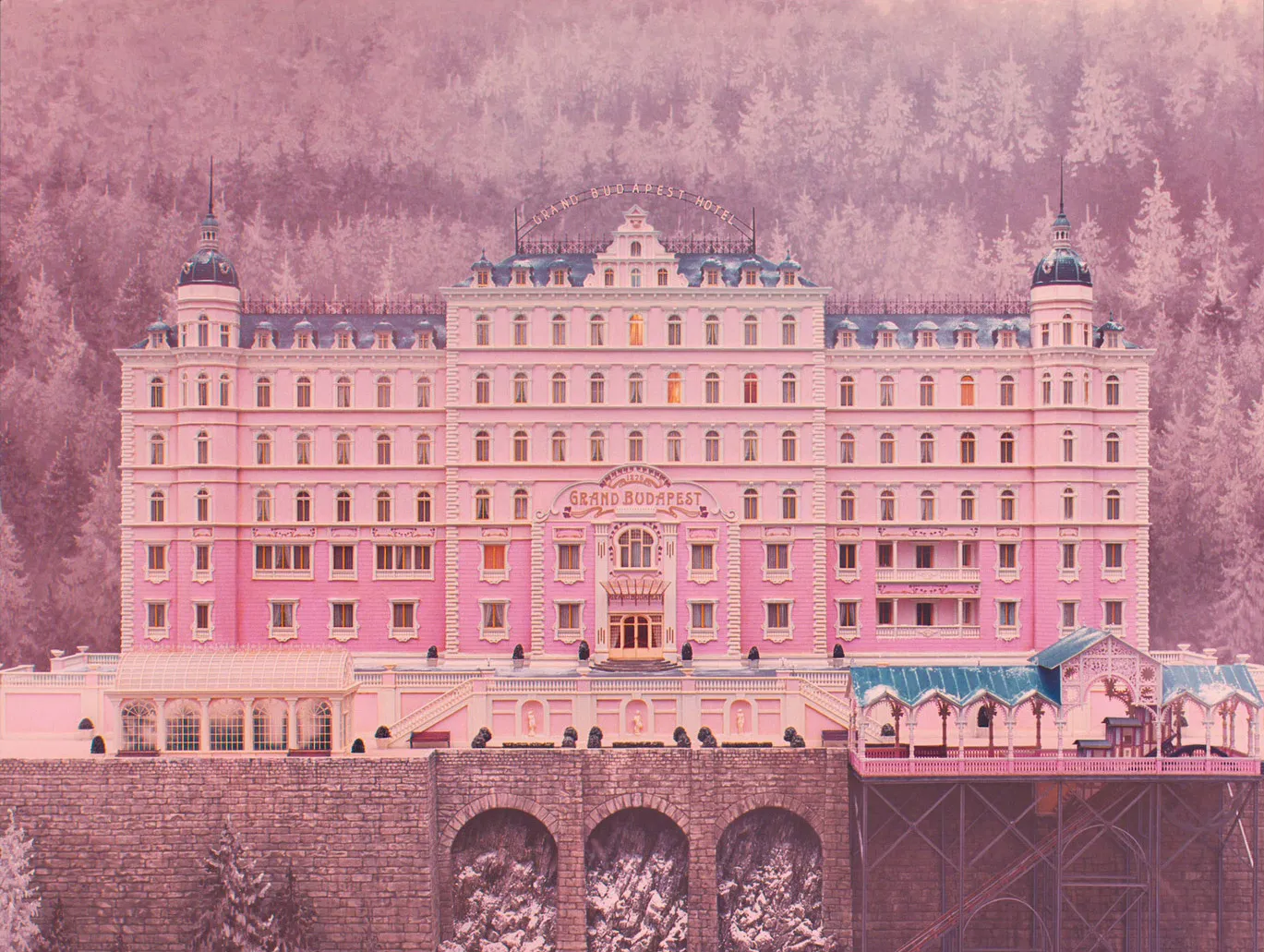
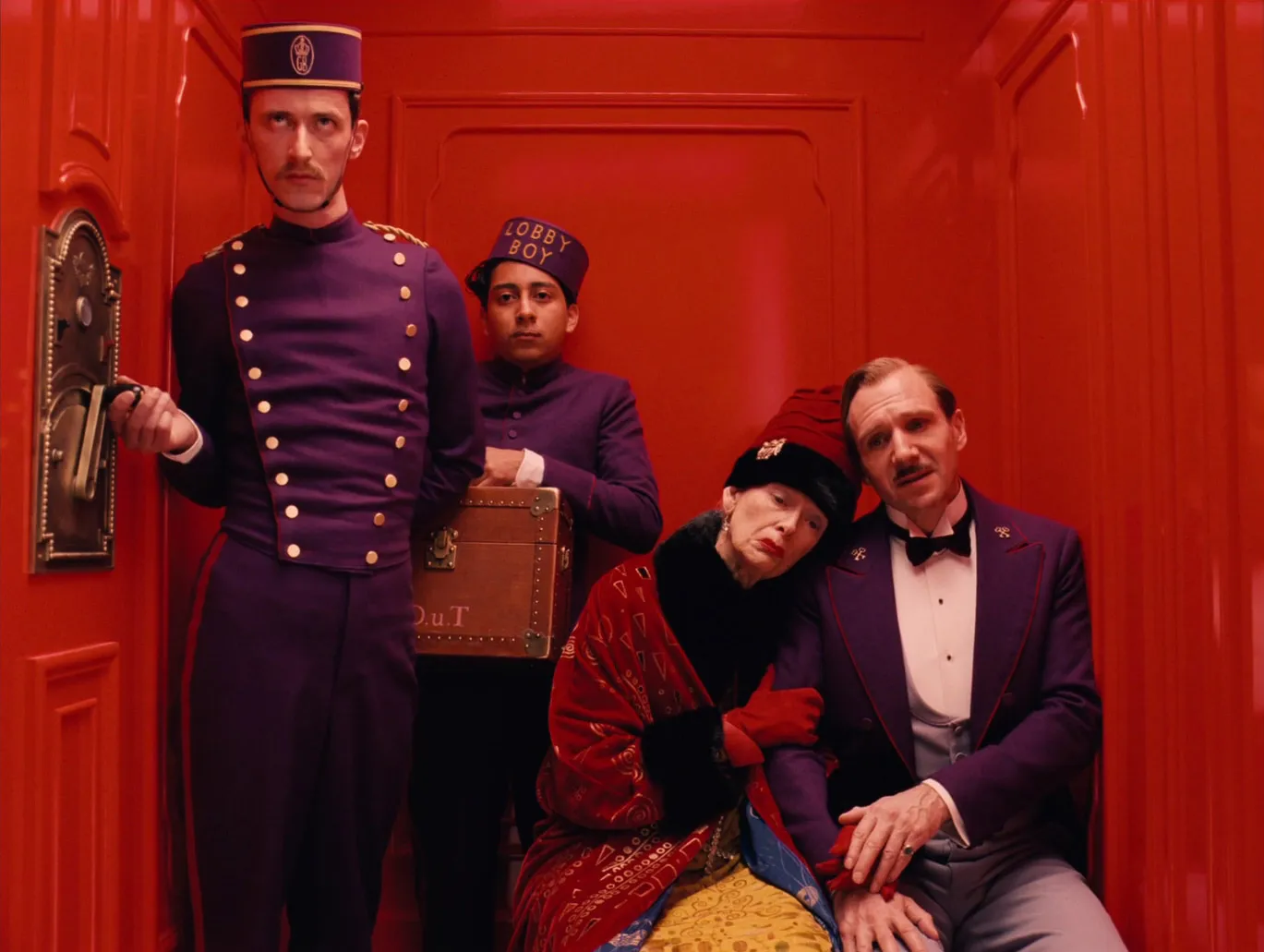
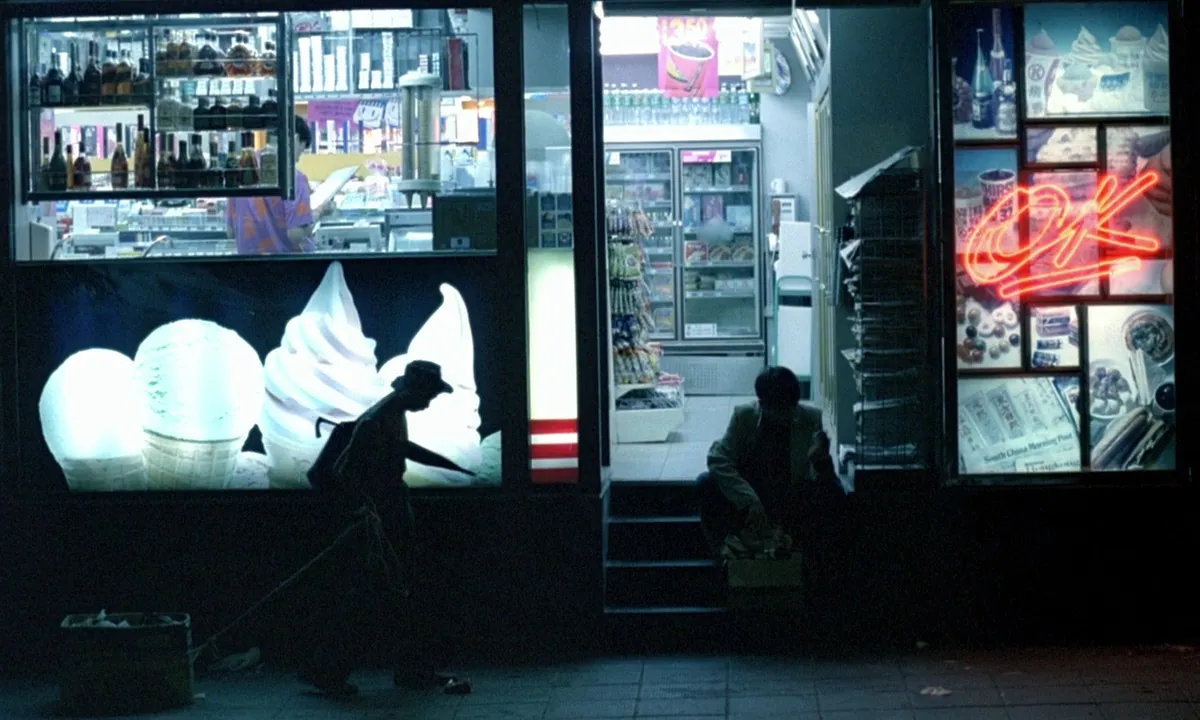
Pull three or four words out of that sentence and treat them as search terms. "Warm, ridiculous, expensive" sends you to Wes Anderson interiors, 1960s hotel brochures and a particular kind of deadpan comedy. "Lonely, wet, electric" puts you in Wong Kar-wai's Hong Kong. The words become a filter later. You'll need it when you find a frame you love that has nothing to do with the job.
Then read the script or the agency board again and mark anything with a visual consequence: night scenes, a location the client already owns, a product that has to read on camera, talent who's only free for half a day. A moodboard that ignores those is fiction.
Gather wide, then cut hard
Give yourself a day (realistically, the evening before a Thursday pitch) to collect far too much. Sixty to a hundred references is normal. Sources that earn their keep:
- Films. Stills libraries like ShotDeck and Frameset are built for this, searchable by colour, lighting or lens. Your own screengrabs count too.
- Ads and music videos. Usually closer to the budget and format you're shooting. The Meta Ad Library and Vimeo are both good hunting grounds, and we've written up how to use the Meta Ad Library for creative research.
- Social. Reels and TikToks are where a lot of current visual language shows up first, especially for anything youth or fashion. Fashion campaigns split into mood, styling and casting boards, which we go through in making a fashion campaign moodboard.
- Photography and painting. Painters solved light centuries before Steadicam. A Hammershøi interior can brief a gaffer better than a paragraph.
- Your own world. Recce photos, the client's last campaign, the product on a desk by a window.
Keep the source for everything. You'll want to show the DoP the full clip later, and "I think it was a perfume ad from 2019?" is not a source.
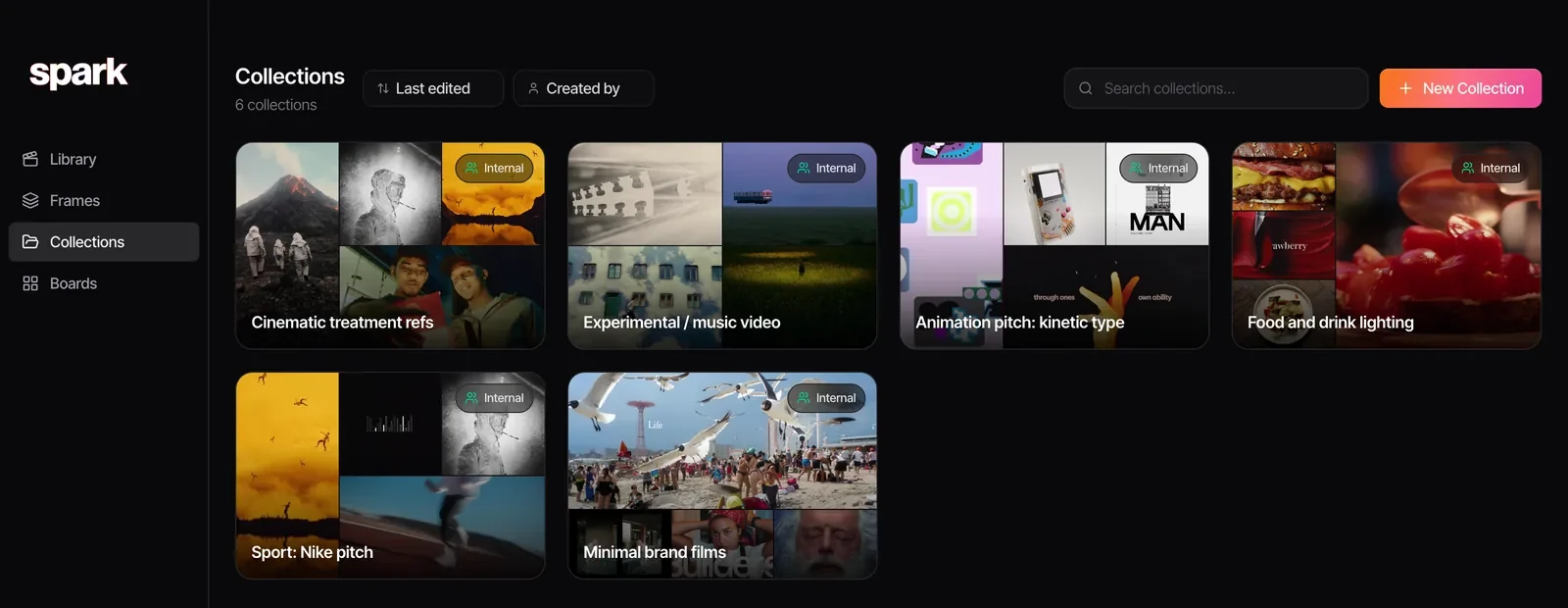
This is the messy stage, and it's where we live in Spark. Everything goes onto one board in loose columns, videos playing in place, with the frames we've pulled from them underneath.
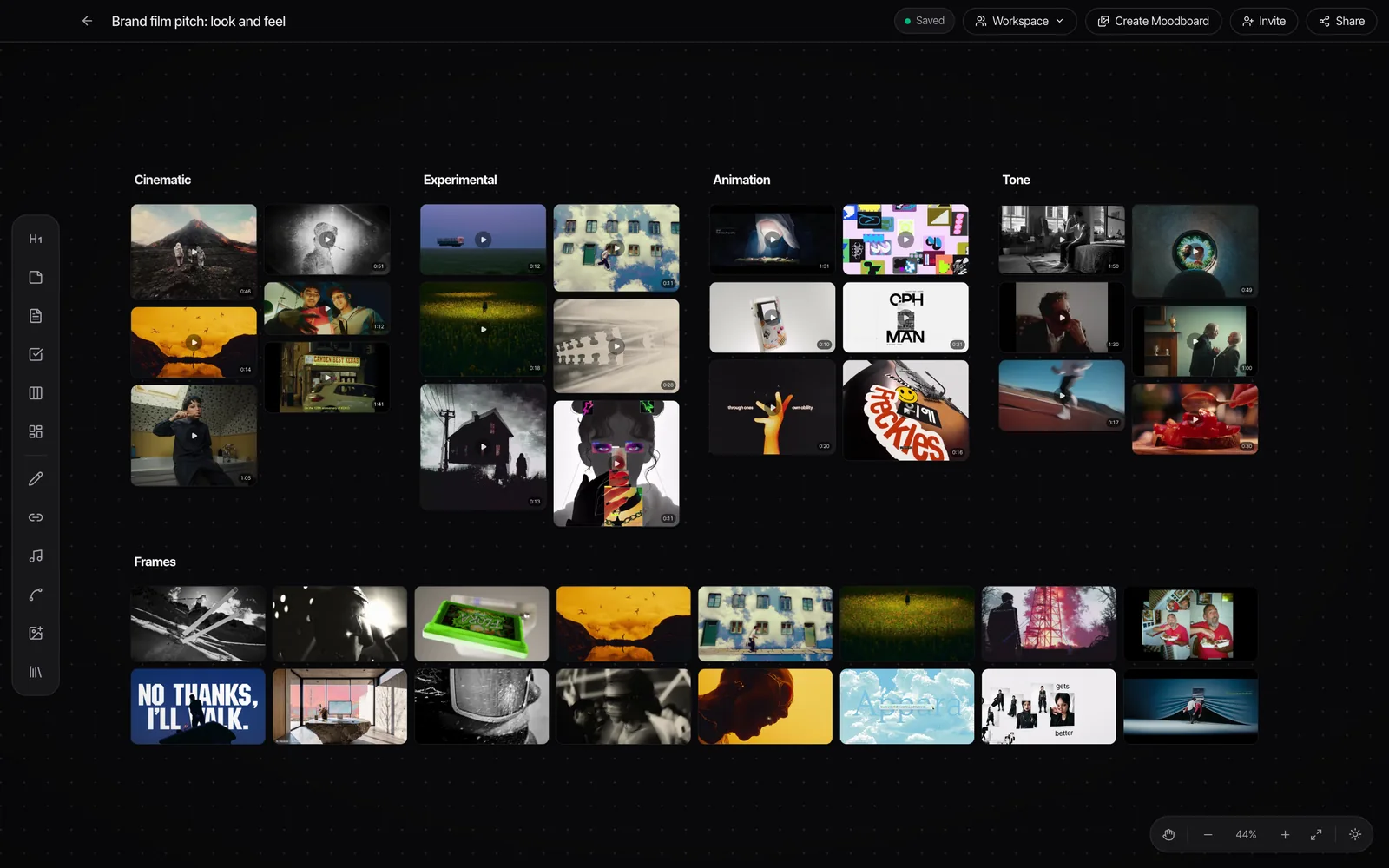
Now cut. Most boards end up at 15 to 30 frames, and every survivor has to answer one question: what decision does this frame make for us? If you can't say, it goes. Be especially ruthless with frames that are only there because they're beautiful. Those are the ones that cause the arguments on set.
The six sections every film moodboard needs
You won't need all six every time. A tabletop product film doesn't need a locations section. But walking through all six makes sure no department is left guessing.
1. Tone
One or two references that carry the whole feeling, at the very top. This is the section the client remembers, so pick the one you'd show if you could only show one. Everything else on the board should feel like it belongs in the same film.
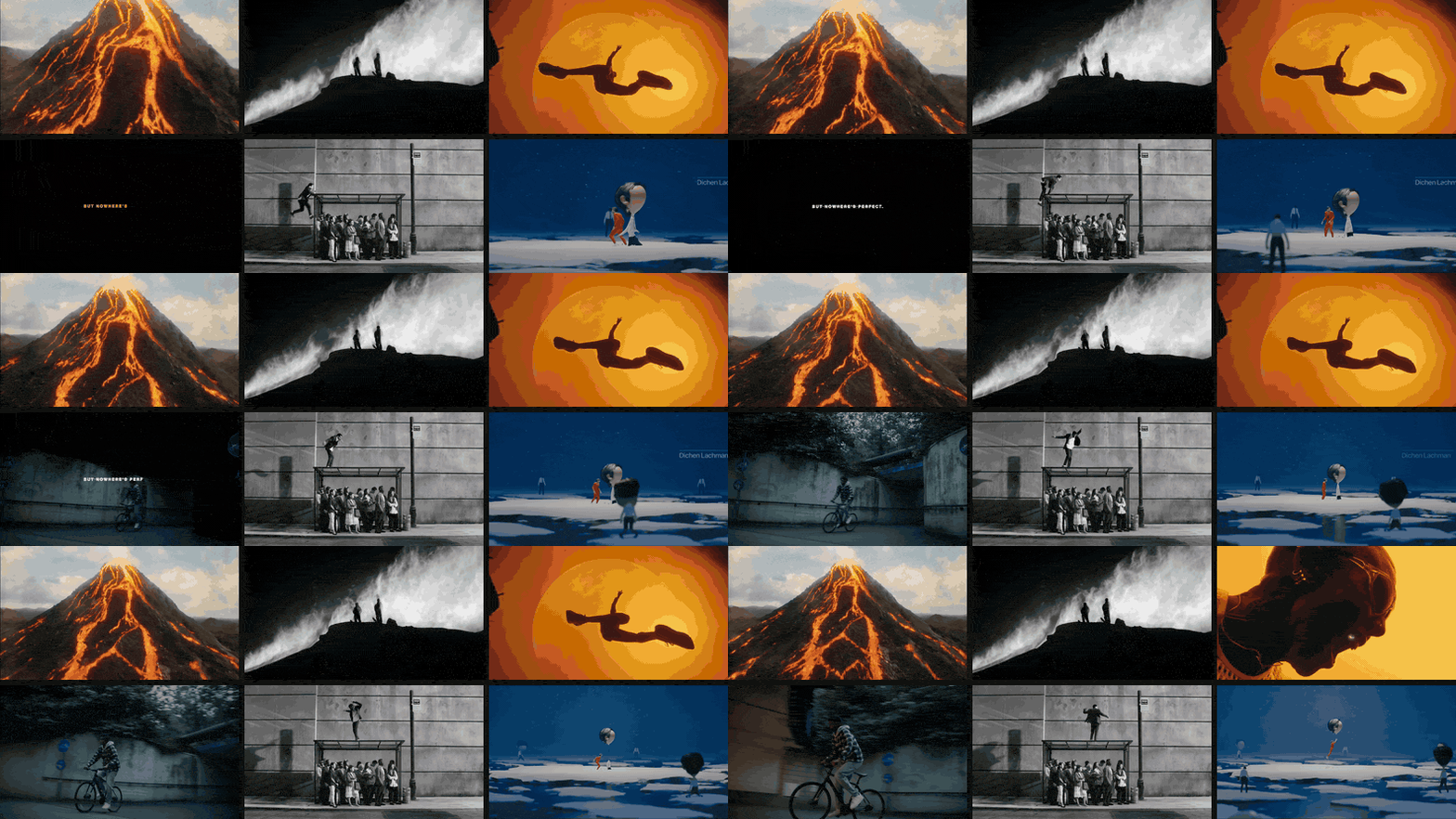
Tone is where moving references earn their place first. A still of Oscar Hudson's Bounce for Apple shows a man on a bus shelter. The clip shows the joke.
2. Colour
Colour frames are there for the palette, so say so in the note. You're telling the production designer and the colourist which family of colours you live in and, just as important, which single colour is allowed to shout.
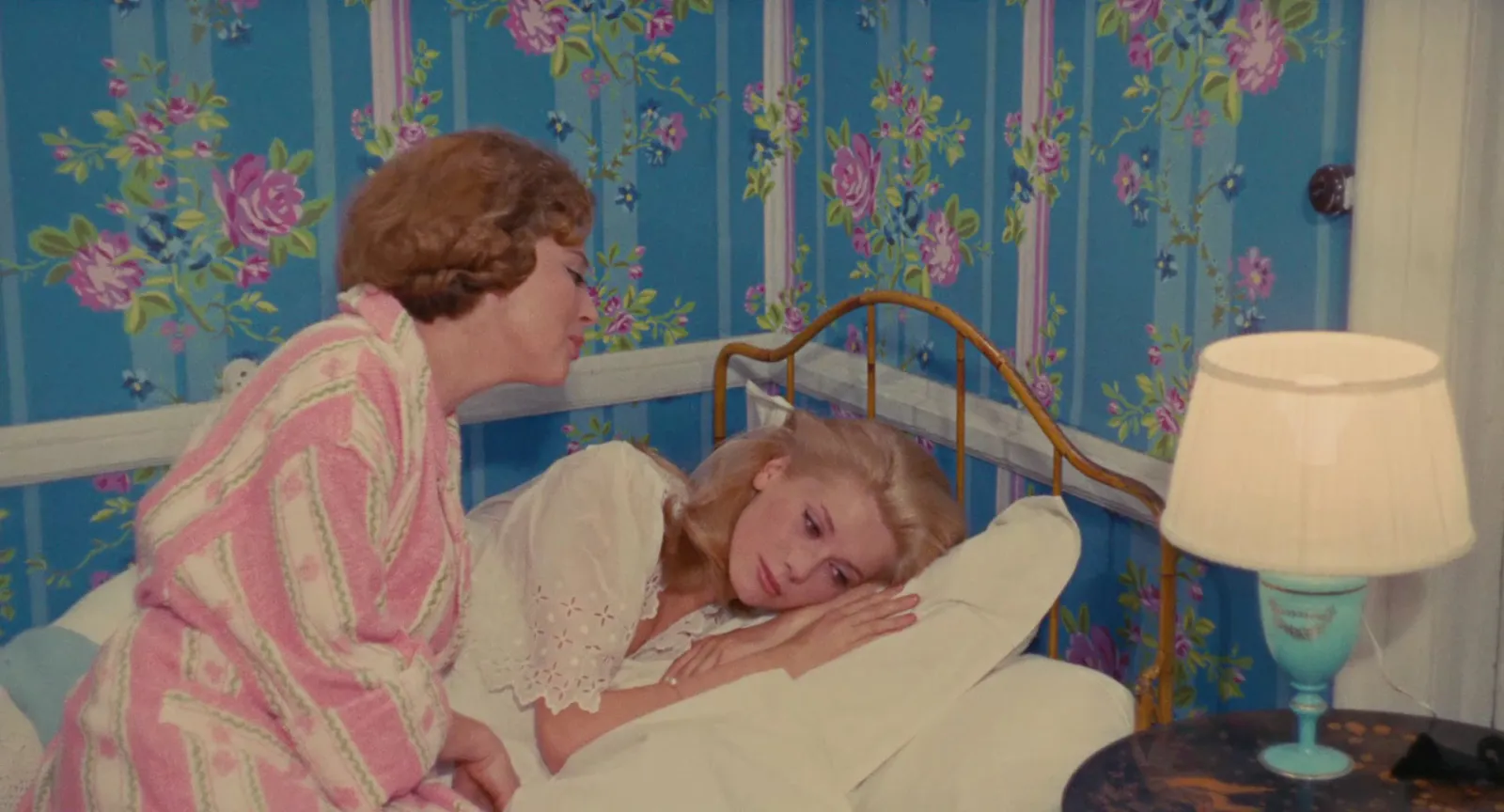
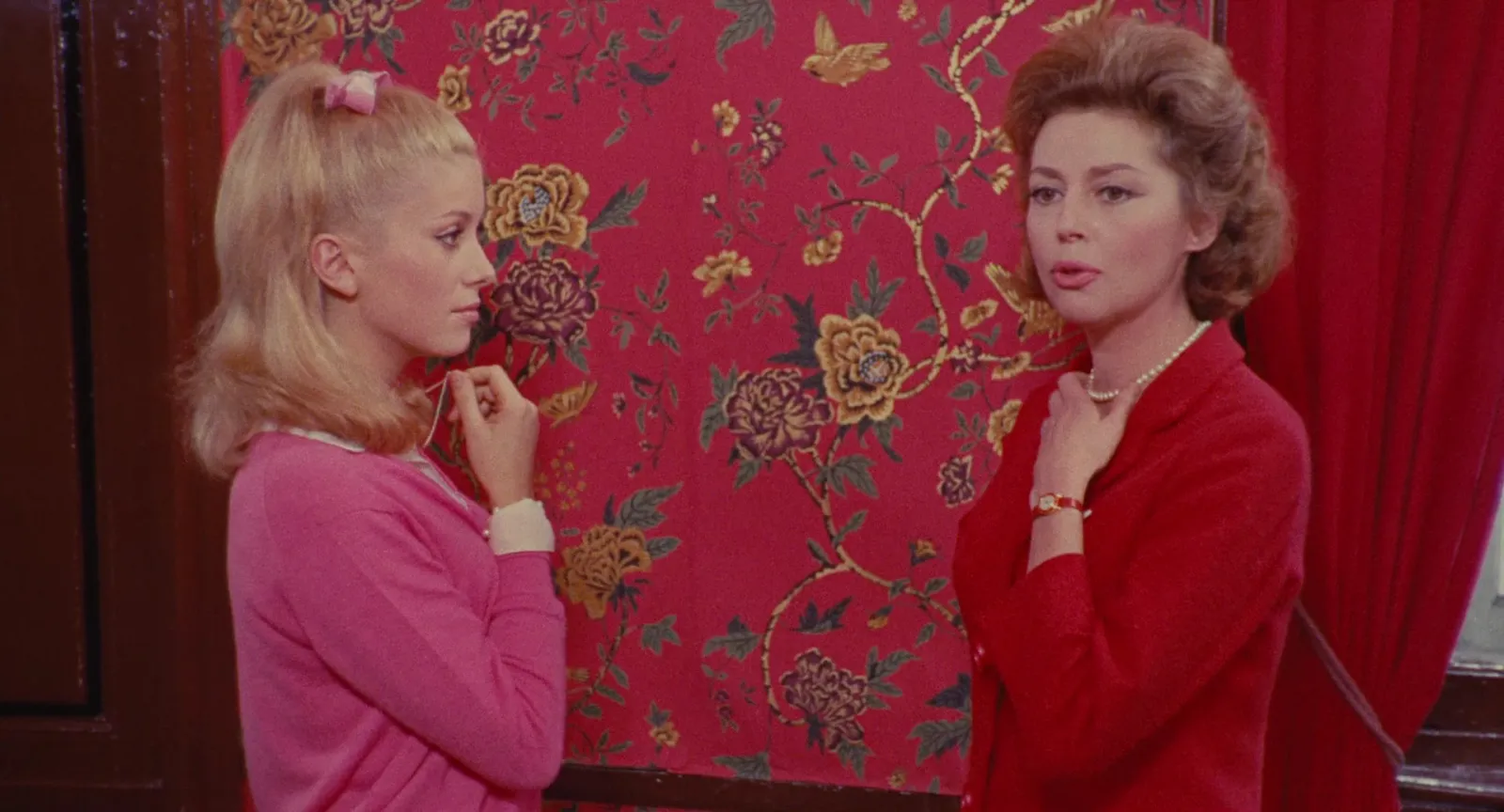
Two frames that agree on a palette beat six that each have a nice palette of their own. If your colour section looks like a paint chart, you haven't decided yet. Drop any frame into our palette tool for its hex codes. Handy when the colourist asks what "that pink" means. More on finding grading frames in finding and saving colour grading references.
3. Light
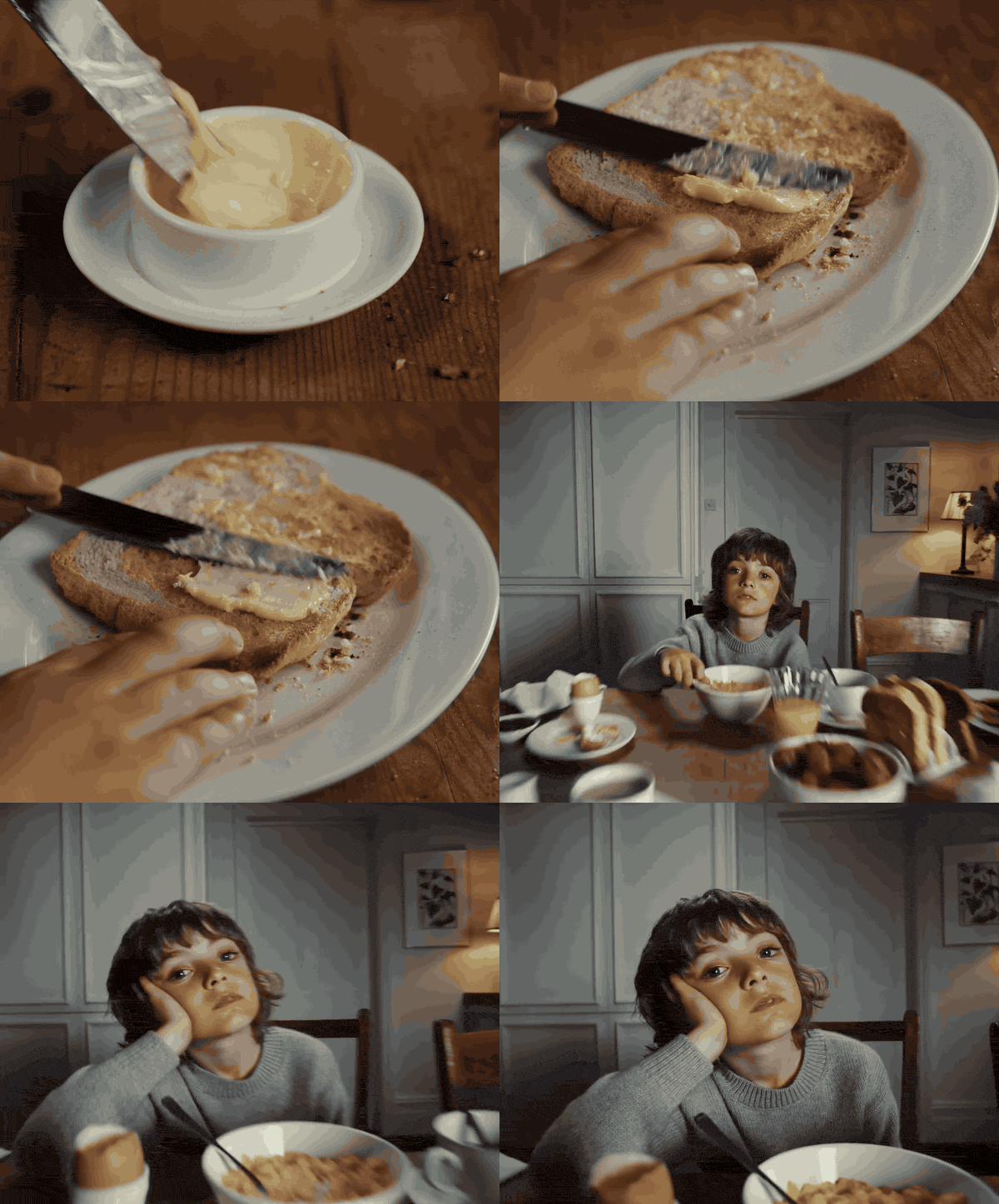
The section your DoP will read twice. Say where the light comes from, how hard it is, and how much of the frame you're happy to let fall into darkness. "Moody" is not a lighting note. "Single practical source, everything past arm's length goes to black" is.
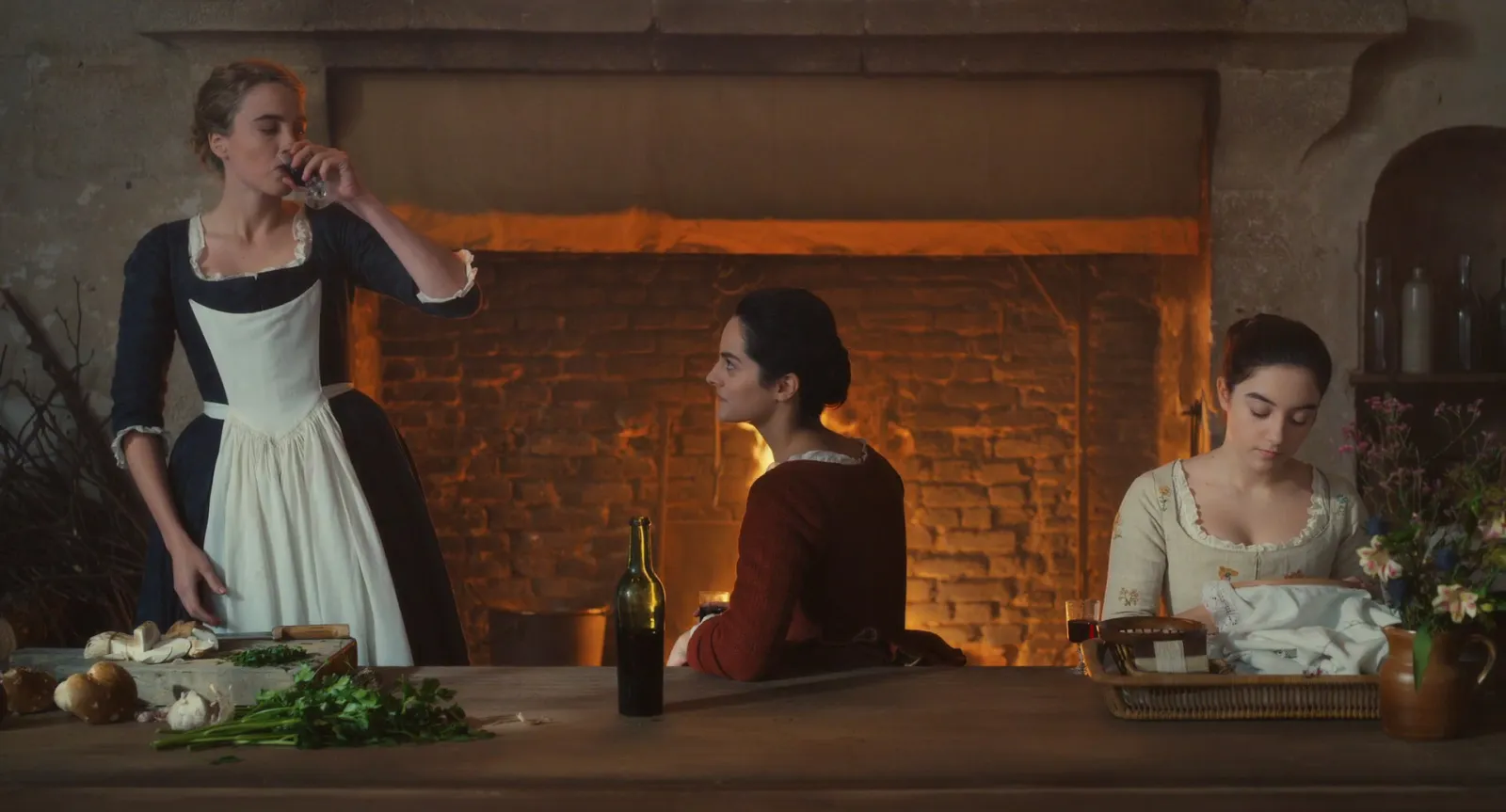
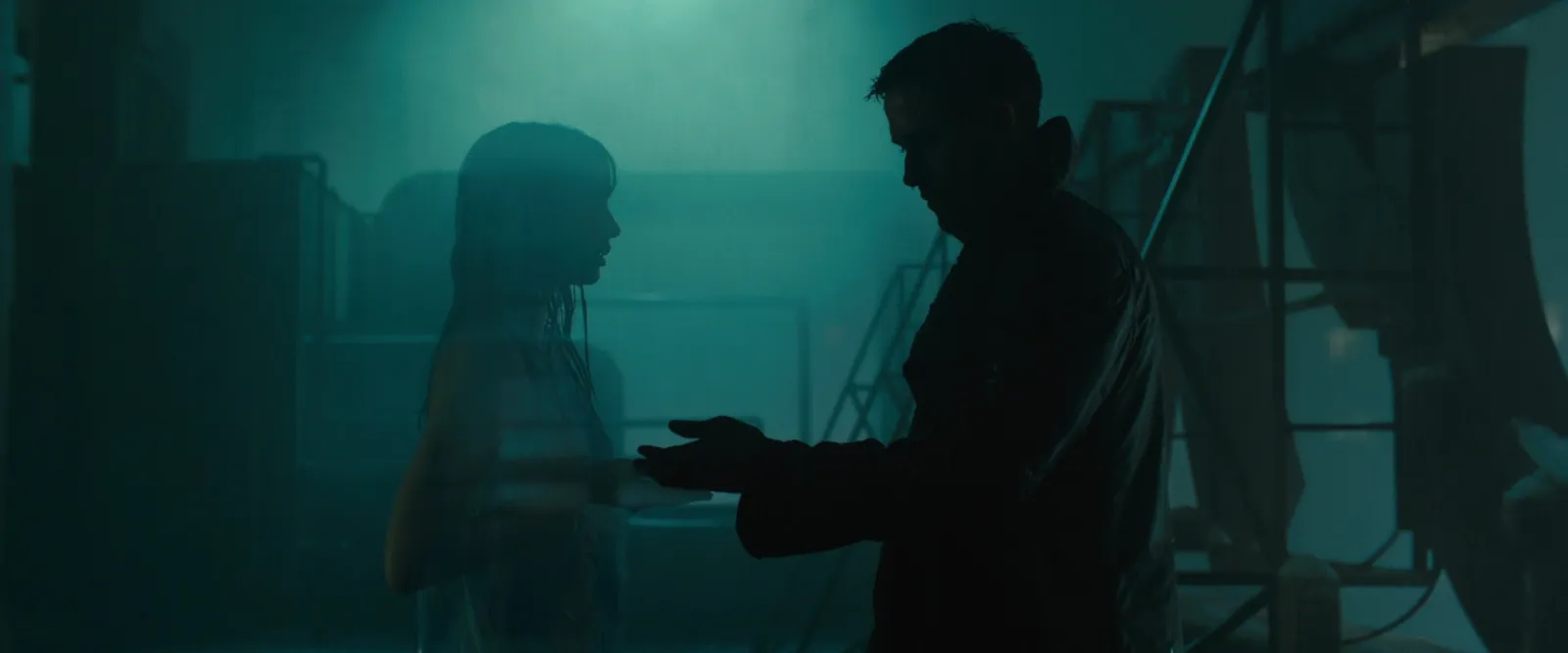
Two opposite frames side by side with "between these" written underneath is one of the most useful things a board can do. It gives the DoP a range instead of a single target, which is how lighting works on a real day with real weather.
4. Framing and lens
Composition, lens and how much world you see around the people. This is where you decide whether the film is symmetrical and composed or loose and handheld, and whether it lives on wide lenses close to faces or longer lenses from across the room.
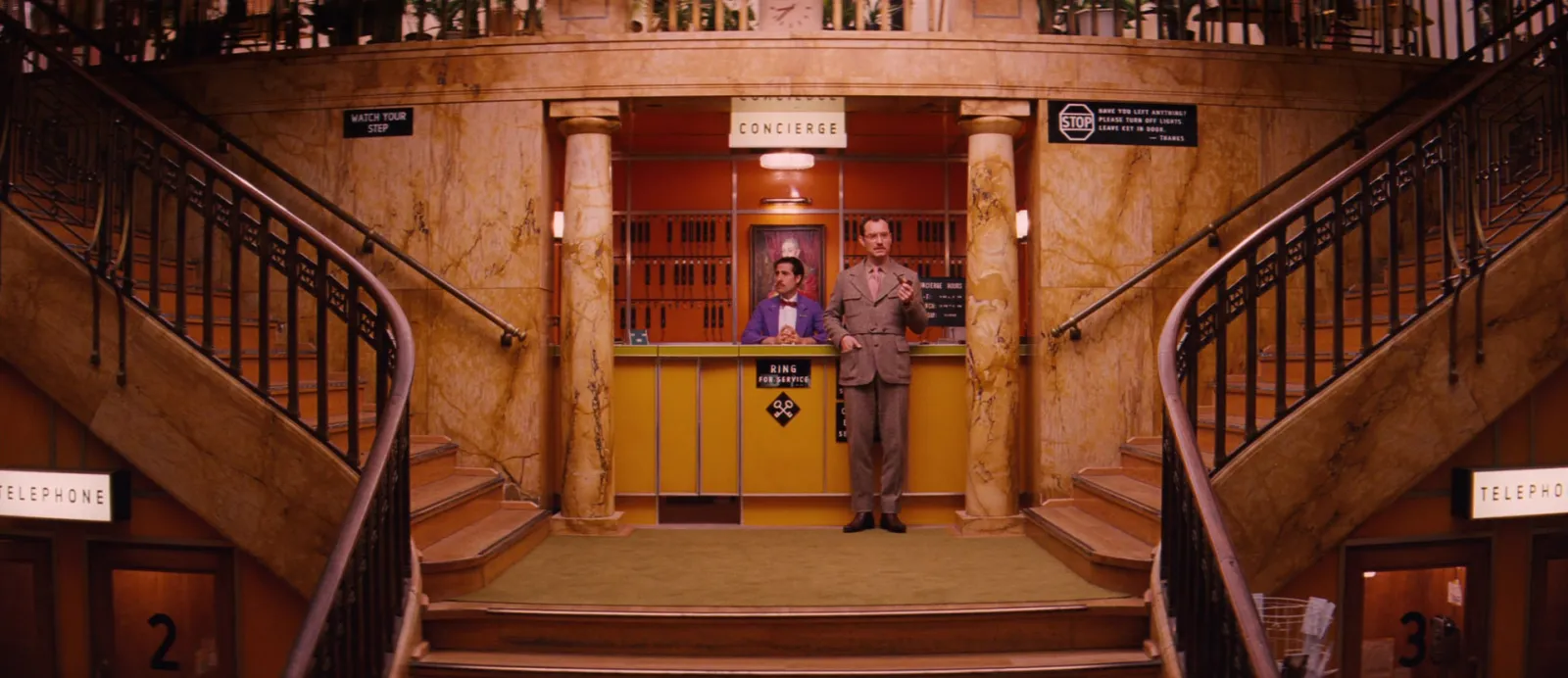
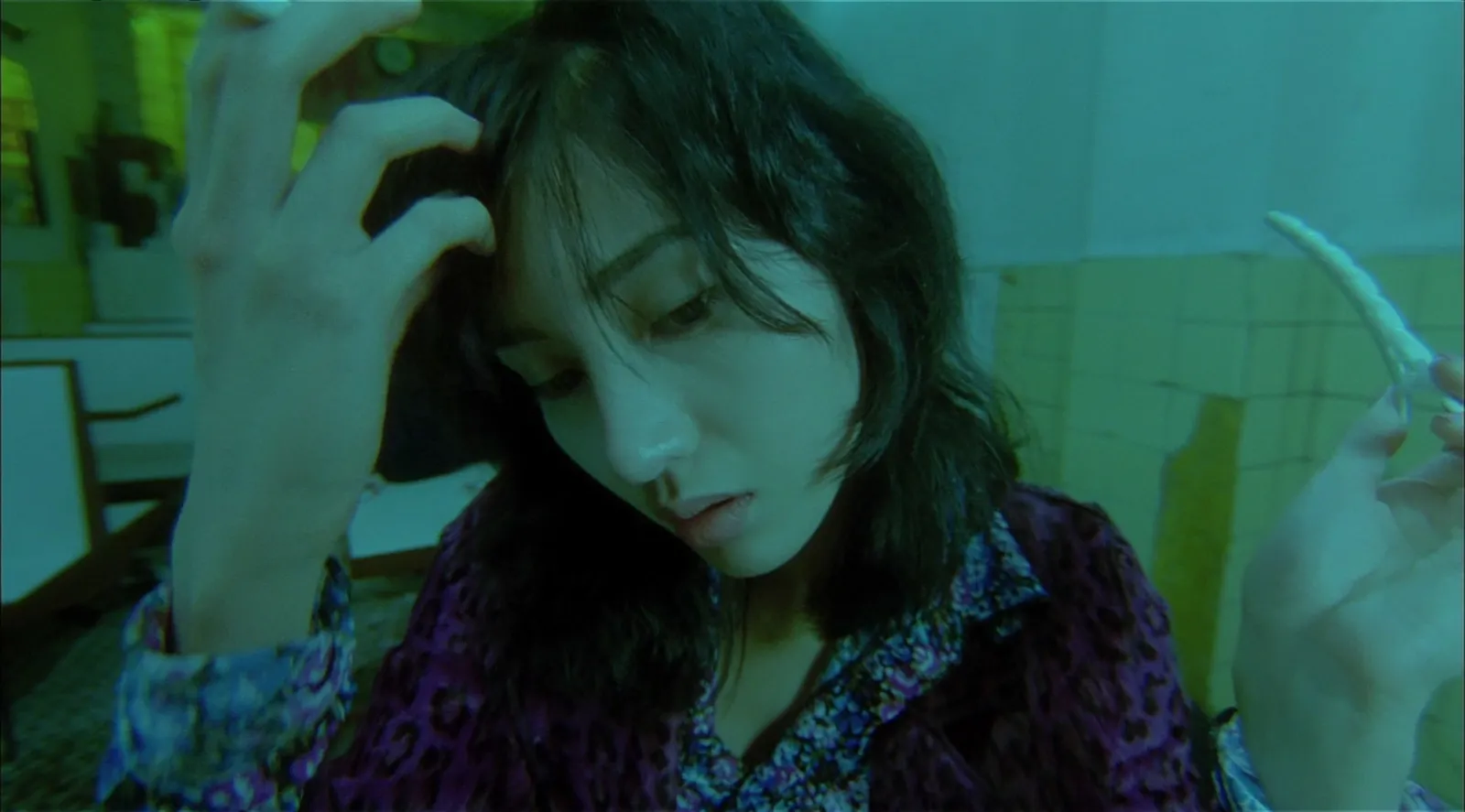
Yes, you can include a frame you don't want. Labelled "not this", a counter-reference saves a whole conversation on the recce. It's often quicker to show a DoP what you're avoiding than to describe what you're after.
5. Movement
Stills are bad at movement. You can show where a camera move ends up, but not its speed, its rhythm, or when it stops. So this section should move.
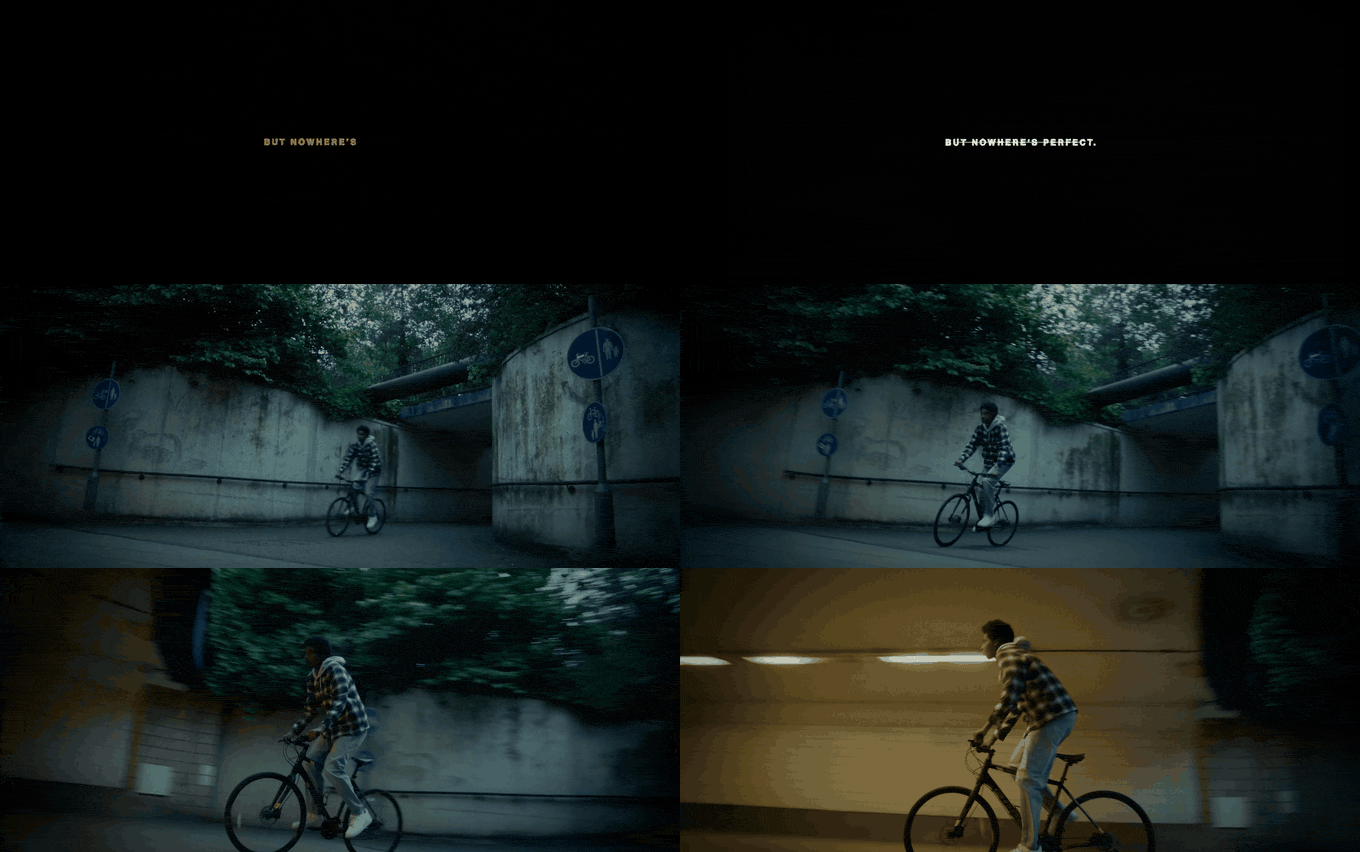
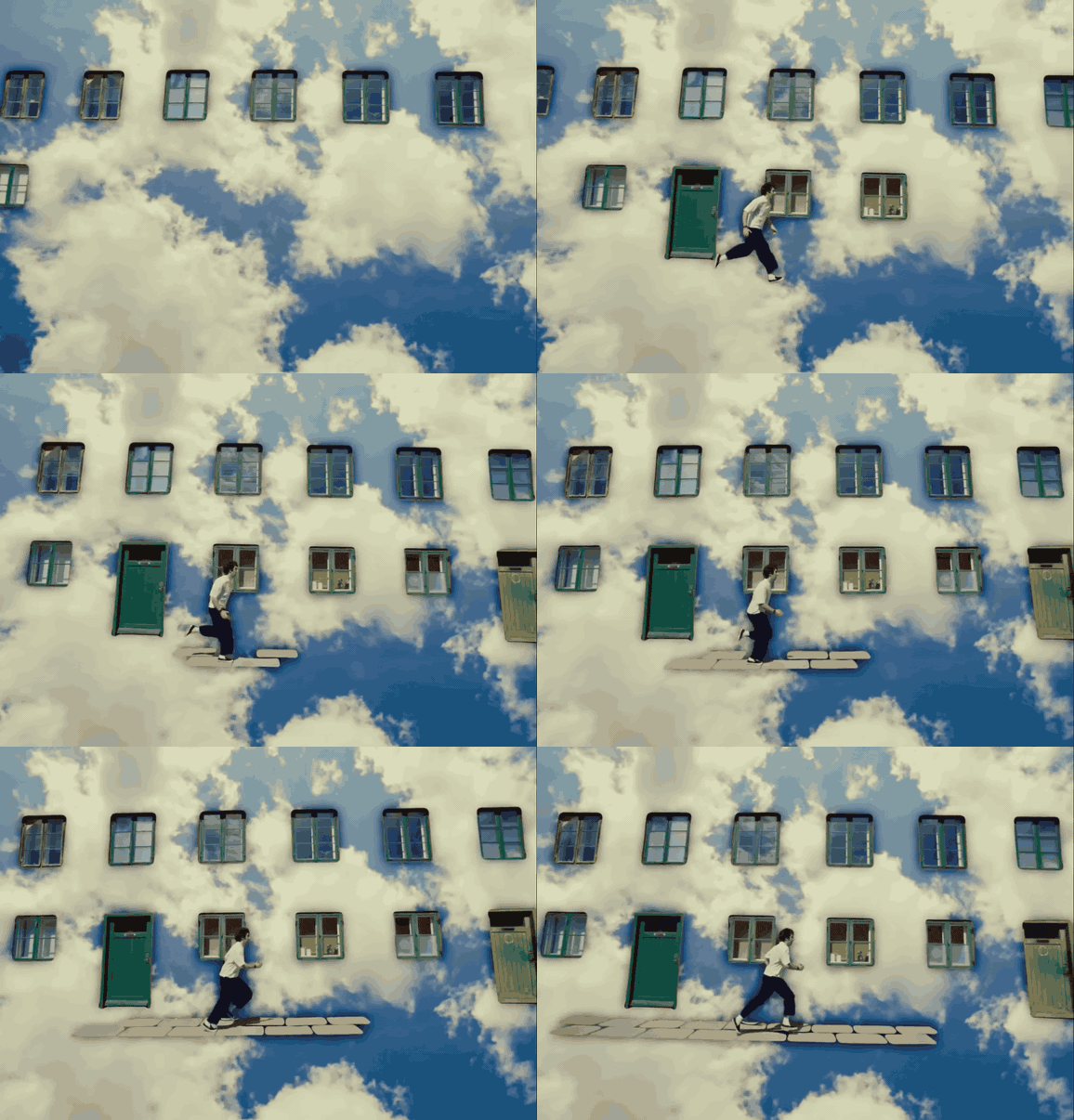
Cut each clip to the two to five seconds that matter and loop it. A browser tool we built for this gives you frame-accurate in and out points. You get the move and nothing either side of it. There's a whole guide on building a video moodboard with moving references, because it deserves more than a paragraph.
6. Wardrobe, locations and production design
The practical section, and the one most often missing from a director's board. Show the kind of place, the kind of clothes, the texture of the world. Designers and stylists will build their own, more detailed boards from this, so you're setting direction. You're not shopping.
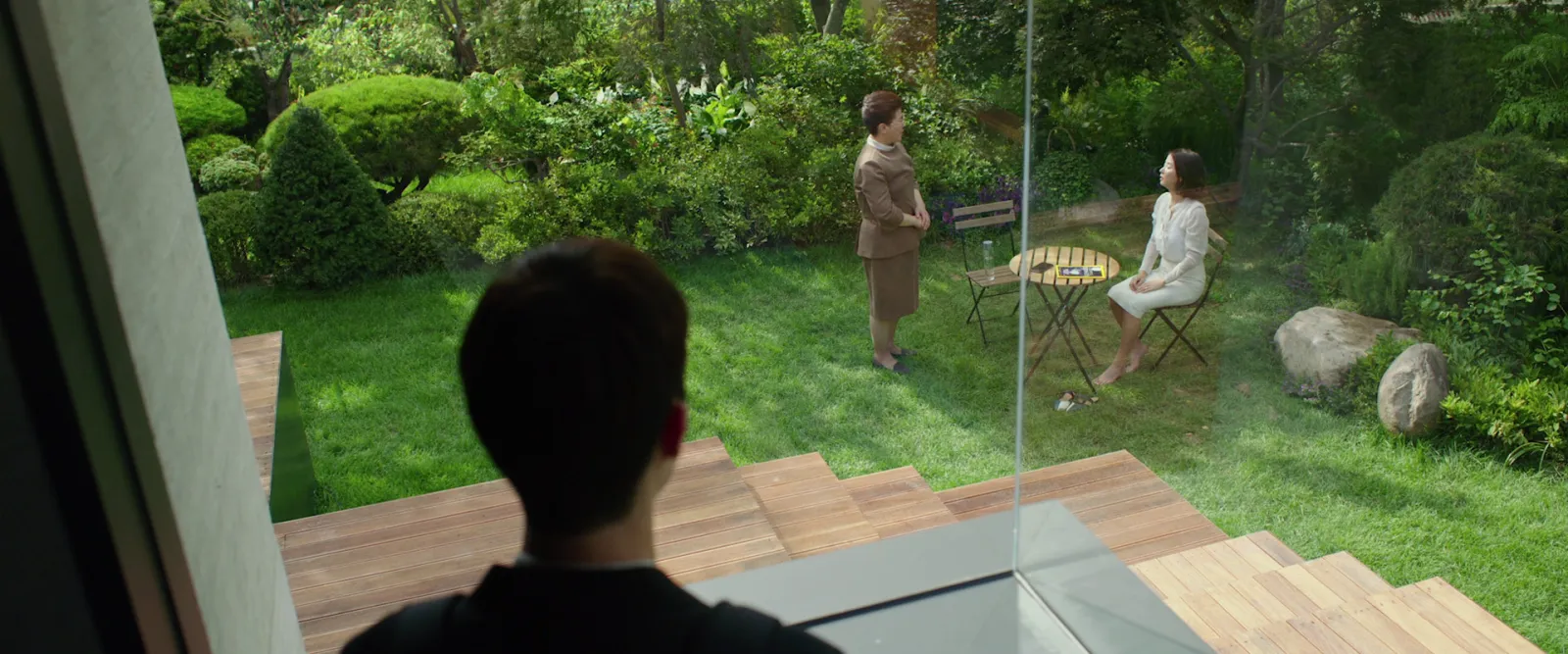
A location frame with "glass, low ceilings, garden visible from the kitchen" underneath gives your location manager something to search for. A pretty house with no note gives them a vibe and a week of guesswork.
Write a note under every frame
The note is the difference between a moodboard and a scrapbook. One line, about a decision:
- "This blue, at this saturation, for every night exterior."
- "Hard sun through a window, like this. We'll chase the real thing on the recce."
- "Wardrobe: mustard and khaki only, nothing with a logo."
- "Not this. Too glossy for the brand."
Notes protect you when the board travels without you, and it will. Clients forward decks to people who weren't on the call. A frame of a woman in a red coat could mean the red, the coat, the woman, the street or the weather. Tell them which.
Lay it out so it reads in one pass
Order matters. Tone first, because that's the feeling everyone signs up to. Colour and light next, which shape the most decisions. Then framing and movement, with the practical sections at the back.
Habits that help: one idea per page; the hero reference twice the size of the supporting ones; opposing frames side by side on purpose; and white space, because a board crammed edge to edge reads as indecision. Before anyone else sees it, check for contradictions. If colour is warm and light is cold blue haze, either fix it or explain it.
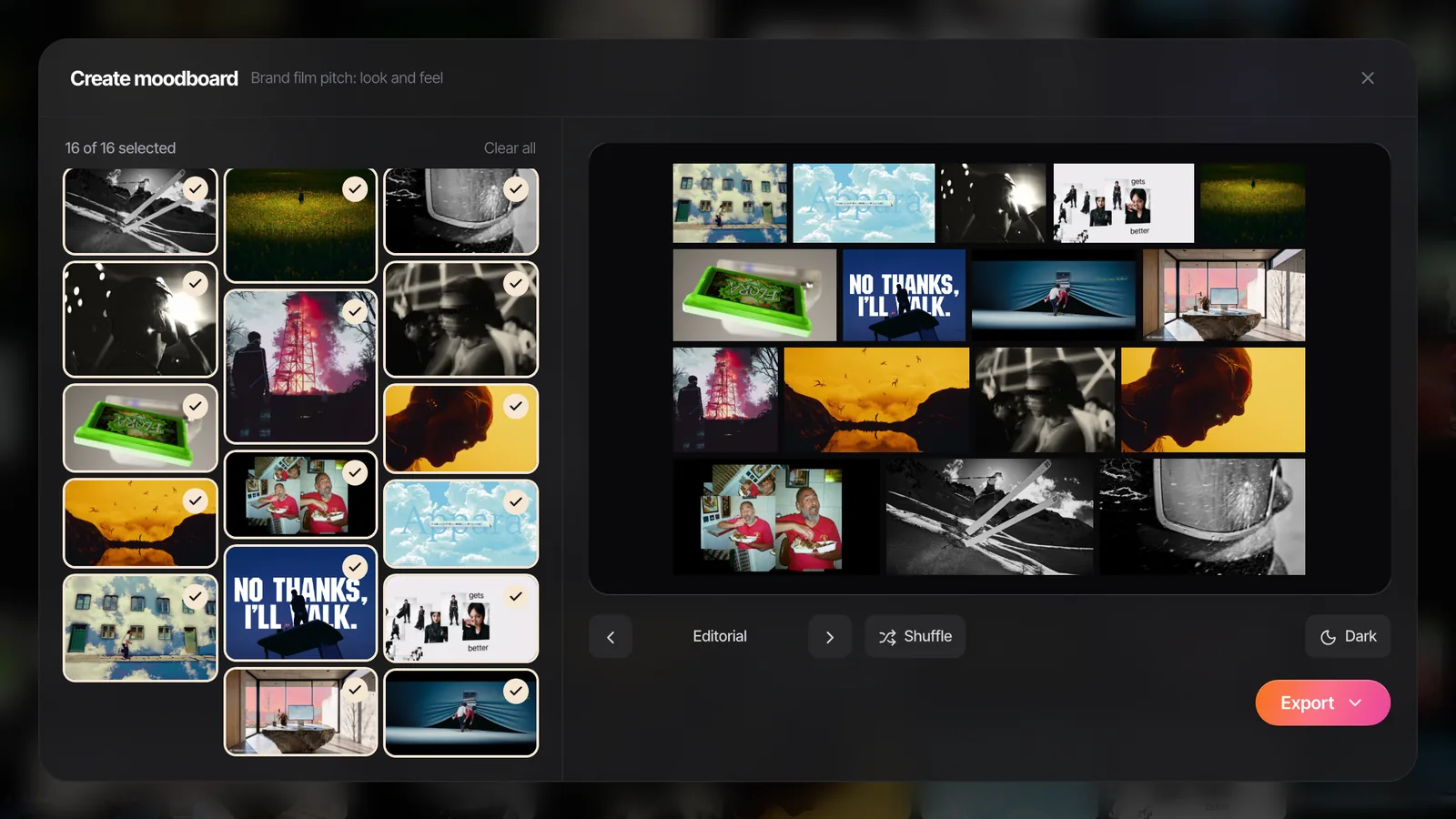
This is the bit the free moodboard maker is for. Drop your survivors in, and it lays them out as Collage, Grid, Columns, Hero, Feature, Filmstrip, Panels or one per slide. Shuffle until it looks right, then export a .pptx for PowerPoint, Keynote, Google Slides or Canva, or a PDF or PNG. GIFs keep moving in the .pptx. Nothing gets uploaded and there's no sign-up.
Presenting it: the client and the DoP need different boards
The client version is short. Eight to twelve frames, big, one line each. Assume they'll open it on a phone on the way into a meeting, so it has to work as a PDF on a small screen. If the board is going inside a pitch document, our guide to building a film treatment covers where it sits and how much of it to show.
The crew version is the opposite. Everything you kept, the clips, links back to the source, lens and lighting notes, the "not this" frames. The DoP, the designer and the stylist each take their section and build from it. If they come back with questions, good. They're reading it.
In Spark, the client version is usually a Create Moodboard export from the board above: tick the frames, pick a layout, check the slide, send it to Google Slides, Canva, PowerPoint, Keynote or PDF.
Which tool to build it in
Keynote, Google Slides, Milanote, Figma and Canva all make perfectly good moodboards, and so does our free maker. Where they differ is what happens before the board: how easily you can collect video references, find them again next year, and pull frames or GIFs out of them. We've compared them in the best moodboard tools for creative directors.
For a board of stills, almost anything works. Reels, ads and clips are the job Spark was built for.
Bringing it back to the shoot
The moodboard isn't finished when the client approves it. It goes on the recce, it becomes the raw material for a shot list built from the same references, and someone should have it open on an iPad at video village.
And keep the references afterwards. We go back to collections from pitches we lost two years ago more often than we'd like to admit, and the look a client turned down in March is regularly what another client wants in October. That only works if the board lived somewhere that outlives the deck, and if you can search it.
FAQs
What should a moodboard for a video project include?
Tone, colour, light, framing and lens, movement, and wardrobe and locations, with a one-line note under every frame explaining the decision it makes. Not every job needs all six, but checking them all stops a department being left to guess. Fifteen to thirty frames is usually plenty.
How many images should a film moodboard have?
For the client, eight to twelve strong frames is enough to sell a look. The working version for your DoP and designers can be bigger, around 20 to 40 including clips and counter-references. If you can't explain why a frame is there, cut it.
What is the difference between a moodboard and a treatment?
A moodboard shows the look and feel through references. A treatment is the full pitch document: the idea, the story, the casting, the approach to camera and edit, and usually a moodboard section inside it. Think of the moodboard as a chapter of the treatment.
Can I use film stills in a moodboard?
Yes, for internal and pitch use that's standard industry practice, and stills libraries like ShotDeck and Frameset exist for exactly this. Credit the film where you can, keep them out of anything public-facing or published, and never imply the reference is your own work.
Should a video moodboard include moving references?
If camera movement, pace or editing rhythm matters to the idea, yes. A still can show what a frame looks like but not how the camera got there or how long the shot holds. Short clips or GIFs of two to five seconds, placed beside the stills, solve it.
Is there a free moodboard maker for video projects?
Yes. Our moodboard maker runs in the browser, takes stills and GIFs, and exports a deck for PowerPoint, Keynote, Google Slides or Canva, or a PDF or PNG. It's a layout tool rather than a library, so collect the references somewhere first.
Keep reading
All articlesHow to Create a Video Moodboard with Moving References
A still can show what a shot looks like, not how the camera got there. How to build a moodboard that moves, and make sure it still plays on the client's laptop.
Best Moodboard Tools for Creative Directors in 2026
Most moodboard roundups are written for interior designers. This one is for people who pitch films and ads, collect references from reels and need the board to play on a client's laptop.
How to Build a Searchable Creative Inspiration Library
Your references live in nine places and none of them has a decent search bar. This is the four-step system we run at our own production company, in whatever tool you like.