
How to Use the Meta Ad Library for Creative Research
The Meta Ad Library is the biggest free archive of working ads on earth, and most guides read it like a media buyer. This one reads it like a director, with real searches from October 2026.
By the Spark team ·
The Meta Ad Library lives at facebook.com/ads/library. It's free, you don't need to log in, and it shows the ads currently running across Facebook, Instagram, Messenger, Threads, WhatsApp and Meta's Audience Network. Pick a country, set the category to All ads, type a brand or a phrase, and you're looking at that advertiser's live creative: every cut, every aspect ratio, every version they're testing, with the date each one started running.
What it won't give you is performance data. No views, no click rates, no spend figures for ordinary ads. So the skill, for a creative, is reading the clues it does give you.
We use it a lot at Perspective Pictures, usually the night before a pitch, to see what a client's competitors are running, as opposed to what their showreels claim. Every screenshot below is a real search from October 2026, signed out, so you'll see exactly what you'd see.
What the Ad Library shows, and what it hides
Start at the landing page, because it tells you the rules in its own words.
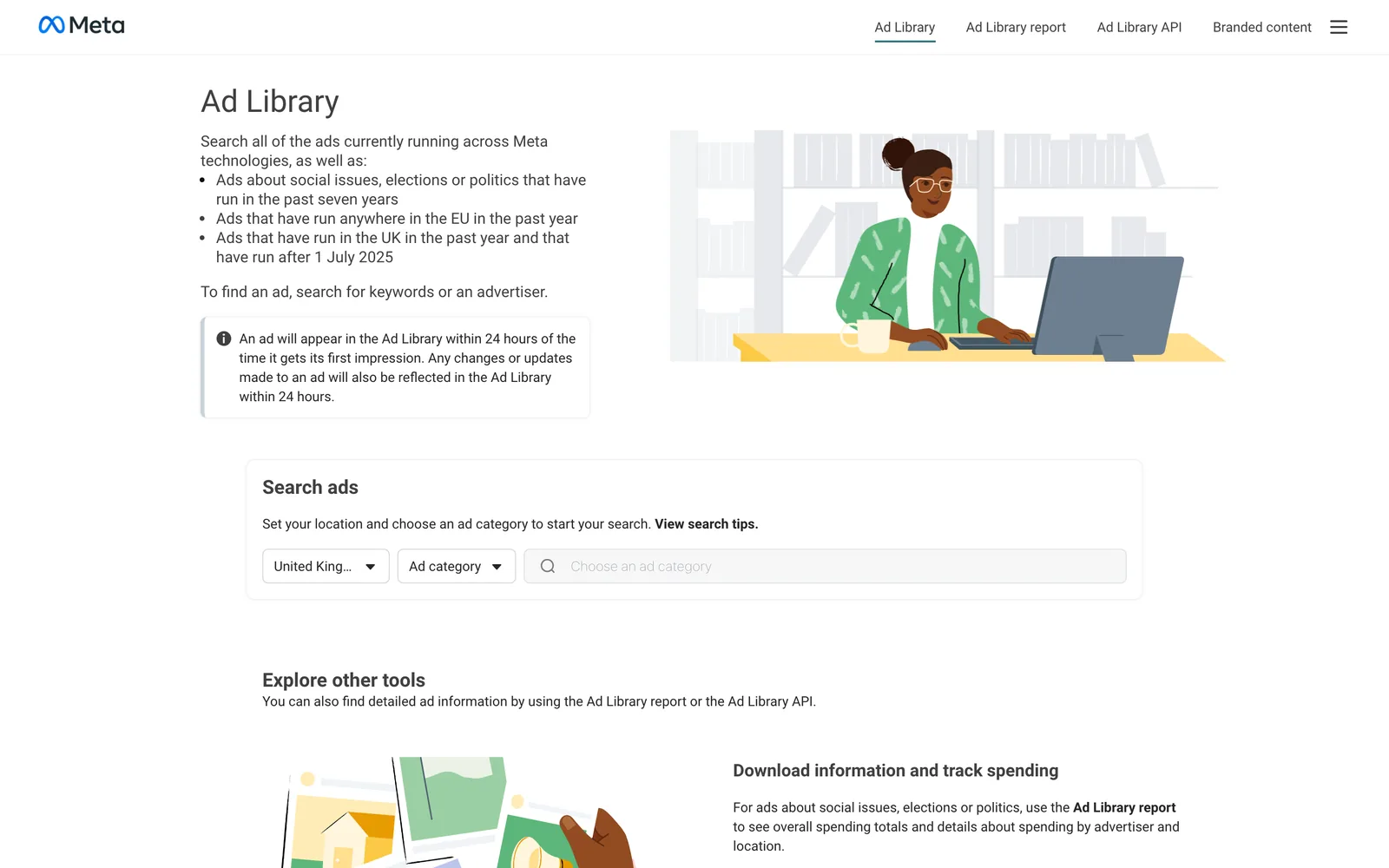
How much you can see depends on where an ad ran and what kind of ad it is. This trips people up constantly, so here it is in one place (checked October 2026):
| Type of ad | What you see | How long it stays |
|---|---|---|
| Ordinary ads outside the UK and EU (for example the US) | The creative, the Page, start date, platforms, versions | Only while the ad is running |
| Ads delivered in the UK or EU | All of the above, plus reach, a breakdown by location, age and gender, and the targeting the advertiser chose | While running, then a year after its last impression (UK: ads that ran after 1 July 2025) |
| Ads about social issues, elections or politics | Creative, spend and impressions as ranges, audience breakdowns, who paid | Seven years |
If you work in the UK, that middle row is a gift. A campaign that ended in March is still there in October, and you can see roughly how many people it reached and which age groups it landed with. A campaign that ran only in the US gets no such afterlife. The day it stops, it's gone.
Political and issue ads are a different world with their own rules (and in the EU, Meta stopped running them in October 2025). For creative research you'll almost always want All ads.
How to search the Meta Ad Library, step by step
- Go to facebook.com/ads/library. No account needed, though some categories (alcohol and gambling, for instance) are hidden if you aren't logged in or are under 18.
- Choose a country. This filters by where the ad was shown. Where the brand is based doesn't come into it. United Kingdom for UK work, or All for the widest net.
- Set the ad category to All ads.
- Type into the search box. The dropdown splits into advertisers (Pages, with their profile pictures) and keyword suggestions. Click a Page to see only that advertiser's ads, or press Enter to search ad text for the words.
- Open Filters. The useful ones for creatives are Platform (Instagram on its own is often the most interesting), Media type (videos, images or both), Active status (include inactive ads when you're searching the UK or an EU country) and Date range.
- Scroll. Each card is one ad, or one group of versions of an ad.
Brand search versus keyword search
Step four is where most people go wrong without noticing. Take the same word, "nike", searched two ways in the UK.
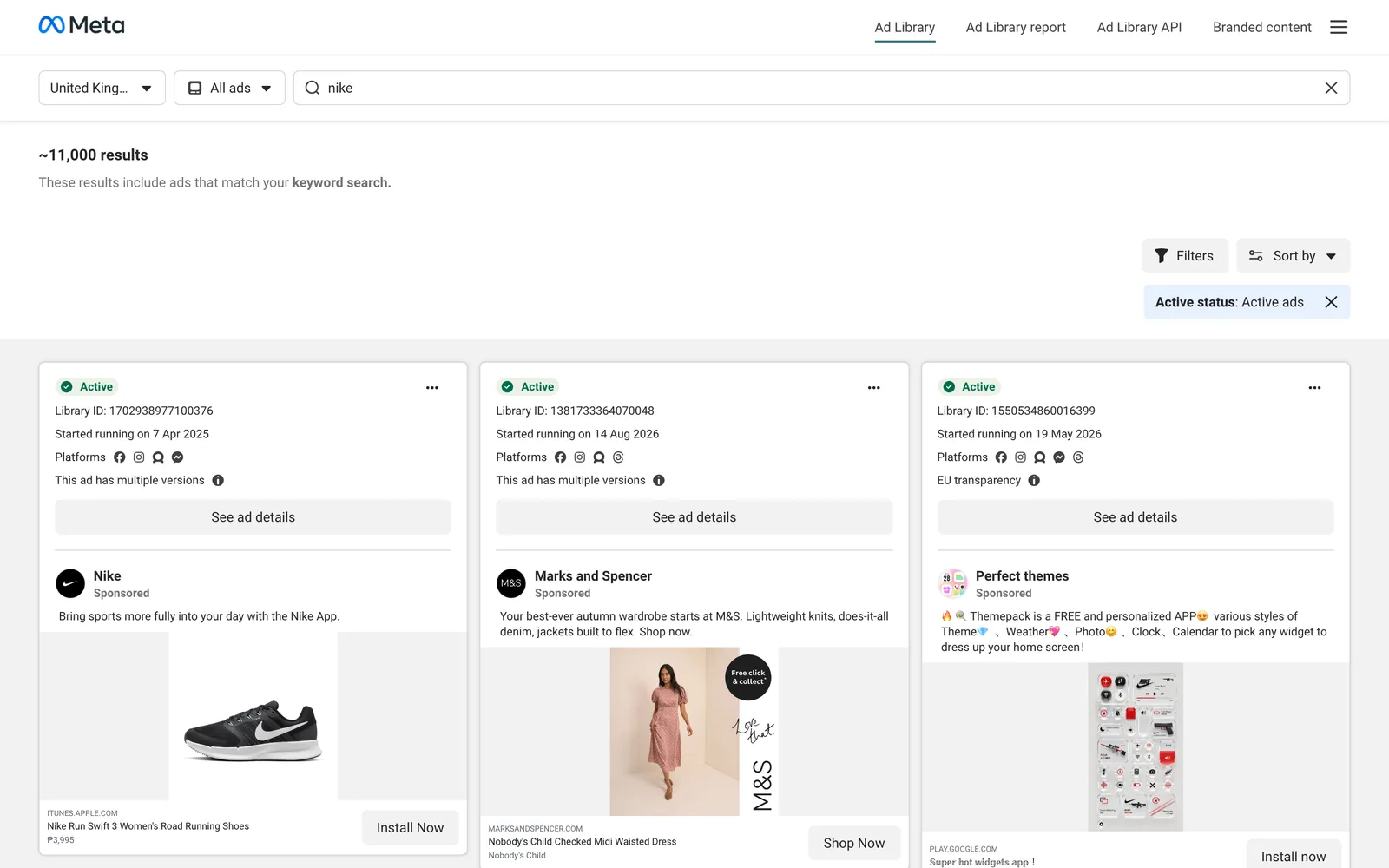
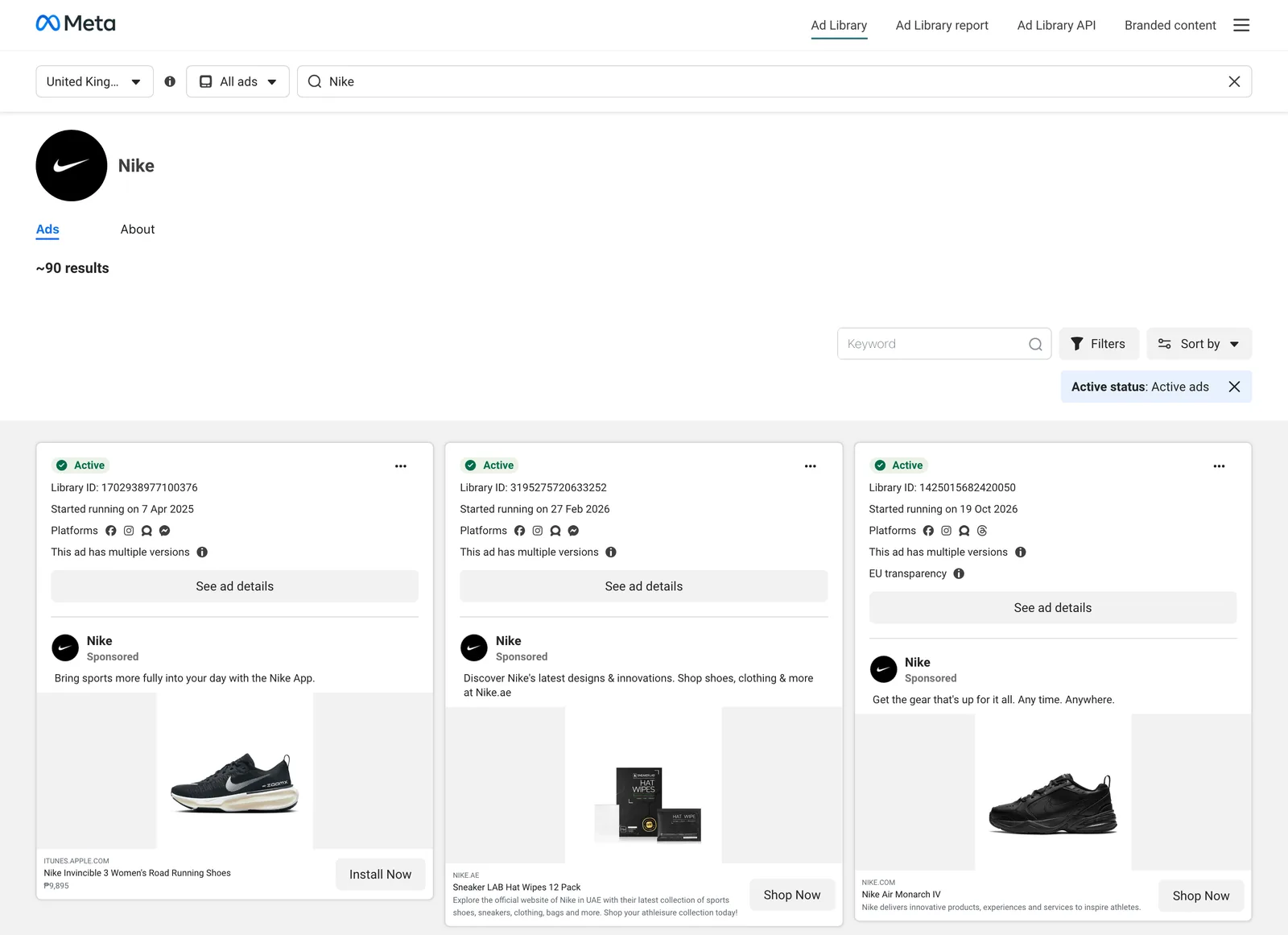
Searching a brand's Page is the obvious move: "what is Nike running right now?" But keyword search is where creative ideas hide, because it matches the words in the ad copy, so you can search by format or approach instead of by name. Try phrases that turn up in captions: "POV", "unboxing", "founder", "day in the life", "we asked", "honest review". Wrap a phrase in quotation marks for an exact match, or you'll get every ad containing the word "honest" somewhere, which is fewer than you'd hope.
Keyword search reads the text. It can't see the video, so it won't find "slow push in on a kettle" or "hand-drawn titles". For that you need your own library, which we'll get to.
The route in from a brand's Page
If a brand name is generic and the search throws up resellers and fan pages, go in through the brand's own Facebook Page. Open the Page, find Page transparency in the About section, tap See all, then Go to Ad Library. You land on that exact advertiser, no lookalikes.
How to read an ad like a creative, not a media buyer
Media buyers come here to estimate budgets. You're here to see what's working on screen and why. The cards give you more than they appear to.
The start date is the closest thing to a results table
Every card says when the ad started running. Advertisers switch off ads that don't pay their way, so one that's been live for months is very probably earning its place.
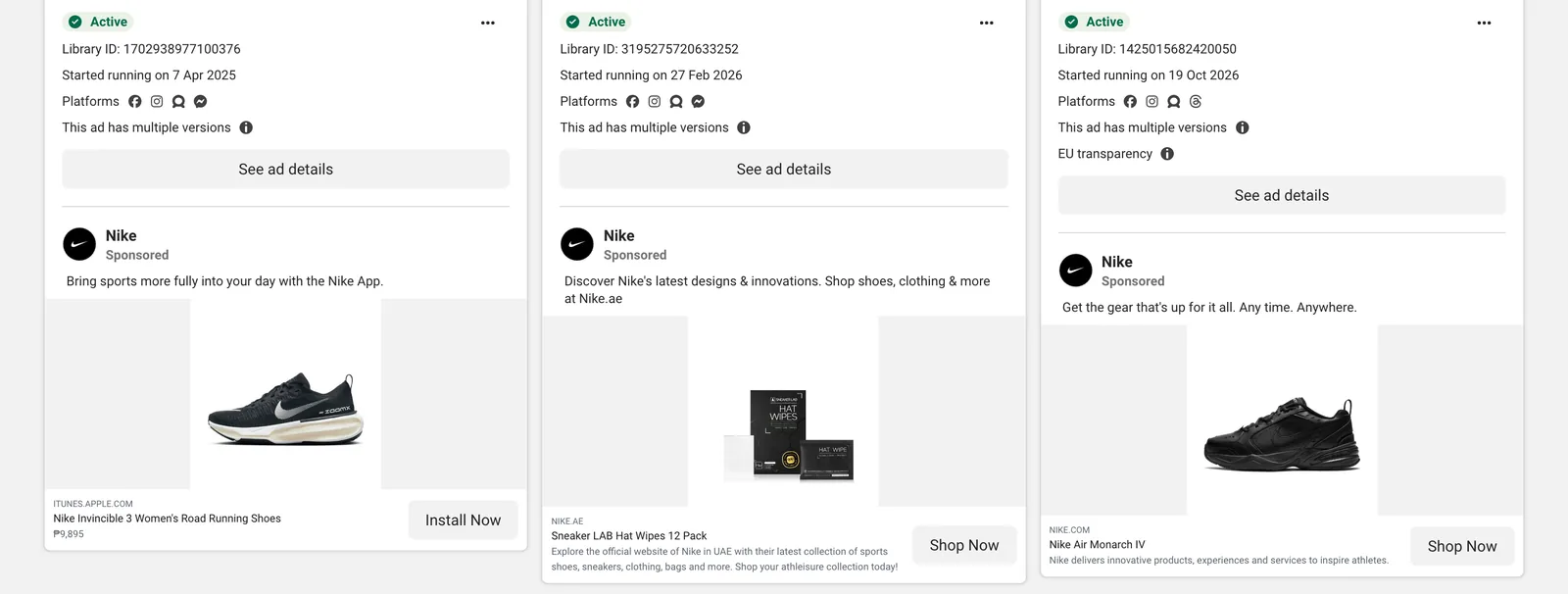
Look at Nike's UK page above. The first card, an ad for the Nike app with an Invincible 3 running shoe, started on 7 April 2025. It was still running when we looked in October 2026, eighteen months later, next to ads that started in February 2026 and on 19 October 2026. That's the one to study.
Treat it as a hint. Some ads are always-on brand pieces, some are forgotten, and big advertisers can afford to leave a mediocre ad running. So compare a long runner with its siblings from the same brand. A stranger's ads tell you far less.
"This ad has multiple versions" is a free A/B test
When a card says it has multiple versions, the advertiser is running variations under one Library ID: different hooks, end cards, ratios, sometimes different voiceovers. Click See ad details and page through them.
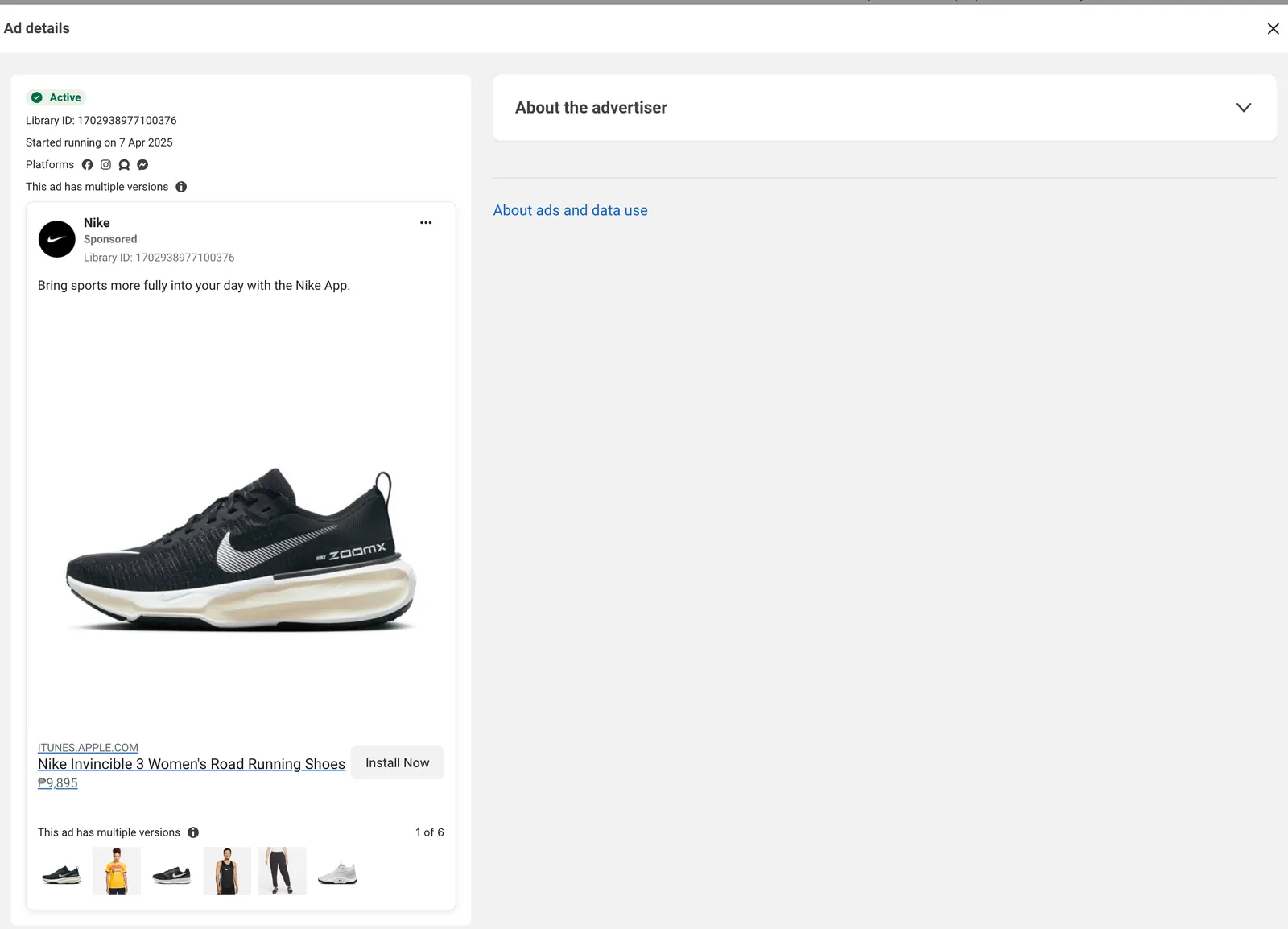
Note what changes and what stays fixed. In that Nike ad the thumbnails tell most of the story: half of the versions swap the product for a person. That looks a lot like a brand testing product shots against lifestyle shots, in public, for free.
Count the cutdowns
Filter one brand to video and look for the same footage again and again: a 9:16 for Reels and Stories, a 4:5 for the feed, a 1:1 for the stragglers. One shoot day, thirty ads. It's useful in a pitch when a client asks how many assets a shoot can realistically yield.
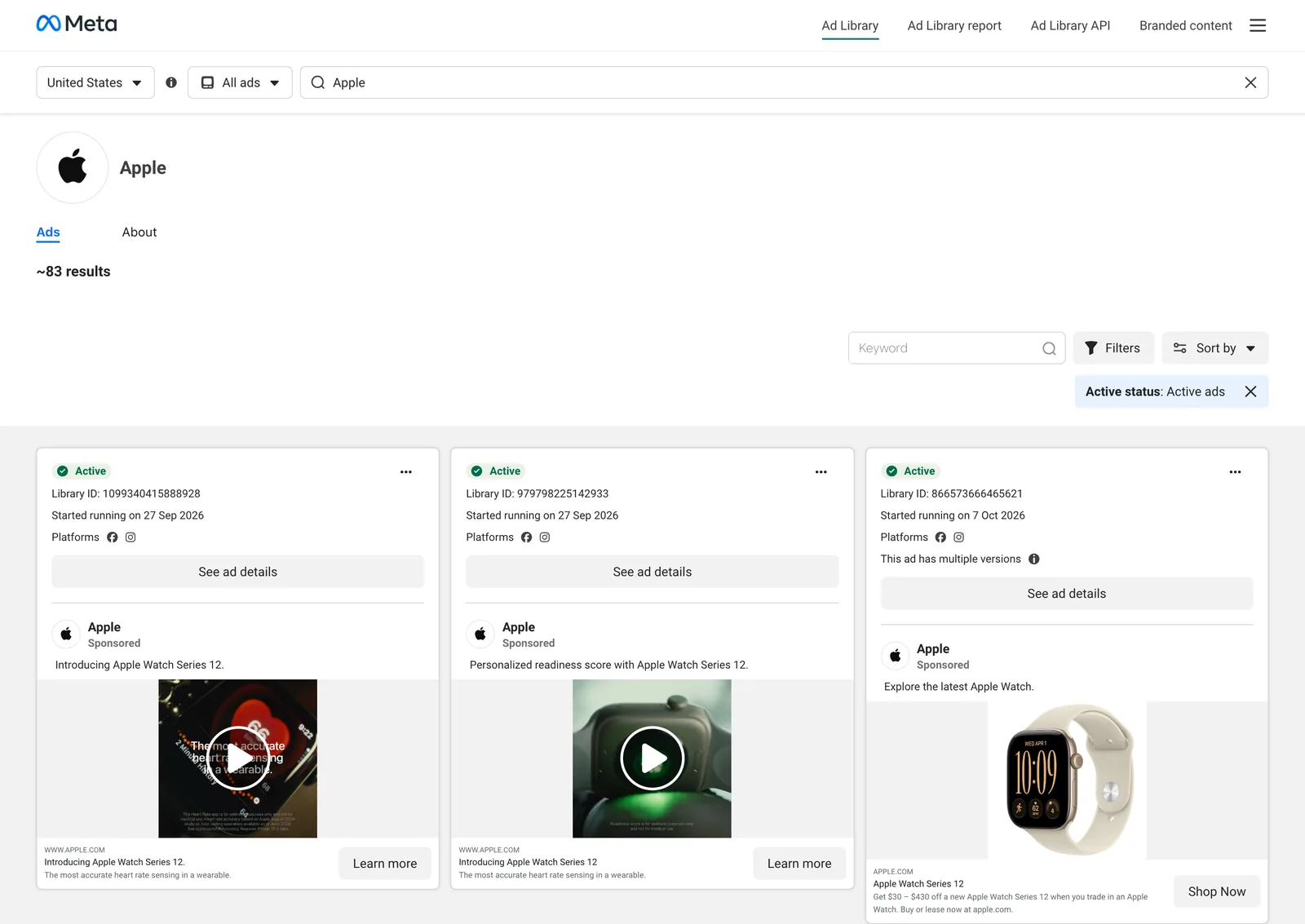
Apple's US page is a tidy example. Two launch videos went live the same day, each with a different line ("the most accurate heart rate sensing in a wearable" and a readiness score), followed by a trade-in still ten days later. One launch, at least three jobs for the footage.
Watch the first two seconds with the sound off
That's how most people meet these ads. Play each one muted and stop at two seconds. What's on screen? A face, a product, a word, motion? The long-running ads usually answer "what is this and why should I care" before the thumb moves, and they rarely open on a logo.
Check where it ran
The platform icons on each card show whether an ad ran across Facebook, Instagram, Messenger and the rest, or only on one. Something built for Instagram and running nowhere else was usually made for that placement on purpose, and those are the ones worth studying for vertical craft.
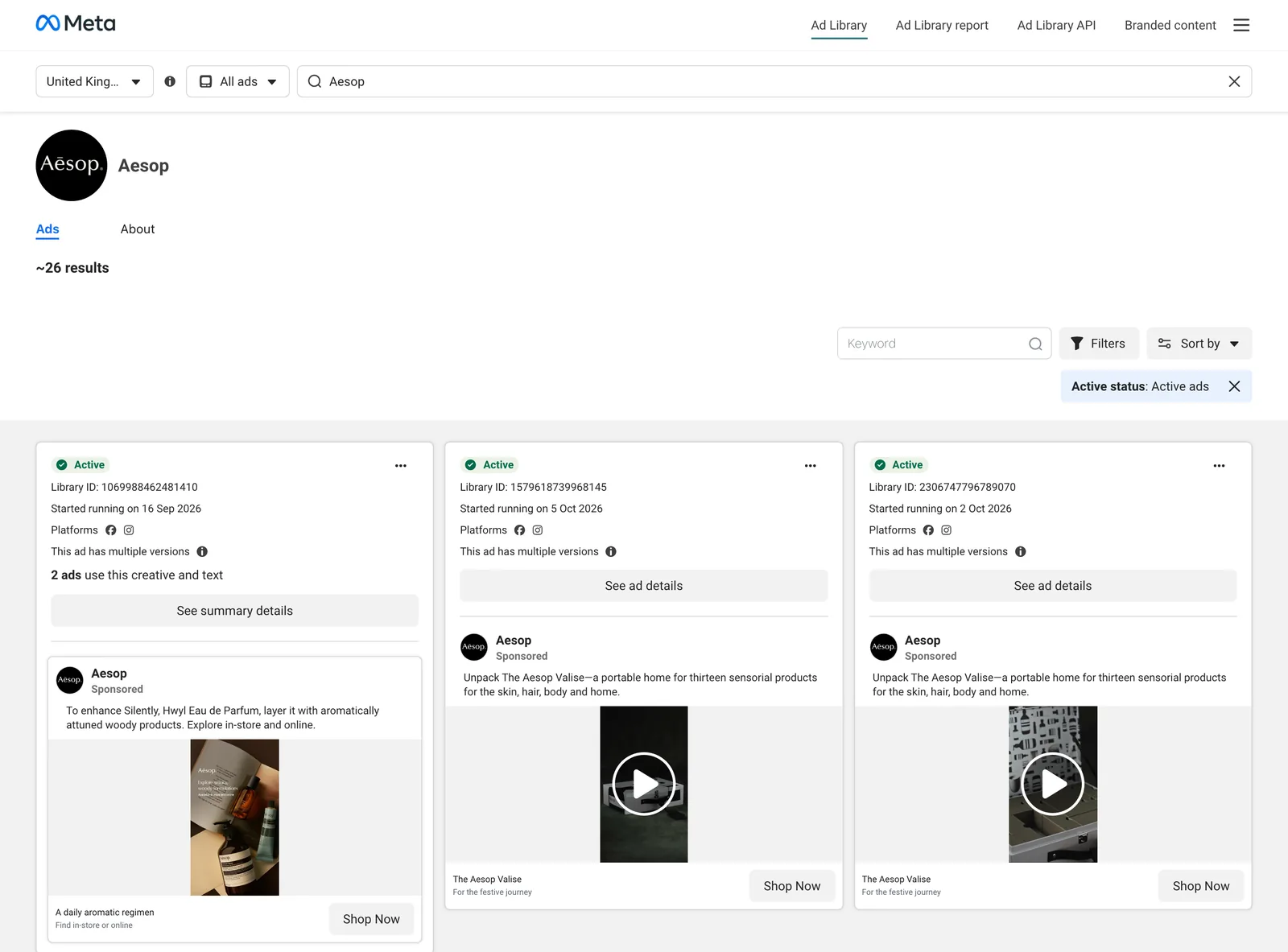
Aesop is a nice study in restraint. About 26 active ads in the UK, nearly all short vertical videos on Facebook and Instagram, and two of them share identical copy for the Valise. Same line, different picture: another test hiding in plain sight.
In the UK and EU, look at who it actually reached
Open See ad details on a UK or EU ad and you'll find reach plus a split by age, gender and location. It's the closest you'll get to knowing whether that self-consciously Gen Z ad is mostly being watched by 45-year-olds. It often is.
Creator ads, regional pages and other traps
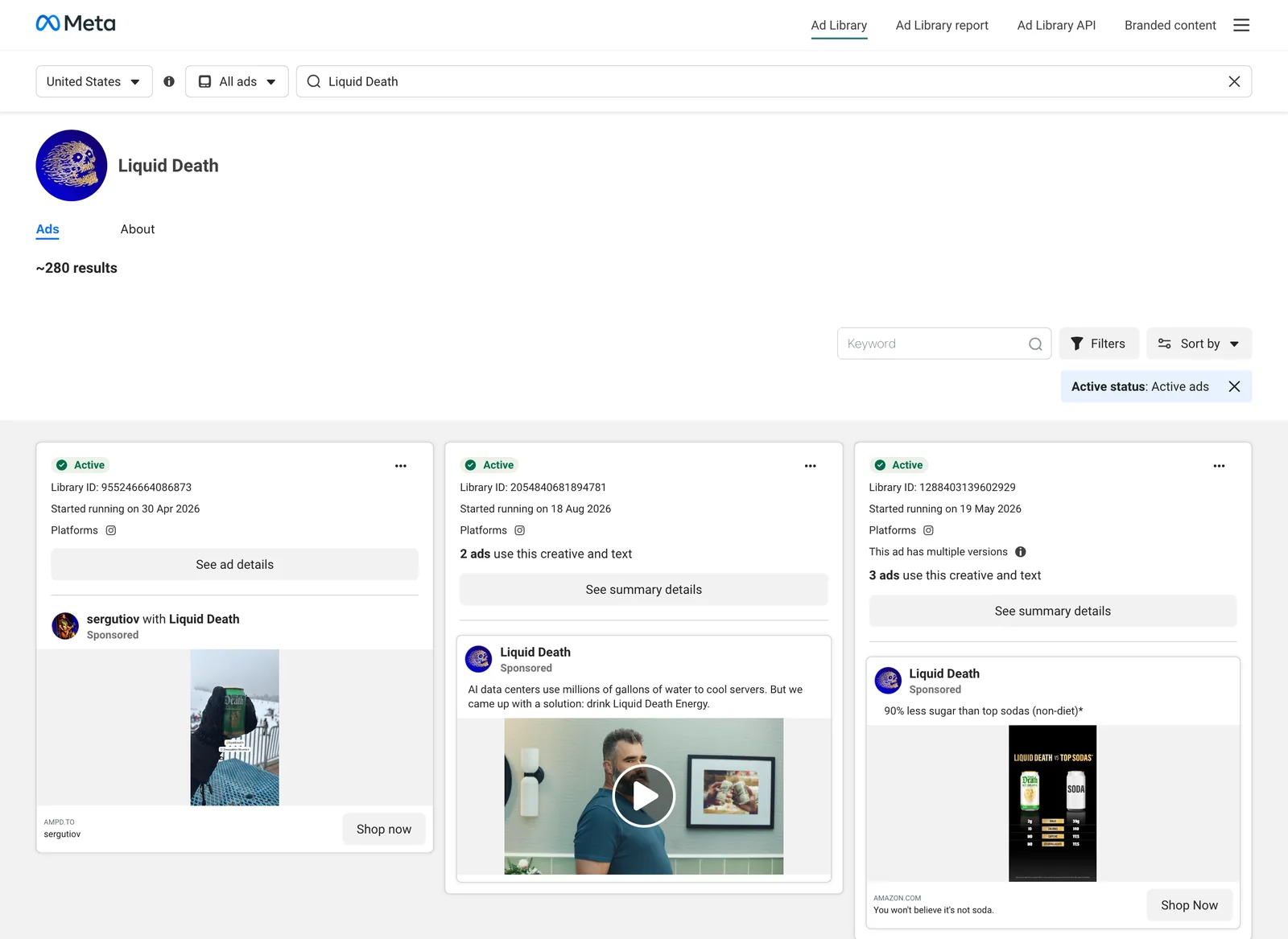
Partnership and creator ads. Ads run through a creator's handle can show up under the creator's name instead of the brand's. Liquid Death's US page shows it neatly.
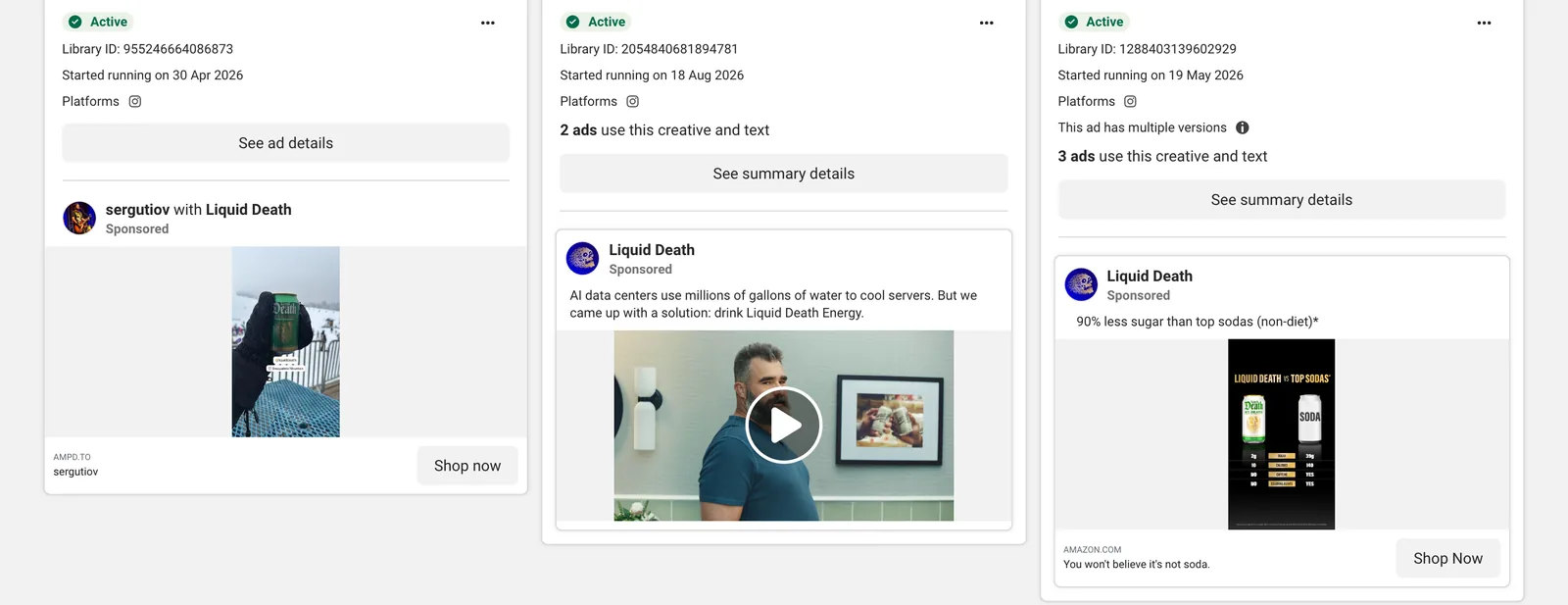
The first card is "sergutiov with Liquid Death", running on Instagram alone since April 2026. The second has been running since August with a deadpan line about AI data centres using millions of gallons of water to cool servers, and "drink Liquid Death Energy" as the solution. If you only searched the brand name as a keyword, the creator ads are easy to miss. Search the brand's Page and the brand as a keyword, and compare.
Brands with more than one Page. Big advertisers run ads from regional Pages, product Pages or agency-managed Pages. The Ad Library sometimes tells you outright.
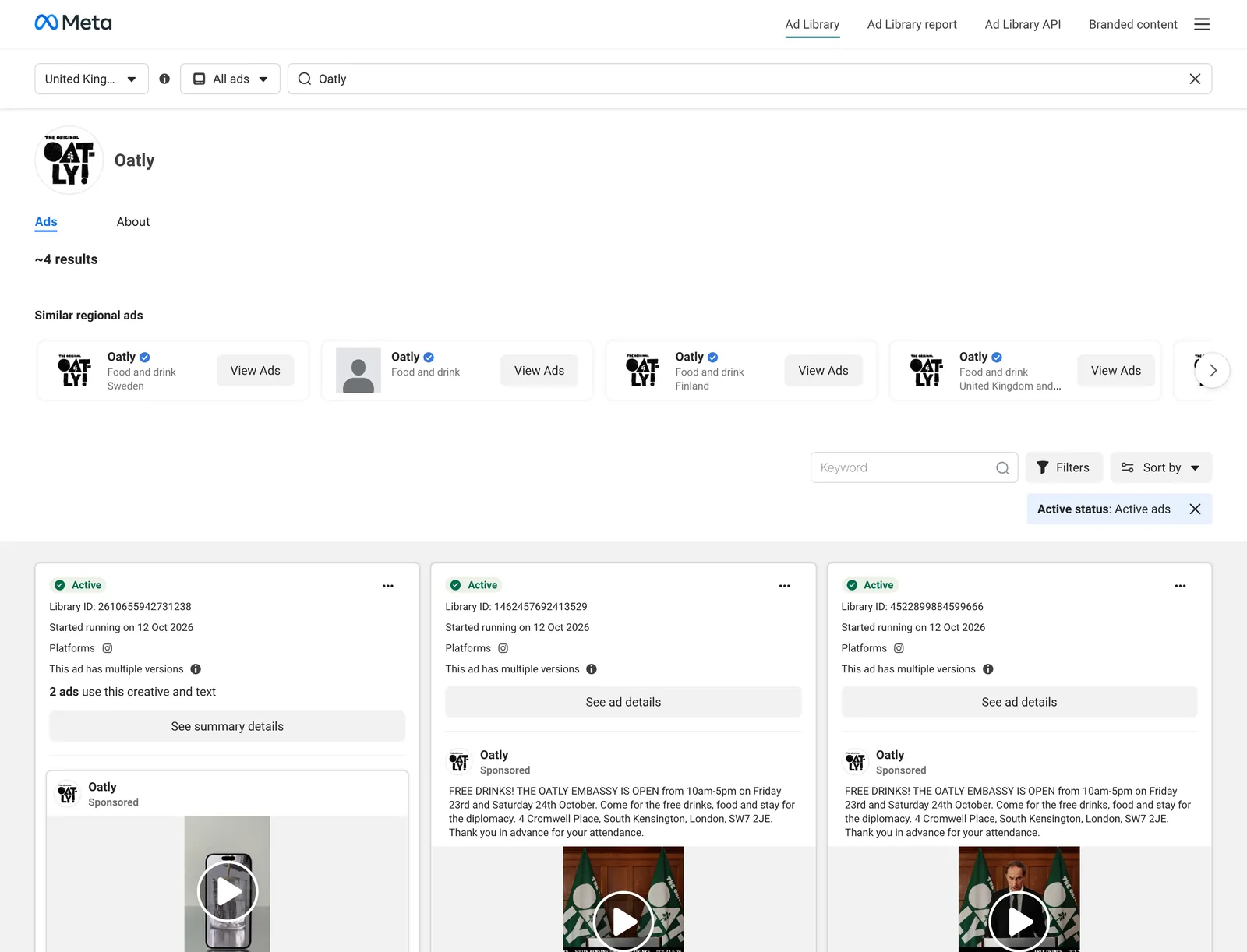
Oatly's UK page holds only about four ads (one was promoting free drinks at a pop-up Oatly Embassy in South Kensington), but above them sits a row of Oatly's other regional pages. For a brand like that, the interesting work is often in another country.
The country setting. If a UK brand's ads seem to be missing, check you didn't leave the country on the United States. The library shows ads where they were delivered.
It isn't Google or TikTok. The Meta library only covers Meta's platforms. TikTok Creative Center is its own thing and, unusually, does show performance data; we've walked through TikTok Creative Center separately. Google has its own Ads Transparency Center, with different rules again.
Reach isn't results. Even in the UK and EU, a big reach number only tells you the ad was paid for. Whether it sold anything is another matter. Pair it with the start date before you call something a winner.
From the Ad Library to a swipe file
The Ad Library is a window, not a shelf. There's no save button, no folders and no notes, and outside the UK and EU an ad disappears the day it's switched off. Find something great on Monday, go back for it on Friday, and it may simply not be there.
So the moment you find a reference, keep it somewhere you control:
- Grab the Library ID. Every card shows one. The address facebook.com/ads/library/?id= followed by that number opens that ad on its own, a shareable pointer for as long as Meta keeps the ad listed.
- Keep the video as well as the link. Screenshots lose the motion, which is the whole point of a video ad. A link dies when the ad leaves the library.
- Write one line about why. "Hook: product falls into frame on the beat." Future you will not remember.
- Tag it by technique. You'll rarely search "Oatly". You'll often search "handwritten type" or "creator ad with a twist".
That's the same capture, tag, retrieve habit from our reference library method, applied to ads. If the swipe file is feeding a UGC brief, building a UGC ad moodboard shows how to break each ad's first three seconds down for a creator.
In Spark, step two is a paste. Copy the ad's link (the one with ?id= and the Library ID), paste it into Add Video, and Spark pulls the video ad out of the library and keeps it along with the listing's address.
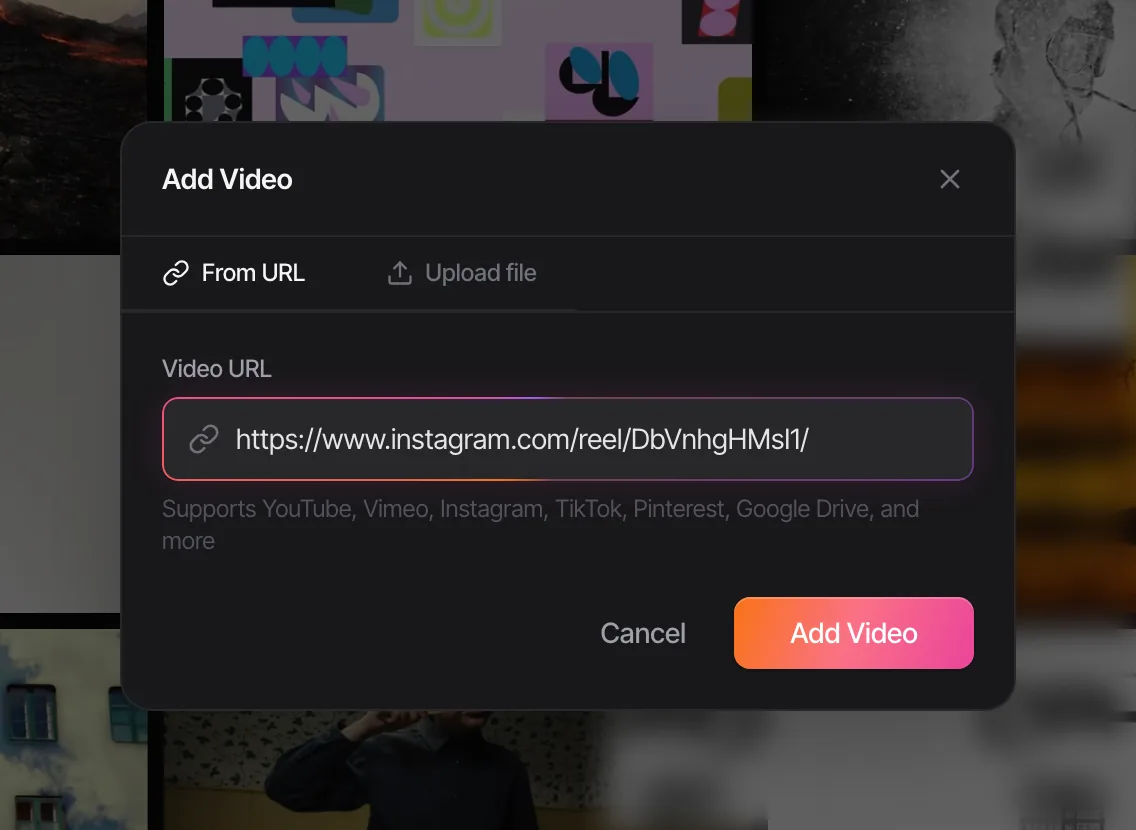
Then, on Creator and Studio, it describes the ad, detects the brand and transcribes the voiceover, so "the one where the guy says to drink Liquid Death Energy to cool the servers" becomes something you can type into a search box.
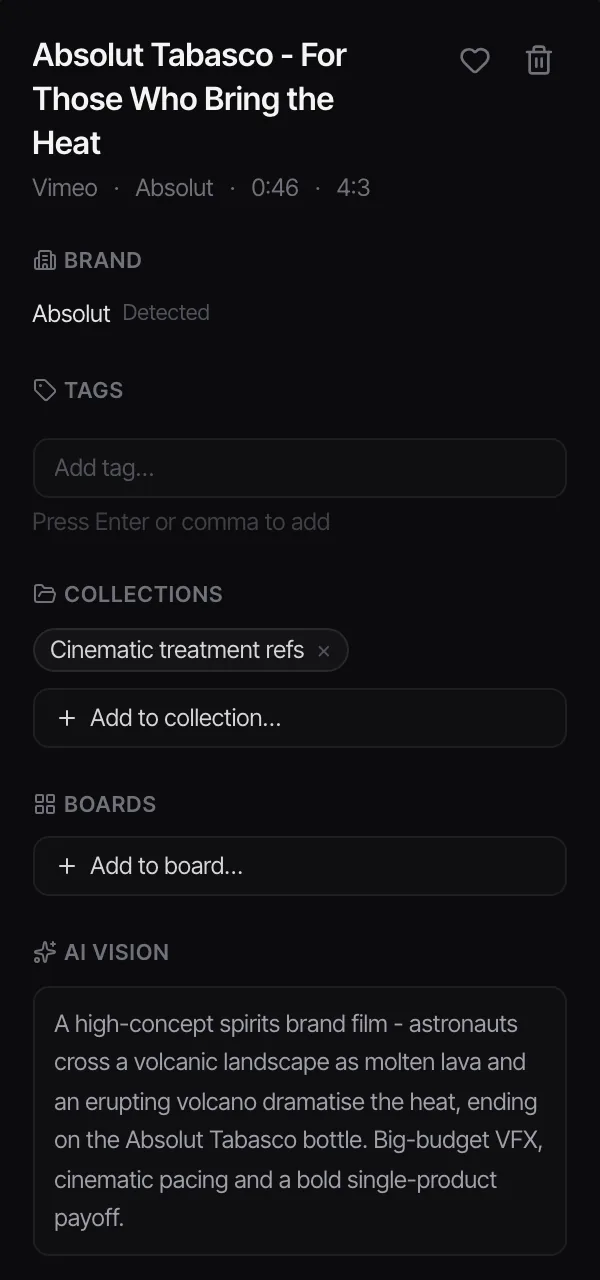
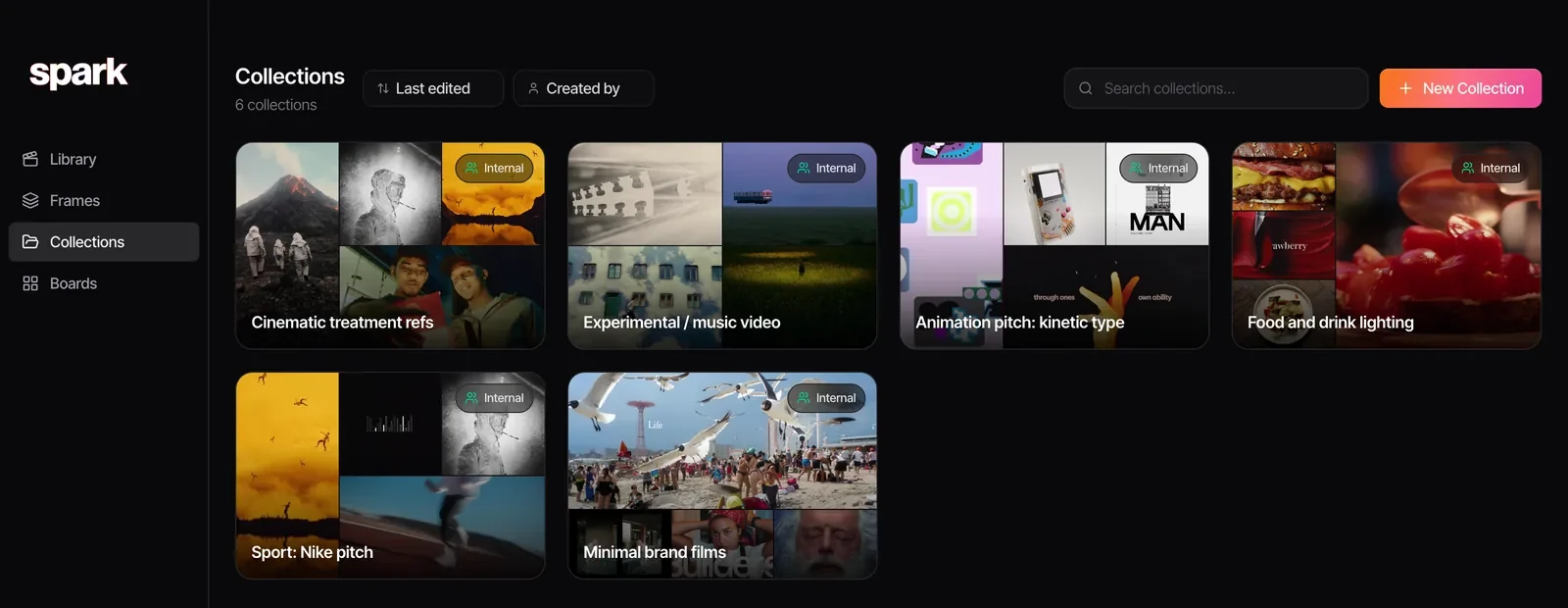
We keep one collection per pitch. For a sport pitch it'll hold the Meta ads, the TikToks and the stills pulled from them, side by side, and it can be shared with the team or as a public link with the client.
Static image ads are simpler: a screenshot dropped into Spark's Frames does the job, because there's no motion to lose. Want the two seconds that matter as a loop for a deck? Video to GIF, a browser tool we built, trims it frame by frame.
If your team already shares ads in a Slack channel, that's the other place good finds go missing. How to stop creative references getting lost in Slack covers channel habits and Spark's Slack integration, which saves every link posted in one chosen channel straight into the team library.
The Meta Ad Library is the best free creative research tool most creatives use badly: they scroll it like a feed and remember nothing. The fix is one habit. The moment an ad makes you sit up, save it with its Library ID and a line about why.
FAQs
Is the Meta Ad Library free to use?
Yes. It's free and you don't need a Facebook account to search it, though some ad categories (such as alcohol and gambling) are hidden unless you're logged in and over 18. It works in any browser on desktop or mobile.
Can you see how much a brand spends in the Meta Ad Library?
Only for ads about social issues, elections or politics, where spend is shown as a range. For ordinary commercial ads there's no spend figure anywhere. In the UK and EU you do get reach and an age, gender and location breakdown, which is the closest thing to performance data on offer.
How do I see old or inactive ads in the Ad Library?
Set the country to the United Kingdom or an EU country and change Active status to include inactive ads. Ads delivered there stay for a year after their last impression (in the UK, ads that ran after 1 July 2025). In most other countries, ordinary ads disappear as soon as they stop running.
How do you tell if an ad is performing well?
You can't directly, but the start date is a strong hint: advertisers switch off ads that don't pay their way, so one that's been running for months is probably working. Ads with multiple versions show what the brand is testing. Compare long runners against the same brand's newer ads rather than against other advertisers.
Can I download videos from the Meta Ad Library?
The library has no download button. You can save the ad's link using its Library ID, or use a tool such as Spark that saves the video ad from an Ad Library link. Treat saved ads as internal reference; the creative belongs to the advertiser.
Does the Meta Ad Library include Instagram ads?
Yes. It covers Facebook, Instagram, Messenger, Threads, WhatsApp and the Audience Network, and the Platform filter lets you look at Instagram ads on their own. Each ad card shows icons for the platforms it ran on.
Keep reading
All articles
How to Calculate Your Freelance Video Editing Day Rate
The day rate you heard in the pub is someone else's. This is the maths for your own, with UK tax for 2026/27, the costs people forget, and why 260 working days turns into about 136.
How to Build a Searchable Creative Inspiration Library
Your references live in nine places and none of them has a decent search bar. This is the four-step system we run at our own production company, in whatever tool you like.

How to Make a Moodboard for a Video Project
Twenty well-chosen frames with a line of explanation under each will do more for your shoot than two hundred beautiful pins. Here's how to build that board, section by section.