
Spark vs Milanote: Which Is Better for Video Moodboards?
We make Spark, and we still think Milanote is the better tool for some people. Six rounds, real boards from both apps, October 2026 prices, and why plenty of teams use both.
By the Spark team ·

The quick answer to Spark vs Milanote: pick Milanote if your moodboard is one part of a bigger plan: notes, scripts, to-do lists and images arranged freely on a canvas that your whole team edits in a browser or on a phone, with comments. Pick Spark if most of what you collect is video (reels, TikToks, ads, YouTube, Vimeo) and the pain is keeping those clips safe, finding them again months later, and getting them into a client deck with the motion intact.
Plenty of production teams use both, and that's a perfectly sensible answer.
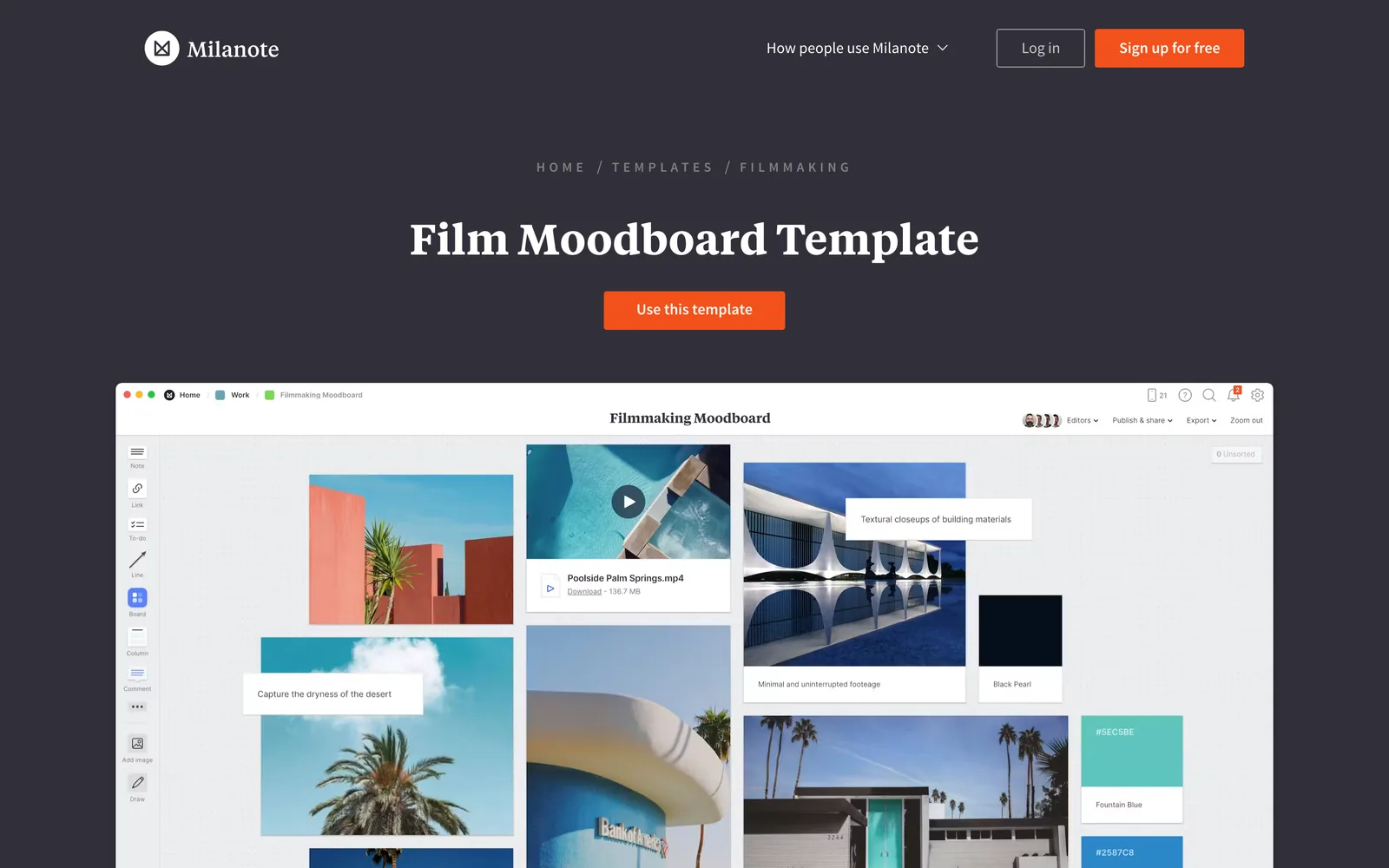
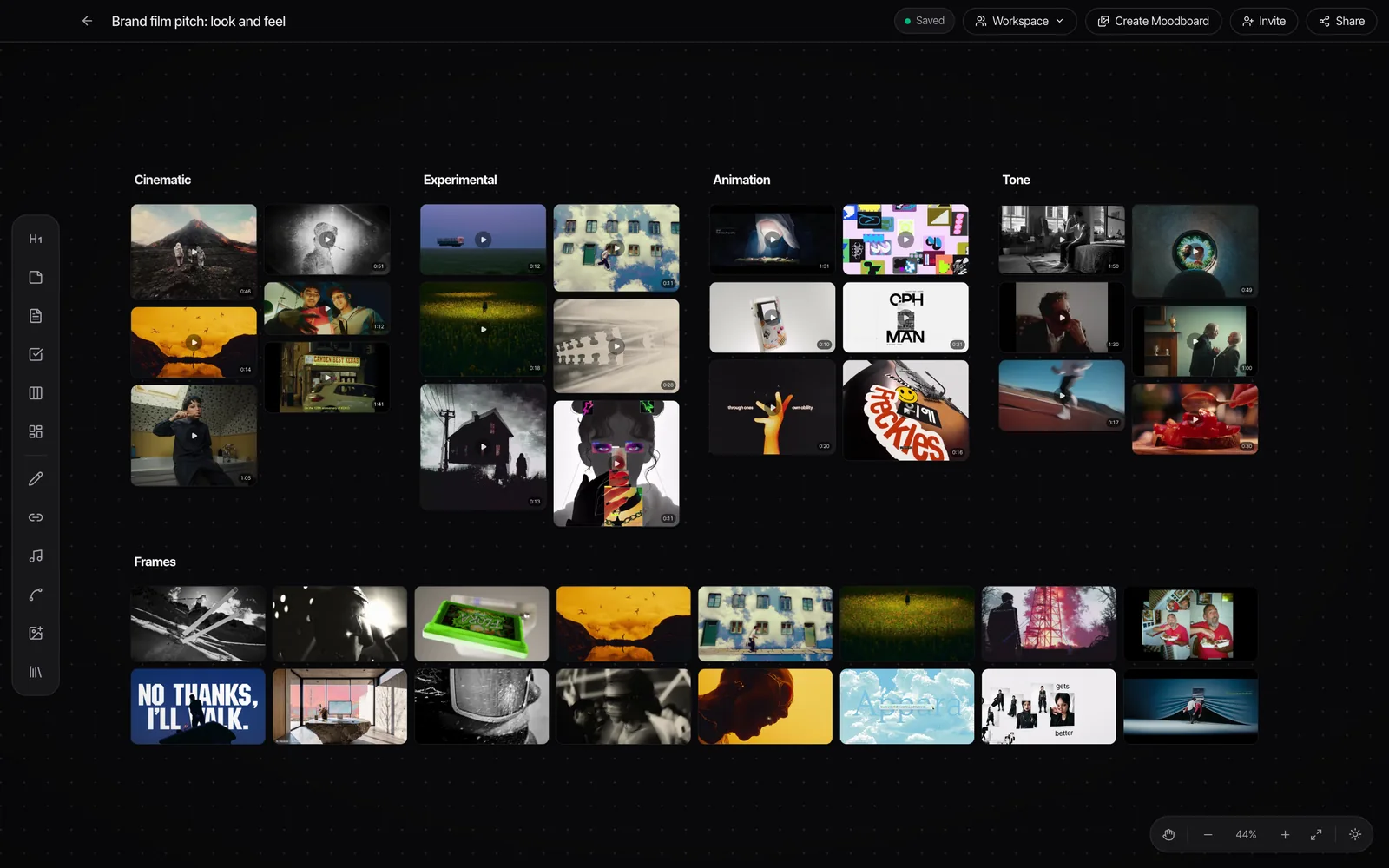
We make Spark, so read this with one eyebrow raised. We've tried to be straight about where Milanote is simply better, because in a couple of rounds it clearly is. To keep it fair, every screenshot below is a real board: Milanote's own film moodboard template, and a brand film pitch board from Spark.
The short version
| Milanote | Spark | |
|---|---|---|
| What it is | A visual workspace for planning creative projects | A video and image reference library with boards |
| Runs on | Browser, desktop and mobile apps | Desktop app for Mac and Windows |
| Best at | Writing, freeform planning, browser collaboration | Saving, searching and presenting video references |
  Instagram and TikTok Instagram and TikTok | Link cards to the original post | Saved as playable video |
| Video on the board | Uploads that autoplay and loop; YouTube and Vimeo embeds | Every saved video plays in place |
| Search | Text you've typed on cards and boards | AI descriptions of what's in each video, plus transcripts |
| GIFs and frames | No | Export GIF and Export Frame built in |
| Working together | Edit, comment or view, in any browser | Teammates on the same board see each other and changes sync in seconds; a view-only link for clients |
| Getting it into a deck | PDF or PNG of the board (one page), Word, Markdown, ZIP | Create Moodboard to Google Slides, Canva, PowerPoint, Keynote or PDF, GIFs still moving |
| Price (October 2026) | Free for 100 notes, images or links and 10 uploads; $9.99 a month billed yearly, $12.50 monthly; Team $49 a month | Free for 15 videos and 30 frames; Creator £16 a month; Studio £23 per user a month |


Milanote prices in dollars; Spark prices in pounds ($24 and $34 in the US). Both checked on the vendors' pricing pages in October 2026.
What each tool is actually for
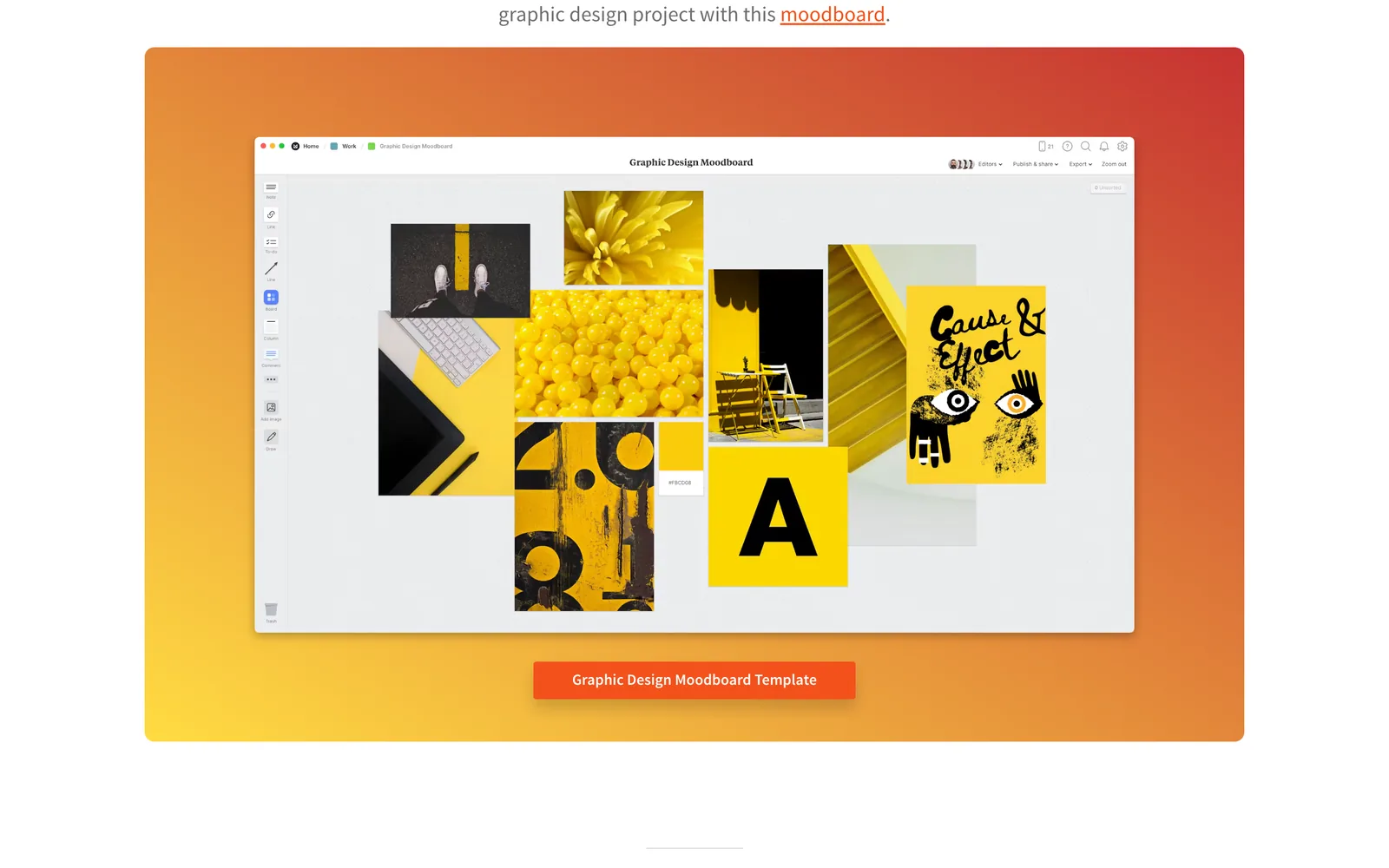
Milanote calls itself a place to organise creative projects into visual boards, and that's fair. A board is a blank canvas where notes, images, links, files, to-do lists, colour swatches and sub-boards sit wherever your brain wants them. Writers use it for story structure, designers for project planning, filmmakers for treatments and shot lists. It doesn't care what you're making, which is its great strength.
Spark starts from a narrower problem, the one we had at our own production company. Creative teams save references everywhere (Instagram saves, TikTok favourites, WhatsApp chats, Slack threads, camera rolls) and then can't find them when the pitch lands. Spark is the library those references go into, saved as video, described, transcribed and searchable. Boards and moodboards are how you use the library. The library is the point.
So the real question is less "which is the better moodboard app" and more "which half of the job is hurting".
Round 1: getting references in. Spark wins, by design
In Milanote you paste links, upload files, drag images in or use the web clipper. Great for images and articles. For video, it depends where the video lives. Milanote's help pages list YouTube, Vimeo and TED for embedded video. Instagram and TikTok aren't on that list, so a reel lands as a link card that opens the original post. If the account goes private or the post goes, that card is all you've got.
Spark saves the video itself:
- Send a reel to @sparkreferences on Instagram and it lands in your library.
- Paste a link from Instagram, TikTok, YouTube, Vimeo, Pinterest, Facebook or LinkedIn.
- Right-click with the Chrome extension, forward links or videos on WhatsApp, upload files or pull from Google Drive.
- Save ads straight from the Meta Ad Library.
- Use the built-in screen recorder for anything that won't save, like a client portal.
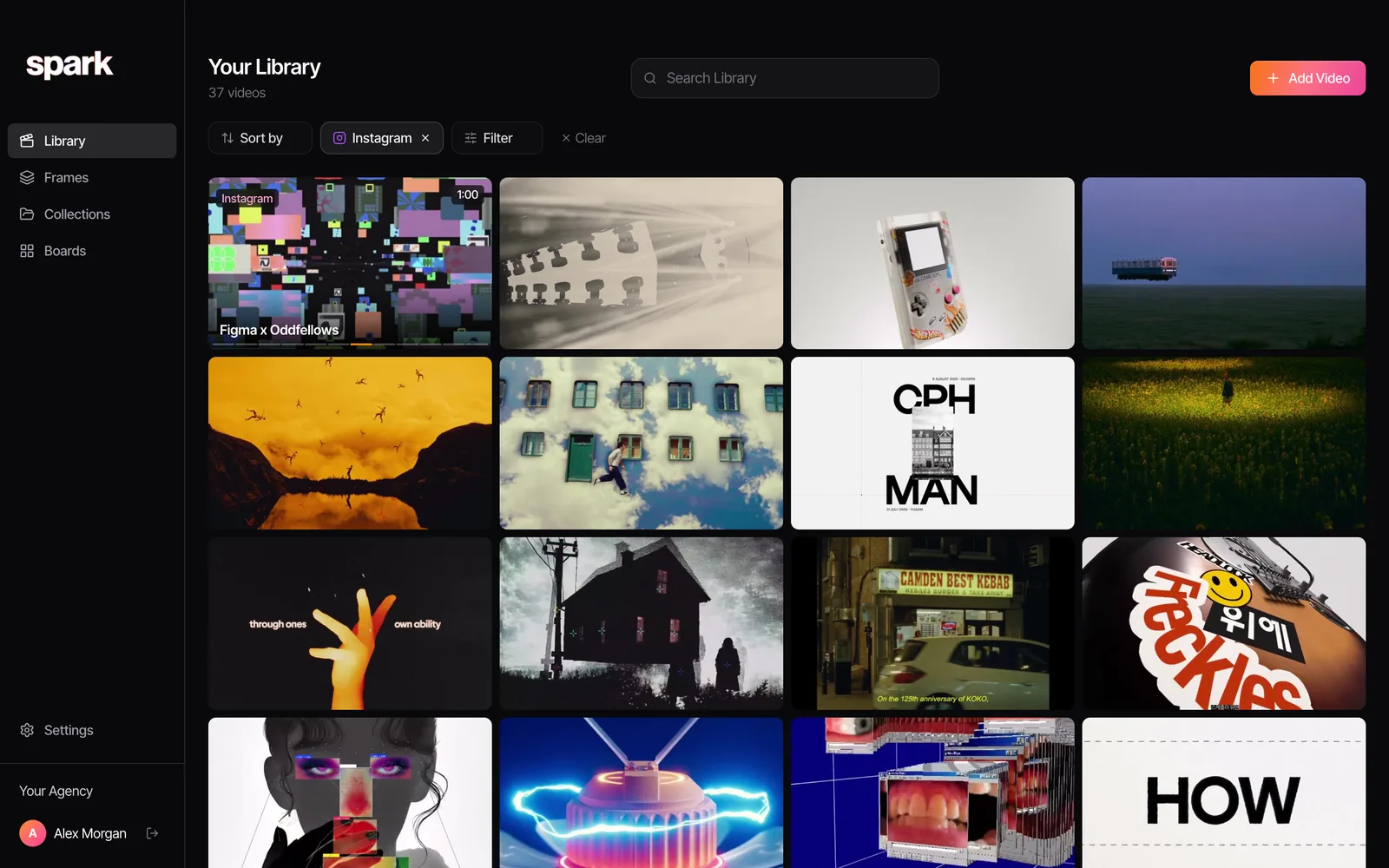
Working mostly from stills and YouTube links? Then this round barely matters. If your best references live in a DoP's Instagram DMs, it's most of the story.
Round 2: the board itself. Closer than you'd think
This is the round people assume Milanote walks. It's closer than that now.
Milanote's board is the more mature canvas. Notes, to-dos, columns, arrows, swatches, sub-boards and a big template library, all very fast. Its video support is better than you'd expect from a planning tool, too. Upload a video and you can set it to autoplay when the board opens and to loop, which makes a lively moving board in a meeting. YouTube and Vimeo embeds play in place (autoplay and loop only apply to uploads). The free plan allows 10 uploads in total and 50 MB per video; paid lifts that to unlimited uploads and 5 GB per file.
Spark's boards are built for references first, and have grown most of the planning kit around them. The toolbar has headings, notes, writing docs (plain text or screenplay format), to-do lists, columns, boards inside boards, freehand drawing, link cards, Spotify and SoundCloud links, arrows between cards, and uploads of images, GIFs, videos and PDFs. Anything in your library drops onto a board, and every saved video plays in place.
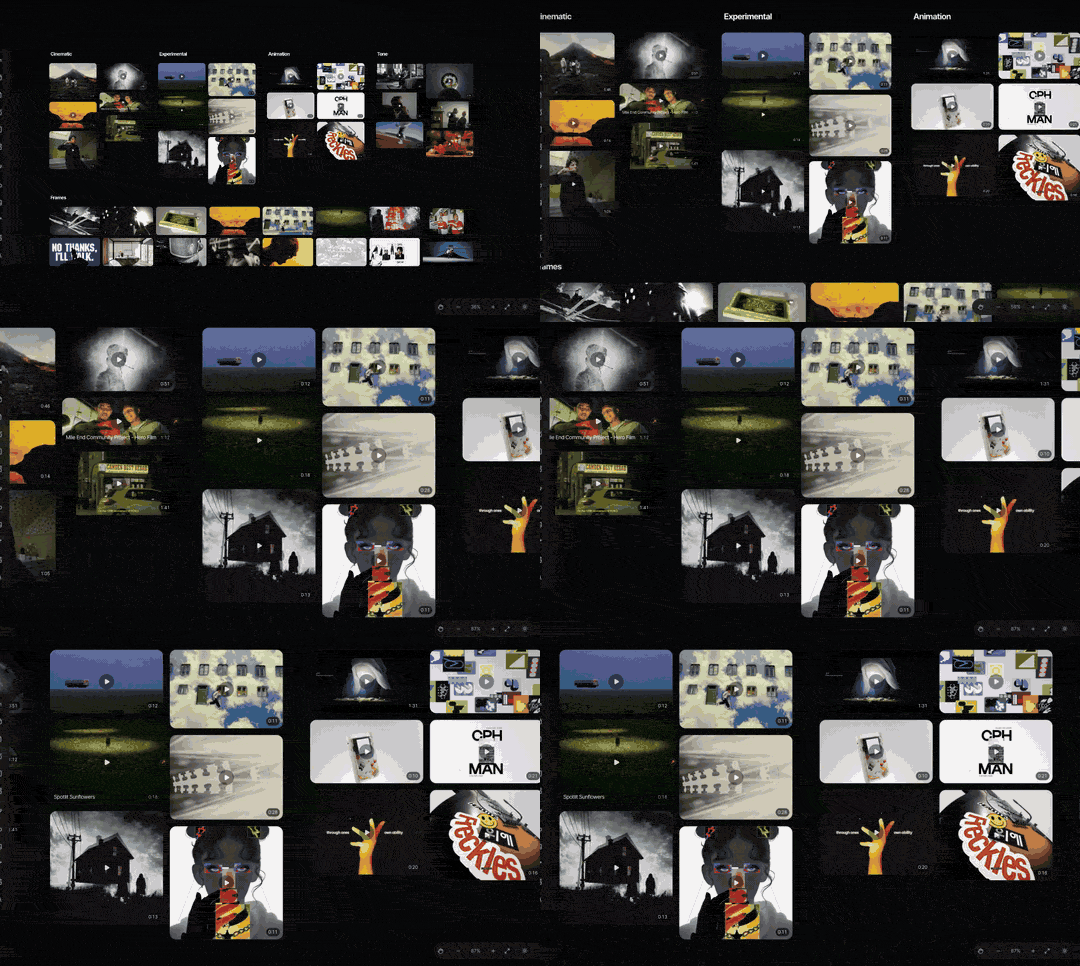
What Spark doesn't do is autoplay a whole wall of loops the moment the board opens. If you want a board that moves on its own while the client walks in, Milanote's uploaded loops do that, and so does a Keynote deck (more on that in round six).
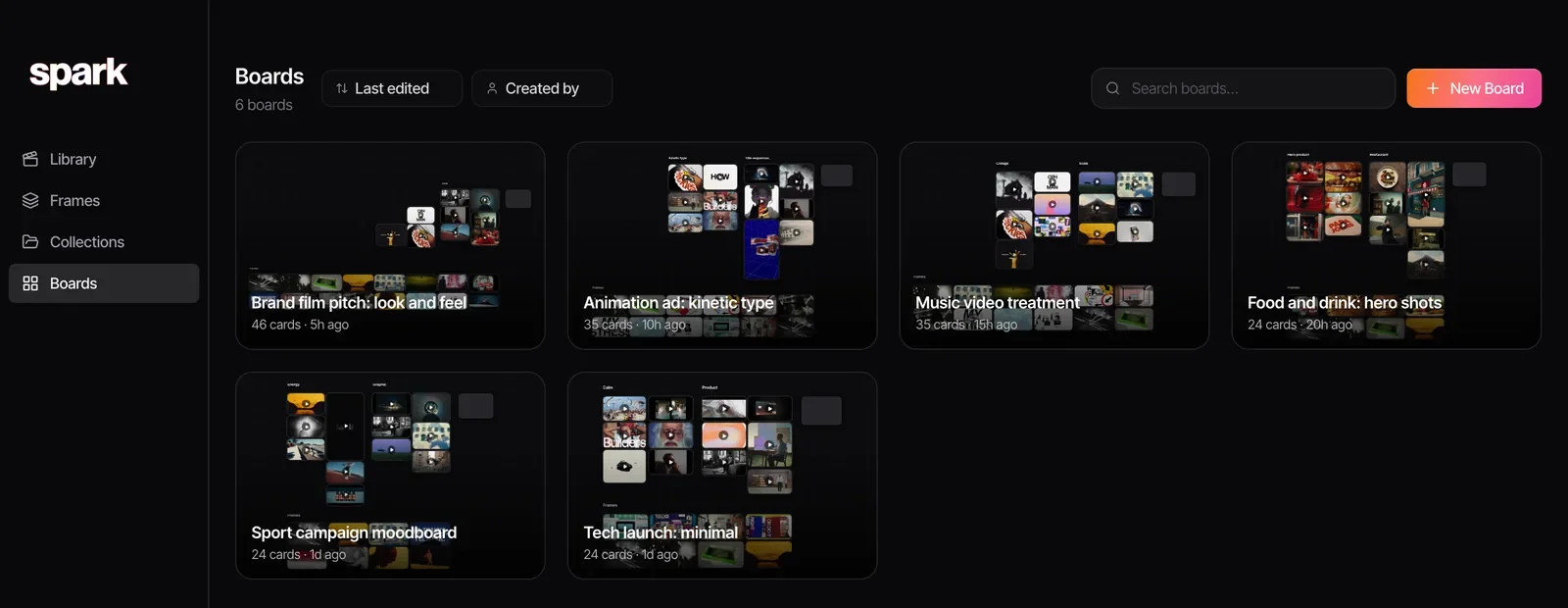
This is how Spark lists boards, one per project, each previewing what's on it. A board is the working surface; the library is where the references live between jobs.
And a second board, for an animation ad, to show it isn't only for live action:
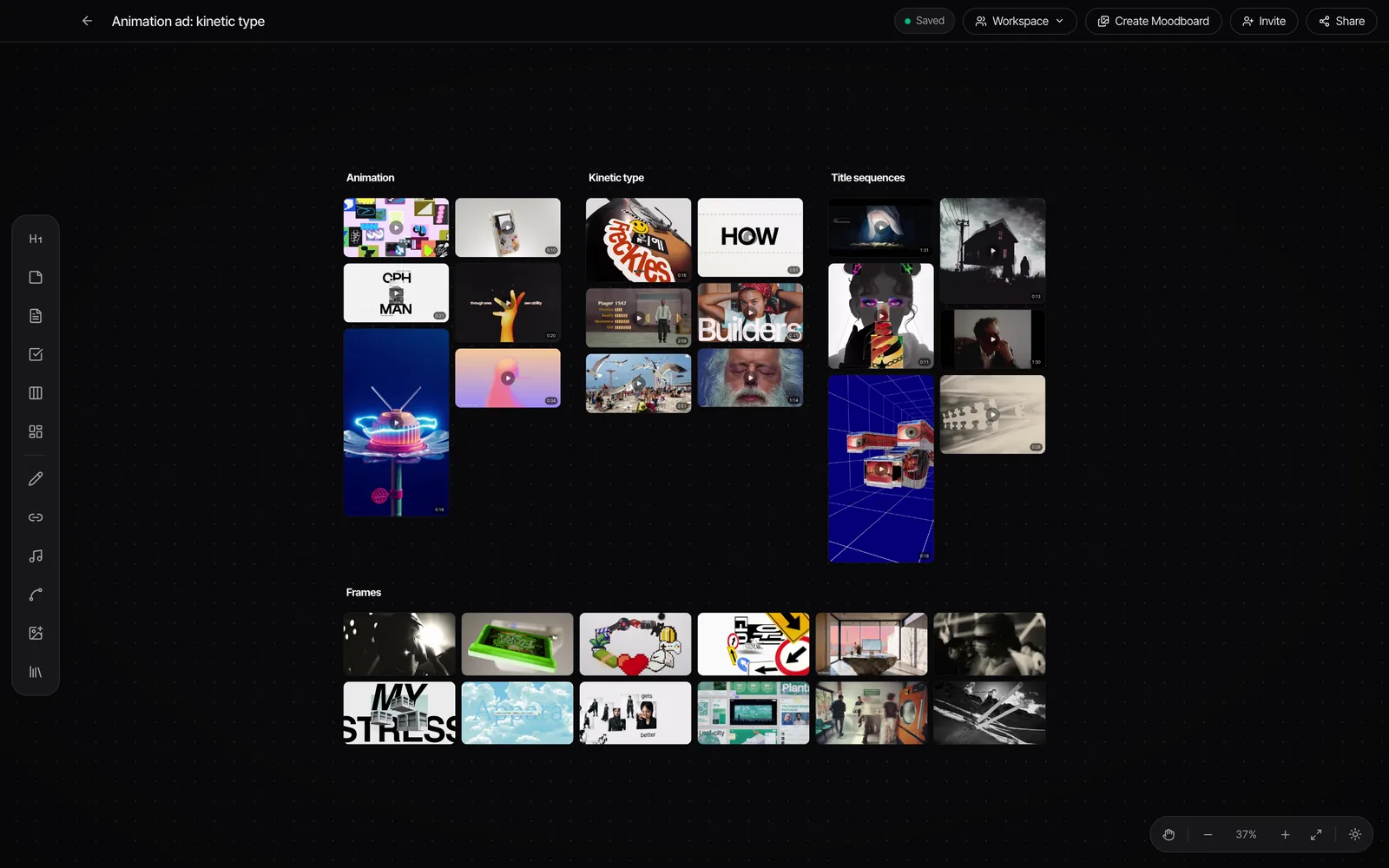
Verdict: a draw on the canvas, with Milanote ahead on polish and templates and Spark ahead whenever the cards are videos.
Round 3: finding things again. Spark wins
Milanote's search finds the words you've written: board titles, notes, captions. That works if you're disciplined about labelling. It has no idea what's inside a video or what anyone says in it.
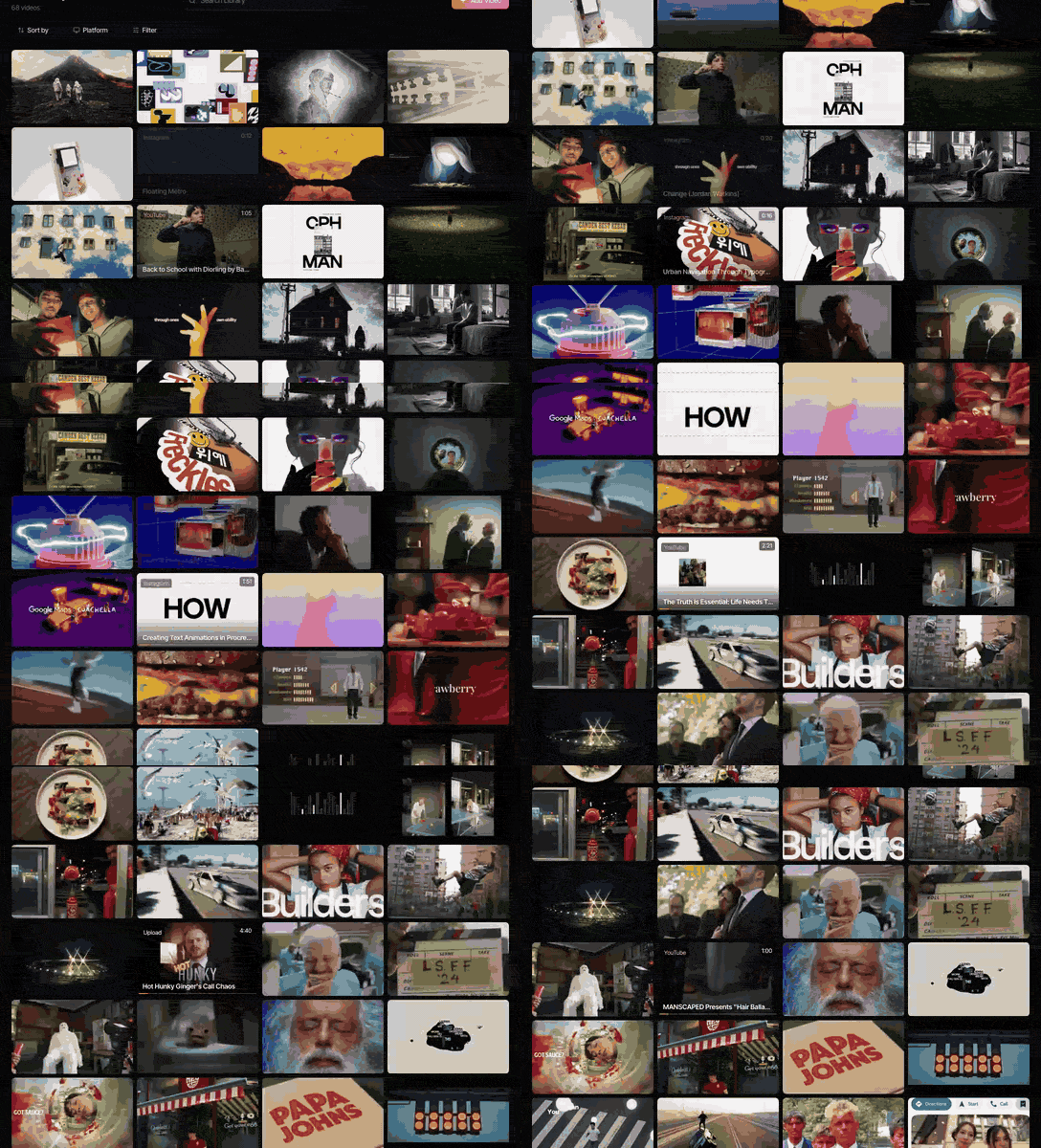
On Creator and Studio, Spark describes every video and transcribes the audio, so you can search for "volcano", "kinetic type" or a line of voiceover you half remember, and find the reference you saved eight months ago for a different client.
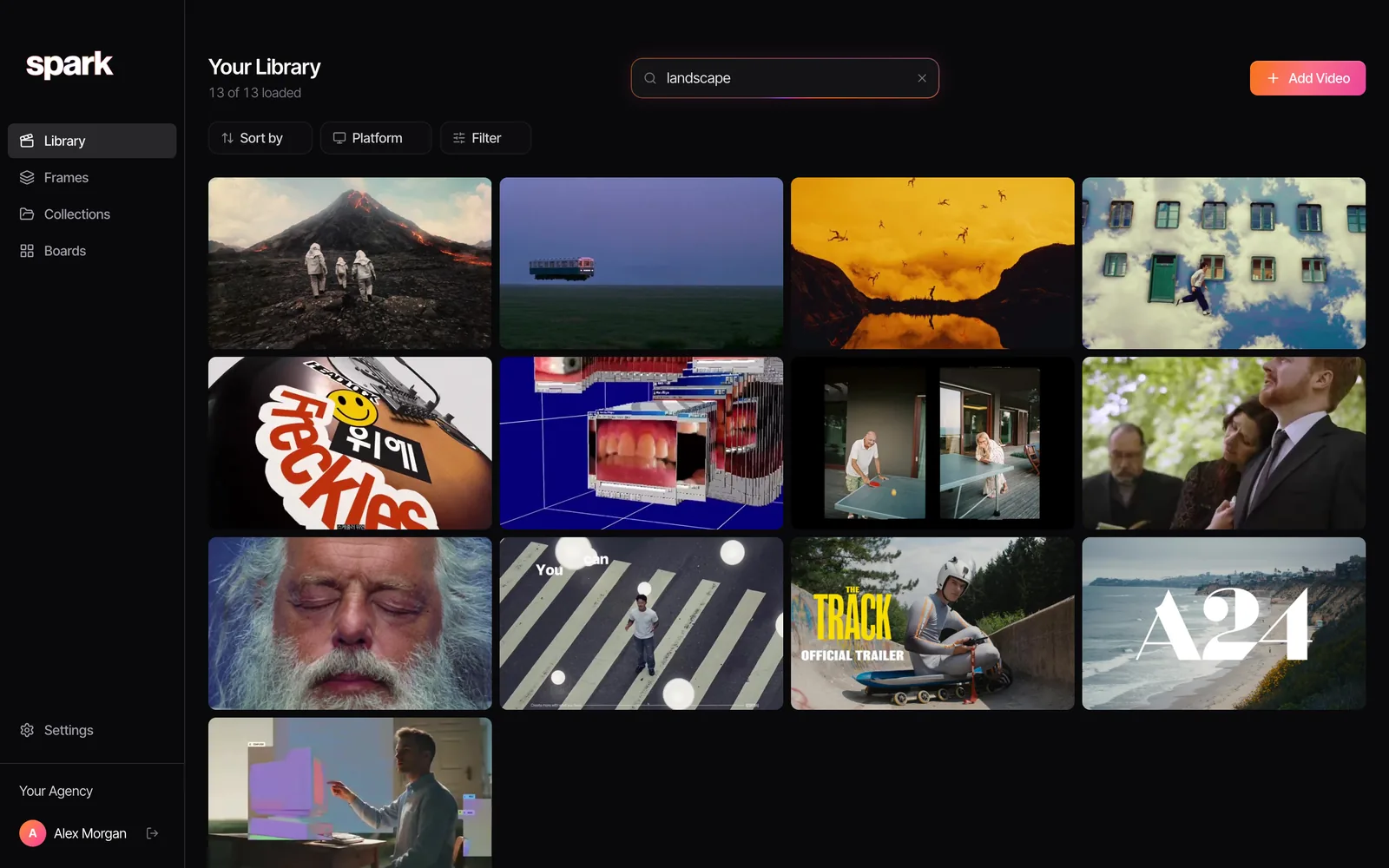
For one board per project, this is a nice-to-have. For a team with a few thousand references built up over a couple of years, it's the difference between a library and a pile.
Round 4: writing and planning. Milanote wins
Milanote's home ground, and it's better at it:
- Writing. Notes, documents and to-do lists sit naturally on the board, and you can draft a treatment's opening letter beside its references. Spark has writing docs (including screenplay format) and to-dos on its boards now, but Milanote's writing tools are the more mature, and it's what we'd pick for a script-heavy project.
- Comments. Milanote lets people comment on a board. Spark boards don't have comments.
- Anywhere access. Milanote runs in a browser and on phones, so a director can add a recce photo from a field and a client can open a board without installing anything. Spark is a desktop app. You can still save to it from your phone by sending a reel to @sparkreferences or a link on WhatsApp, but the boards themselves live on Mac and Windows.
- Templates. Milanote's template library is large and genuinely useful: moodboards, storyboards, shot lists, production schedules.
If you think in notes and arrows, Milanote will feel like home, and Spark won't replace it.
Round 5: working together. Different shapes
Milanote's collaboration is the simpler story. Invite people to edit, comment or view, in any browser. The client clicks a link and they're in.
In Spark, teammates work on the same board from the desktop app: you see who else is viewing, and their changes appear within a few seconds. For clients, a board's Share button mints a view-only link anyone can open, which you can rotate or revoke. Collections can be made public the same way. On the Studio plan the whole team shares one workspace and library, and the Slack integration saves links posted in a channel straight into it.
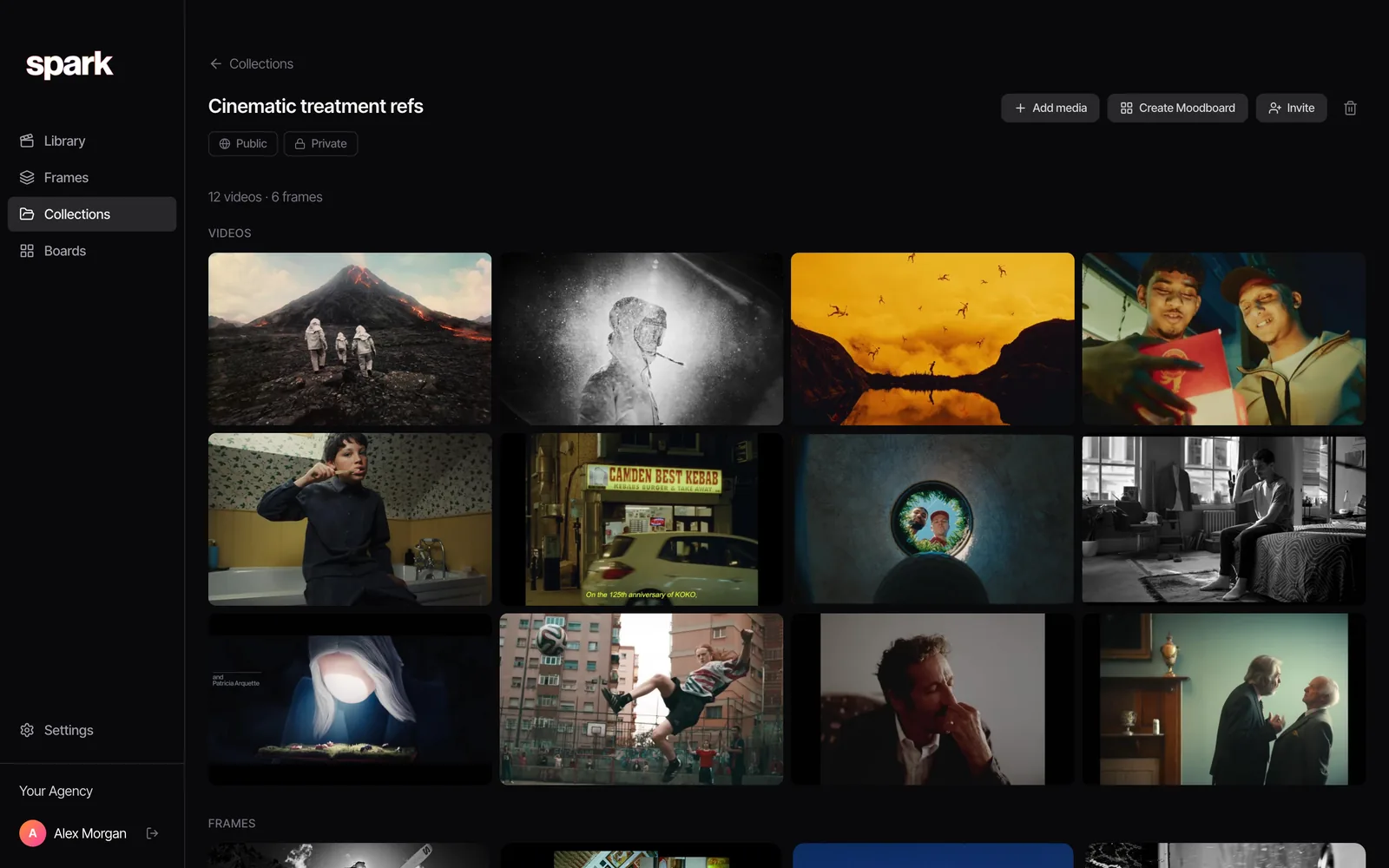
Verdict: Milanote, if editing in a browser matters. Spark, if what matters is that the whole team is pulling from one searchable library.
Round 6: getting it into a deck. Spark wins
Milanote exports a board as a PDF or PNG (one page, so big boards get small), as Word, Markdown or text for the writing, or as a ZIP of the files. That's fine for sharing a board as a picture of itself. The motion is gone.
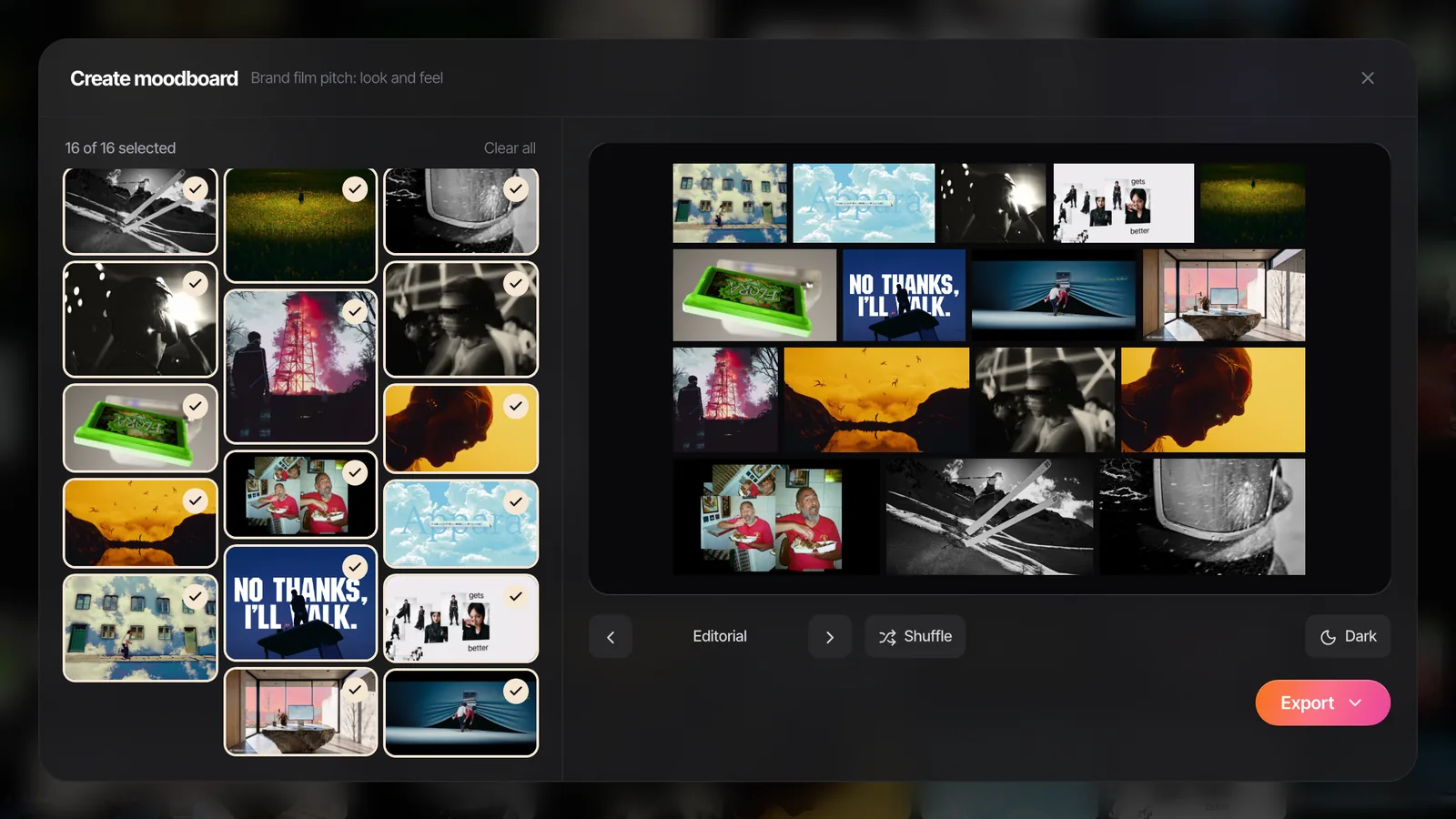
Spark is built around pulling usable pieces out of video. Export GIF trims the exact moment, with a frame rate and width you choose. Export Frame grabs a clean still. Then Create Moodboard takes the frames and GIFs from a board or collection, lays them out as slides and exports straight to Google Slides, Canva, PowerPoint, Keynote or PDF, so the deck starts half built.
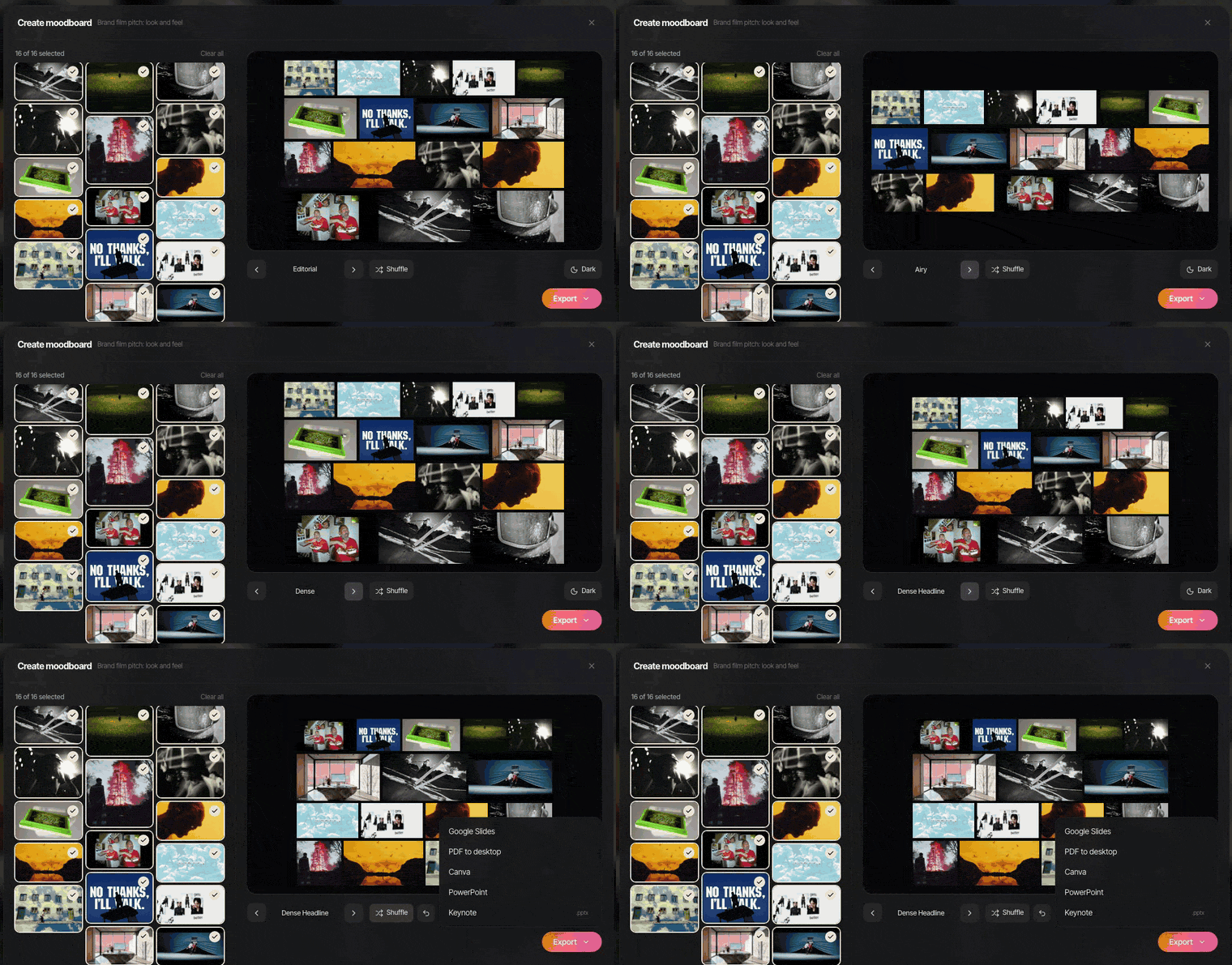
The detail that matters for video people: GIFs stay animated when Create Moodboard sends a board to Google Slides, PowerPoint, Keynote or Canva. Only the PDF freezes them. A Milanote PDF or image export is a still picture of the board, so if motion matters there, share the board link itself or rebuild the moving parts in Keynote or Slides.
If you're staying on Milanote and just want a moving deck out of your stills and GIFs, a browser tool of ours does that: eight layouts and a shuffle button, exported as a .pptx for PowerPoint, Keynote, Google Slides or Canva.
The scorecard
| Round | Winner |
|---|---|
| Getting references in | Spark |
| The board itself | A draw |
| Finding things again | Spark |
| Writing and planning | Milanote |
| Working together | Milanote in a browser, Spark for a shared library |
| Getting it into a deck | Spark |
Read that as "Spark if your references move, Milanote if your plans are words", rather than as a total.
Price
Milanote's free plan is generous for trying it out: 100 notes, images or links, 10 file uploads and unlimited shared boards. Paid is $9.99 per person a month billed yearly, or $12.50 monthly, and the Team plan is $49 a month.
Spark's free plan holds 15 videos, 30 frames and 1 GB, with no card and no time limit. Creator is £16 a month for one person, with AI descriptions, transcription and GIF export. Saving reels by Instagram DM works on every plan, the free one included, up to its cap. Studio is £23 per user a month and adds shared team workspaces, the Slack integration and unlimited collections.
For one person they're in the same ballpark. What you're paying for differs: Milanote charges for a flexible workspace, Spark for storing, describing and transcribing video.
Who should choose which
Choose Milanote if your boards are as much about words as pictures, your references are mostly images, articles and YouTube or Vimeo links, and you need clients to open, edit and comment in a browser or on a phone.
Choose Spark if most of your references are videos from Instagram, TikTok, ads and film, you've lost a reference you know you saved more than once, you regularly need GIFs and frames from exact moments, and your team shares references in Slack and WhatsApp.
Use both if you plan in Milanote and your video references keep slipping through the cracks. Our setup for that: save and search in Spark, pull the GIFs and frames you need, drop them onto the Milanote board for planning, then use Create Moodboard when it's time for the client deck. For more options on both sides, see the best moodboard tools for creative directors and our roundup of creative reference management tools.
If the half that's hurting is the references, try Spark. If it's the planning, Milanote is a very good tool, and we'd rather you used the right one than the one with our name on it.
FAQs
Can Milanote play videos on a board?
Yes. Uploaded video files play on the board and can be set to autoplay or loop, and YouTube and Vimeo links embed as players. As of October 2026 the free plan allows 10 uploads with videos up to 50 MB each, and the paid plan allows unlimited uploads up to 5 GB per file.
Can you save Instagram reels to Milanote?
You can paste a reel's link onto a board, but Instagram isn't among the video sources Milanote lists for embedding, so it usually appears as a link card that opens the original post. If you need the reel itself saved and playable, download it first or use a reference tool like Spark that saves the video.
Is Spark a Milanote alternative?
Partly. Spark's boards now have notes, writing docs, to-do lists, columns and drawing, but its centre is the reference library: saving, searching and reusing video, then exporting moodboards. It has no comments and no browser editor, so it often works alongside Milanote rather than replacing it. If you're leaving Milanote for other reasons, the best Milanote alternatives matches each reason to a tool.
Does Spark work in a browser like Milanote?
No. Spark runs as a Mac or Windows app; you sign up on the website and download the app. Clients can open a shared board or collection through a view-only link, and you can save to your library from your phone by sending a reel to @sparkreferences on Instagram or a link on WhatsApp.
Which is cheaper, Spark or Milanote?
They're close for one person: Milanote is $9.99 a month billed yearly ($12.50 monthly) and Spark Creator is £16 a month ($24 in the US). Both have free plans with no time limit. Prices checked October 2026.
Can I use Spark and Milanote together?
Yes, and it's a common setup. Keep and search your video references in Spark, export GIFs or frames of the moments you need, and add them to your Milanote boards for planning. When it's time to present, Create Moodboard in Spark turns a board into slides.
Keep reading
All articles
Best Creative Reference Management Tools in 2026
Most "best reference tool" lists only test images. We tested against what really fills a production company's library: reels, TikToks, ads and YouTube links. Prices checked October 2026.
How to Build a Searchable Creative Inspiration Library
Your references live in nine places and none of them has a decent search bar. This is the four-step system we run at our own production company, in whatever tool you like.

How to Make a Moodboard for a Video Project
Twenty well-chosen frames with a line of explanation under each will do more for your shoot than two hundred beautiful pins. Here's how to build that board, section by section.