
How to Use TikTok Creative Center for Advertising Inspiration
TikTok Creative Center is the only free ad library that ranks ads by how well they did. Here's how we read it as directors, not media buyers.
By the Spark team ·
Go to ads.tiktok.com/business/creativecenter, open Inspiration, then Top Ads, pick a region, an industry and a time period, and sort by CTR. That's TikTok Creative Center, TikTok's free ad library, doing what other free ad libraries won't: ranking real ads against others in the same industry, with a click-through ranking, a budget level and a link to each ad's analytics. Signed out you see four ads. Log in with a free TikTok For Business account and you see the lot.
That ranking is the whole reason to use it. The Meta Ad Library shows you what's running. Creative Center shows you, roughly, what's working. For anyone writing a treatment, that's the difference between a pile of ads and a shortlist.
This walkthrough reflects the site as it was on 20 October 2026. TikTok reshuffles its menus every so often, so if a label has moved, the logic still holds.
What's in Creative Center now
Signed out, the top menu has three sections:
| Menu | What's inside | Useful for creatives? |
|---|---|---|
| Inspiration | Top Ads (the Top Ads Dashboard and Top Ads Spotlight tabs) | Yes, this is the main event |
| Trends | Trends Overview: trending hashtags, songs, creators and videos | Yes, with caution |
| Creative Tools | TikTok Symphony (AI generation), Automation, API | Not really |
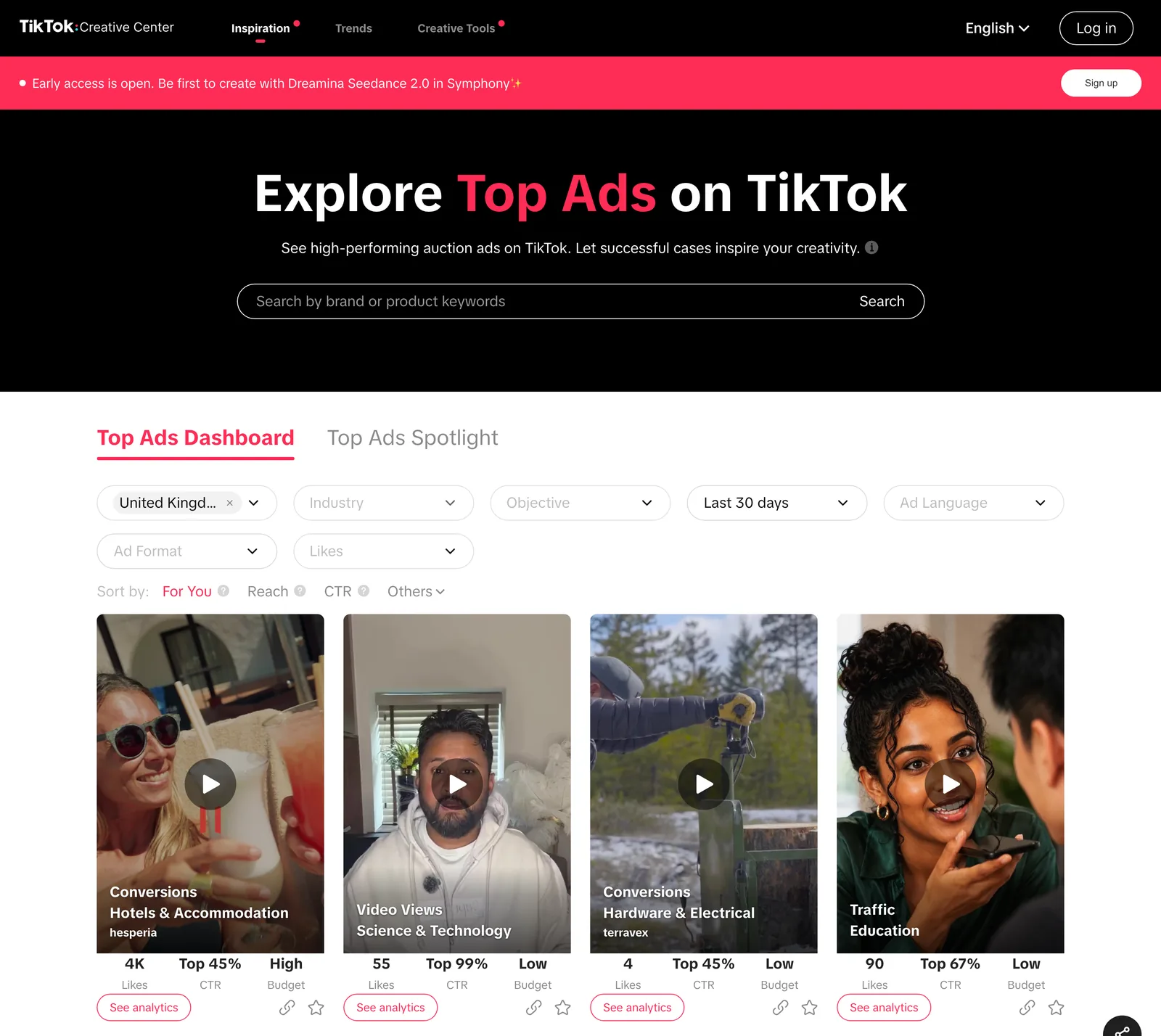
Older guides talk about Keyword Insights and Top Products as their own tabs. In October 2026 neither appears in the signed-out menu. TikTok has been folding tools into its wider TikTok One suite for a while, so if you need them, log in and have a look. The big pink banner across the top, when we checked, was advertising AI video generation in Symphony. Make of that what you will.
How to find good ads in Top Ads, step by step
- Open Inspiration > Top Ads. You land on the Top Ads Dashboard tab.
- Log in (top right). A free TikTok For Business account is enough. Without it you get four results and a "Log in to access all Top Ads" wall.
- Set Region. It defaults to where you are. There are 28 to choose from, including the UK, the US, most of Western Europe, Japan, South Korea, Australia, Canada and the Gulf. Ireland and India aren't on the list.
- Set Industry. You pick a broad group and can narrow it to sub-industries, which get specific: the cards in our screenshot are filed under Hotels & Accommodation, Science & Technology, Hardware & Electrical and Education.
- Set Objective: Traffic, App Installs, Conversions, Video Views, Reach, Lead Generation or Product sales. More on why this matters in a second.
- Set the time period: Last 7 days, Last 30 days or Last 180 days.
- Leave Ad Language, Ad Format and Likes alone for now.
- Sort. The options are For You (the default), Reach, CTR, and under Others: 2s Views Rate, 6s Views Rate, CVR and Likes.
- Click See analytics on any card to open the ad on its own page.
The search bar takes brand or product keywords, so "oat milk" or a competitor's name works. It searches what advertisers wrote. What's on screen is invisible to it.
The Ad Format filter has two options, Spark Ads and Non-Spark Ads. TikTok's Spark Ads are ads run from an existing organic post, so they look and feel like native TikToks. They are nothing to do with us. (The name clash is unfortunate. We've made our peace with it.)

What the numbers mean for a creative
Media buyers come to Creative Center for benchmarks. You're here to work out which ideas hold attention, and each number answers a slightly different question.
CTR is a ranking, not a rate
The card shows CTR as something like "Top 45%". That's where this ad's click-through rate sits against other ads in the same industry. The rate itself stays hidden. In our screenshot, one card reads "Top 99%", which is a polite way of saying nearly everything in its category did better. Top 5% in a crowded category like beauty is strong. Top 60% is fine, and fine is not why you came.
2s and 6s view rates are your hook and your hold
These are the two sorts most creatives skip, and they're the most useful to us. The 2-second view rate tells you whether the opening stopped the thumb. The 6-second rate tells you whether whatever came next kept people. An ad that ranks high on 2s and low on 6s has a great first frame and nothing behind it, which is a lesson in itself.
Sort by 2s Views Rate, watch the top ten with the sound off, and stop each one at two seconds. Write down what's on screen. You'll see the same three or four openings again and again: a face mid-sentence, a product in a hand, a word on screen, something about to go wrong. Those openings are the raw material for a creator brief, and our guide to making a moodboard for UGC ads turns them into one a creator can shoot from.
Budget is a confidence signal
Cards show a budget level of Low, Medium or High. A High budget ad that also ranks well means the advertiser saw early results and put money behind it. It isn't proof, but it's the closest thing to a vote you'll get.
Likes on an ad mean less than you'd think
Paid reach buys likes. A Reach campaign with a big budget will rack up likes on a mediocre ad. Use likes as a tiebreaker and nothing more.
The objective changes everything
A Conversions ad and a Reach ad are doing different jobs, and they're made differently. Conversions ads tend to show the product early, say the price and end on a clear instruction. Reach and Video Views ads can afford to be stranger. If the brief is brand awareness, filtering to Conversions will hand you a deck full of hard sell your client didn't ask for.


Reading one ad properly
See analytics opens the ad with its caption, landing page, likes, comments and shares, and the CTR ranking and budget level from the card. Below that is a chart that plots how the ad performs as it plays, with tabs for CTR, CVR, clicks, conversions and how many people are still watching, and highlight markers where those lines jump.
That chart is where to spend your time. If the "still watching" line falls off a cliff at four seconds, scrub to four seconds and look at what happened: usually a cut to a logo, a change of speaker, or the moment the ad admits it's an ad. If clicks spike at eleven seconds, that's where the offer landed. You're reading the edit through the audience's thumbs, which is a bit like having a test screening for every ad in the category.
Know what you're not seeing, though. No actual spend, impressions or targeting. No start date. And the footnote on the page says the ads shown are only those advertisers have authorised for display, which "may not reflect all top-performing auction ads". So read it as a selection of strong ads. It was never a league table of the best.
Top Ads Spotlight
The second tab, Top Ads Spotlight, is a shortlist TikTok picks itself. Handy when you want examples of a specific approach without building filters, but it's TikTok's pick, so it leans towards the ads TikTok would like you to copy. Use the Dashboard for research and Spotlight for a quick look around.
Trends: useful, perishable
Trends > Trends Overview shows what's rising on TikTok: hashtags, songs, creators and videos, by region. Each hashtag has an analytics view with a trend line and related videos.
For a creative, Trends answers two questions. Which sounds are climbing right now (handy if a social cutdown wants a track the audience knows, assuming the licence allows it for ads). And what formats people are actually making in a category, which is good material for a treatment's "the world we're entering" page.
The catch is speed. By the time a pitch is approved, cast, shot and graded, most trends have gone. Use Trends to learn the grammar of the platform. Chasing a hashtag is a losing game. And check commercial music rights before a single frame is cut to a trending sound. A sound being popular on TikTok says nothing about whether your client can run it in a paid ad, which is why TikTok keeps a separate Commercial Music Library.

A 20-minute research session
When a TikTok brief lands, this is a good way to spend the first 20 minutes:
- Region set to where the campaign will run, industry set to the client's, objective set to match the brief, period Last 30 days.
- Sort by CTR, watch the top twenty, save the five you'd show a client.
- Switch the sort to 2s Views Rate, watch the top ten muted, note the openings.
- Switch to Last 180 days and repeat. Ads that rank over six months were good enough to keep paying for.
- Open See analytics on the best three and read the charts.
- Glance at Trends for the sounds and formats in the category.
You'll end up with ten or so ads and a page of notes. The notes are worth more than the ads.
Creative Center or the Meta Ad Library?
Both. They answer different questions.
| Library | What it shows | Performance data | Price (as of October 2026) |
|---|---|---|---|
| TikTok Creative Center | A selection of TikTok ads advertisers have authorised | CTR rank, 2s and 6s view rates, budget level | Free (log in for the full list) |
| Meta Ad Library | Every ad currently running on Facebook and Instagram | None for ordinary ads, but start dates | Free, no login |


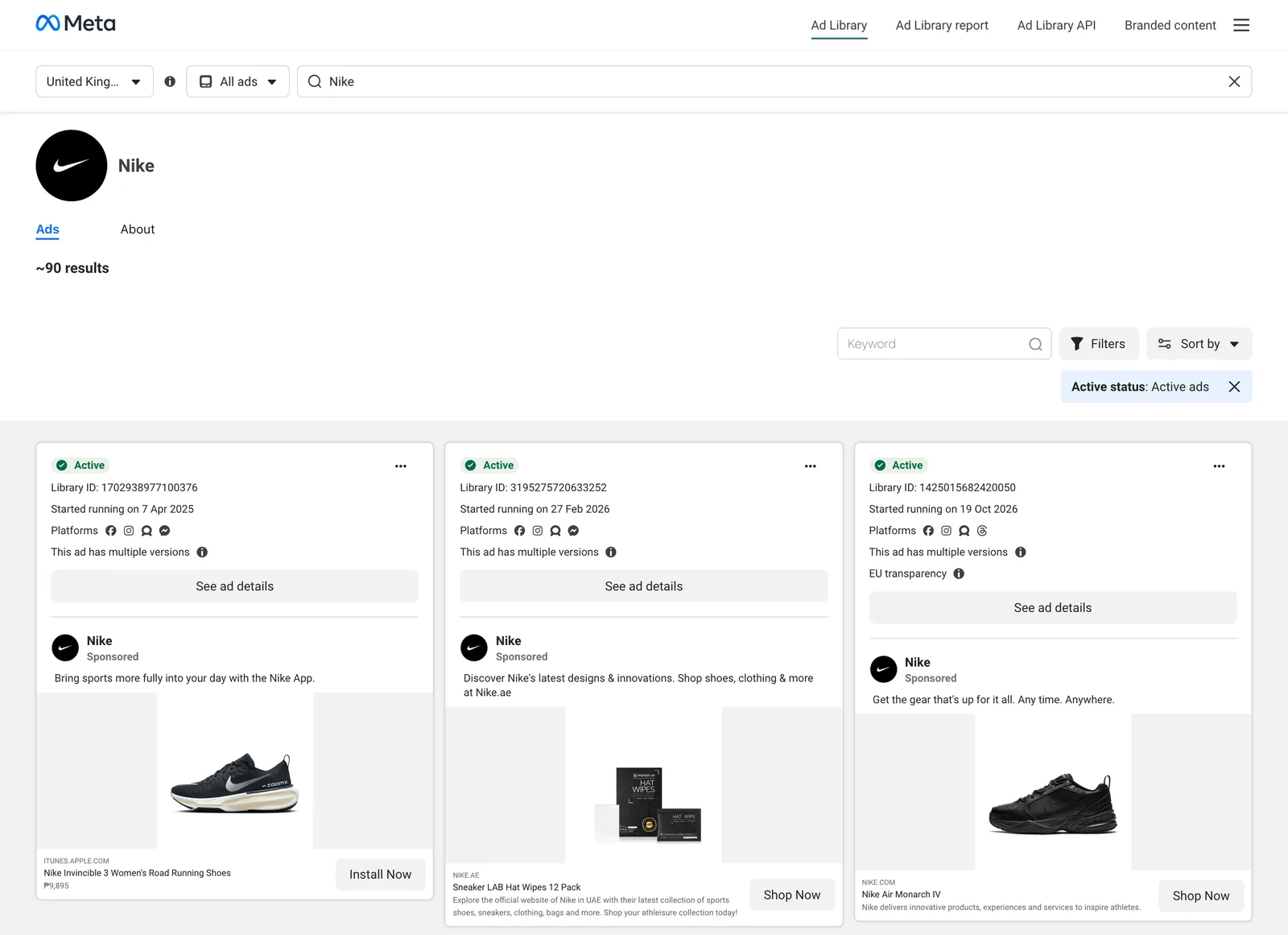
Creative Center hints at what's working on TikTok. The Meta library tells you what's out there, and how long it's been out there. Our Meta Ad Library guide covers that side.
Saving TikTok ads before they disappear
Creative Center has no download button, and it isn't somewhere your director or your client can browse what you found. The ads rotate as the rankings change, too, so the best one from this morning's session can be gone from the list within the week.
So keep anything good somewhere you control, with the video, the link and a line about why. Same habit as with the Meta Ad Library, and if you're also saving organic TikToks, our guide to saving and organising TikTok videos covers that side.
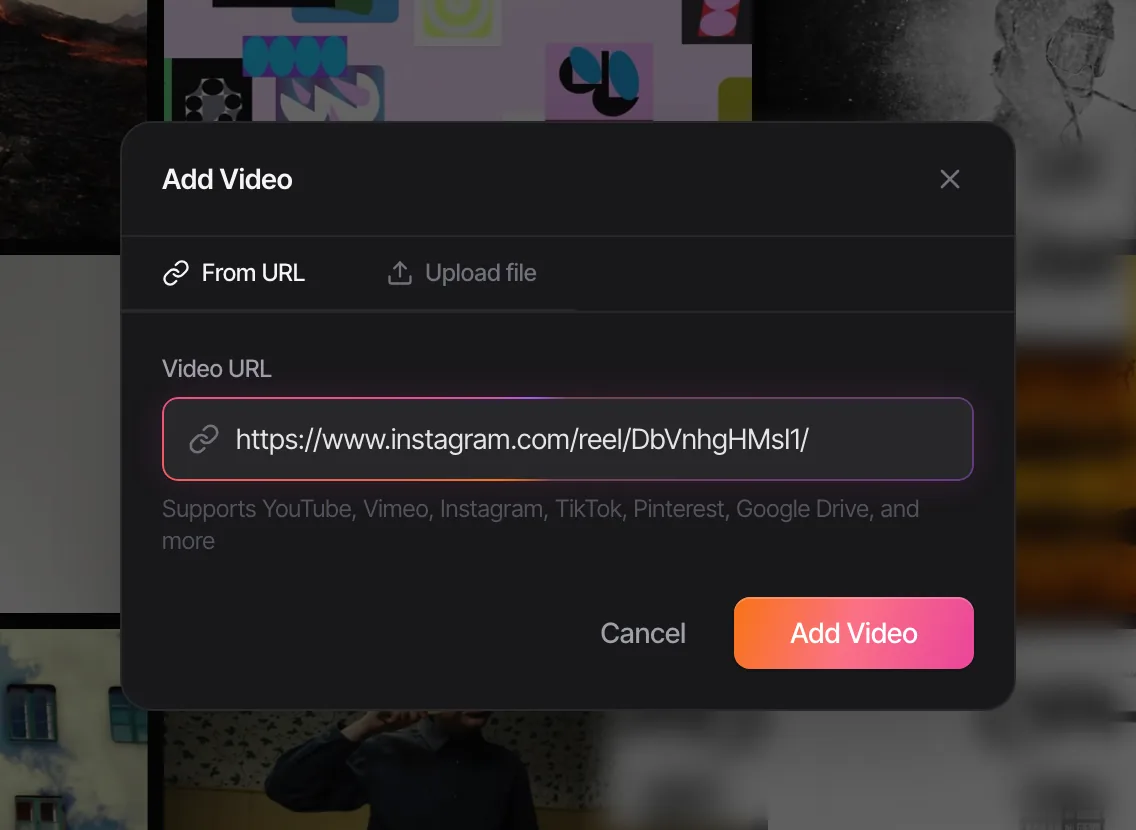
Spark saves ads straight from TikTok Creative Center links. Paste the link into Add Video, exactly as you would a reel or a YouTube link, and Spark keeps a copy of the ad and the link it came from. Creator and Studio add a written description and a transcript of the voiceover.
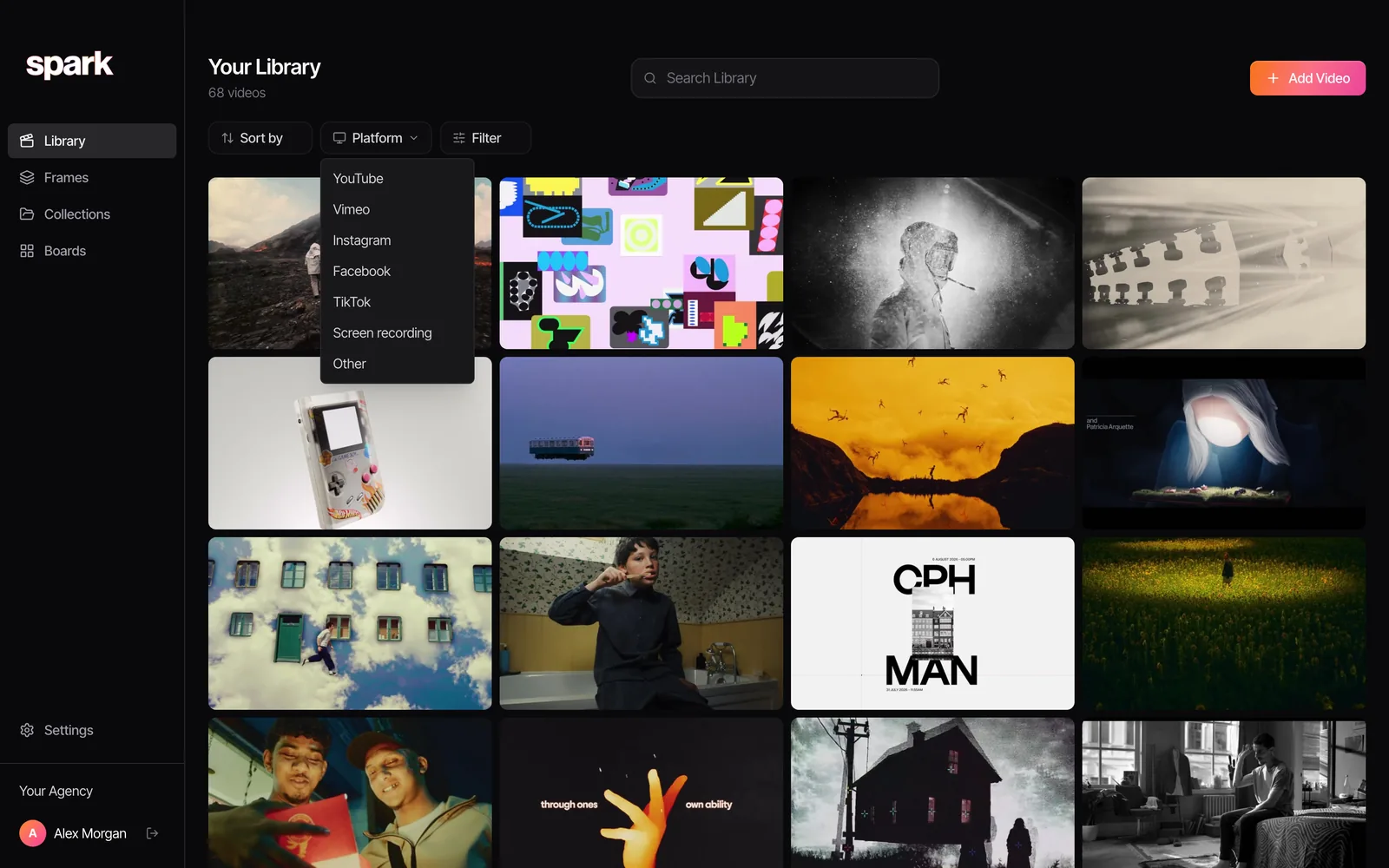
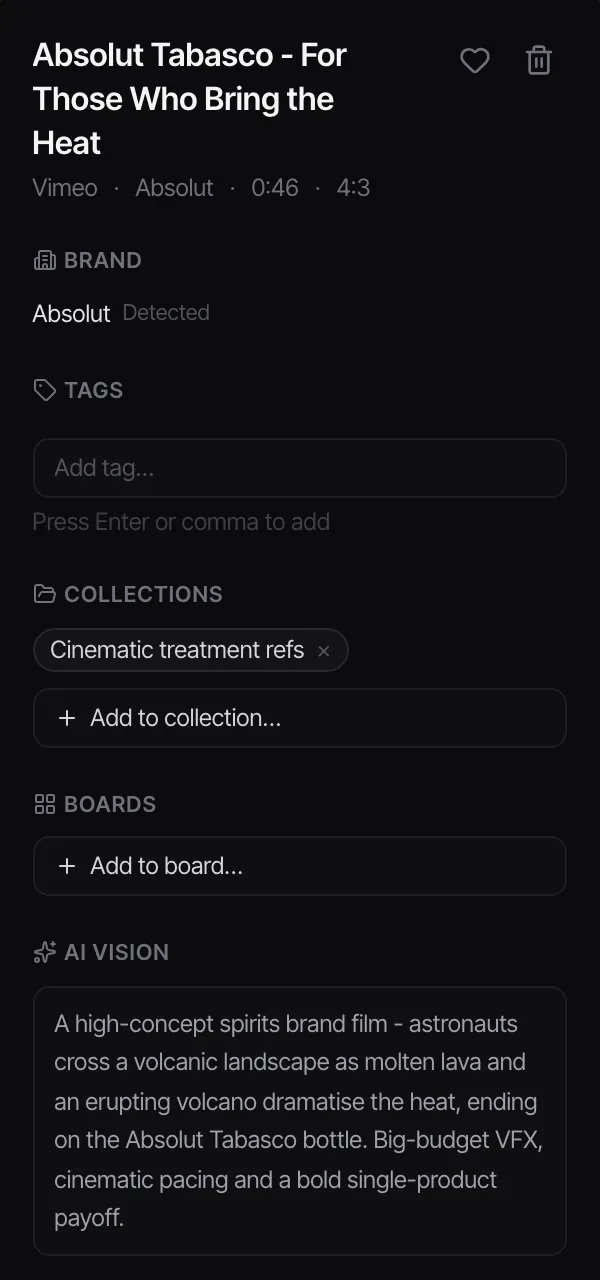
Tag the ads by technique first, brand last. Tags in Spark are whatever you type, so make them useful. You'll rarely need "that skincare brand". You'll often need "voiceover starts before the face appears".

Where people go wrong in Creative Center
Wrong region. The Region filter defaults to your location. If you're researching a US launch from London, change it, or you'll be studying British ads for an American brief.
Comparing across industries. The CTR ranking is within an industry. Top 10% in a quiet category and Top 10% in beauty are not the same achievement.
Treating Spotlight as data. TikTok chose those ads. The Dashboard with your own filters is where the evidence is.
Forgetting the brief. A high ranking ad that's wrong for your client's brand is still wrong. The ranking tells you it worked for them. Whether it works for you is a separate question.
That's the tool. It's the best free ad research site for anyone making short-form, because it's the only major ad library that shows any performance data at all. Keep the page of notes with the ads it came from. For the rest of your sources, here are the best websites for commercial film inspiration.
When a deck needs the hook itself and a link won't do, cut the first two or three seconds into a loop. If you've got the file, our converter does it in the browser, frame-accurate, with nothing uploaded. Starting from a TikTok link instead? Making a GIF from a TikTok video covers that route.
FAQs
Is TikTok Creative Center free?
Yes. You can browse it without an account, but signed out you only see the first few Top Ads. Log in with a free TikTok For Business account and you get the full list, the analytics pages and more of the trends data.
What is the TikTok Top Ads Dashboard?
It's the main tab in Creative Center's Inspiration section: a library of high performing TikTok ads you can filter by region, industry, objective, time period, language, ad format and likes. You can sort by CTR, reach, 2-second and 6-second view rates, conversion rate or likes, and open each ad's analytics.
Which countries does TikTok Creative Center cover?
In October 2026 the Top Ads region filter listed 28 countries, including the UK, the US, Canada, Australia, much of Western Europe, Japan, South Korea, Southeast Asia, the UAE and Saudi Arabia. Ireland and India weren't included. Coverage changes, so check the filter.
Can you see how much a TikTok ad spent?
No. Creative Center shows a budget level (Low, Medium or High) but never actual spend, impressions or targeting. CTR is shown as a ranking against the industry rather than a rate.
Can I download ads from TikTok Creative Center?
There's no download button. You can keep the link, but ads drop out of the rankings over time. A tool like Spark saves the video itself from a Creative Center link, which is the safer way to build a swipe file. Treat saved ads as internal reference, since the creative belongs to the advertiser.
What's the difference between TikTok Creative Center and the Meta Ad Library?
The Meta Ad Library shows every ad currently running on Facebook and Instagram but no performance data for ordinary ads. Creative Center shows a selection of TikTok ads advertisers have authorised, ranked by performance. One tells you what's out there, the other hints at what's working.
Keep reading
All articles
Best Websites for Commercial Film Inspiration in 2026
Every site on this list was checked in October 2026. Some are free, some cost real money, and a couple are only worth it if you know exactly what you're hunting for.
Best Websites for Motion Design Inspiration in 2026
Motion design lists go stale fast. We opened every site on this one in October 2026, and found that one of the most famous places to watch short films no longer opens in the UK at all.

How to Find Examples of Match Cuts and Creative Transitions
The bone and the spacecraft, the match and the sunrise, the scream and the train whistle. The great match cuts by type, who cut them, and how to build your own collection.