
How to Make a Creative Moodboard for UGC Ads
Nobody ever shot a better UGC ad because the moodboard was beautiful. Here's how we build one around hooks and first seconds, so a creator can film it in their kitchen.
By the Spark team ·
A UGC moodboard isn't a grid of beautiful frames. It's 10 to 20 real ads and creator posts, cut down to the parts a creator can copy: the hook in the first three seconds (watched with the sound off), the format, how the phone is held, the on-screen text, the pace of the cuts, and the moment the product turns up. Group them by hook, write one line under each saying what to take, and add a short shot list per hook. Then hand the creator something they can film from in their kitchen on a Tuesday.
Our usual moodboard instincts work against us here, and we make a lot of moodboards. A gorgeous, considered frame tells a creator nothing about how to open their mouth in the first second. So this guide is less about layout and more about breaking ads down until the board becomes a brief.
Why a normal moodboard fails for UGC
On a brand film, the board sets a look: colour, light, lenses, wardrobe. Our guide to making a moodboard for a video project is built around exactly that, and it's the right approach when there's a crew with a DoP.
UGC is shot by one person on a phone, usually at home, often without a director. What makes it work is behaviour. The first line. The expression. A product in a hand. A caption that lands before the thumb moves on. All of that is invisible in a still.
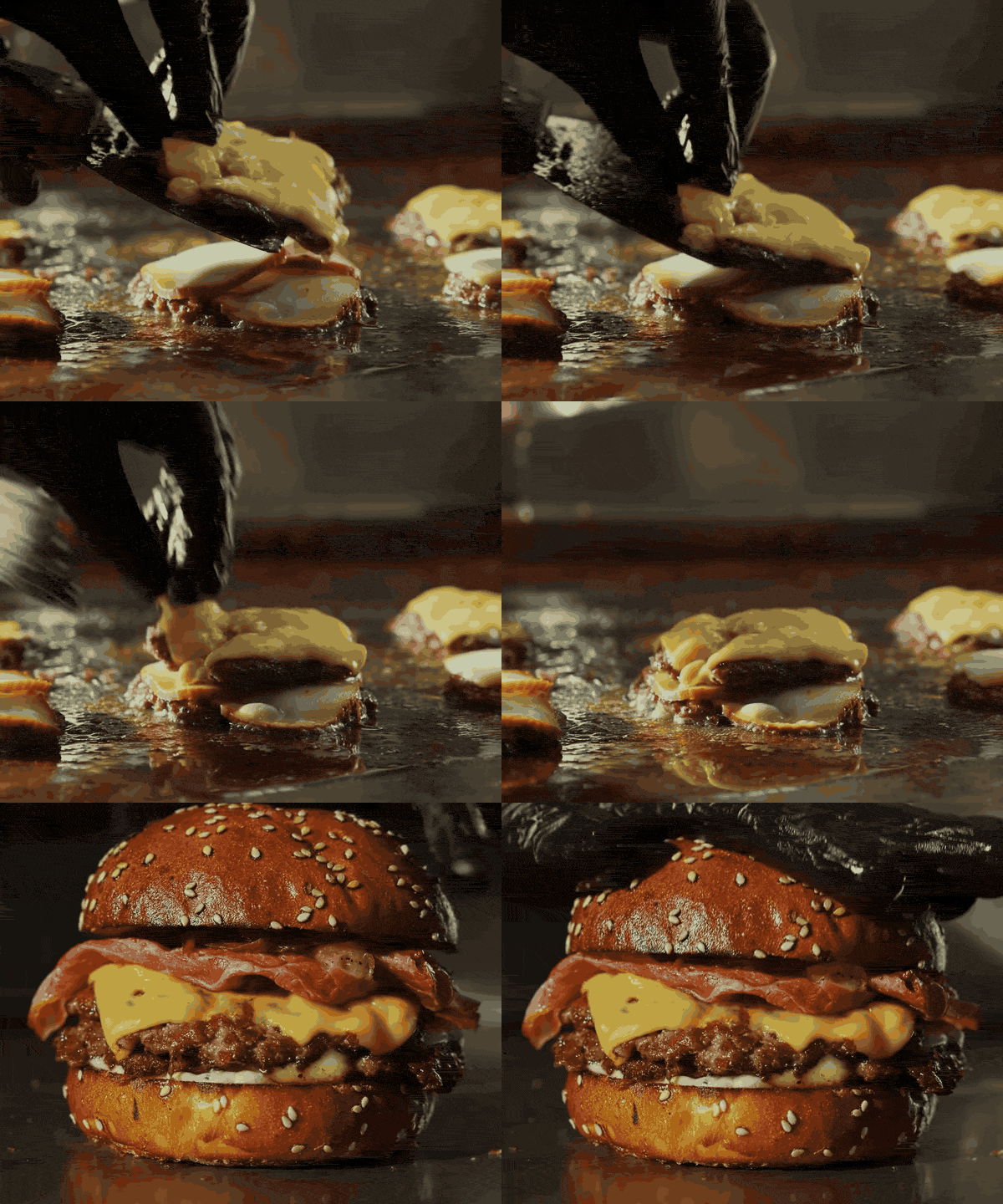
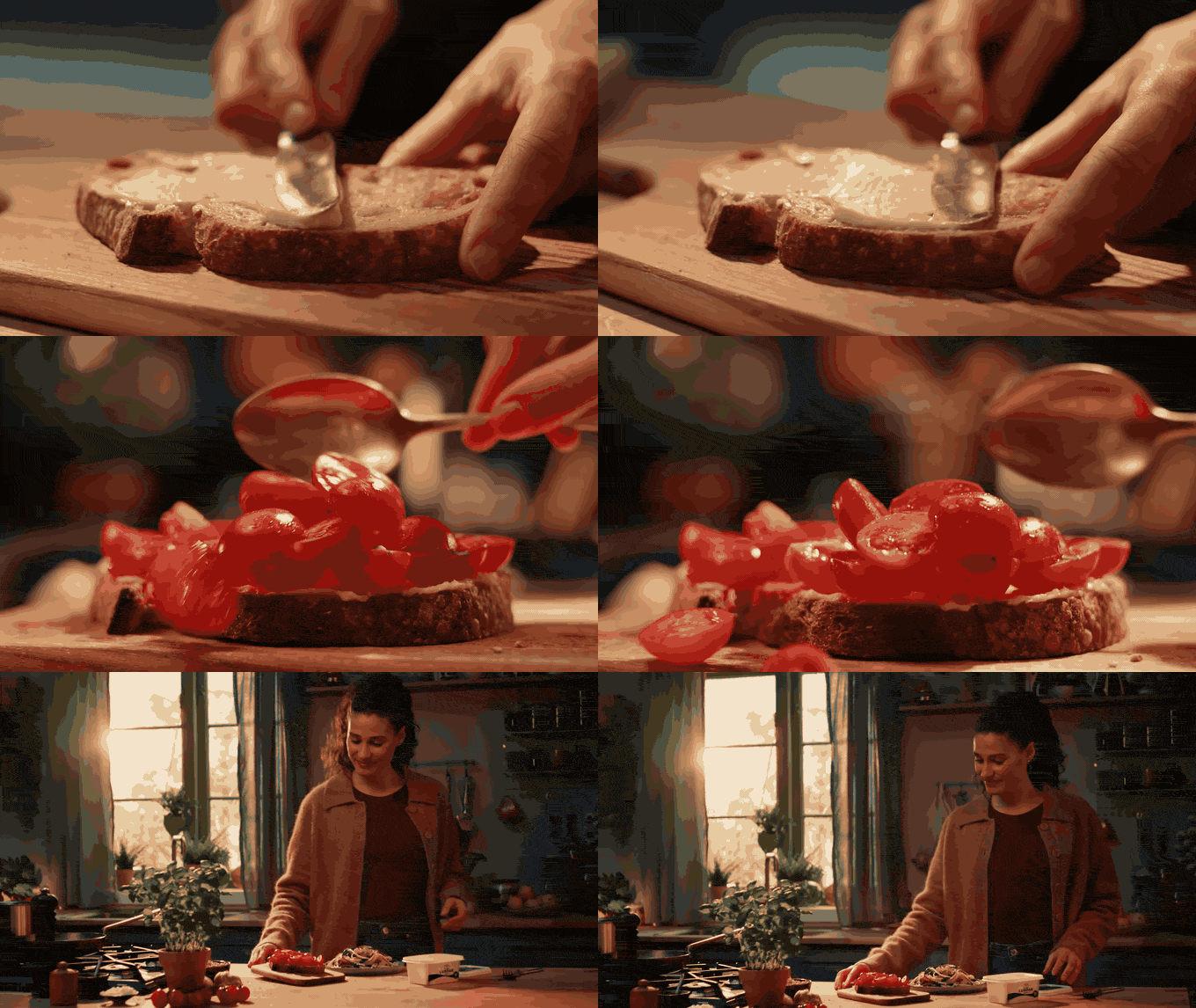
So the board is built from moving references, and every one of them gets a note.
Step 1: collect real ads, not inspiration
Twenty minutes in the right places beats two hours on Pinterest.
The Meta Ad Library. Search competitors and adjacent brands, filter to video, and look for ads that have been running a long time. Advertisers switch off what doesn't work, so a long runner is a decent signal. Our guide to using the Meta Ad Library for creative research covers the filters and how to read a card.
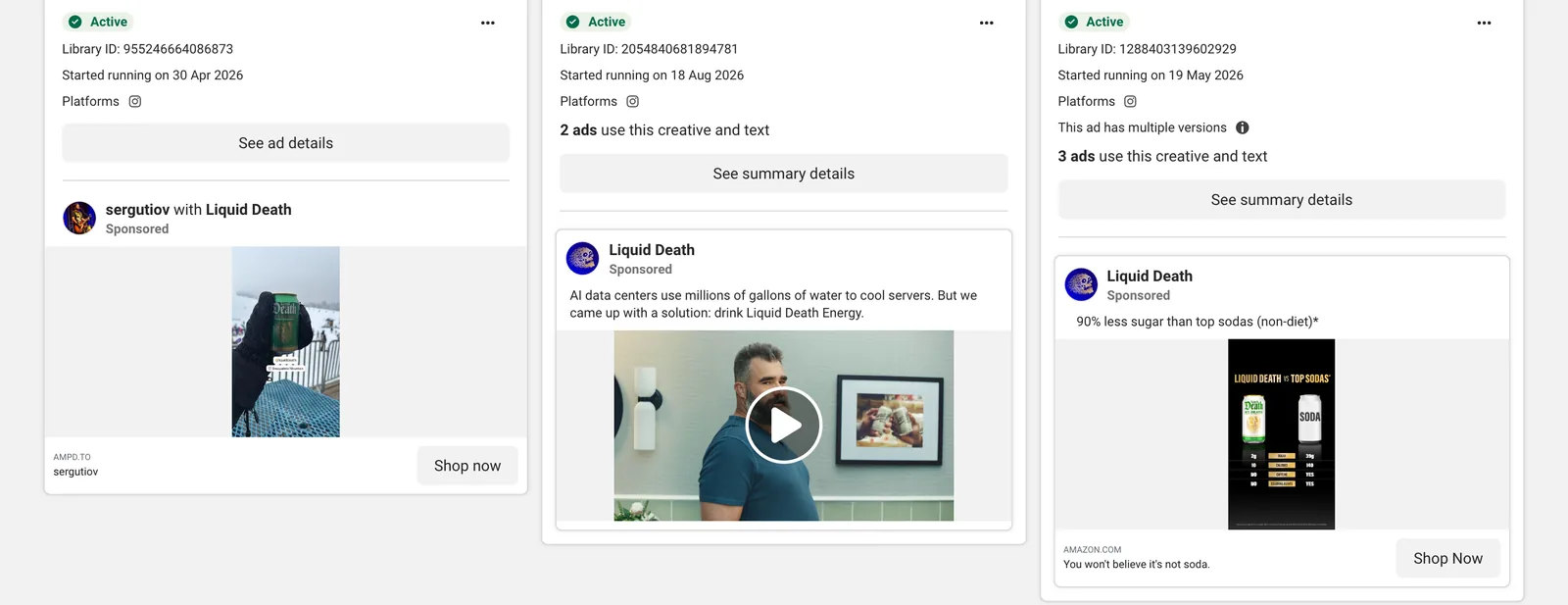
Look at the left-hand card above. "sergutiov with Liquid Death" means it's a creator partnership ad, posted from the creator's account and paid for by the brand, and the start date says it survived nearly six months of somebody watching the numbers. That's the kind of reference that earns its place on a board.
TikTok Creative Center. In Top Ads, sort by the 2-second and 6-second view rates. They're the closest thing you'll get to a measure of the hook and the hold. The full walkthrough is in how to use TikTok Creative Center.
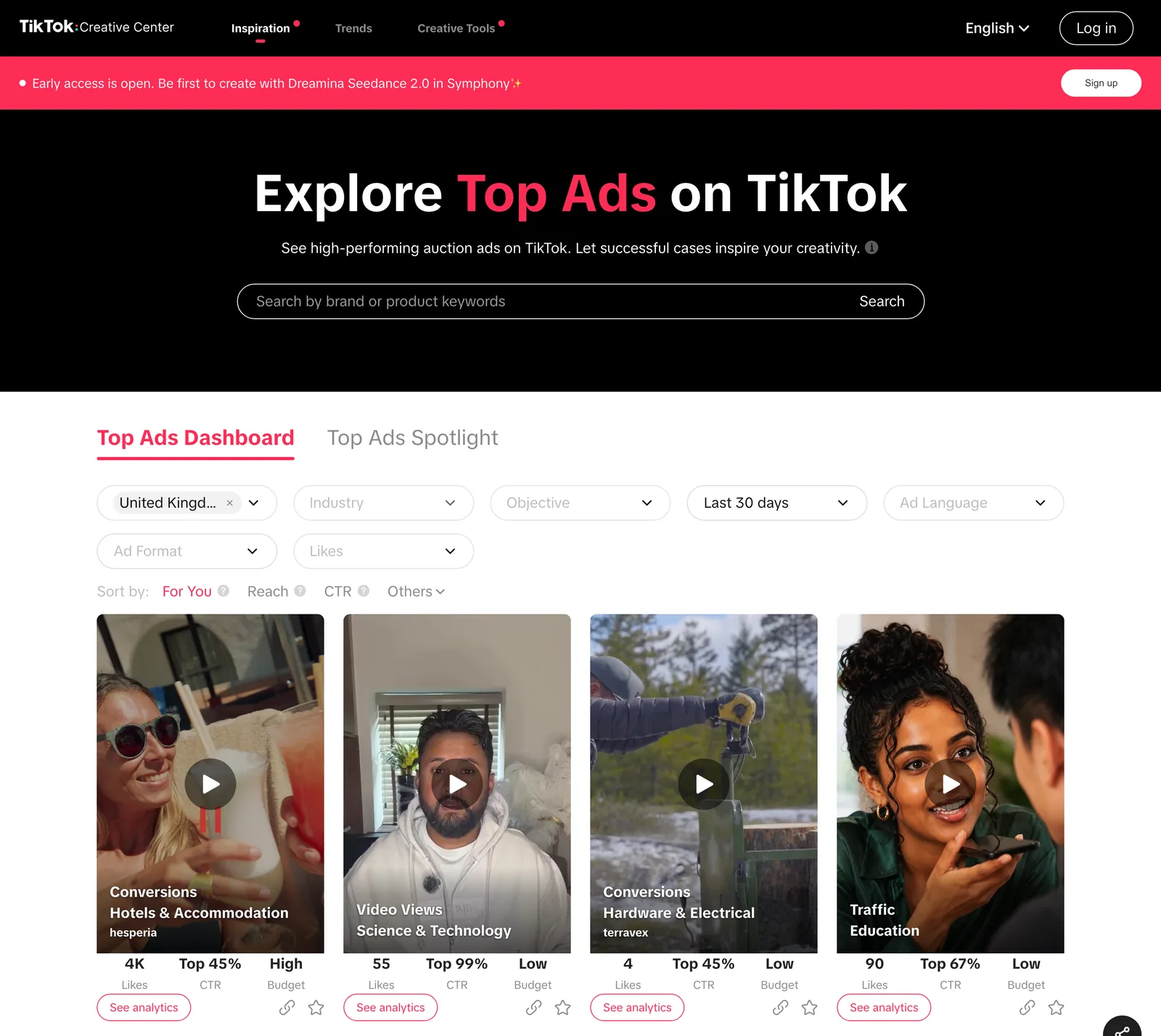
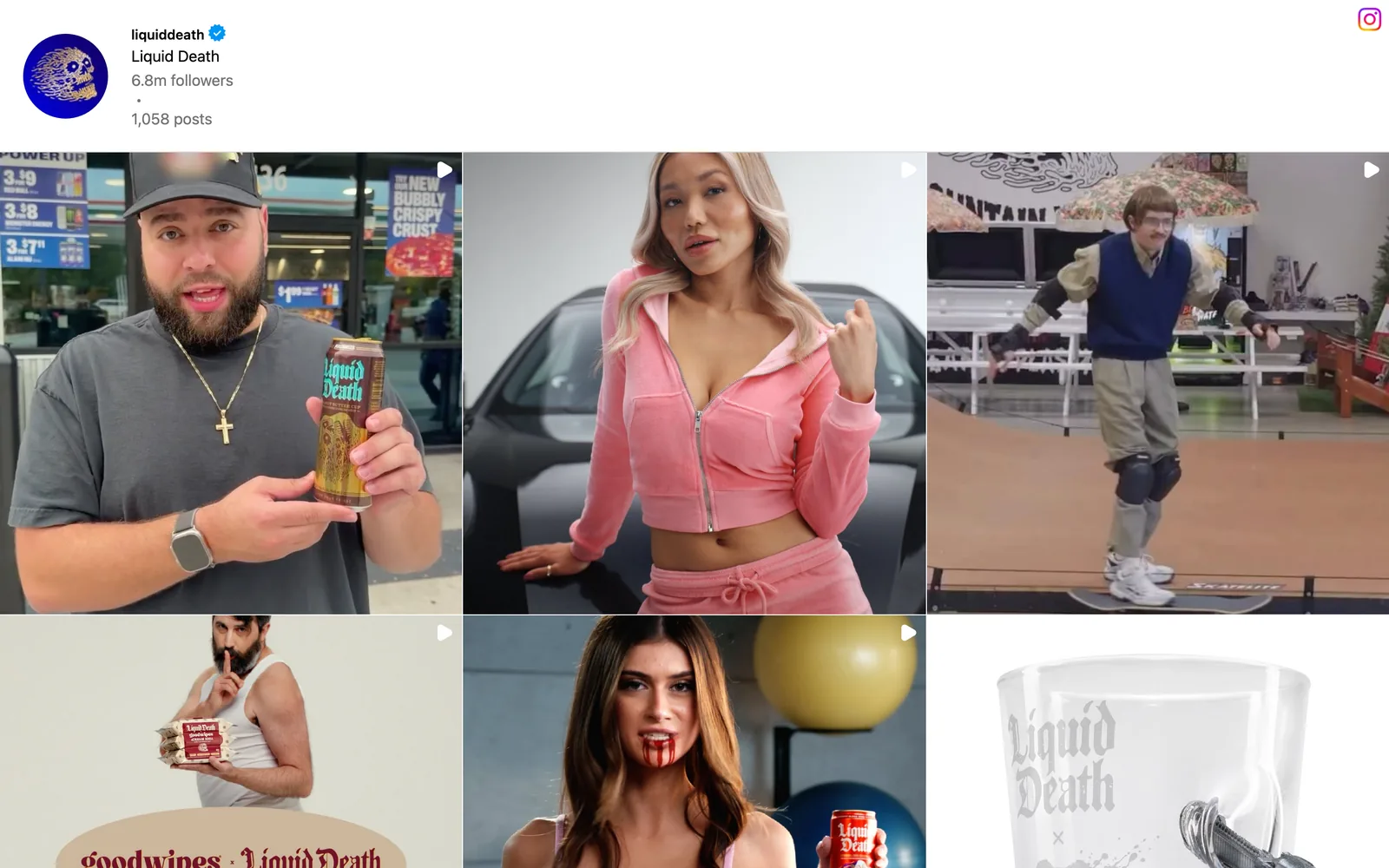
Organic creator posts. Search the product category on TikTok and Instagram and save the posts real people made because they wanted to. Formats often show up here months before they show up in ads. Brand accounts are worth a scroll too: Liquid Death's grid (at the top of this page) is half creators holding the can at petrol stations, which tells you exactly how the brand wants to be filmed.
Your own winners. Ask whoever runs the media for the brand's best performing past ads, and which hooks did it. Nothing beats data from your own audience.
Save everything properly as you go. Ads vanish from the libraries when they stop running, and organic posts go when accounts go private.
Step 2: break down the first three seconds
This is the step that makes the board useful. Watch each reference with the sound off, then on, and fill in a row:
| Ref | Hook type | First line (said) | On-screen text | Framing | First cut at | What to take |
|---|---|---|---|---|---|---|
| A | Problem in progress | "Okay, this is the third time this week" | "POV: your hair at 8am" | Selfie, arm's length, bathroom mirror light | 1.5 s | Mid-action open, no hello |
| B | Product first | None, music only | "I wasn't going to post this" | Product in hand, close, phone propped | 0.8 s | Product readable in frame one |
| C | Reply to a comment | "Someone asked if it actually works..." | The comment as a sticker | Talking head, kitchen, eye level | 2 s | Social proof before the pitch |
(Those rows are a made-up template, not real ads. Yours will be specific.)
Seven columns sounds like homework. In practice it's two minutes a reference, and after ten of them the patterns jump out at you, not least how few of the ads that last open on a logo.
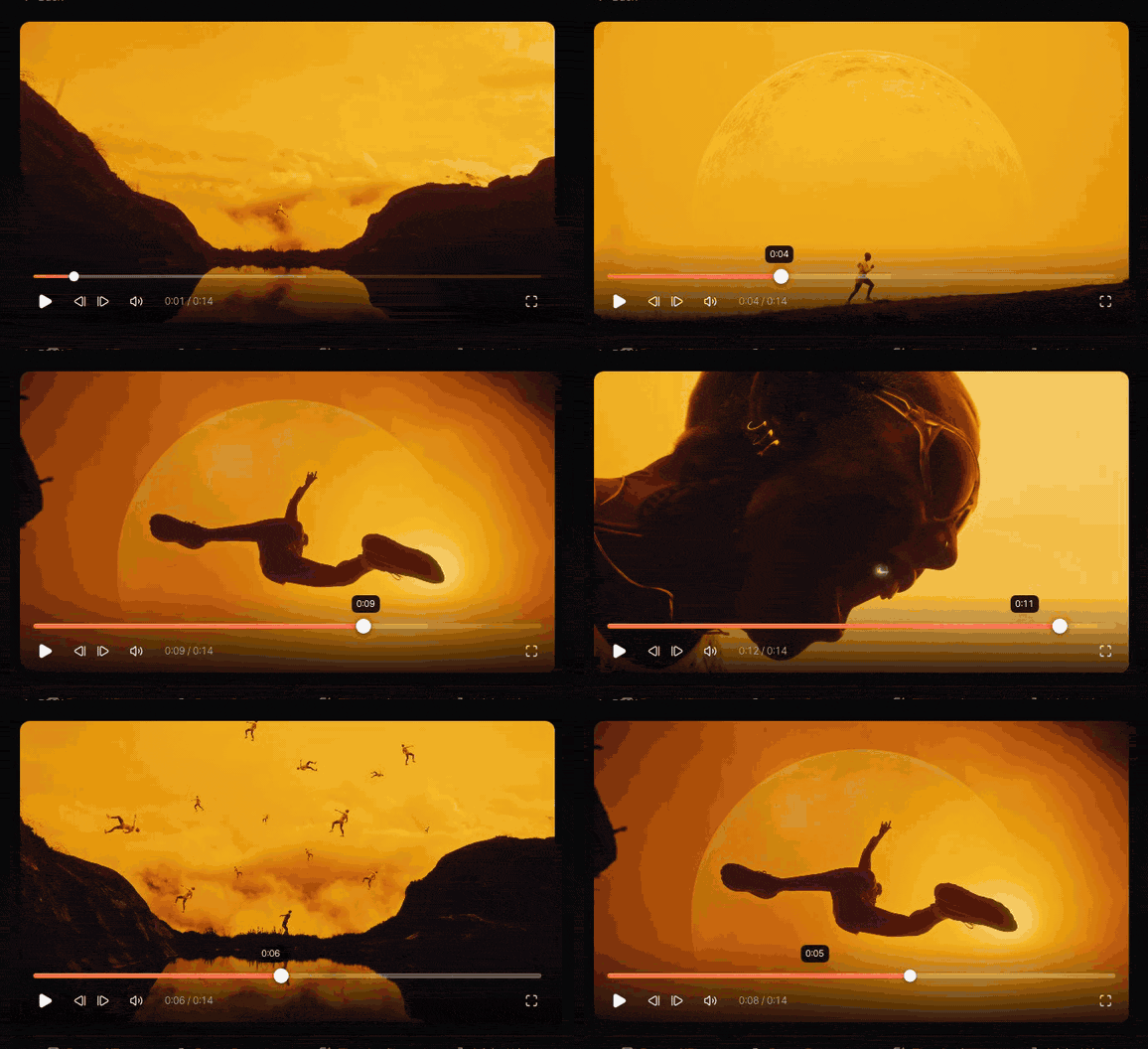
Stop each ad at the exact moment the hook lands and grab that frame. A strip of frames at 0, 1, 2 and 3 seconds under each reference shows a creator the rhythm better than any paragraph could.
Step 3: group by hook, not by brand
Brands are useless as categories here. You never brief "do it like Brand X". You brief "open like this". Sort the board into hook families:
- Problem in progress. The creator is already dealing with the thing the product fixes.
- Product first. The product is in shot, readable, before anything is said.
- Talking head with a confession. "I didn't want to like this."
- Reply to a comment. Built-in social proof.
- Before and after. Split screen or a hard cut.
- POV text. One line of on-screen text does the hook; the footage can be quiet.
- List. "Three things I wish I'd known."
Pick two to four families for the brief. Each becomes a hook variant you'll ask the creator to shoot, so the media team can test them against each other.
Step 4: annotate the rest of the ad
The hook gets them in. The rest of the board covers what happens after, and each part can be a single annotated reference.
Framing and setting
Selfie at arm's length, phone propped on a counter, mirror shot, over-the-shoulder POV. Where it is: kitchen, bathroom, car (a perennial favourite, because the light is good and it's quiet). Note the light as well: "window light from the side, no ring light glare".
Pacing
Count the cuts in the first ten seconds of each reference and write the number down. You'll find your category's rhythm fast, and "about six cuts in ten seconds" is a much clearer instruction than "keep it snappy".
The product moment
When does it first appear, how is it held, and can you read the label? Show a reference that does it well, then say it plainly: "label to camera, held still for a full second".
On-screen text
Note the style (native TikTok text, burned-in subtitles, a handwritten sticker) and where it sits. Platforms put buttons and captions over the bottom and right of a vertical video, so keep text in the middle band and check the cut in Ads Manager's placement preview.
Sound
Voice to camera, voiceover on B-roll, or music only. If a reference uses a trending track, remember that a sound being popular says nothing about whether the brand can use it in a paid ad. TikTok's Commercial Music Library exists for exactly this reason.
Not this
One or two counter-references, clearly labelled. Overproduced, read off a script, logo in frame one. It's often quicker to show a creator what you don't want.
Step 5: turn the board into a brief
The final board goes to someone who'll open it on their phone, probably the night before. Make it work there.
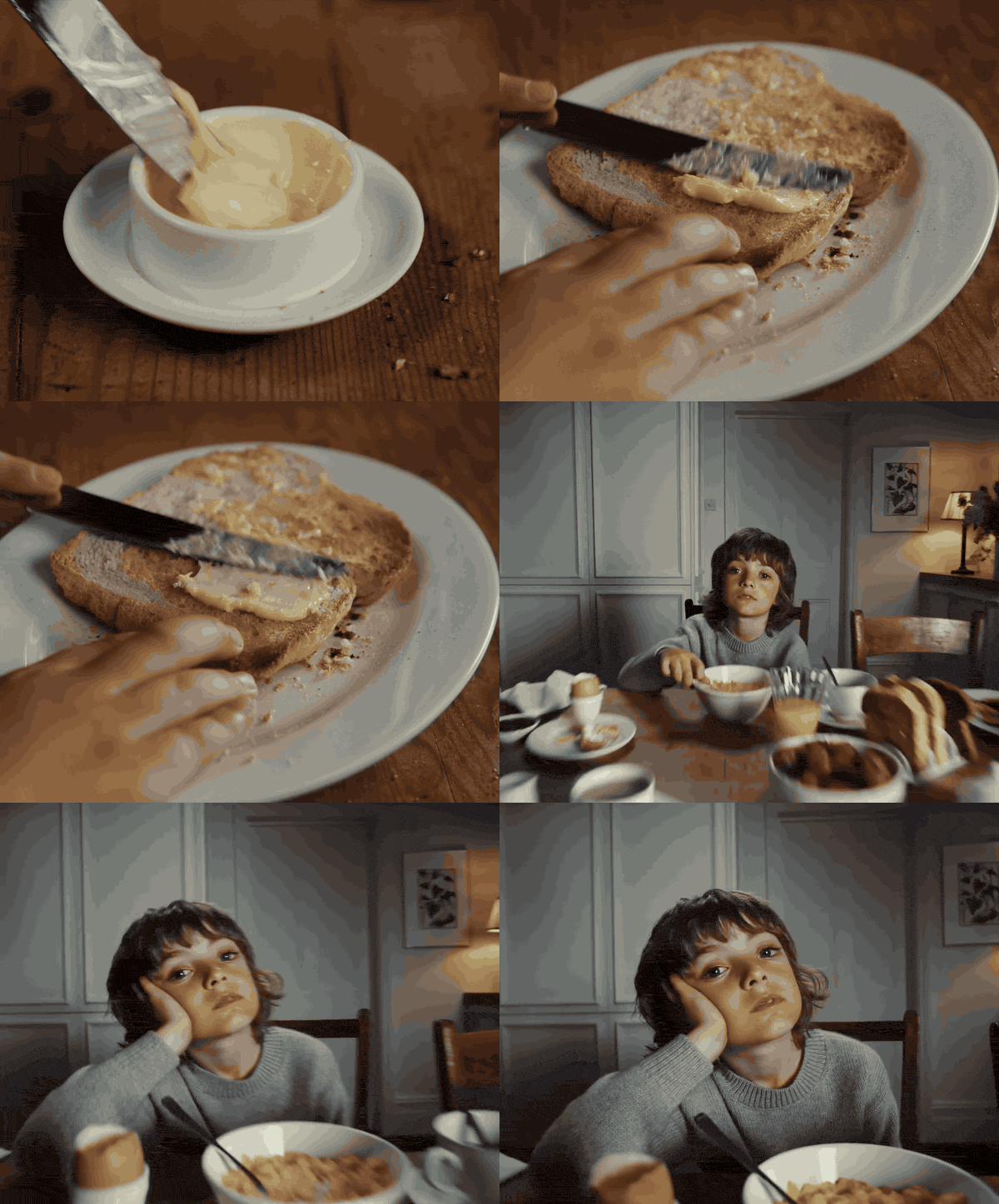
- One page per hook variant. The reference clip (or a link to it), the 0 to 3 second frame strip, the one-line note, and the first line to say, in the creator's own words if they'd rather.
- A short shot list under each. "Open on you mid-application, mirror, side light. Cut to product in hand, label to camera. Cut to result, close."
- Deliverables in plain words. Vertical 9:16, raw footage plus the edit if they're editing, each hook as its own take, B-roll separately, no music burned in, captions off unless agreed.
- The don'ts. Claims they can't make, competitors they can't show, anything legal has asked for.
- Usage agreed up front. Whether the brand can run it as a paid ad, for how long, and from whose account (Meta's partnership ads and TikTok's Spark Ads both let a brand run ads through a creator's post). Sort it before the shoot.
Moving references need sound and motion, so link every clip rather than relying on stills in a PDF. A PDF is fine as the cover sheet; the references themselves should play. Our guide to creating a video moodboard covers the GIF, MP4 and link trade-offs.
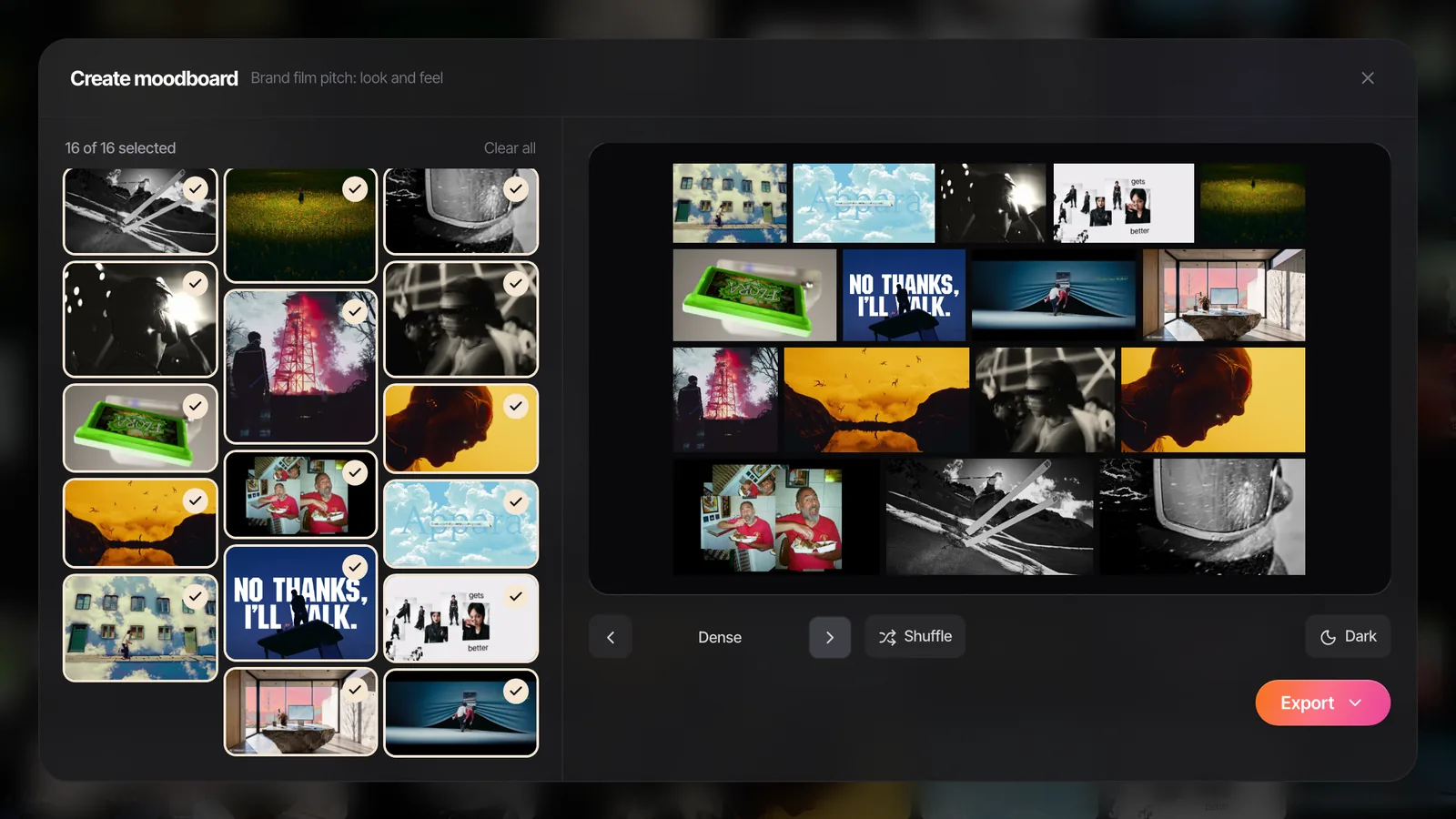
If you just need the layout, the moodboard maker we built arranges your frames and GIFs across eight layouts, and exports a PDF or PNG a creator can open on their phone, or a .pptx for PowerPoint, Keynote, Google Slides or Canva. In the .pptx, GIFs play when you present. It all runs in your browser and nothing is uploaded.
Doing the legwork in Spark
The slow part of all this is steps 1 and 2: saving ads before they vanish, then scrubbing through each one to grab frames and write down the first line.
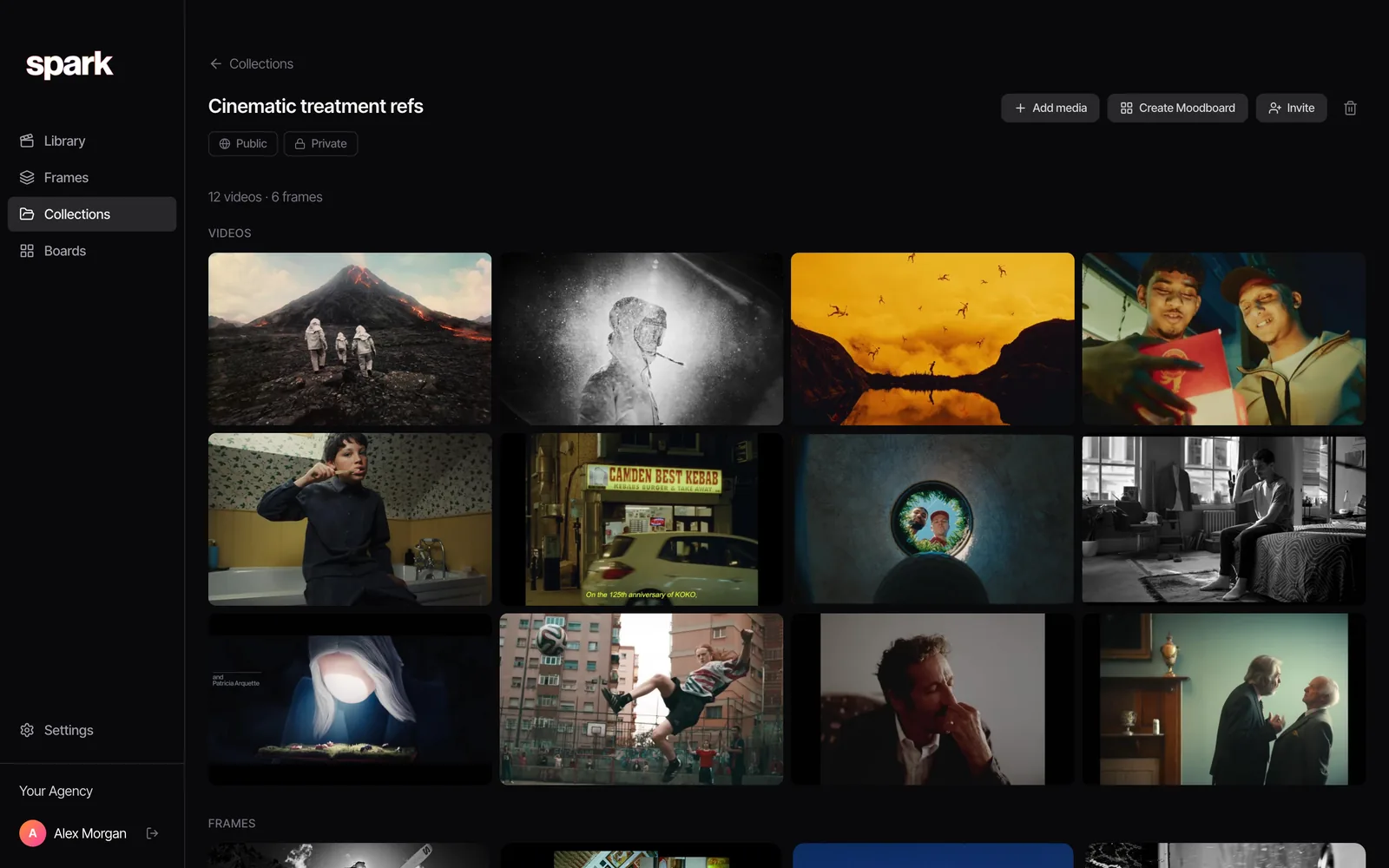
Spark handles most of it, on Mac or Windows. Paste a Meta Ad Library or TikTok Creative Center link into Add Video and it saves the video ad itself, listing URL included. Reels can go to @sparkreferences as a DM, and TikToks are saved by pasting the link. On Creator and Studio every video is transcribed and given an AI description. The first lines are already written out, and you can search everything for what's said or shown.
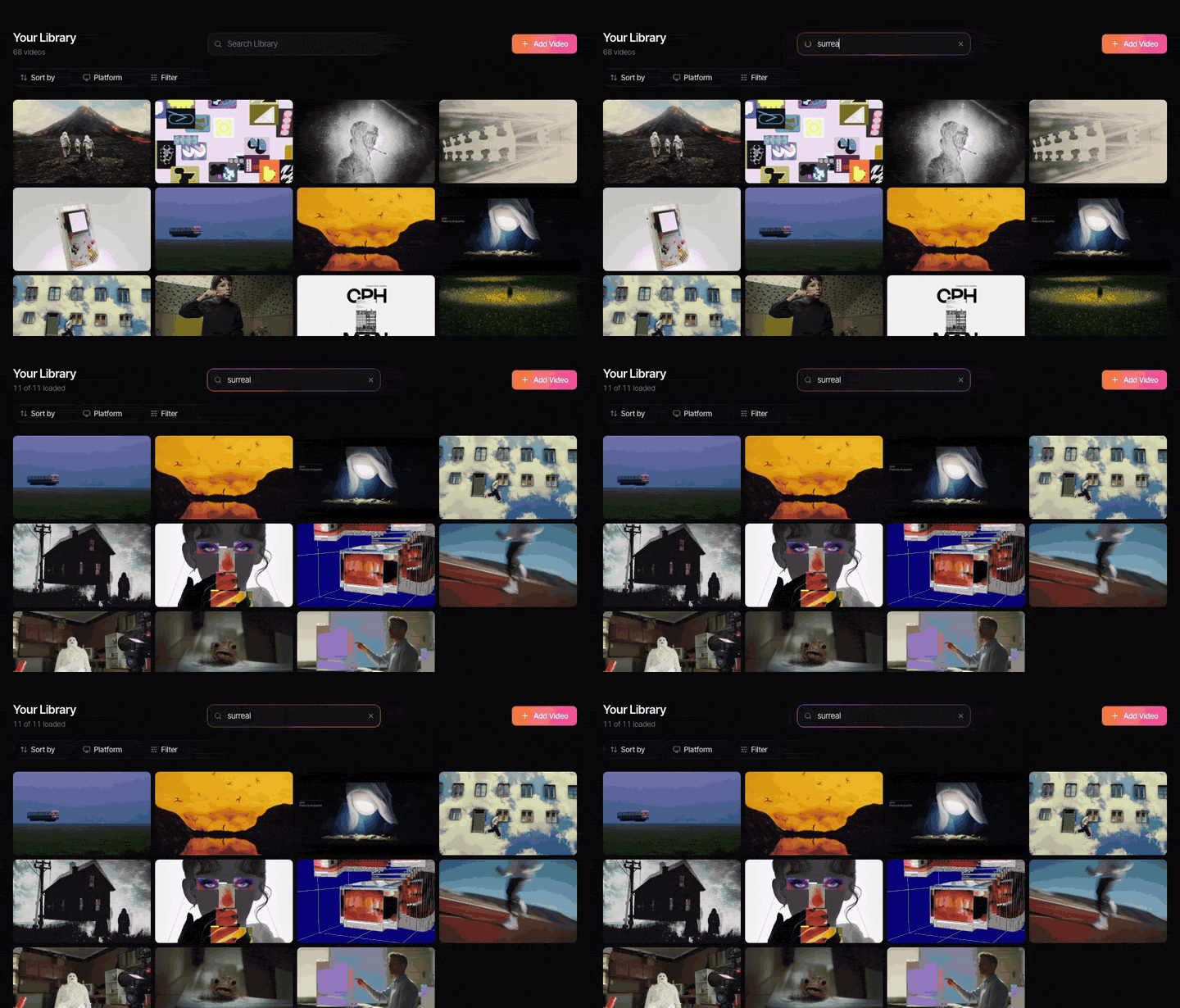
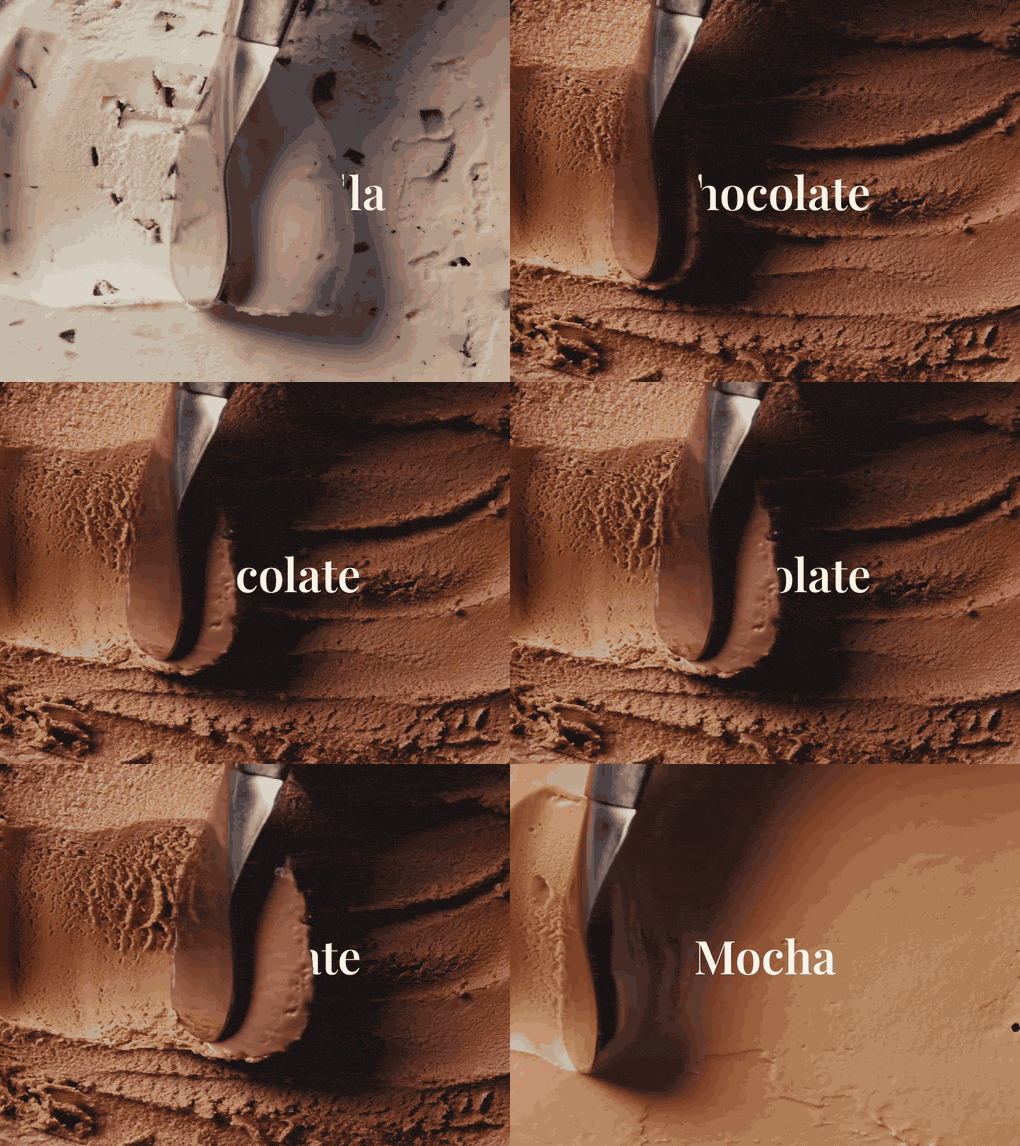
From any saved ad, Export Frame grabs the moment the hook lands and Export GIF cuts the first three seconds as a loop. Group the references into a collection per brief, share it with the team, and Create Moodboard turns it into slides for Google Slides, Canva, PowerPoint, Keynote or PDF. The GIFs keep moving everywhere except the PDF.
UGC briefs come round every few weeks, and the ads that worked last quarter are the best references for the next one. Keeping them somewhere you can search, instead of a folder of screen recordings called hooks_final, is the point. One thing to know before you lean on it: transcripts, AI descriptions and GIF export need a paid Spark plan (Creator from £16 a month, Studio £23 per user), so the hook-line search needs one of those. Saving the ads themselves works on the free plan up to 15 videos.
FAQs
What is a UGC moodboard?
It's a collection of real ads and creator posts, usually 10 to 20, broken down to show creators the hook, format, framing, on-screen text, pacing and product moment you want. Unlike a film moodboard, it's about behaviour and structure rather than colour and light, and it usually turns into a brief with a shot list per hook.
How do I find UGC ad references?
Start with the Meta Ad Library (long-running video ads are a good signal) and TikTok Creative Center's Top Ads, sorted by 2-second and 6-second view rates. Add organic creator posts from the product category and the brand's own past winners. Save each one as you find it, because ads disappear when they stop running.
What should a UGC creative brief include?
The hook variants you want with a reference for each, a short shot list, the key message, deliverables (format, length, raw footage, number of hook takes), what the creator can't say or show, and agreed usage rights. Keep it readable on a phone, because that's where creators will open it.
How many hooks should I ask a UGC creator for?
Two to four hook variants per concept is common, each filmed as its own take with the same body of the ad. That lets the media team test openings against each other without reshooting the whole thing. Name each variant on the board so the files come back labelled.
Should a UGC moodboard use stills or videos?
Videos, mostly. The things that make UGC work (the first line, timing, expression, how the product is handled) only show in motion and with sound. Use a strip of stills from the first three seconds as a summary, and link every still to the full clip.
Where should text go in a vertical UGC ad?
In the middle of the frame. TikTok, Reels and Stories put buttons, captions and profile details over the bottom and right-hand side, and the top can be covered too. Check the final edit in each platform's ad placement preview before it goes live.
Keep reading
All articles
How to Build a Film Treatment That Wins a Pitch
Most treatments are decided in the first three pages, often on a phone. Build yours to survive that, from the opening letter to the reference frames.
How to Create a Fashion Campaign Moodboard
Fashion boards fail when one page tries to do everything. Split it into mood, styling, and casting and set, keep the clothes the hero, and the stylist will thank you.
How to Make a Moodboard in Keynote
Keynote is the Mac pitch favourite for a reason. Masks, looping clips and Magic Move make a board that feels like a film. Here's the build, and what breaks on export.