
How to Save and Organise TikTok Videos for Future Projects
TikTok's Favourites are fine for recipes. For a pitch due this week you need collections named by technique, links you can share, and a way out of the app.
By the Spark team ·

To save a video on TikTok, tap the bookmark icon on the right of the video (TikTok calls this Favourites). A banner pops up to say it's been added; tap Manage on it to drop the video straight into a collection. Everything you save lives on your profile under the Favourites tab, where you can sort it into named collections.
For saving a pasta recipe, that's plenty. For creative work it runs out of road fast. A video can only sit in one collection, you can't search what you've saved, and if the creator deletes the post it vanishes from your Favourites too. So this guide does both halves: Favourites done properly, then getting the references that matter out of the app before they evaporate.


How to save a TikTok to Favourites
In the TikTok app, on iPhone or Android:
- Open the video and tap the bookmark icon in the column on the right, between comments and share. It turns yellow.
- A banner says "Added to Favorites". Tap Manage to put it in a collection now.
- Pick a collection, or create a new one from the same screen.
Ignore the banner and the video still lands in Favourites, loose in the main Videos list with everything else. Which is how most of us end up with 1,400 unsorted saves and a vague memory that one of them had a great match cut.
On tiktok.com the same bookmark sits beside the video, and saves sync between the app and the web.
Favourites is not the same as Likes
The heart and the bookmark do different jobs. Likes feed the algorithm and sit on a separate tab on your profile (which you can make private). Favourites are your own filing cabinet, and only Favourites go into collections. If you've been hearting things to "save" them, you can find them again, but you can't organise them.
Making and managing TikTok collections
Collections are TikTok's folders. From your profile:
- Go to Profile and tap the Favourites tab (the bookmark above your grid).
- Tap Collections, then Create new collection.
- Name it. Leave Make public off unless you want profile visitors to see it.
- Tap Next, pick saved videos, then Add videos.
Inside a collection, Manage videos adds more, removes some, or Moves a batch elsewhere. Removing a video from a collection doesn't remove it from Favourites; it goes back to the loose pile. To rename a collection, switch it between public and private, or delete it, open it and tap the share icon in the corner. Deleting a collection keeps the videos in Favourites, which is a kindness.

TikTok moves these buttons around between updates. The structure (Profile, Favourites, Collections) has stayed put for a while.
What TikTok Favourites can't do
This is where it stops being a reference tool and turns into a bookmark bar.
- One video, one collection. The great transition that's also a great colour reference has to pick a side. Collections are folders, not tags.
- No search. You can't type "red neon" or "voiceover about bread" and get results. You scroll and squint at thumbnails that are mostly someone's face mid sentence.
- It isn't yours. Favourites point at the creator's post. They delete it, go private or get banned, and your save disappears without a word.
- No notes. Nowhere to write why you saved it. Six months on, a thumbnail of a man holding a lemon tells you nothing.
- It's personal. Collections live on your account. Your producer needs TikTok, a login and the patience to scroll your taste, next to whatever else your algorithm thinks you need.
- Downloads are the creator's call. Save video in the share menu only appears if the creator allows it, and it comes watermarked.
None of that is a scandal. TikTok wants you scrolling, and that's fair. It just means Favourites works best as an inbox.
Name collections by the job, not the topic
Because a video can only live in one place, name collections after what the reference does. "Food" is useless. "Hooks under two seconds" is useful, because that's the exact question you'll be asking when you write the script.
The set we'd start any production team on:
| Collection | What goes in it |
|---|---|
| Hooks | Openings that stop the thumb, cold opens, first lines |
| Transitions | Match cuts, whip pans, hand over the lens, outfit swaps |
| Type on screen | Caption styles, kinetic type, subtitles used as design |
| Formats | Talking head, green screen, POV, day in the life, duets |
| Light and colour | Anything you'd show a DoP |
| Sound | Voiceover tone, trending audio used well, sound design jokes |
| Inbox | Unsorted. Emptied every Friday, in theory |
Prefix live jobs with a project code so they jump out ("PITCH Sport Q1"), and when the job's done, move the keepers into the technique collections and delete the project one.
And save the technique, not the trend. A trend is dead in three weeks. The technique underneath it (a step printed blur, a crash zoom on the beat, a lens flare used as a wipe) is older than TikTok and will turn up in your next treatment.

Getting TikToks out of the app
The step most guides skip, and the one that saves you when a creator deletes their account the week before your pitch.
Copy the link, every time. Share, then Copy link. A link gets you back to the video while it's live, and it's what every other tool needs. Paste it somewhere with a line about why you saved it. Even a notes app beats nothing, because a note can be searched.
Save the file when you're allowed to. If the creator allows downloads, Share > Save video puts a watermarked copy in your camera roll. For an internal reference deck, usually fine. For anything public, ask the creator; a pitch brief isn't a licence. Same goes for third party "no watermark" download sites, which come and go and often come with a free side of pop-ups. If you only need three seconds of it for a deck, making a GIF from a TikTok video covers Share as GIF, cropping out of 9:16 and file size, and you can do the conversion with the browser tool on this site.
Export your whole Favourites list. TikTok's data download (Settings and privacy > Account > Download your data) includes favourited videos as a list of links. It can take a few days and it's a JSON or text file, not videos, but it's a full backup of what you saved. Worth doing once a year if TikTok is where most of your references start.
Screen record the ones that won't save. For a reference you can't download, a screen recording is the fallback. Keep it internal and keep the link beside it, so you can always credit the original.
Can't find something you saved? How to find a video you saved months ago covers TikTok's watch history, search filters and the data download in more detail.
Where the good TikToks come from
Your For You page is one source. For ads, the better one is TikTok's own Creative Center, which lists the best performing ads by country, industry and objective, with likes and click through rates under each. It's free, and it's the place to go when a brief says "make it feel native".
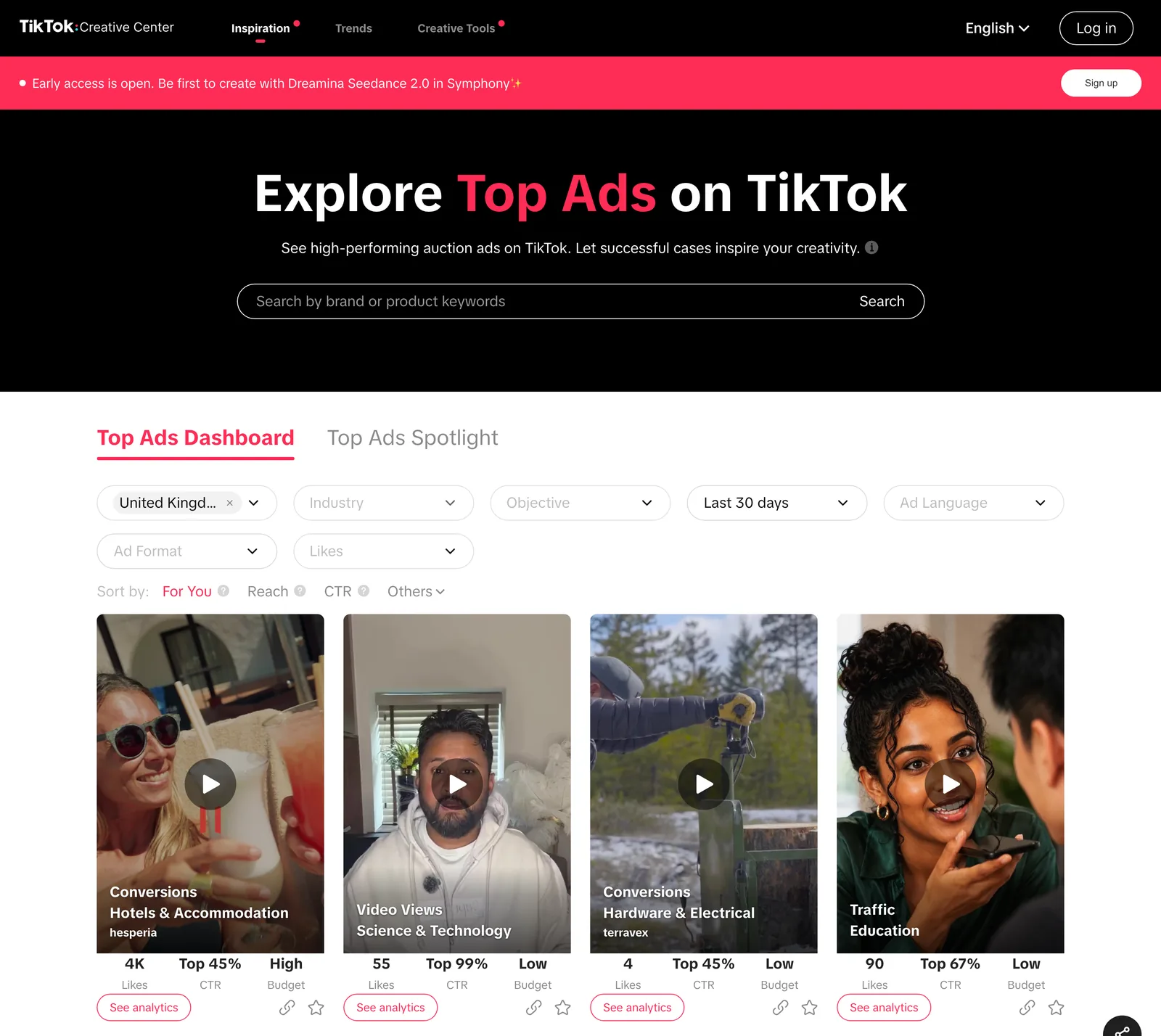
Our guide to TikTok Creative Center goes through the filters that matter.
A TikTok library the whole team can use
Once more than one person is collecting, Favourites stops working at all. Everyone's saves are on their own phone, under their own login, mixed in with their own late night viewing. The usual fixes, and where each one breaks:
| Option | Good at | Where it falls down | Price (as of October 2026) |
|---|---|---|---|
| TikTok public collection | Free, quick, nothing to learn | One person's account, no notes, videos vanish when deleted | Free |
| Google Sheets of links | Notes, tags, searchable text | Links rot, no previews, the sheet goes stale after week two | Free with a Google account |
| WhatsApp group where everyone pastes links | Zero effort to add | Impossible to find anything a month later | Free |
| Spark | Keeps the video itself, searchable by what's in it and what's said, shared | Another app, and the full version costs money | Free plan for 15 videos; Creator from £16 a month |



What matters is that the video itself gets kept, and that you can search by what's in the clip instead of whatever someone typed into a filename. The full routine is in our guide to a searchable library, and the people side (who owns it, what everyone calls things) is in building a shared reference library for a team.
How we keep TikToks in Spark
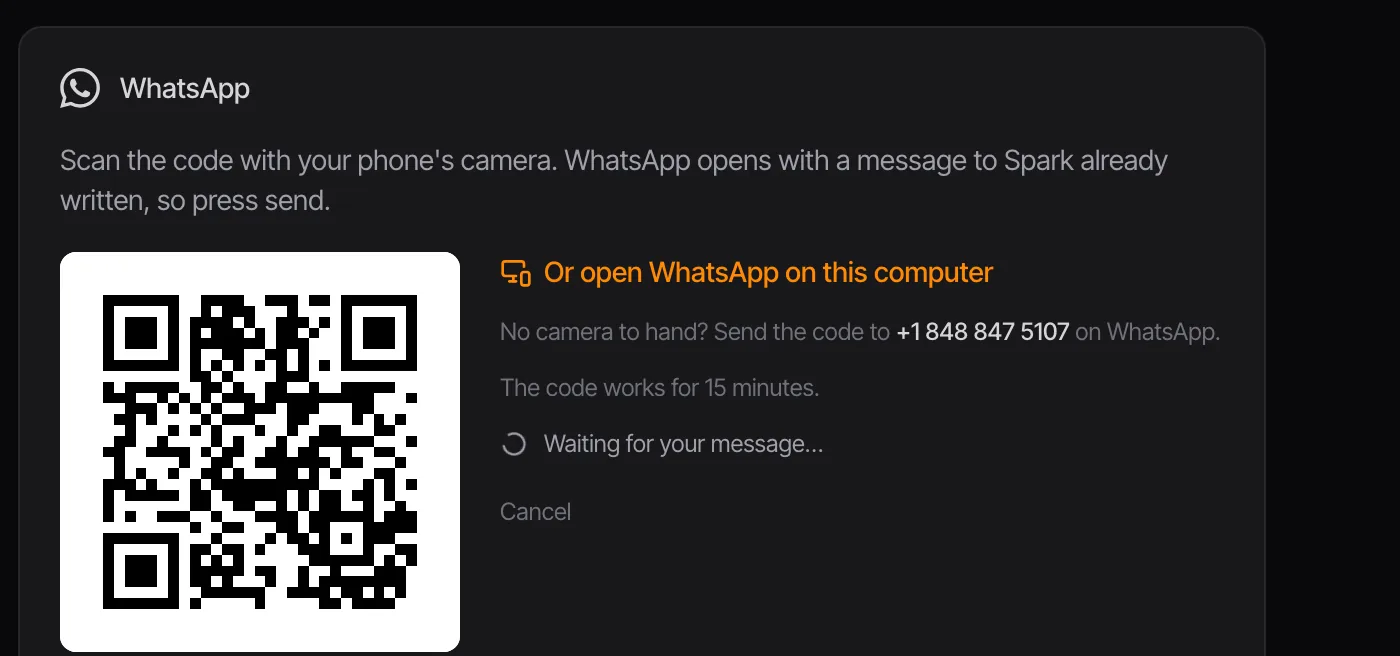
In Spark, saving a TikTok is pasting its link into Add Video, or clicking the Spark extension's toolbar button with the TikTok open in Chrome. Away from your desk, connect WhatsApp and send the link to Spark from your phone. Spark keeps a copy of the video, the original URL and a thumbnail. On Creator and Studio it also describes each clip and transcribes the audio, which matters more on TikTok than anywhere, because so much of it is someone talking. "The one where she explains sourdough like a heist" becomes a search.
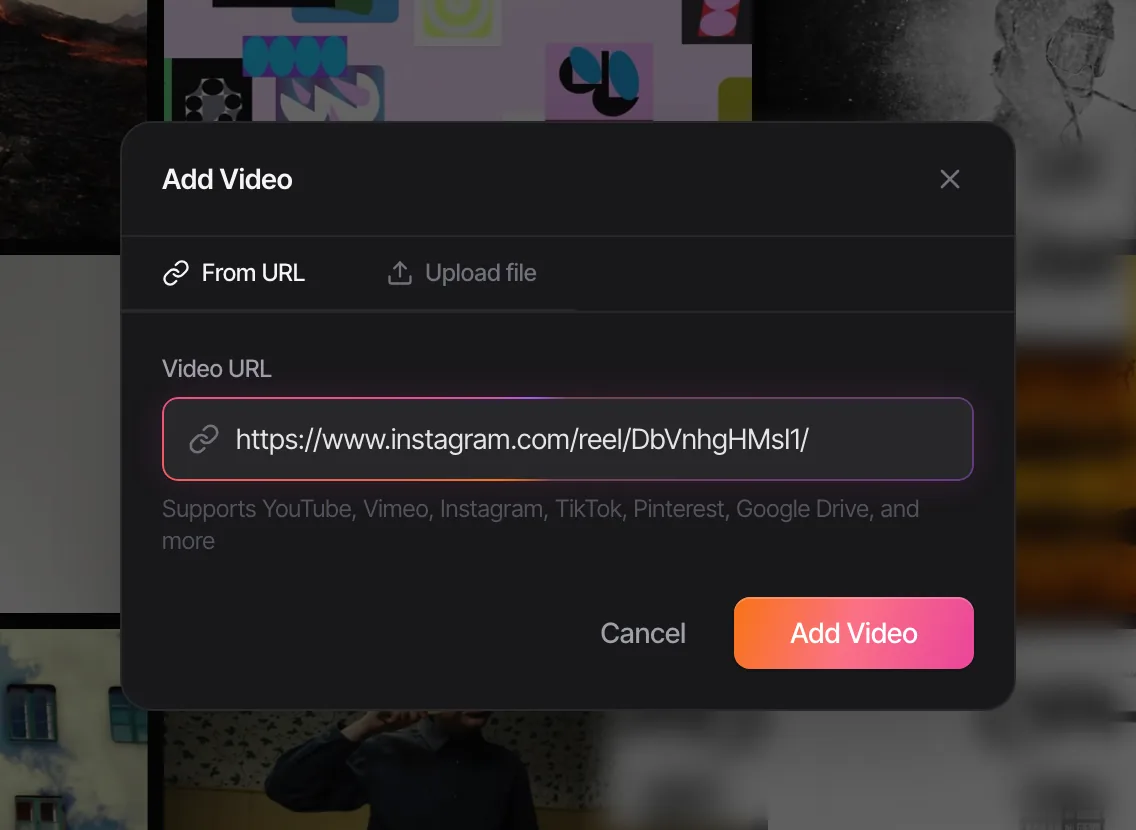
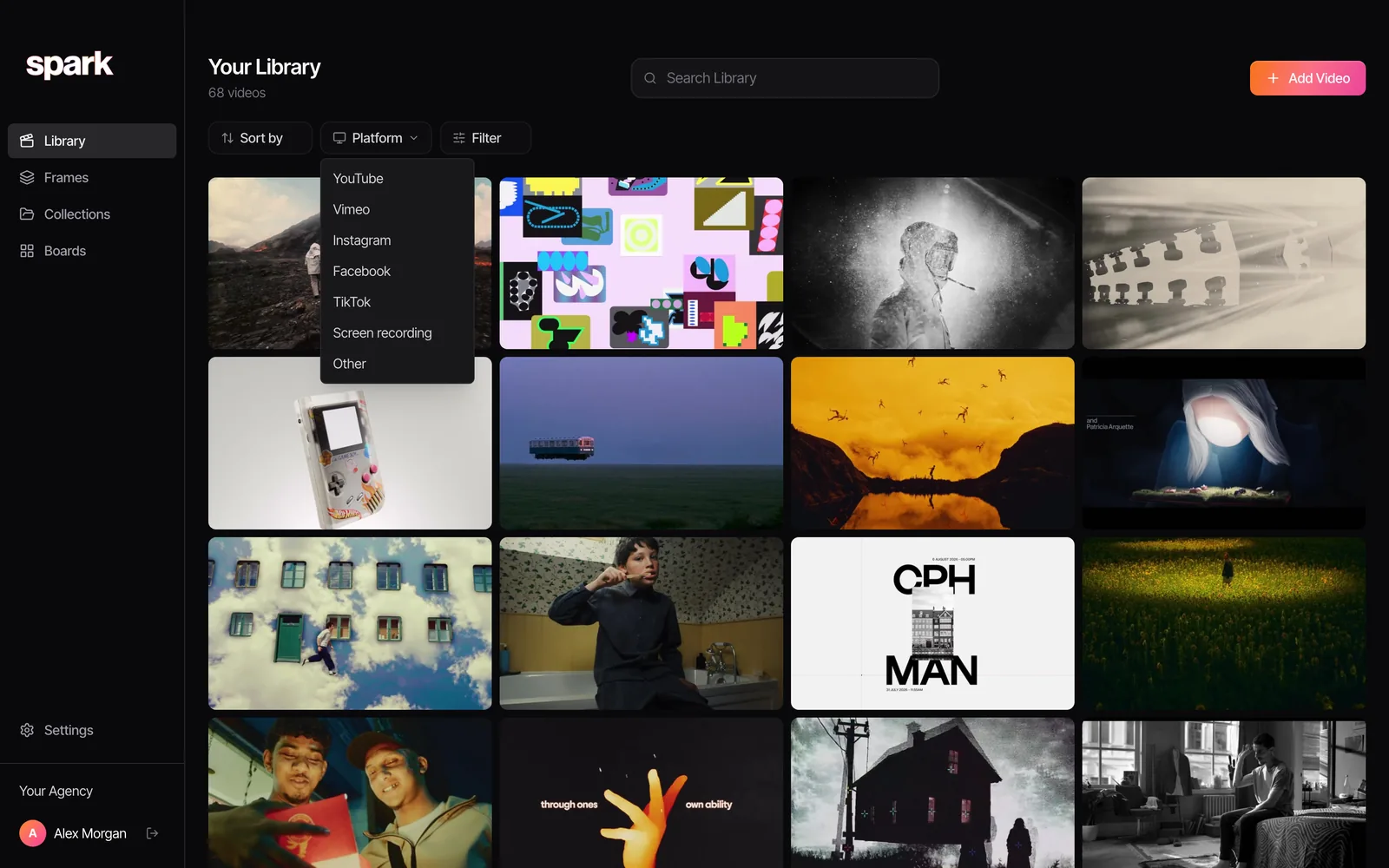
Every saved video carries its platform, so pulling up only the TikToks is one filter:
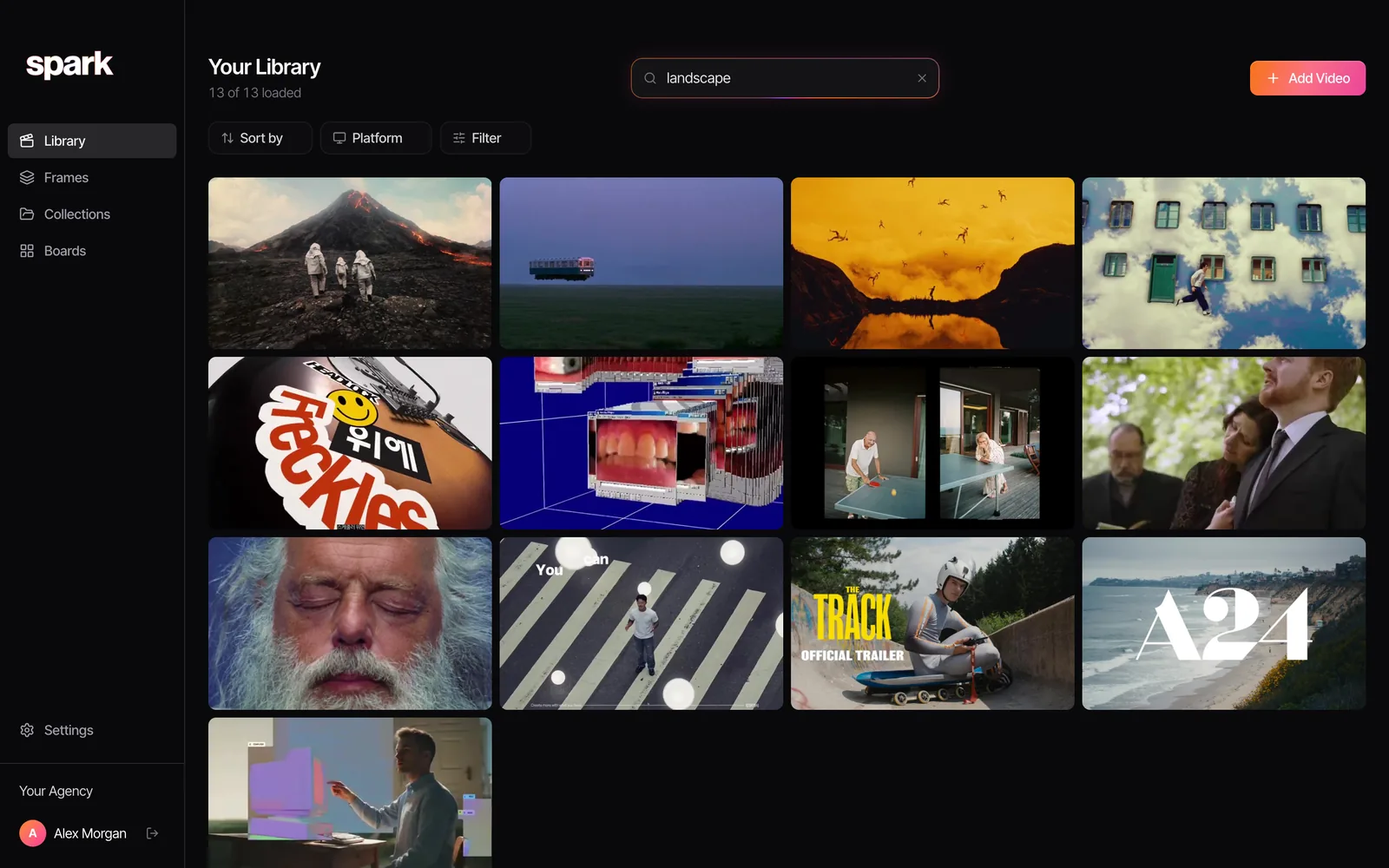
And search reads both the picture and the soundtrack:
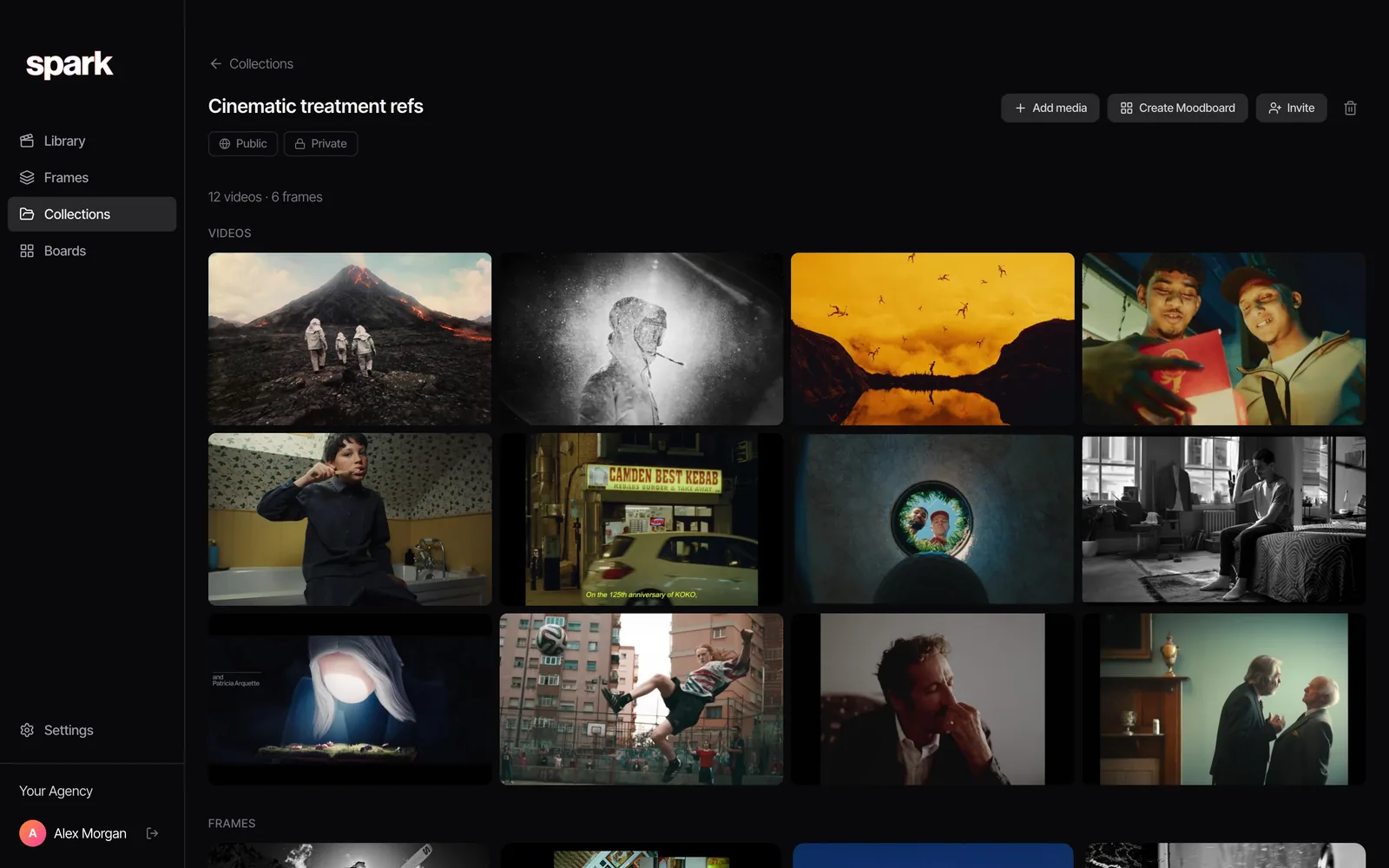
Unlike TikTok, a reference in Spark can sit in as many collections as you like, so the transition goes in "Transitions" and in this week's pitch. Collections can stay private or be shared with your team. Tags are yours to type, if you want them on top.
Two things Spark won't do. It saves TikTok videos, not TikTok photo posts (the swipeable slideshows); screenshot those, or use Spark's screen recorder. And the library lives on your computer (Mac or Windows), so you browse it at your desk. If a lot of your references come from Instagram too, how to save Instagram Reels for inspiration covers the same problem on Meta's side.
TikTok is a superb place to find references and a poor place to keep them. The creator behind this year's best hook might not have an account next year. Keep the keepers somewhere that outlives them.
FAQs
How do I save a TikTok video without posting it?
Tap the bookmark icon on the right of the video to add it to Favourites. Nothing is posted and nobody is notified. For a file on your phone, tap Share then Save video, which only appears when the creator allows downloads and adds a watermark.
Can other people see my TikTok Favourites?
Collections can be public or private. There's a Make public toggle when you create one, and you can change it later from the collection's share icon. Keep them private unless you mean to share them.
Can a TikTok be in more than one collection?
No. A video can only sit in one collection at a time, and moving it takes it out of the first. To file a reference in two places (a technique and a live project, say), you need a tool outside TikTok that allows multiple collections or tags.
What happens to my Favourites if the creator deletes the video?
It goes. Favourites are links to the creator's post, not copies, so a deleted video, a private account or a banned creator all break the save. For anything you'd hate to lose, copy the link and keep a copy of the video somewhere you control.
Is there a limit to how many TikTok collections you can make?
TikTok doesn't publish one. The practical limit is your patience scrolling them, since there's no search inside Favourites.
How do I share a TikTok collection with my team?
Make the collection public, open it and tap the share icon to copy its link. Your team needs TikTok to view it, and it stays tied to your account. For a shared library where everyone can add and search, move the videos into a team tool.
Keep reading
All articles
How to Build a Shared Creative Reference Library for Your Team
A team library fails for different reasons than a personal one. Set up ownership, rules, client separation and a ten-minute weekly habit, and it survives past the first month.

How to Organise YouTube Videos for Creative Research
Watch Later is not a research system. Here's the playlist setup we use for YouTube research, the bits YouTube quietly took away, and when it's time for something better.

How to Save Video References from Websites
That title sequence on a studio's website isn't a lost cause. Find where the embed really lives, download it if you're allowed, and screen record it properly if you're not.