How to Save Behance Projects and Build a Moodboard From Them
Behance is one of the best places to find finished work with the thinking attached. Its Moodboards are a bookmark list, so here's how to use them, and what to do when a pitch needs more.
By the Spark team ·
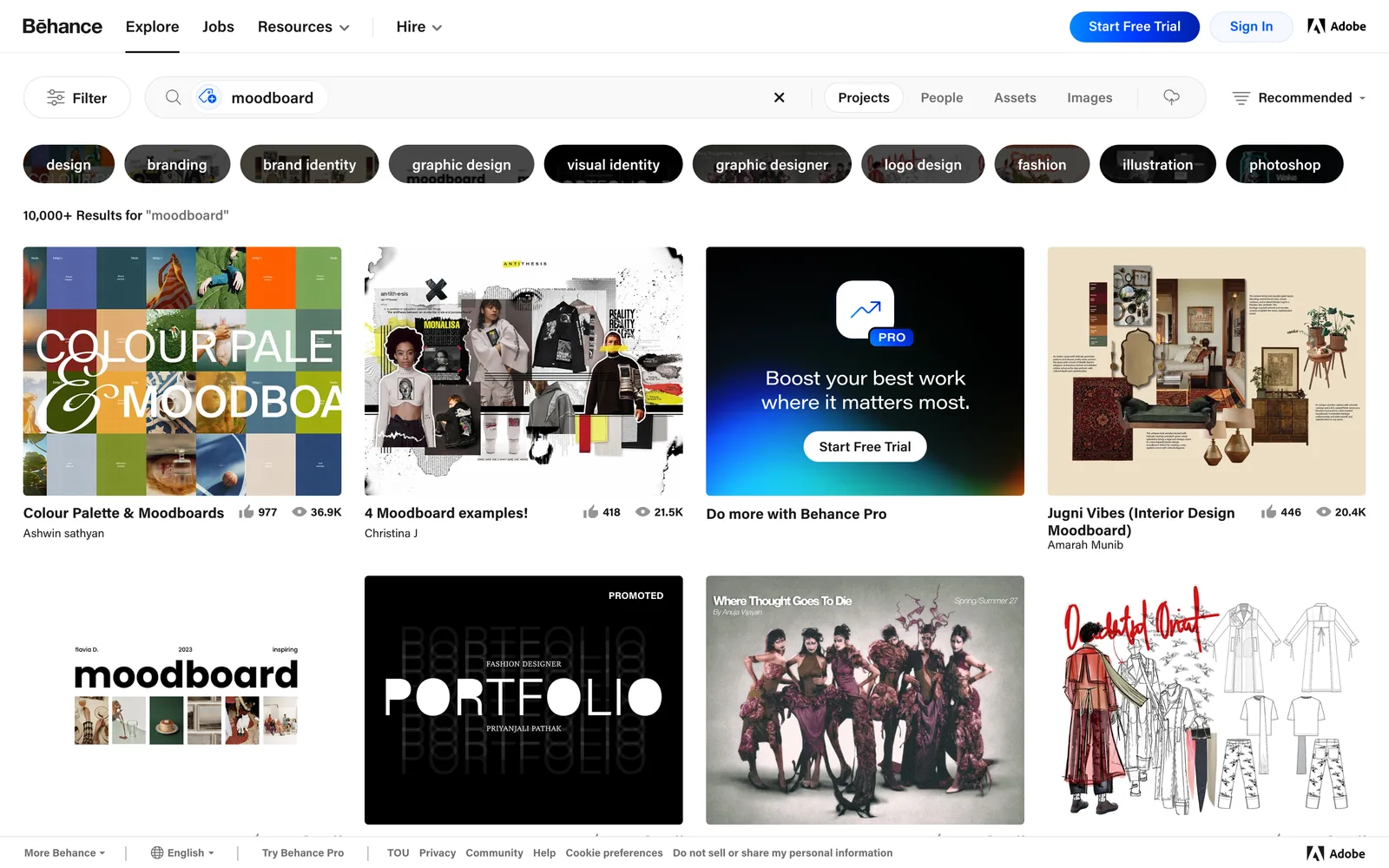
To save a project on Behance, open it and click Save in the rail on the right, then pick an existing Moodboard or make a new one. To save a single image, hover over it and use the save button in its top left corner. Behance's help still calls that button Add to Moodboard, and Moodboards are what Behance used to call Collections. New Moodboards are public until you tick Make this Moodboard Private, and each one holds up to 1,000 items.
That gives you a tidy list of other people's projects. It doesn't give you a board you can pitch from: no notes per picture, no slides, and the films stay on someone else's Vimeo. The second half of this guide covers building that working board, with the designers credited. We make Spark, which is built for the step that comes after finding.
Step 1: Save a whole project, or just the image that matters
Projects first. Open a project and look at the rail on the right of the viewer: Follow, Hire, Tools, Save, Share and Appreciate, as it appeared when we checked on 24 October 2026. Click Save, then either choose a Moodboard or create a new one. On search results, the same Save button sits on each project tile.
Single images are often the better save. A brand identity project might have forty images, and the one you need is the packaging shot, or the type lockup, or the one photograph with the right light. Behance's Moodboards guide says to hover over the image and use the button in its upper left corner. You get the same choice of Moodboard.
One thing that catches people out: Appreciate, the thumbs up, isn't a save. It tells the designer you liked the work, which is worth doing, but it doesn't put the project in any of your Moodboards.
Step 2: Make it private, and decide who else can edit
Behance's privacy guide is short and important: a new Moodboard is public, visible to everyone on Behance. For pitch research, that's rarely what you want. To change it, go to your profile, open the Moodboards tab, pick the Moodboard, click Edit Moodboard and tick Make this Moodboard Private.
The same Edit Moodboard screen lets you rename it, delete it, or add a co-owner by typing their Behance username. A co-owner can add, edit and delete projects and images, and delete the whole Moodboard, according to Behance's co-owner guide. Treat it like handing someone the keys. For a team, we'd make one person the owner and add co-owners only for people who are actively building it.
To remove a single item, open the Moodboard, hover over the project or image and click the pencil icon in its upper left corner.
Step 3: When your Moodboard seems to be missing things
The confusion we see most often isn't a bug. It's one of these:
| What you see | Likely reason | What to do |
|---|---|---|
| Projects you never saved at the bottom of a Moodboard | That's Behance's Projects We Think You'll Like section, suggestions based on the title and contents | Ignore them, or use the ••• menu and Show Me Fewer Projects Like This |
| Your Moodboards have all gone | You may be signed in with a different Adobe ID, such as a work or school login, which is a separate Behance profile | Check which account you're in, then see Behance's guide to merging two profiles |
| A saved project has disappeared | A Moodboard points at the designer's project rather than keeping a copy, so if the project is removed or hidden, there's nothing to show | Save anything critical somewhere you control (Step 5) |
| A Moodboard won't take any more | Each Moodboard has a 1,000 item limit | Split by project or by idea; smaller boards are easier to use anyway |
| You can't find the button the help describes | It now says Save; the help pages, some updated years ago, say Add to Moodboard | Same button, new label |
Behance's merging guide also describes a less obvious case: if a work or school login you used loses access, Behance may move its content to another login connected to that account, and sends an email titled "Important: Changes to your Behance account". If a whole profile's worth of Moodboards has gone, search your inbox for that.
Finding them in the normal way: click your picture at the top right, go to your profile, and open the Moodboards tab. Moodboards you follow, made by other people, sit under Following on the left of your profile page.
Step 4: Use other people's Moodboards as a search tool
Other people's public Moodboards are an underrated way to search Behance. Someone has already done the gathering. Behance's guide says you can search Moodboards by keyword and filter by time frame, creative field and location, then click Follow Moodboard. When the same designer keeps turning up in your saves, follow them too: Behance's own explainer says projects from people you follow, including ones they appreciate or add to a Moodboard, show up in your For You feed.
Signed out, there's less to see. When we searched on 24 October 2026 without an account, results stopped after a page with "Log in or sign up to view more projects", so sign in before a proper research session.
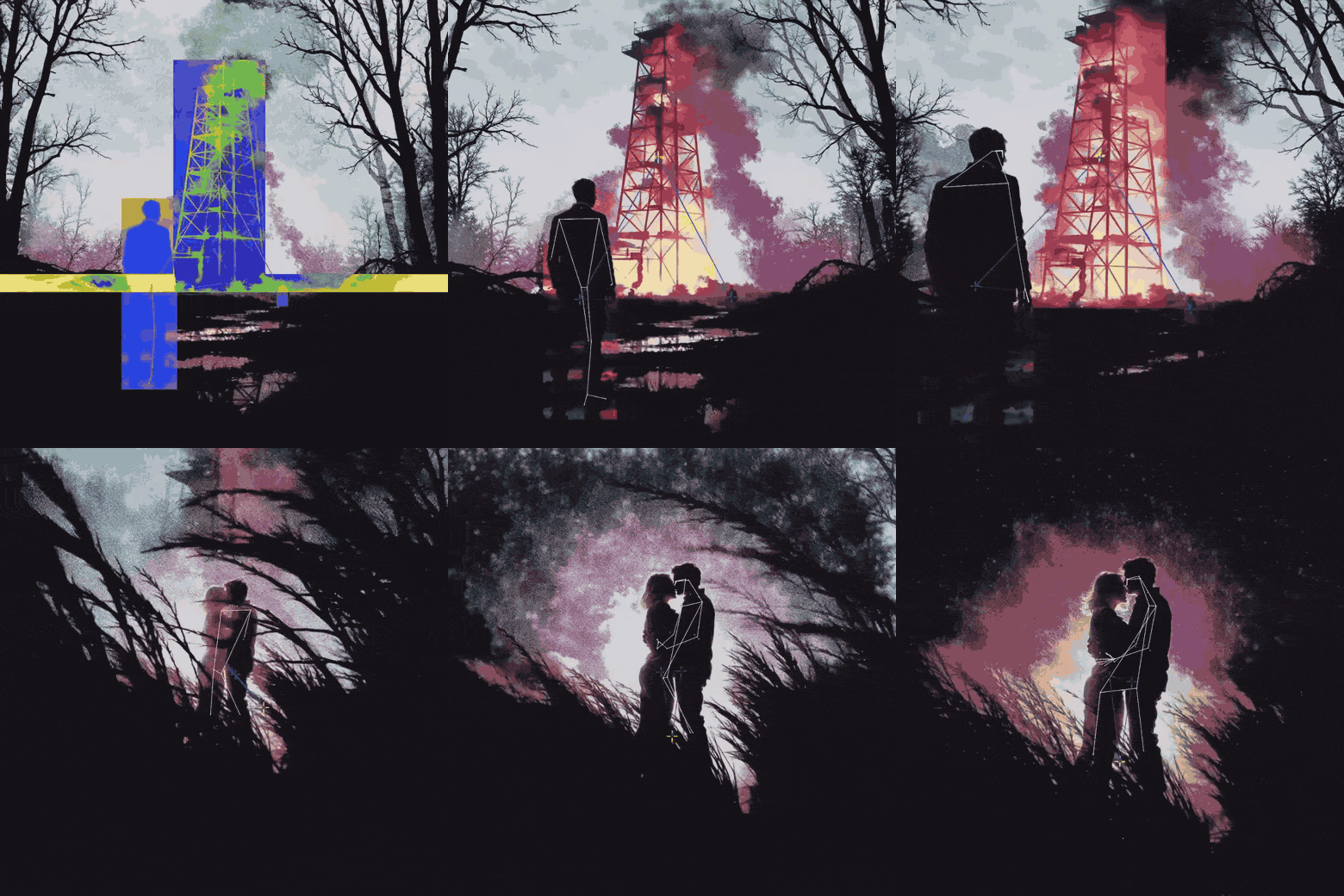
For the wider list of places worth hunting, see our round up of motion design inspiration websites, and for ads and brand films, websites for commercial film inspiration. Behance also appears in our list of Pinterest alternatives for creatives, as a place to find work rather than keep it. Pinterest has its own quirks with video pins, covered in saving Pinterest videos.
Step 5: Turn your saves into a working board
A Behance Moodboard is a good bookmark list. A board you can pitch from needs the pictures and films in one place, notes on why each one is there, and a way out into slides. Here's how we build that in Spark, our desktop app for Mac and Windows.
Pictures: right-click them into Frames
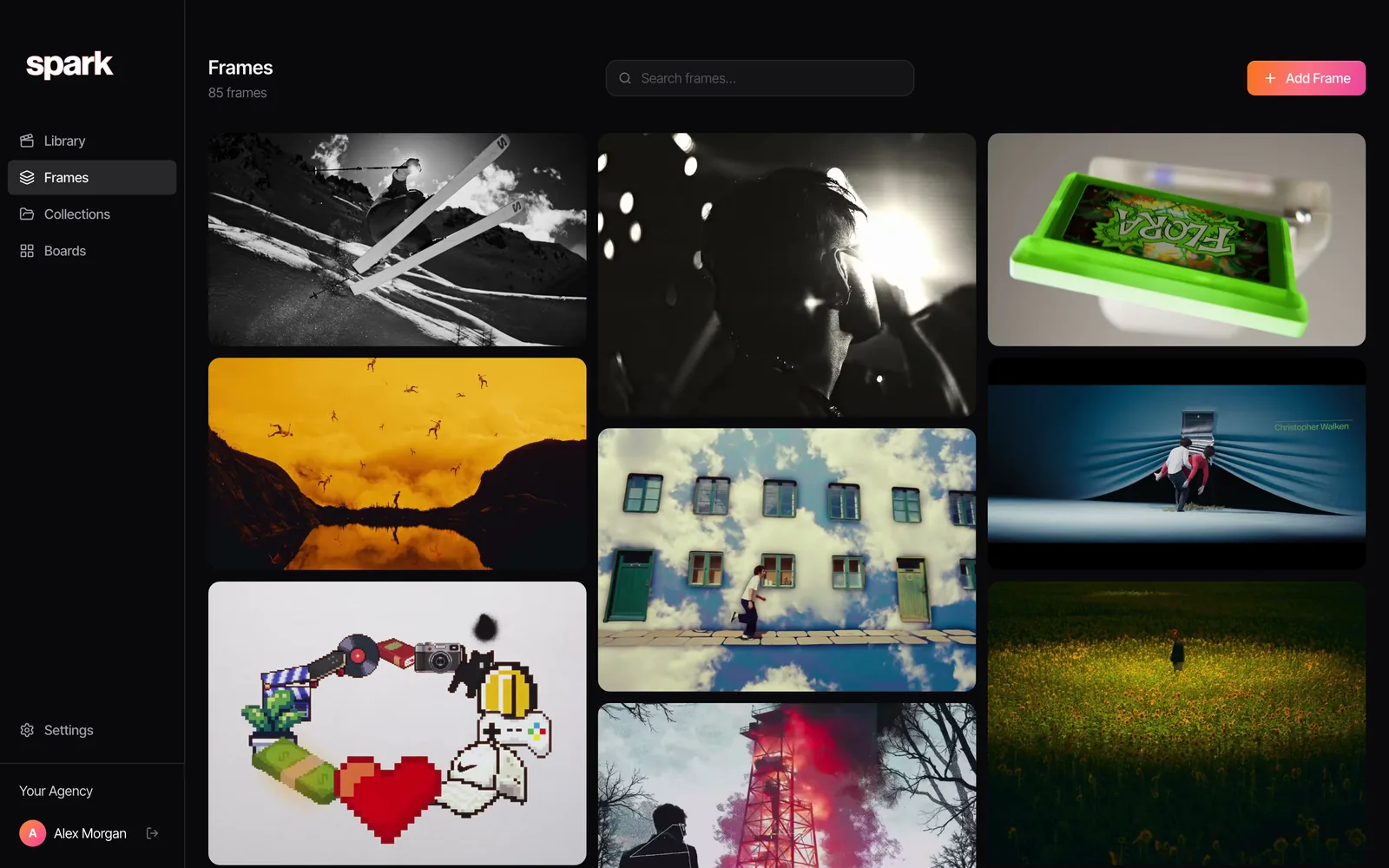
With Spark's Chrome extension installed, right-click any image or GIF on a Behance project and choose Add to Spark. It lands in Frames, the part of Spark that holds stills. Each frame gets a five colour palette, and colour words in search match it, so a search for pink later finds the packaging shot you saved for its colour.
Films: save them by their original Vimeo or YouTube link
Behance itself isn't a video source for Spark, so a Behance project link won't save its film. Many case films aren't really on Behance, though. Behance's video formatting guide caps directly uploaded video at 1,280 pixels wide and recommends embedding from YouTube or Vimeo instead, and embedding media lists both among its supported sources.
We checked the first 12 results for "commercial film" on 24 October 2026: nine embedded their film from Vimeo, two from YouTube and one from Kinescope. So, for most of the films we found:
- Click the Vimeo or YouTube logo, or the film's title, inside the player. It opens the film on its own site.
- Copy that address. It should start vimeo.com or youtube.com.
- Paste it into Spark's Add Video, or open the film's own page in Chrome and use the extension's toolbar button.
If the owner has hidden the logo, our guide to saving video references from websites shows how to find where an embed really lives, and saving Vimeo videos covers the Vimeo side in detail.
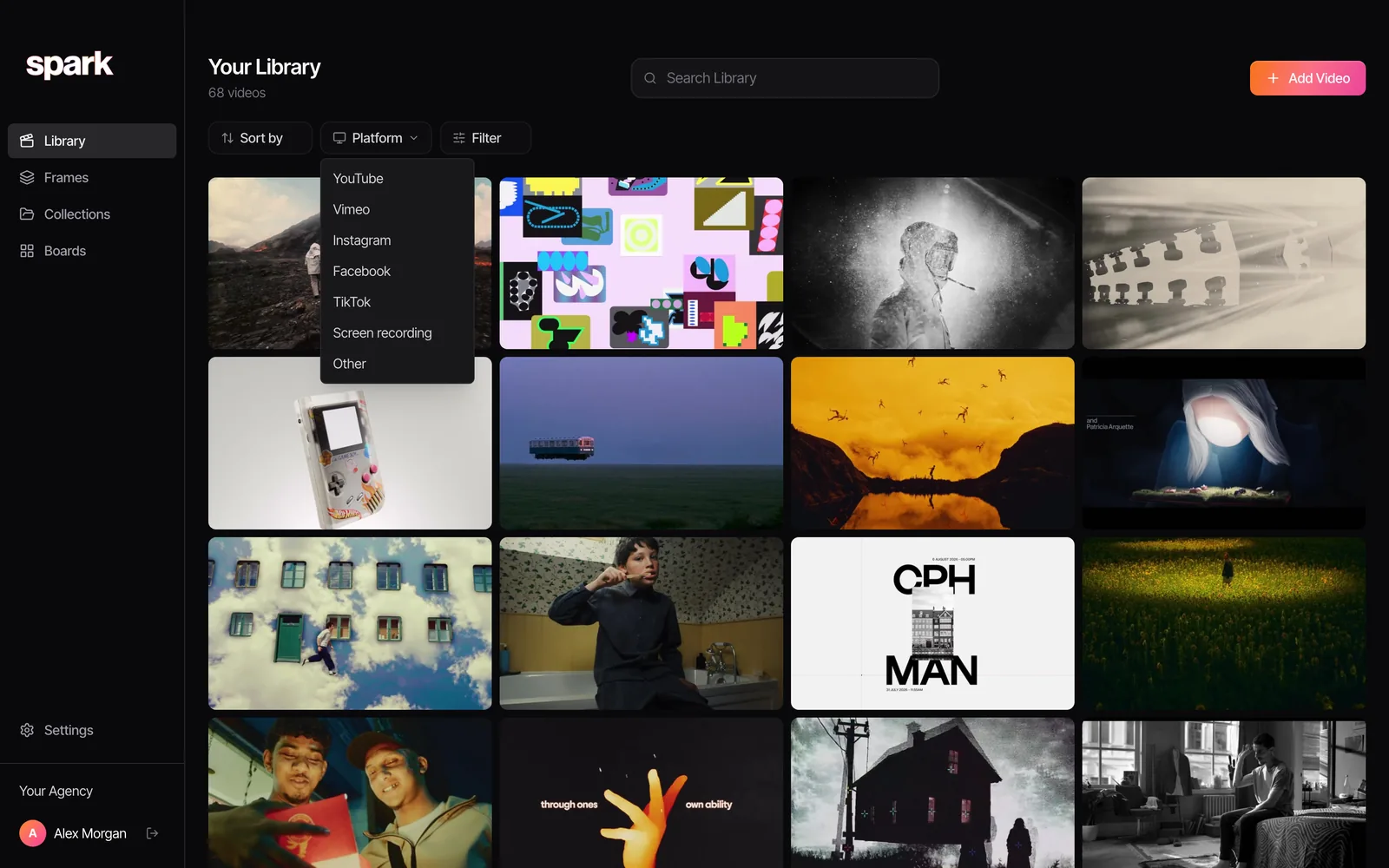
Some films are uploaded straight to Behance and play in Adobe's own player, with no Vimeo or YouTube link to find. A motion graphics project we opened that day worked that way. For those, look for the film on the designer's own site or channels first. Failing that, Spark's built-in screen recorder captures a window, an area or the whole screen, with sound, for anything that won't save.
Put it all on a board
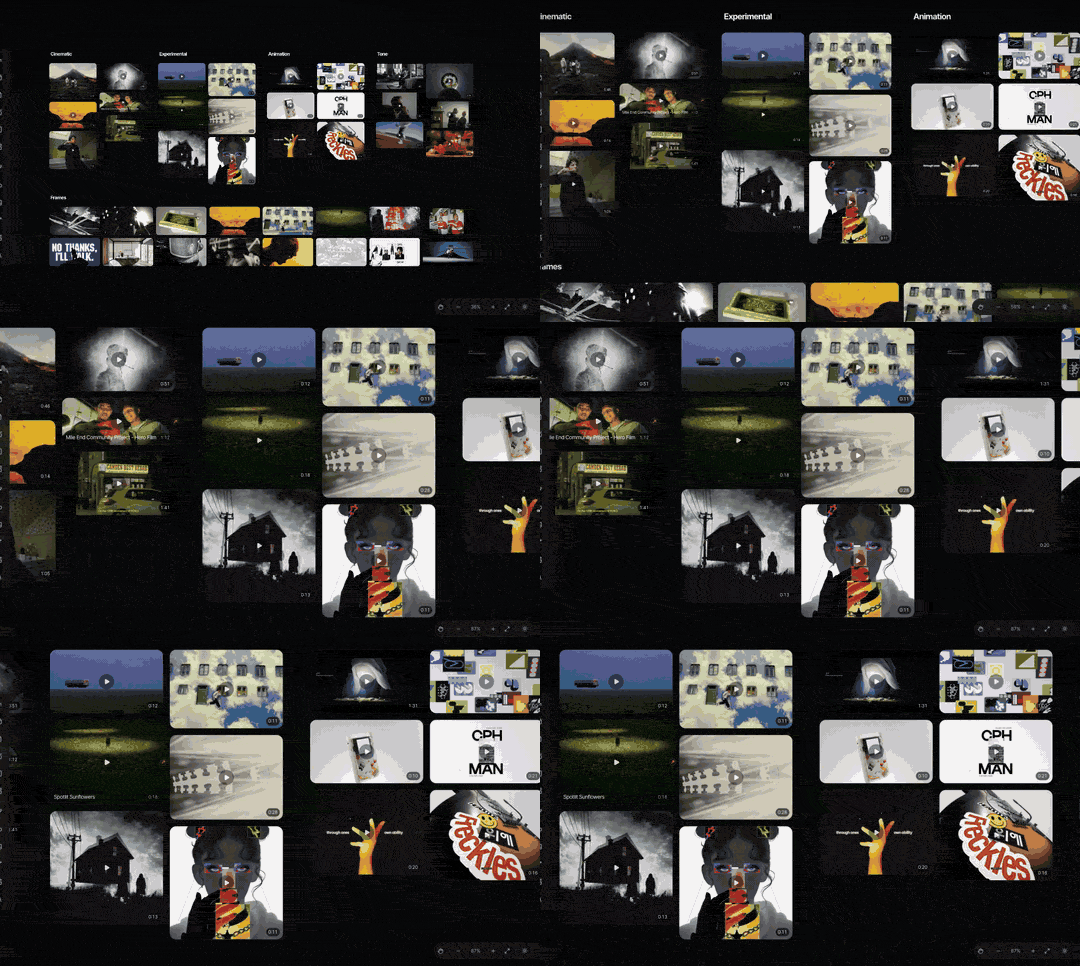
Then lay it out. A Spark board takes headings, notes, columns, link cards and your frames, and every saved video plays in place on the canvas. Give each reference a short note on why it's there, and add a link card back to the Behance project so the credit and the full case study are one click away. Teammates on the same board see changes within seconds.
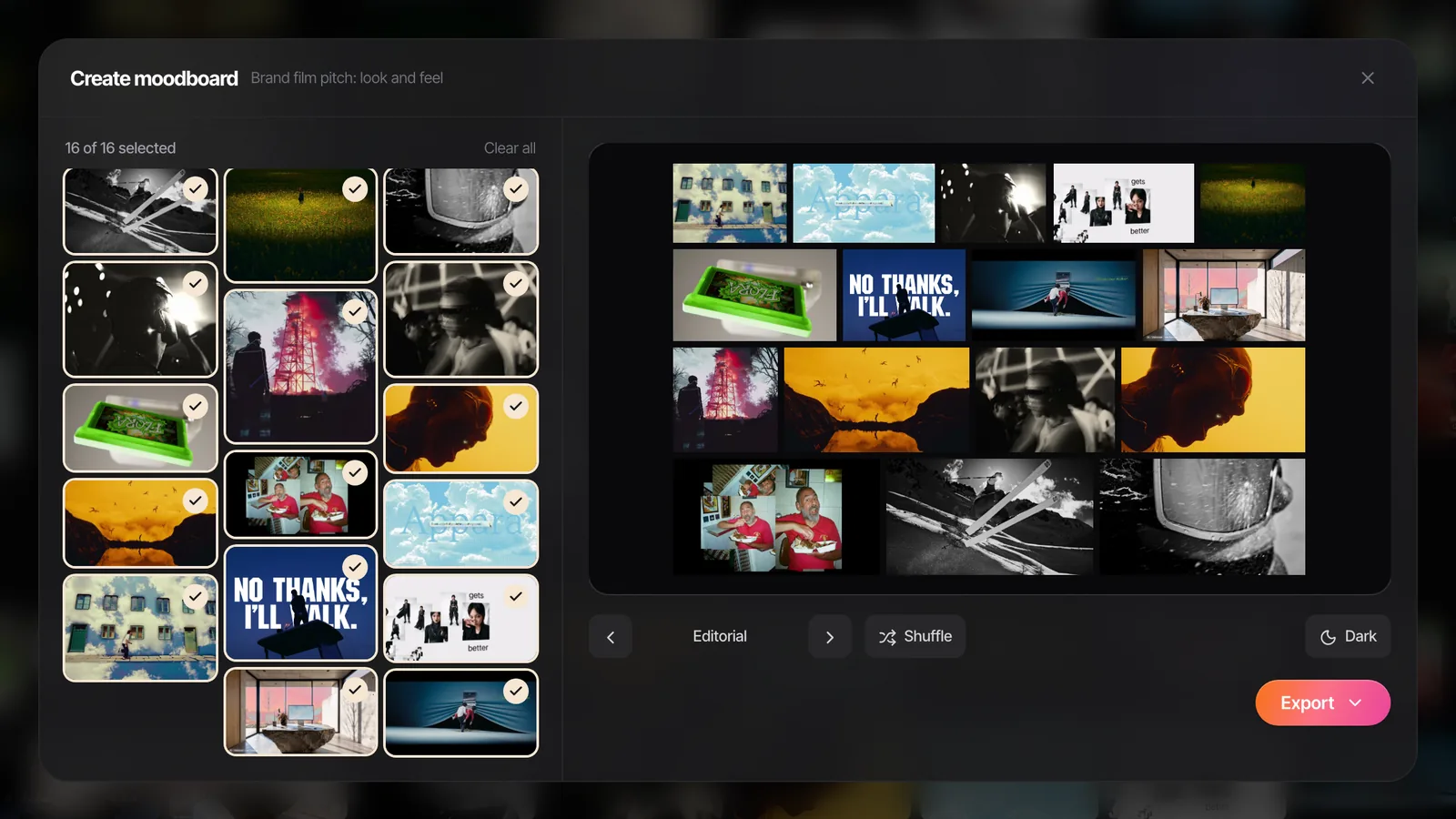
When it's ready, Create Moodboard lays the frames and GIFs out as slides and exports to Google Slides, Canva, PowerPoint, Keynote or PDF. GIFs stay animated everywhere except the PDF.
Pull the palette
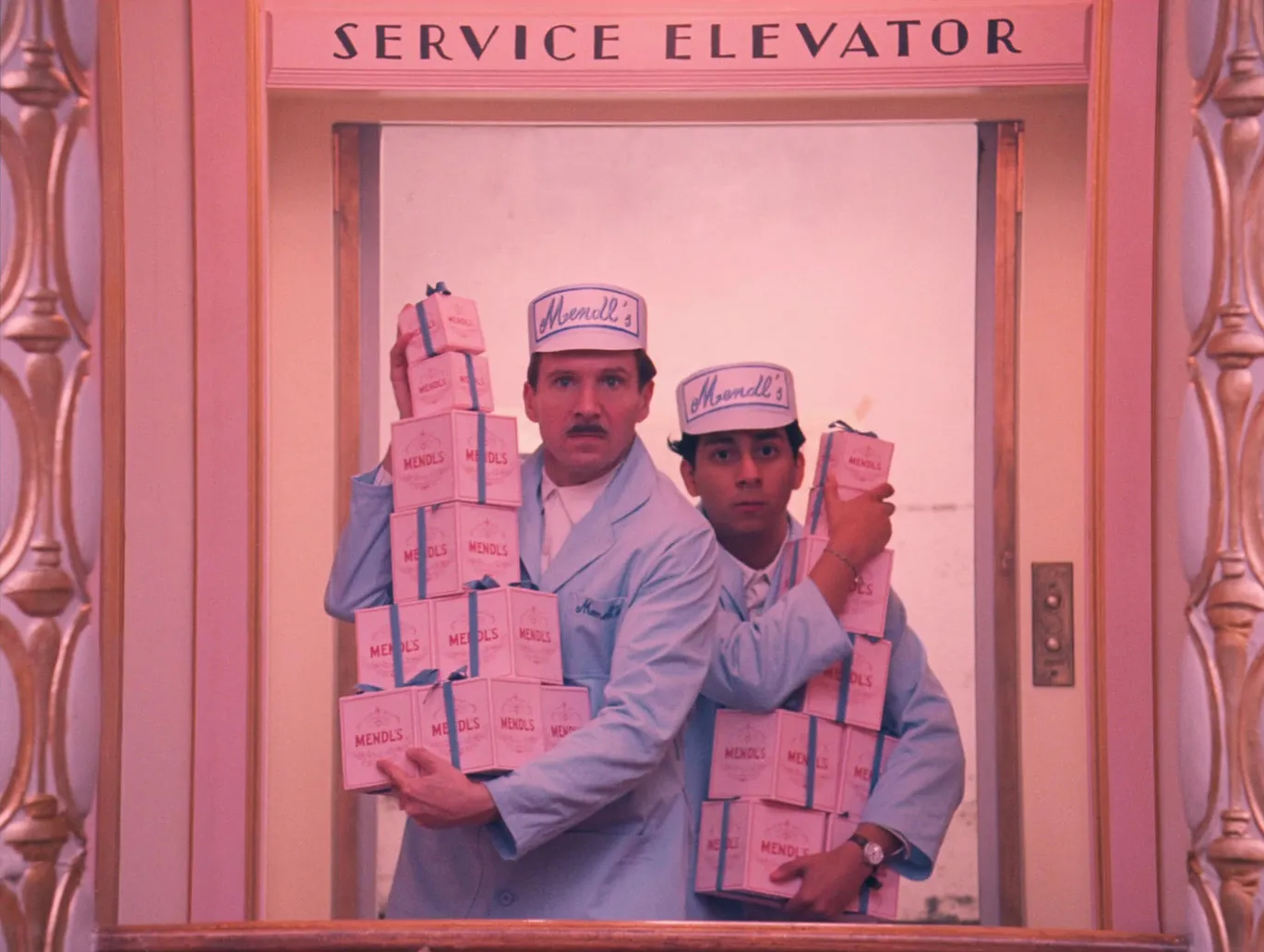
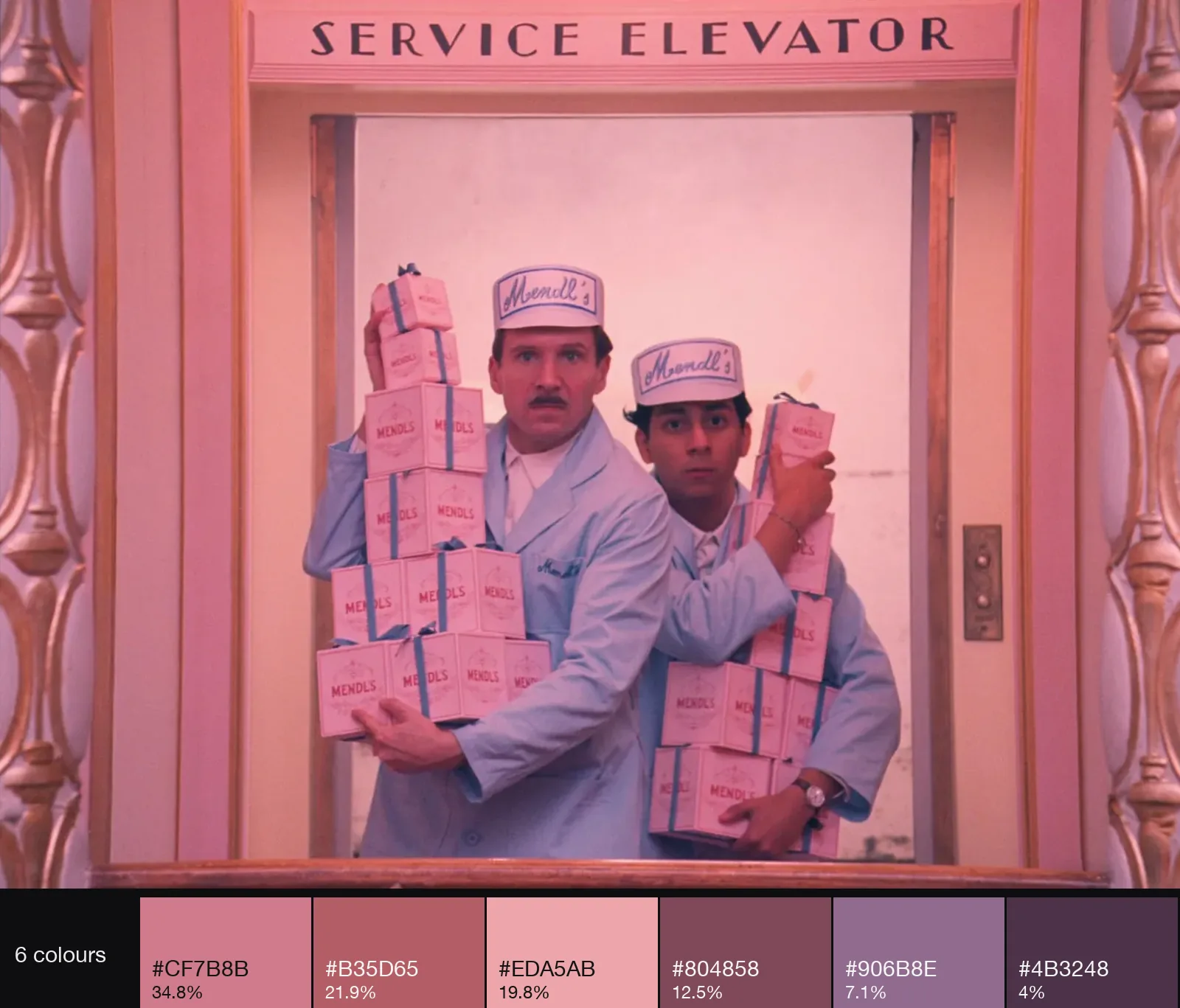
Behance projects are full of colour systems, and a palette strip on the board saves a lot of description. Run a saved picture through our colour palette extractor and copy the HEX codes. It's also a useful check on your eyes. The pastry boxes frame from The Grand Budapest Hotel looks pink with pale blue uniforms; at six colours, the extractor finds no blue at all, and gives a mauve, #906B8E, for the uniforms, because the whole frame sits under a pink cast.
No Spark account? For images you're allowed to download, our moodboard maker lays up to 40 of them out as slides and exports a .pptx, all in your browser.
Credit the designers, every time
Behance makes credits easy because every project has its owners on it, and many have more than one (look for Multiple Owners on the tile). Put those names on the board and in the deck: the studio, the designer, the agency and brand where it's a commercial project, and the director and production company for a film. If you've saved a single image, credit the project it came from.
References like these are for internal research and pitching. If a client wants to use anything publicly, or you want to build on a specific piece of work, ask the designer. Behance's Hire button sits right there on the project, and sometimes the best outcome of a reference board is hiring the person who made the reference.
FAQs
How do I save a project on Behance?
Open the project and click Save in the rail on the right, or the Save button on its tile in search results, then choose a Moodboard or create a new one. To save one image instead, hover over it and use the save button in its top left corner. Behance's help calls the button Add to Moodboard.
What happened to Behance Collections?
They were renamed Moodboards. They work the same way: groups of saved projects and images, kept on your profile under the Moodboards tab, which you can make private, share with co-owners and let other people follow.
Are Behance Moodboards private?
Not by default. A new Moodboard is public and visible to everyone on Behance. Go to your profile, open the Moodboards tab, choose the Moodboard, click Edit Moodboard and tick Make this Moodboard Private.
Why are my Behance Moodboards not showing?
First check you're signed in with the right Adobe ID, because a work or school login is a separate Behance profile with its own Moodboards. Projects you didn't save at the bottom of a Moodboard are Behance's suggestions, and a saved project can vanish if its designer removes or hides it.
Is there a limit on Behance Moodboards?
You can make as many Moodboards as you like, but each one holds up to 1,000 items, according to Behance's help centre. Splitting by project or idea keeps them usable long before you reach that.
Can Spark save videos from Behance?
Not from a Behance link: Behance isn't a video source for Spark. Most case films on Behance are embedded from Vimeo or YouTube, so open the film on its own site and paste that link into Spark. Images and GIFs on Behance can be right-clicked into Frames with Spark's Chrome extension.
Keep reading
All articles
How to Build an Animation Reference Library
Every animator has a folder called reference that nobody can search, including its owner. Here's how to build one you can step through a frame at a time and find again in a year.
How to Save Pinterest Videos (Not Just the Pin)
Pinterest is brilliant at finding motion and quietly bad at keeping it. A board of video pins is a board of bookmarks to other people's uploads.
How to Save Vimeo Videos for Reference (When There's No Download Button)
Vimeo is where directors keep the work they're proudest of, usually with downloads switched off. Here's how to keep a reference without a download button.