
How to Save Vimeo Videos for Reference (When There's No Download Button)
Vimeo is where directors keep the work they're proudest of, usually with downloads switched off. Here's how to keep a reference without a download button.
By the Spark team ·
To save a Vimeo video for later, click the heart on the player to like it, or the Watch Later button to add it to a private list. To keep the file, look for Download under the player on the video's own page on vimeo.com. It's only there if the owner has allowed downloads, it never appears in an embedded player, and some owners can't switch it on at all: Vimeo's help centre says Free and Basic members can't enable downloads. No button means no permission, so the next step is asking, recording for internal use, or saving the link somewhere that keeps the video.
Vimeo is where a lot of the films we reference live: directors' reels, music videos posted by the people who shot them, brand films a production company wants seen properly. We make Spark, which saves from Vimeo, so we know that download switch well. Everything below was checked against Vimeo's help centre on 24 October 2026.
Vimeo's download button, and why it's often missing
Vimeo's guide on how to download a video is short. If the owner allows it, there's a Download button below the player on the video's page. Click it, pick a version from the list of file sizes, and save it. If it opens in a new tab, right-click (Control-click on a Mac) and save the link instead. You need to be signed in to Vimeo to download the source file of a public video.
Pick the biggest file on offer. A reference you'll scrub through, pull frames from or show on a screen in a meeting deserves the original, not the small version made for a phone.
When the button isn't there, Vimeo's troubleshooting page gives three reasons:
- The owner switched downloads off. Owners decide per video, from Share, then Viewer permissions, or set a default for every upload.
- The owner's plan doesn't allow it. Free and Basic members can't enable downloads, and can't even download their own videos.
- You're watching an embed. Viewers can only download from the vimeo.com page. Vimeo's download permissions page says it plainly: it isn't currently possible to download from the embedded player.
One more quirk: owners always see their own Download button, whatever the setting. If a colleague says "the download's right there", check whether they're signed in as the owner.
Our post on making a GIF from a Vimeo video covers asking for the file and marking the exact moment with a timestamp, so we won't repeat it here.
Likes, Watch Later and collections
Vimeo's own ways to keep a video are described on its Comments, Likes and Watch Later page:
- Like: hover over the player and click the heart in the top right corner. Your likes are under your profile picture menu, then Likes. In a mobile browser, go straight to vimeo.com/ followed by your profile name and /likes. You can't like your own videos, and you can't like anything while your profile is in Private Mode.
- Watch Later: click Watch Later on any Vimeo player. The video goes to a private Watch Later page, under your profile picture menu, and the owner isn't notified.
Your account's Collections area holds things like groups and portfolios, which are for presenting and following work, not for filing other people's films.
Likes and Watch Later are good for what they are. Both are bookmarks, so a film the owner deletes or makes private leaves your list. Neither has folders or notes, and neither can be searched for what happens inside a film. For "watch this tonight" they're perfect. For "the reference for the night exteriors in our treatment", they're risky.

Private, unlisted and password links
A lot of the Vimeo links that reach a production company aren't public. Vimeo's page about video privacy settings lists the options owners can choose from:
| Setting | Who can watch | What it means for saving |
|---|---|---|
| Vimeo Public | Anyone | Like it, Watch Later it, save the link |
| Unlisted (paid plans) | Anyone with the full link, which carries an extra privacy code | Keep the whole link, code included, or it won't play |
| Password (paid plans) | Anyone with the password | You were trusted with it: ask before keeping a copy |
| Embed only (paid plans) | Only where it's embedded on other sites | No vimeo.com page, so no Download button |
| Private | Only the owner and their team on the account | Not yours to keep |
| Spark Saved in Spark | Your workspace, plus any view-only link you share | Public and unlisted links you can view |


The unlisted case is the easy one to get wrong. Vimeo adds a privacy hash to the link, an extra string after the video number, and Vimeo says it must be included for embeds and sharing to work. Trim it off when you copy the link and you've kept a link that won't play for anyone you send it to.
Then there are review links. If a production company or agency sends you a cut through Vimeo's review tools, that's work in progress shared in confidence.
The case for keeping your own copy
Directors' reels change. Production companies rebuild their pages. Campaign films go private when the contract runs out. When a reference is going into a treatment or a pitch, a bookmark to someone else's page is a risk, and the fix is a copy you control, with the link and the credits kept next to it.
The honest options, in the order we try them:
- Use the Download button if it's there.
- Ask. A short email to the director, their rep or the production company, saying it's for an internal treatment and will be credited. It's normal practice in this industry.
- Screen record for internal reference when there's no download and no reply. On a Mac that's Shift-Command-5; on Windows 11, the Snipping Tool's recorder. Full screen, top quality.
- Save the link into a library that keeps the video and makes it searchable.
What we don't do is paste Vimeo links into downloader websites. Besides the pop ups and the fake buttons, you'd be handing a private or unlisted link to a stranger's server, which defeats the point of it being unlisted. Saving video from a website covers recording, embeds on directors' own sites included.
Saving Vimeo links in Spark
Spark saves Vimeo videos you can view from their link, and keeps them in one library with your Instagram, YouTube and screen recorded references.
Paste the link
Copy the video's link, open Spark, click Add Video and paste. Public videos save from their ordinary vimeo.com link. Unlisted videos save from their full share link, privacy code and all. Spark keeps the link with the video, so the source is always one click away.
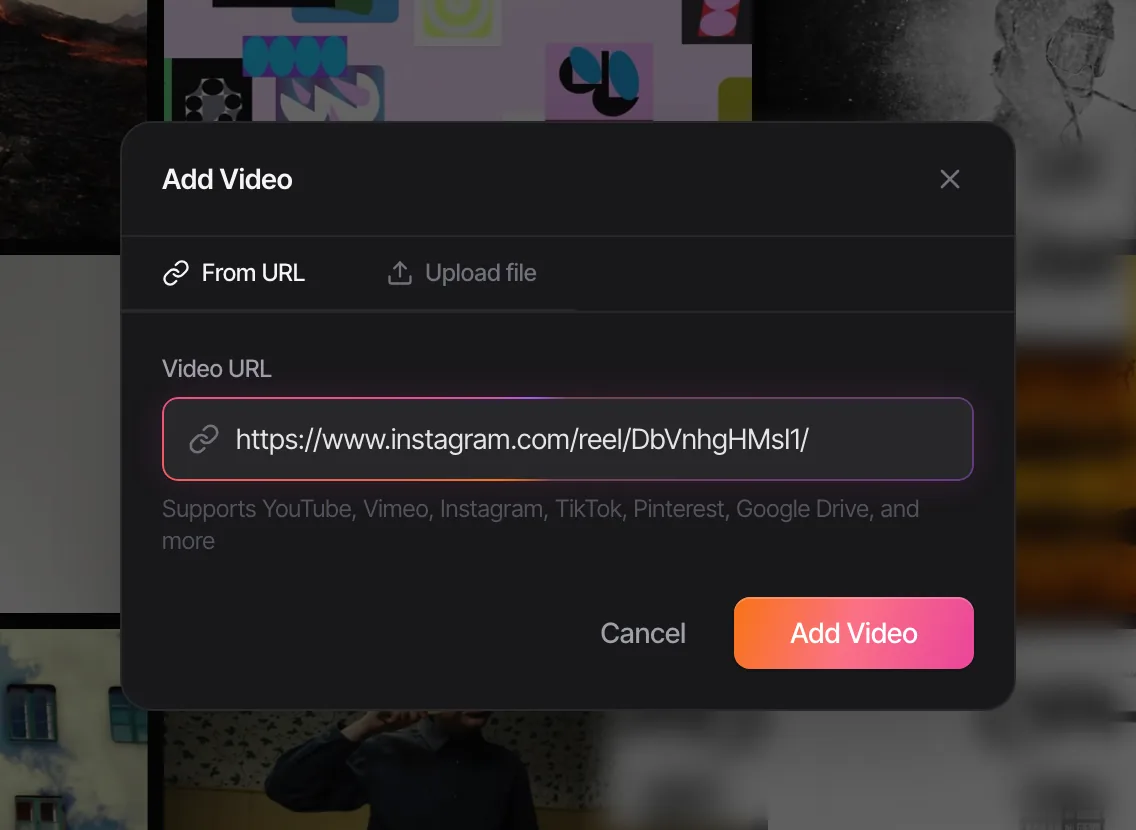
Two kinds of Vimeo link won't save, and Spark tells you which:
- A vimeo.com/manage link. That's the owner's own editing page. Ask them for the video's share link instead.
- A page of many videos. A channel, group or profile page isn't one film. Open each video you want and save its own link.
Password-protected and private videos aren't something to plan on saving by link. If you've been given access and the owner is happy for you to keep a reference, ask for the file or a link with downloads on, then upload it.
Or click the extension
From the browser: with the Spark extension for Chrome installed, go to the video's own vimeo.com page and choose Add to Spark from the toolbar icon. For a film embedded on a director's own site, find the original Vimeo link first (the title or the Vimeo logo in the player, when shown) and save that.
Watch it like a reference
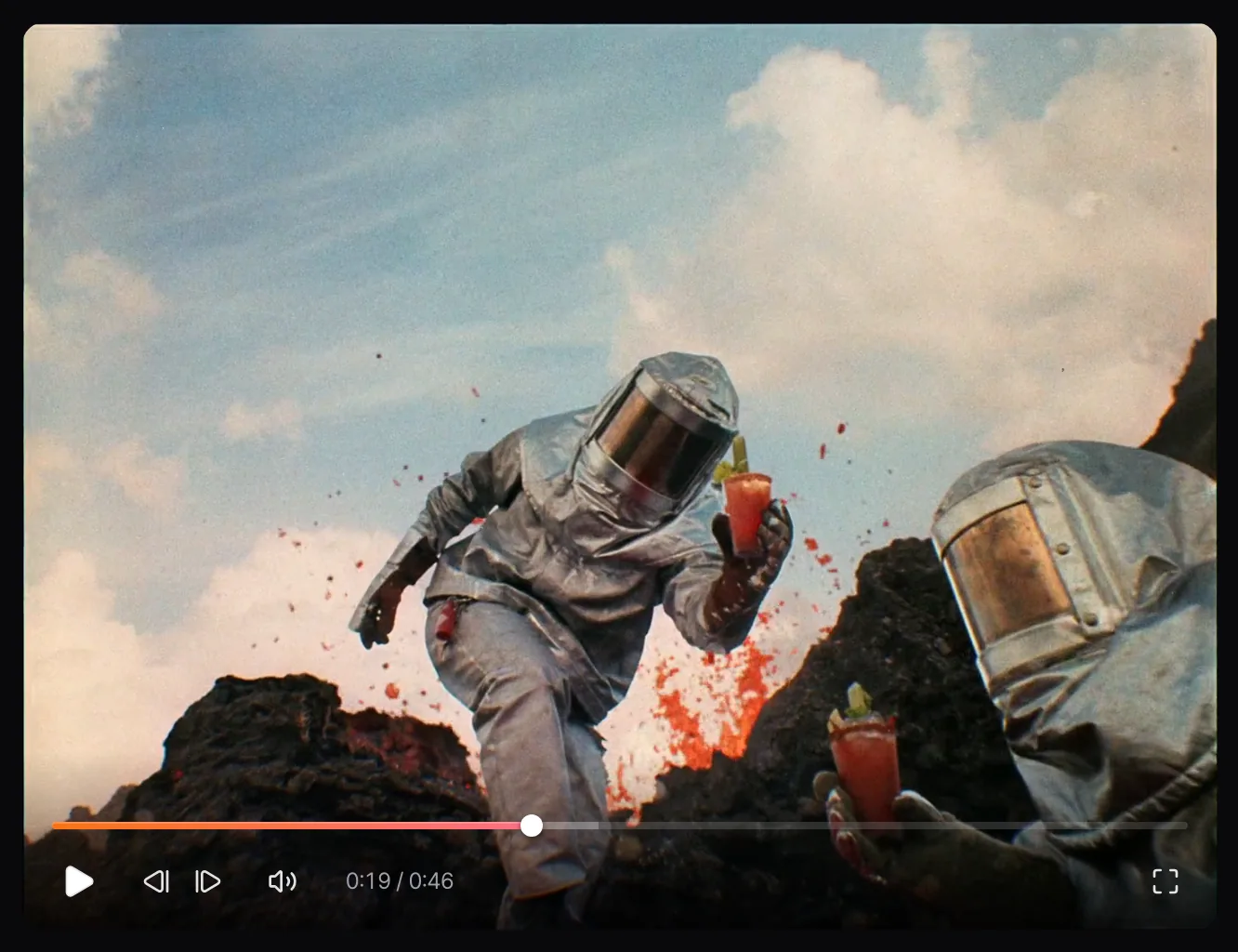
Spark's player is built for picking films apart. The arrow keys jump five seconds at a time, J, K and L shuttle backwards and forwards, and the comma and full stop keys step one frame.
Creator and Studio also give every film a written description and a transcript, so searching "night exterior", "snow" or a remembered line of voiceover brings it back.
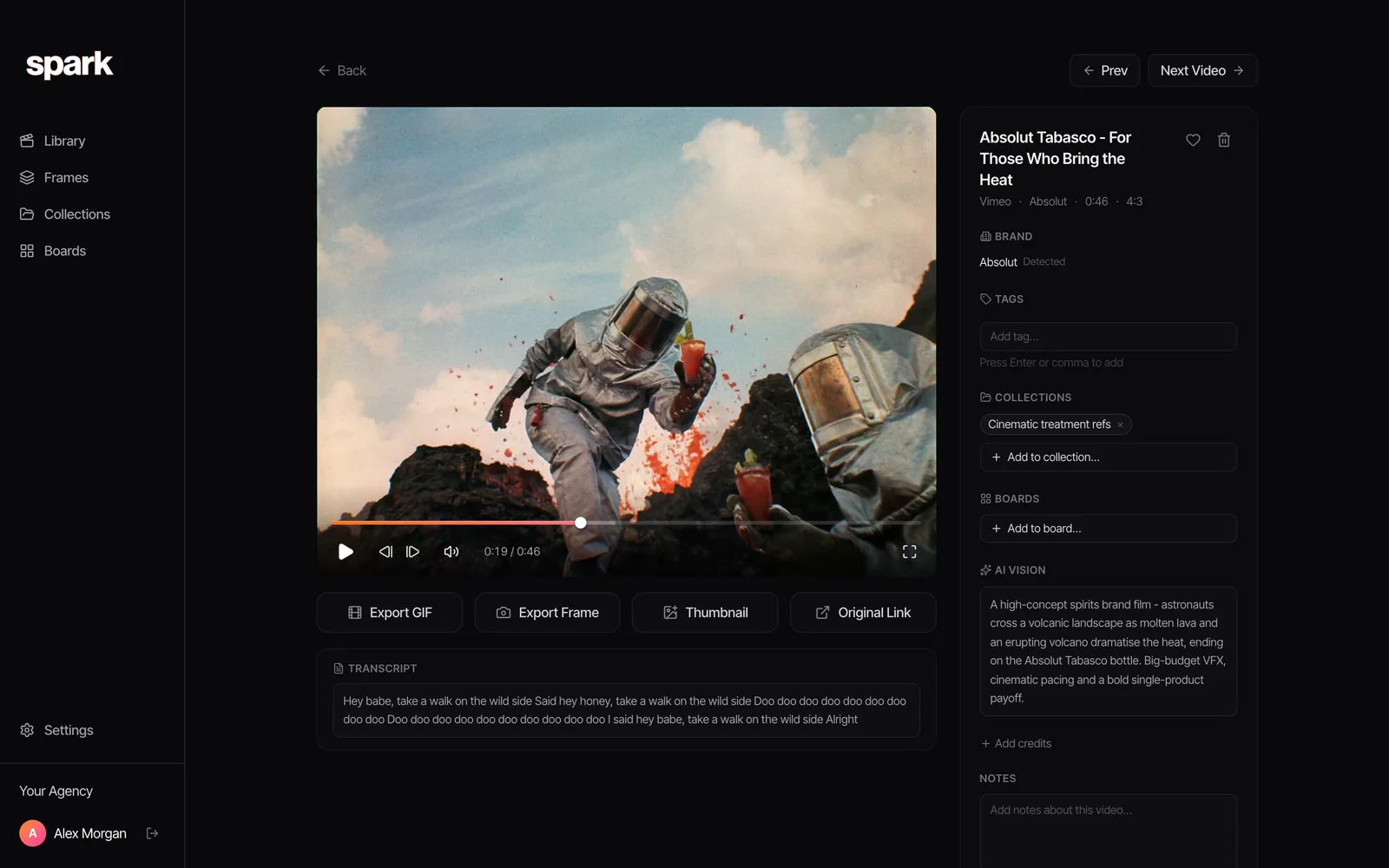
From there, Export Frame keeps a still for the deck and Export GIF (Creator and Studio) makes a loop of the moment. If the film came to you as a download, our free video to GIF tool does the GIF part in the browser, frame accurate, with no upload.
To share references with a client, put them in a collection or on a board and send a view-only link. They watch in a browser, with no Vimeo account needed.
Manners for saving filmmakers' work
Vimeo is a filmmakers' platform, and the people on the other end of a disabled Download button are usually people like us.
- Read the switch as a decision. Downloads off means the owner wants the film watched on their terms. Record only for internal reference, and say so if you ask.
- Credit everyone you can. Director, production company, DoP, agency, brand. Vimeo pages often list them; copy them into your notes when you save.
- Keep unlisted and review links private. They were shared with you. Don't put them in public collections or forward them on.
- Never republish. Not on your site, not in your reel, not in a mood film without permission.
For where to find more films like these, see our list of the best websites for commercial film inspiration. If YouTube is your other big source, organising YouTube videos for creative research pairs well with this. Portfolio sites often embed Vimeo films too, which is covered in saving Behance projects. And if what you need is a place to review your own cuts with clients, that's a different job, covered in the best Frame.io alternatives.
FAQs
Why is there no download button on a Vimeo video?
The owner has switched downloads off, the owner is on a Free or Basic plan that can't enable downloads, or you're watching in an embedded player, which never shows the button. Viewers can only download from the video's page on vimeo.com, and only when the owner allows it.
How do I save a Vimeo video to watch later?
Click Watch Later on the player. The video goes to your private Watch Later page, under your profile picture menu, and the owner isn't told. You can also like it with the heart, which adds it to your Likes.
Can I download an unlisted Vimeo video?
Only if the owner has allowed downloads, the same as a public video. If you want to keep the link, copy the full link including the privacy code after the video number, because Vimeo needs that code for the video to play.
Can I save a password-protected Vimeo video?
You can watch it with the password, but you can only download it if the owner allowed downloads. For anything more, ask the owner for the file. A password means the video was shared with you in confidence, so keep any reference to it inside the team.
Is it legal to download Vimeo videos?
Using the Download button the owner provides is fine, and keeping a credited copy for internal research is common practice. Downloaders that get around a disabled button go against the owner's choice and Vimeo's terms. If you want to use a film anywhere public, get permission.
Does Spark save Vimeo videos?
Yes, from the link, for videos you can view: public videos and unlisted ones from their full share link. It won't save the owner's editing page or a page of many videos, and password-protected films aren't something to rely on saving by link.
Keep reading
All articles
How to Save Pinterest Videos (Not Just the Pin)
Pinterest is brilliant at finding motion and quietly bad at keeping it. A board of video pins is a board of bookmarks to other people's uploads.
How to Save WhatsApp Videos to Your Computer (Mac and PC)
WhatsApp is where references get swapped and where they drown. Here's how to get a video out of a chat and onto your computer, and how to stop the good ones sinking.
How to Save Facebook Videos (and Find Them Again)
Facebook's Saved page is tidy, private and full of things you'll never open again. Here's how to use it properly, what it can't do, and where ads fit in.