
How to Save WhatsApp Videos to Your Computer (Mac and PC)
WhatsApp is where references get swapped and where they drown. Here's how to get a video out of a chat and onto your computer, and how to stop the good ones sinking.
By the Spark team ·

To save a WhatsApp video to your computer, open the chat in WhatsApp Web or the desktop app, click the video, then click the download icon and Save if your browser asks. In WhatsApp for Windows, right-click the video and choose Save As, then Save. The file lands in your Downloads folder, or wherever you choose. On a phone, WhatsApp saves incoming media to your photos by default: Save to Photos on iPhone, Media visibility on Android.
That gets one video out. Keeping a group chat's references findable is a different job, and it's the one we care about. We make Spark, a reference library that you can send links and videos to on WhatsApp. The WhatsApp steps below were checked against WhatsApp's help pages on 24 October 2026.


Saving a WhatsApp video on a computer
WhatsApp's page on sending and saving media gives the steps by platform.
WhatsApp Web (any browser, Mac or PC):
- Open the chat and click the video so it opens full size.
- Click the download icon at the top.
- If prompted, click Save. It goes to your browser's download folder.
WhatsApp for Windows:
- Right-click the video in the chat.
- Choose Save As, then Save, and pick a folder.
WhatsApp for Mac: the help centre's Mac page doesn't spell out the save steps. If the app's menus aren't obvious on your version, open the same chat in WhatsApp Web in a browser and use the steps above; it's the same account and the same media.
Then rename the file. WhatsApp's own file names say nothing about what's in the clip or who made it, and in a month you'll have twenty of them. Ours go brand or film first, then the maker.
| Where you are | How to save a video | Where it ends up |
|---|---|---|
| WhatsApp WhatsApp Web | Click the video, then the download icon | Your browser's download folder |
| WhatsApp for Windows | Right-click, Save As, Save | The folder you choose |
| WhatsApp for Mac | Use WhatsApp Web if the app's menus aren't clear | Your browser's download folder |
| iPhone | Automatic while Save to Photos is on | Photos |
| Android | Automatic while Media visibility is on | Your gallery and WhatsApp's media folder |
| Spark Spark on WhatsApp | Send the video or its link to Spark's number | Your Spark library (pictures go to Frames) |


Finding videos in a busy chat
On WhatsApp Web, the Media view is the quickest way back to a clip. WhatsApp's About Media page says it holds every document, link and piece of media you've received across all your chats in the past 14 days. Click the media icon in the left-hand menu, or, inside a chat, click the contact or group name, then Media, links and docs.
From there you can:
- view media from every chat at once, or narrow it to media, docs or links
- select several videos and download them in one batch
- sort by newest, oldest, largest file or file name
- search by sender, caption or group name

That search is the limit of it. If nobody wrote a caption, the clip is findable only by who sent it and roughly when. Our guide to finding a video you saved months ago has more rescue routes across WhatsApp, Slack and the rest.
Saving WhatsApp videos from your phone
By default, WhatsApp saves the audio, video and photos people send you straight to your phone. Its page on stopping WhatsApp saving media to your phone covers both systems.
iPhone: the switch is Save to Photos. For every chat, go to Settings (or your profile picture), then Chats, and turn it on or off. For one chat or group, tap its name and choose Save to Photos: Default, Always or Never. If a project group is where references arrive, set that group to Always, and your camera roll (and iCloud Photos, if you use it) carries them to your Mac.
Android: the switch is Media visibility, under Settings, then Chats, or per chat in the contact or group info. Media is kept in WhatsApp's media folder in your phone's storage, which is where you'll find it when the phone is plugged into a computer.
Two cautions. Both switches save everything: memes, voice notes, the lot, so per chat settings are the tidier choice. And what you get on your phone is the video as WhatsApp sent it, which isn't necessarily the video as it was shot.
That second point matters for reference work. WhatsApp's help page says that on a faster connection the default video limit is 100 MB at 720p, and on a slower one 64 MB at 480p. Documents can be up to 2 GB.

So when a DoP or an editor sends you something where the image quality matters, ask them to send it as a document from the attach menu. It arrives as the original file.
Exporting a whole chat
Sometimes the job is getting everything out of a project group at the end of a job. WhatsApp's export chat history page covers it:
- Open the chat or group.
- Tap (or on a Mac, click) the contact or group name, then Export chat.
- Choose With all media, With selected media or Without media.
- Choose where it goes, such as Save to Files, Message or Notes.
You get a ZIP file: the conversation as a text file plus the media. It can't be re-imported into WhatsApp, and view once messages aren't included. It's an archive, not a library. Useful for the project folder, poor for finding one clip in a year.
Why a chat makes a bad reference library
WhatsApp is brilliant at what it's for. It's fast, it's on everyone's phone, and a director can send a reference from a train. The problems start when the group becomes the only place the references live:
- They scroll away. The good link sinks under the lunch order.
- Links rot. A forwarded Instagram link only works while the post exists.
- Phones change. Media lives on each person's phone, and a new phone without a backup starts from nothing.
- There's no note. "This!!" is not something you can search for.
- Clients can't browse it. You can't hand a client a WhatsApp group.
We've written about the same problem in Slack in stopping creative references getting lost in Slack, and the fix is similar: keep chatting where you chat, but send the keepers somewhere built to keep them.
Sending references to Spark on WhatsApp
Spark's WhatsApp connection works on every plan, the free one included. You send links, videos and pictures to Spark's WhatsApp number, and they save straight into your library.
Connect once
In the Spark desktop app, go to Settings, then WhatsApp, and click Connect WhatsApp.
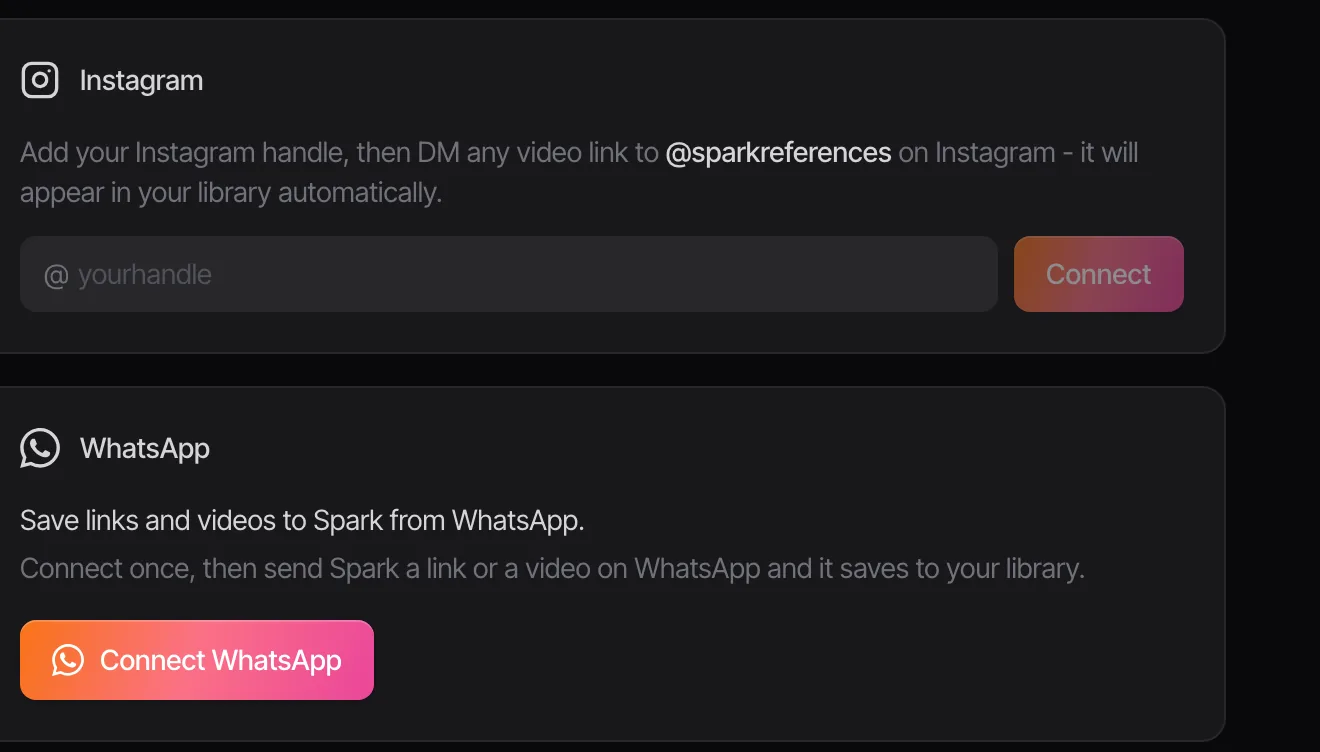
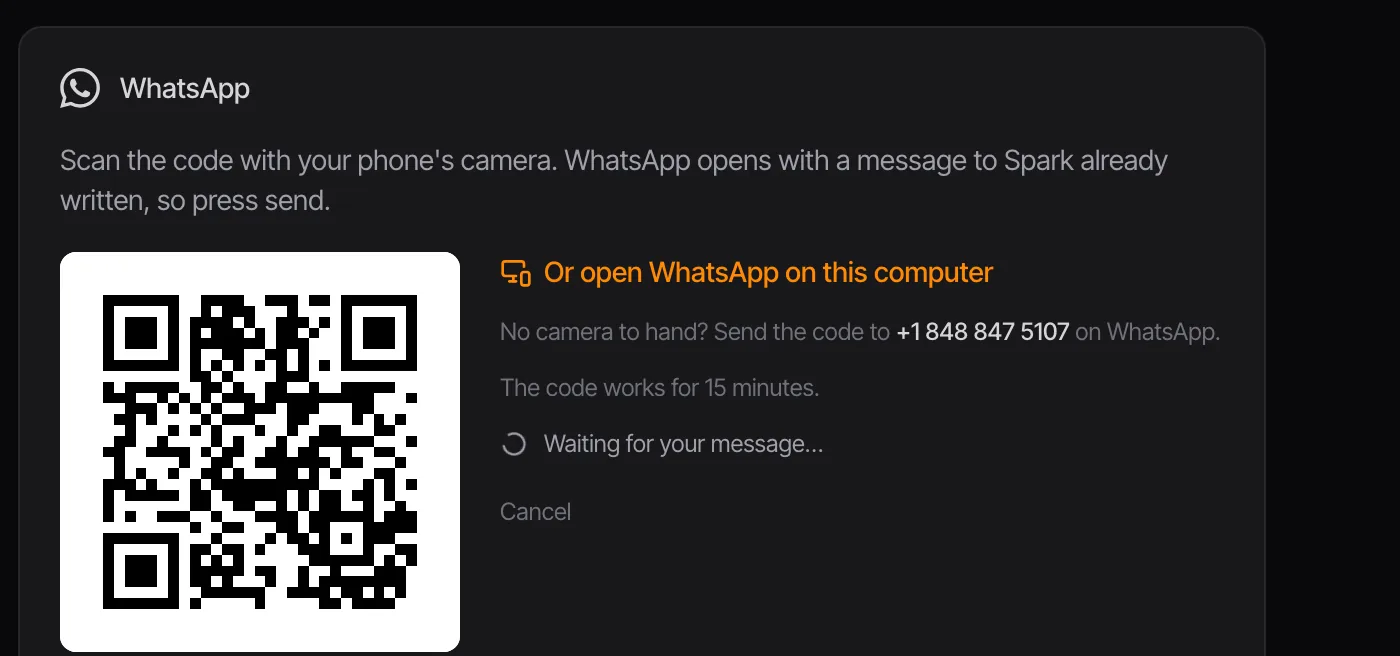
Spark shows a code. Scan it with your phone's camera, and WhatsApp opens with a message to Spark already written, so you just press send. No camera to hand? Click Or open WhatsApp on this computer, or send the code to Spark's number from WhatsApp yourself. The code works for 15 minutes.
Then send links, videos and pictures
- A link from Instagram, TikTok, YouTube, Vimeo, Facebook, LinkedIn or Pinterest saves the video into your library. You can send several in one message.
- A video file saves as it is, up to 100 MB, the most WhatsApp lets Spark's number receive. For anything bigger, send a link.
- A picture goes to Frames.
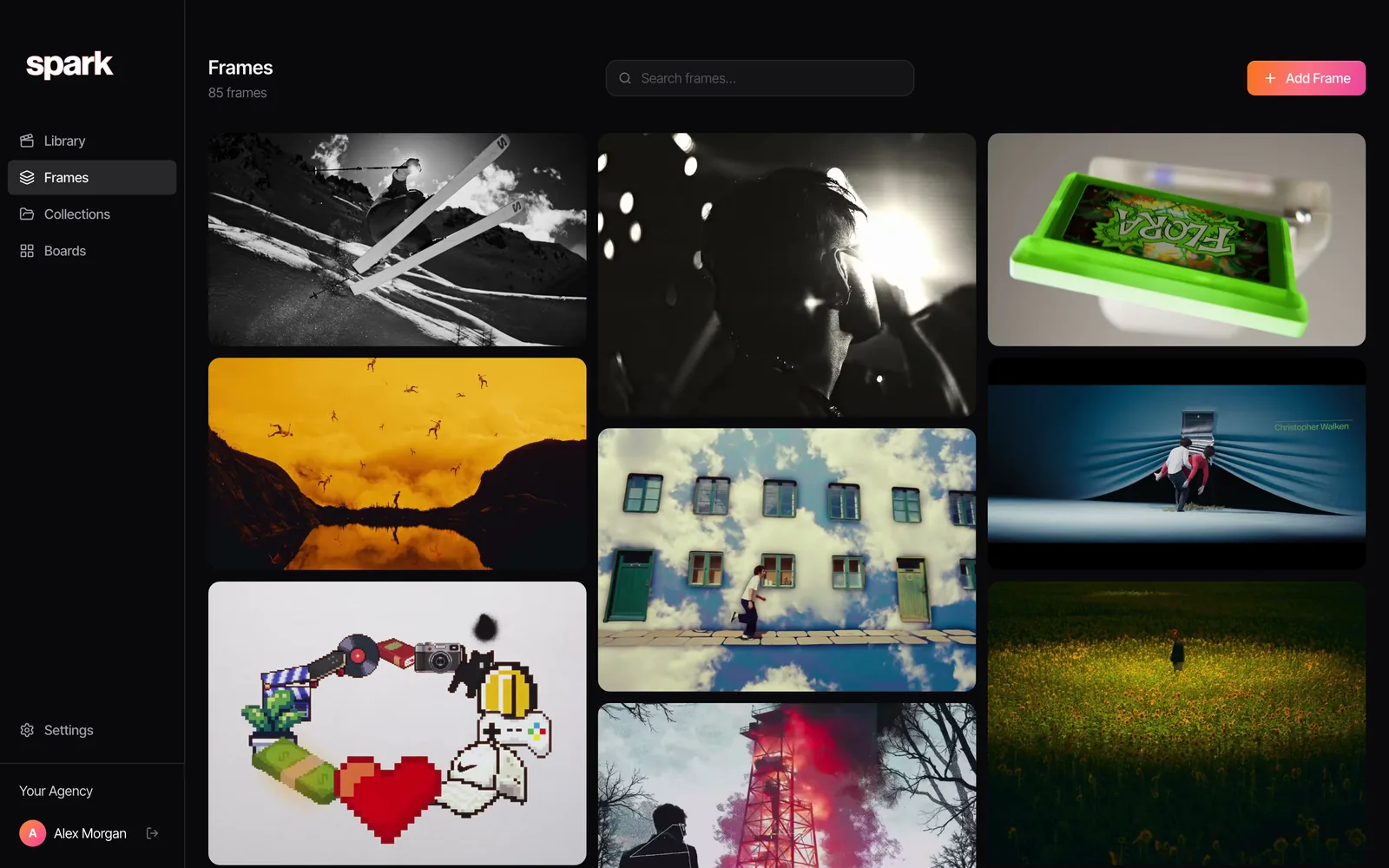
Spark reacts with a tick on each message once it's saved, and a thumbs up if it was already there. If something can't be saved, such as a link to a site Spark doesn't support or a Pinterest board that isn't a single pin, Spark replies with a sentence saying why and what to send.
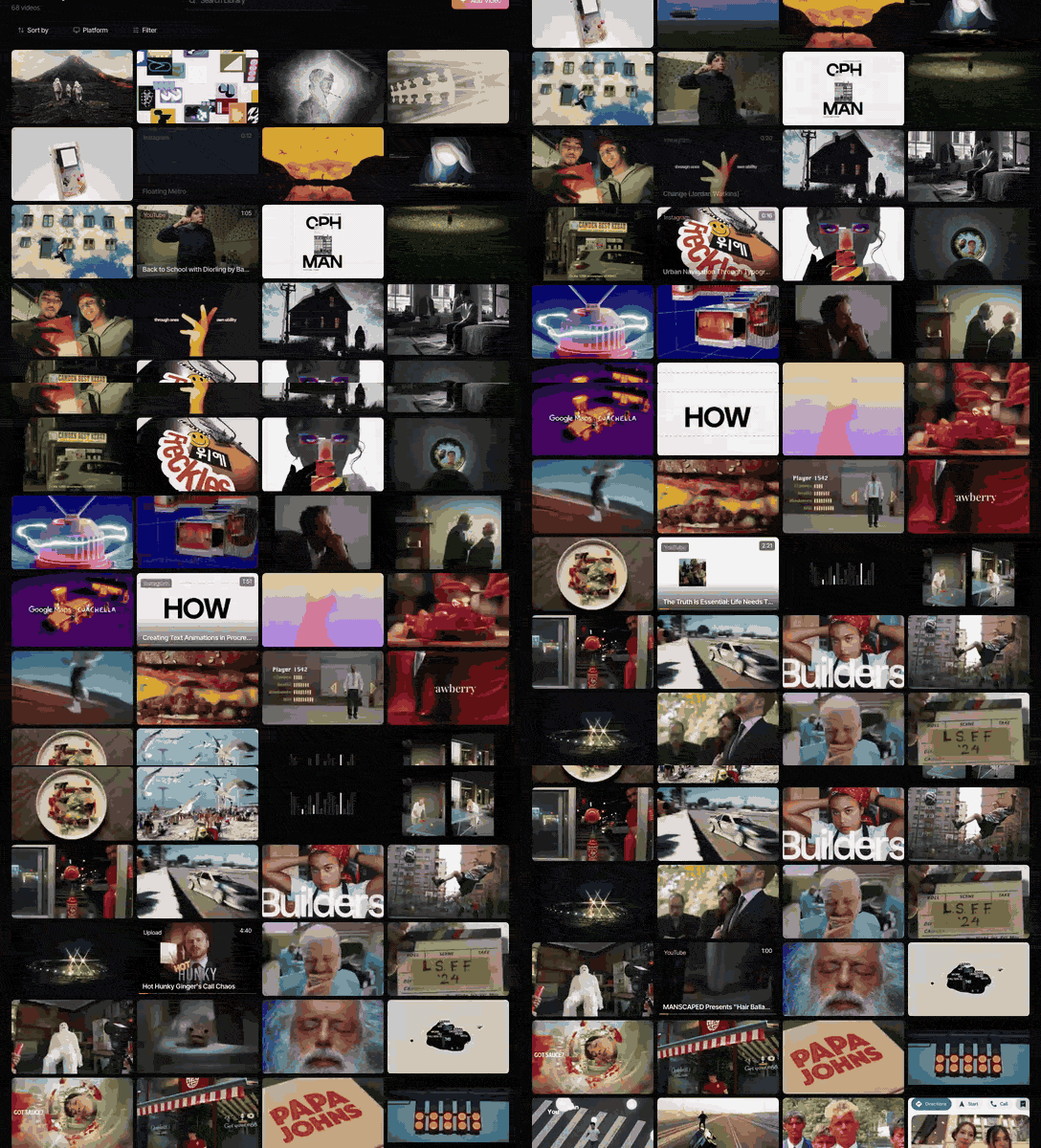
On Creator and Studio, every saved video also gets an AI description and a transcript, so a search for "neon", "slow push in" or a line from the voiceover finds the clip that was sent months ago, whoever sent it.

When the team swaps references in a group
Spark doesn't sit inside your group chats. The group stays where you talk; Spark is where the keepers go. The routine that works:
- Each person connects their own number in Spark's settings, once. Whatever they send lands in the shared workspace.
- When a good one turns up in the group, press and hold it and Forward it to your Spark chat. A forwarded video or link saves like any other.
- File it on Friday. Spend ten minutes moving the week's saves into the right collection for each project, and write a line on why each one's there.
- Share outwards from Spark. A collection or a board goes to a client as a view-only link, so they see the references without being added to your group.
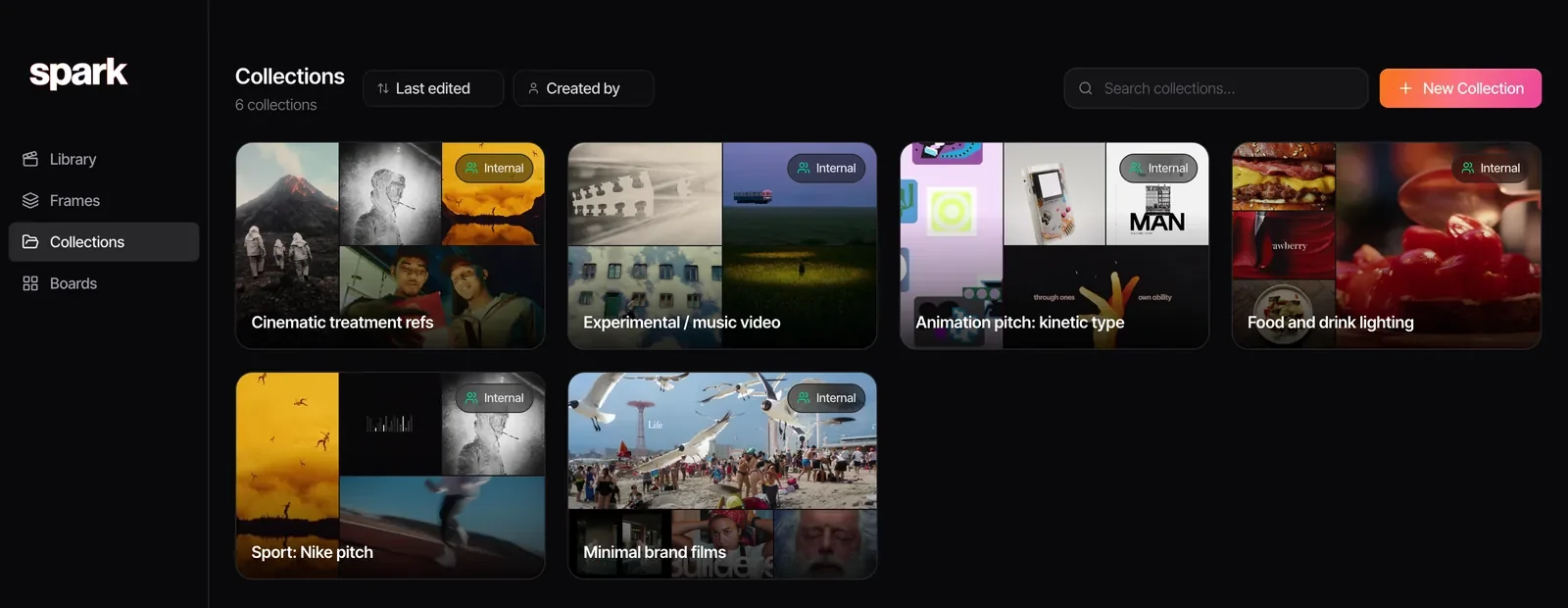
Running a bigger team? Our guide to building a shared creative reference library covers owners, naming and keeping clients apart, and collecting references from clients deals with the forty messages a client sends before a brief. If a lot of what lands in your group is reels, saving Instagram reels for inspiration is the companion piece, and Facebook clips are covered in saving Facebook videos.
Once a clip is on your computer, the free Video to GIF converter on our site cuts a loop for a deck in the browser, frame by frame if you need it, and nothing leaves your machine. If the clip started as a Live Photo, making a GIF on an iPhone shows the routes on the phone itself.
Whose video is it?
A WhatsApp video was sent to a person or a group, not published. That's worth a moment's thought before you keep it.
- Rushes and cuts are confidential. Footage a crew member or client sends you belongs to the production, and the production's agreements decide where it can go.
- Ask before it leaves the group. If you want a clip in a shared library, a client deck or anywhere outside the people it was sent to, check with whoever sent it.
- Credit the maker, not the forwarder. A forwarded reel still belongs to whoever made it. Trace it, and write the credit down.
- Keep references internal. For research, treatments and pitches. Never repost.
FAQs
How do I download a WhatsApp video to my PC?
In WhatsApp Web, open the chat, click the video, click the download icon and save it. In WhatsApp for Windows, right-click the video and choose Save As, then Save. On a Mac, WhatsApp Web in a browser uses the same steps if the app's menus aren't clear.
Where do WhatsApp videos go on my computer?
From WhatsApp Web, they go to your browser's download folder, usually Downloads. From WhatsApp for Windows, they go wherever you choose in the Save As window. Rename them straight away, because WhatsApp's file names say nothing about the content.
How do I stop WhatsApp saving videos to my phone?
On iPhone, go to Settings, then Chats, and turn off Save to Photos, or set it to Never for a single chat in the chat's info. On Android, go to Settings, then Chats, and turn off Media visibility, or change it per chat in the contact or group info.
Does WhatsApp reduce video quality?
Yes, by default. WhatsApp's help centre says videos are limited to 100 MB at 720p on a faster connection, and 64 MB at 480p on a slower one. Send a video as a document instead, up to 2 GB, to keep the original file.
Can I export a WhatsApp chat with videos?
Yes. Open the chat, tap or click the contact or group name, then Export chat, and choose With all media or With selected media. You get a ZIP of the conversation and its media, which can't be imported back into WhatsApp.
Can Spark save videos from a WhatsApp group?
Spark doesn't join group chats, but you can forward any video or link from a group to your Spark chat on WhatsApp and it saves to your library. It works on every Spark plan once you've connected your number in Spark's settings.
Keep reading
All articles
How to Save Pinterest Videos (Not Just the Pin)
Pinterest is brilliant at finding motion and quietly bad at keeping it. A board of video pins is a board of bookmarks to other people's uploads.
How to Save Vimeo Videos for Reference (When There's No Download Button)
Vimeo is where directors keep the work they're proudest of, usually with downloads switched off. Here's how to keep a reference without a download button.

How to Save Facebook Videos (and Find Them Again)
Facebook's Saved page is tidy, private and full of things you'll never open again. Here's how to use it properly, what it can't do, and where ads fit in.