
How to Save Facebook Videos (and Find Them Again)
Facebook's Saved page is tidy, private and full of things you'll never open again. Here's how to use it properly, what it can't do, and where ads fit in.
By the Spark team ·

To save a Facebook video, click the three dots (Options) at the top right of the post and choose Save video. On a reel, tap Options, then Save reel. Everything you save is at facebook.com/saved on a computer, sorted by type in the left-hand menu, and you can file saves into named collections. What Facebook won't do is let you download someone else's video. Its help centre says so in as many words.
So a save is a bookmark. Good for later tonight, weak for a pitch in six months. We built Spark to keep the references you can't afford to lose. Below is how Facebook's saving works today (checked against the Facebook Help Centre on 24 October 2026), how to find things again, where the Meta Ad Library comes in, and how to keep a copy that lasts.

How Facebook's Save button works
Facebook's page on saving something to view later covers posts, reels, events and Marketplace listings. For video:
- On a post, click Options (the three dots, top right).
- Choose Save video. Posts with a link offer Save link, and ordinary posts Save post.
- On a reel, tap Options while it's playing, then Save reel.
A note on the old Watchlist and Watch later: Facebook has removed the separate Watchlist. Its help page on viewing what you've saved says every video you save, including those marked Watch later, now sits in your Saved items. One list for everything.
Where to find saved videos on Facebook
On a computer, go to facebook.com/saved. Click a category in the left-hand menu to narrow it down, or click any item to open it. You can also reach Saved from your feed: See more in the left menu, then Saved.
Reels have their own shelf too. Facebook's page on saved and liked reels puts them under your name on the left, then Reels, then Saved reels. That page is visible only to you. Liked reels, by contrast, are only listed in the iPhone and Android apps.
Saved is private, it's free and it costs one click. Its limits are the same as every platform's. A save points at someone else's post, so if they delete it or change who can see it, your save goes with it. There's nowhere to write why you kept something. And nothing in Saved can look inside a video for what happens in it or what's said.
Sorting saves into Facebook collections
Collections are Facebook's folders. Its help page, What is a collection on Facebook, describes them as a customised grouping of saved items, and you can save into one from the feed, from reels and from Marketplace. Facebook also suggests collections of its own.
Name them by technique, not by project. "Food: hands and texture" or "Light: practicals" stays useful for years; "Pitch for March" dies in April.

Collections can also be shared. The collection privacy page lists four settings: Only me, Public, Friends and Contributors only, where people you invite can see and add to it. One quirk: you can only choose the privacy when creating a collection in the iPhone or Android app. Make one on a computer and it's Only me.
A shared collection is a decent way for two or three people who all use Facebook to pool references. It doesn't help with a client who isn't on Facebook, and every item still depends on the original post surviving.
What Facebook lets you download
Less than you'd hope. Facebook's page on downloading a reel you shared sets out the rules:
- Your own videos posted since the end of September 2025. From then on, every video posted to Facebook is shared as a reel, and you can download any reel you created. In the app, tap your profile picture, then Reels, open the reel, tap Options and Download reel. It saves to your camera roll. The feature isn't available on computers.
- Your own videos from before that. These stay as legacy videos, and their download options haven't changed. If you couldn't download one before, you can't now.
- Music. A reel that uses someone else's original audio downloads muted, and licensed music may be muted or cut short depending on where you are.
- Everyone else's. In Facebook's words, you cannot download reels or legacy videos created by others.

That last line is why the "Facebook video downloader" websites exist, and why we'd steer clear of them. They're thick with ads and redirect pop ups, some serve fake download buttons, and you're handing a link (sometimes from a private group) to a site with no reason to forget it.
Ads are a separate shelf: the Meta Ad Library
If what you're saving is advertising, Facebook's Saved page is the wrong place to look. The Meta Ad Library shows every ad currently running across Facebook, Instagram and Meta's other apps, searchable by advertiser or keyword, with no account needed. Clips that friends forward in WhatsApp are covered in saving WhatsApp videos to your computer.
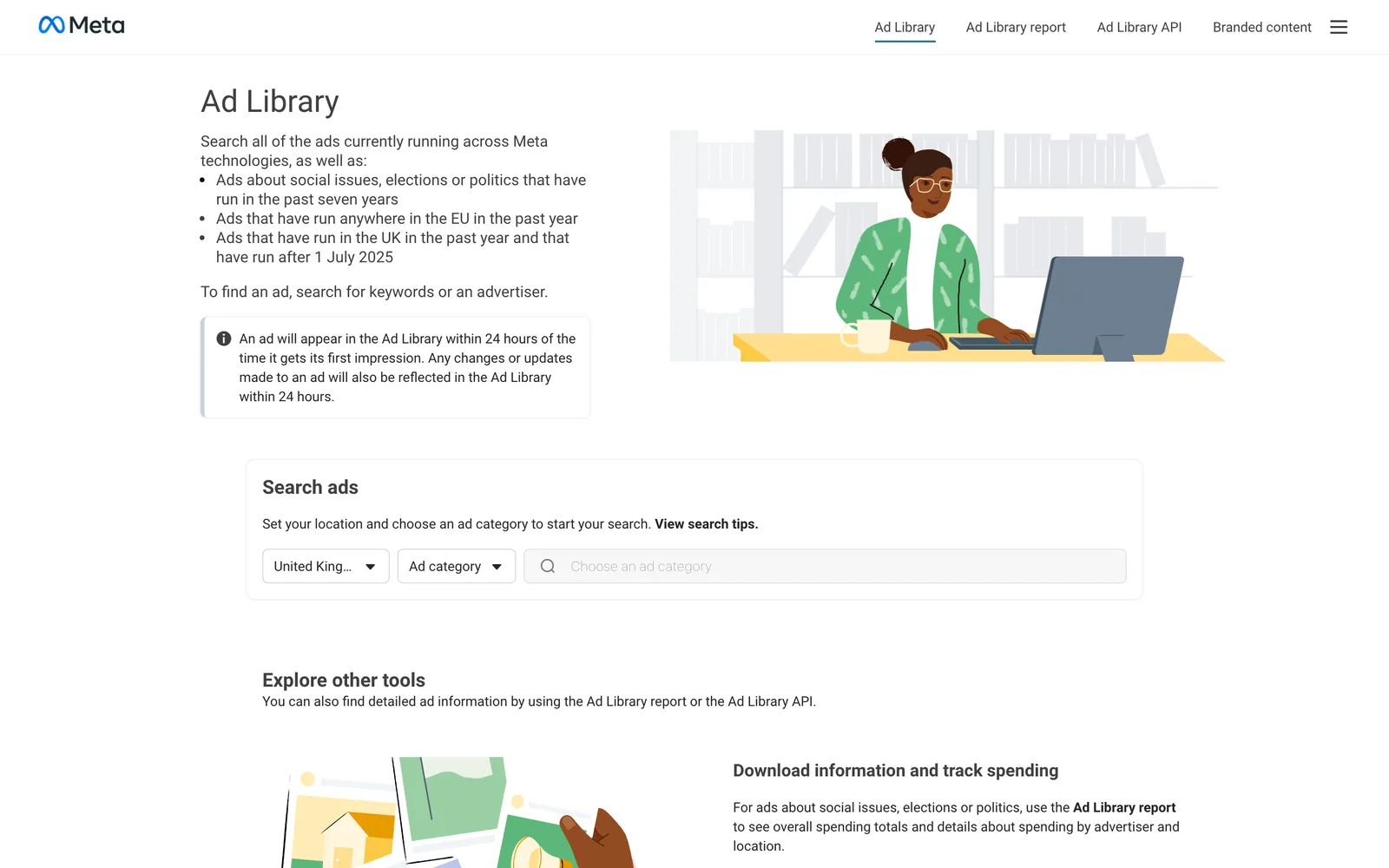
It has no save button and no download. What it does have is a Library ID on every ad, and a link built from that ID opens the ad on its own. That link is what you keep. Our walkthrough of using the Meta Ad Library for creative research covers searching, reading start dates and spotting test variants.
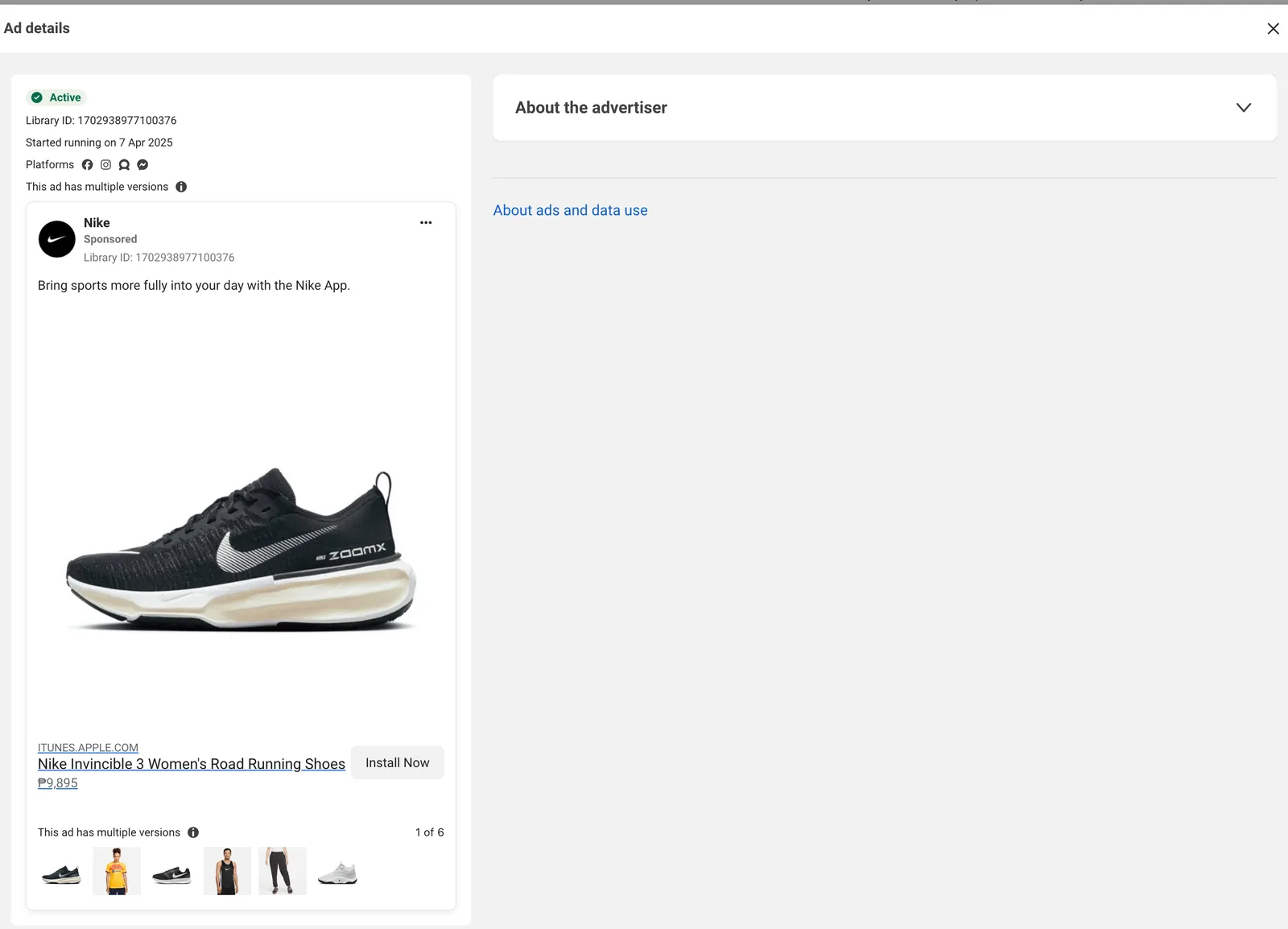
Outside the UK and EU, an ad leaves the library when it stops running. So when you find a good one, save it that day.
When a save isn't enough
For a reference that's going into a treatment or a pitch, you want the video in a library you control, with its source and credits next to it. You have three honest routes.
Ask for the file. If it's a director's or a production company's own post, a polite message can get you a proper file, and a better one than any copy of the feed.
Screen record it. On a Mac, Shift-Command-5, then Record Selected Portion. On Windows 11, Windows key + Shift + R opens the Snipping Tool's recorder. Max the player's quality, go full screen, keep the cursor out of frame, and record a second either side. Rename the file at once and paste the post's link beside it. The same fallback is the main route on X, as saving videos from X explains.
Save it into a reference library that keeps the video itself. That's the gap we built Spark for. Recording a video from a website goes deeper on the recording route, including what to do when a recording comes out black.
| Where it goes | What you keep | Download | Who can see it |
|---|---|---|---|
| Facebook Facebook Saved | A bookmark at facebook.com/saved | Your own reels only, in the app | Only you |
| Facebook collection | The same bookmarks, grouped | No | Only me, Friends, Public or Contributors only |
| Meta Ad Library Meta Ad Library | Nothing; you keep the ad's link | No | Anyone |
| Spark Spark | The video in your library, with its link | Only media you supplied | Your workspace, plus view-only links you share |



Getting Facebook videos into Spark
Paste the link
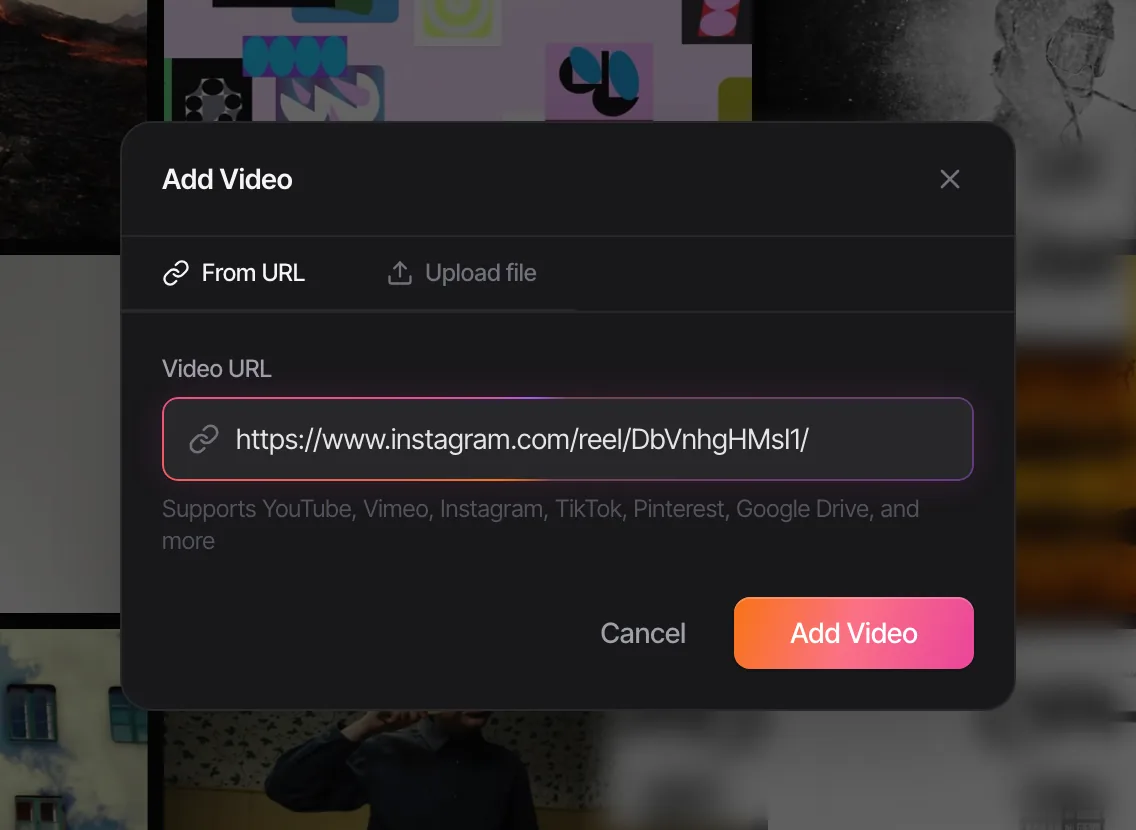
On the post or reel, click Options and copy its link, or use the Share button's copy option. In Spark, click Add Video and paste it. Spark takes facebook.com video and reel links and fb.watch short links, saves the video into your library, and keeps the link back to the original.
Ads, straight from the Ad Library
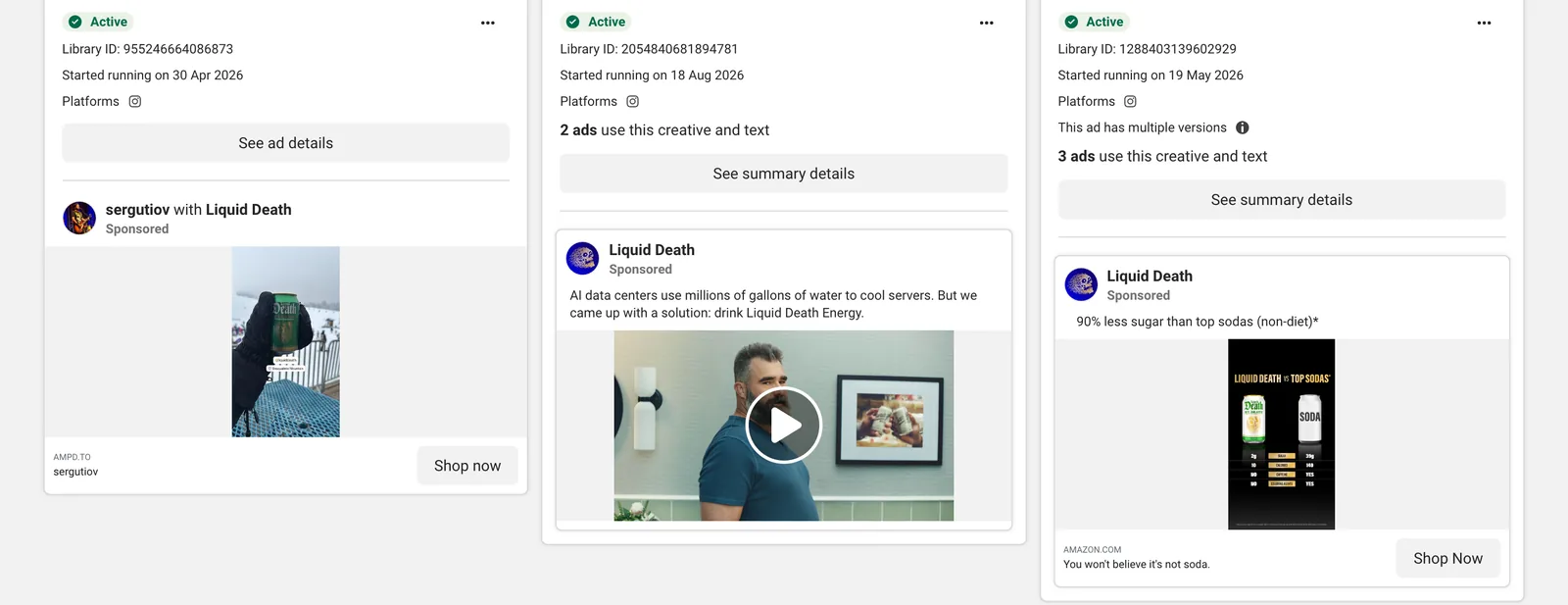
Copy an ad's own link (facebook.com/ads/library/?id= followed by the Library ID shown on the ad) and paste it into Add Video the same way. The ad's video comes into your library like any other reference, which turns the Ad Library's shop window into a swipe file you keep. If you're building one, our guide to building an ad swipe file shows how to file ads by hook, format and idea.
Or one click in Chrome
Prefer one click? Install Spark's Chrome extension, open the video or reel on its own page, and choose Add to Spark from the Spark icon in Chrome's toolbar. For a photo, right-click it and choose Add to Spark to save it to Frames.
When Spark can't open it
Spark saves what it can open. A public post or reel is fine. A video shared to friends only or inside a private group may not be, and if Spark can't fetch it, the built-in screen recorder takes over: Add Video, then Screen recording, capture the whole screen, one window or an area you drag out, with system audio, microphone or both, trim it and add it to the library.
Then find it again
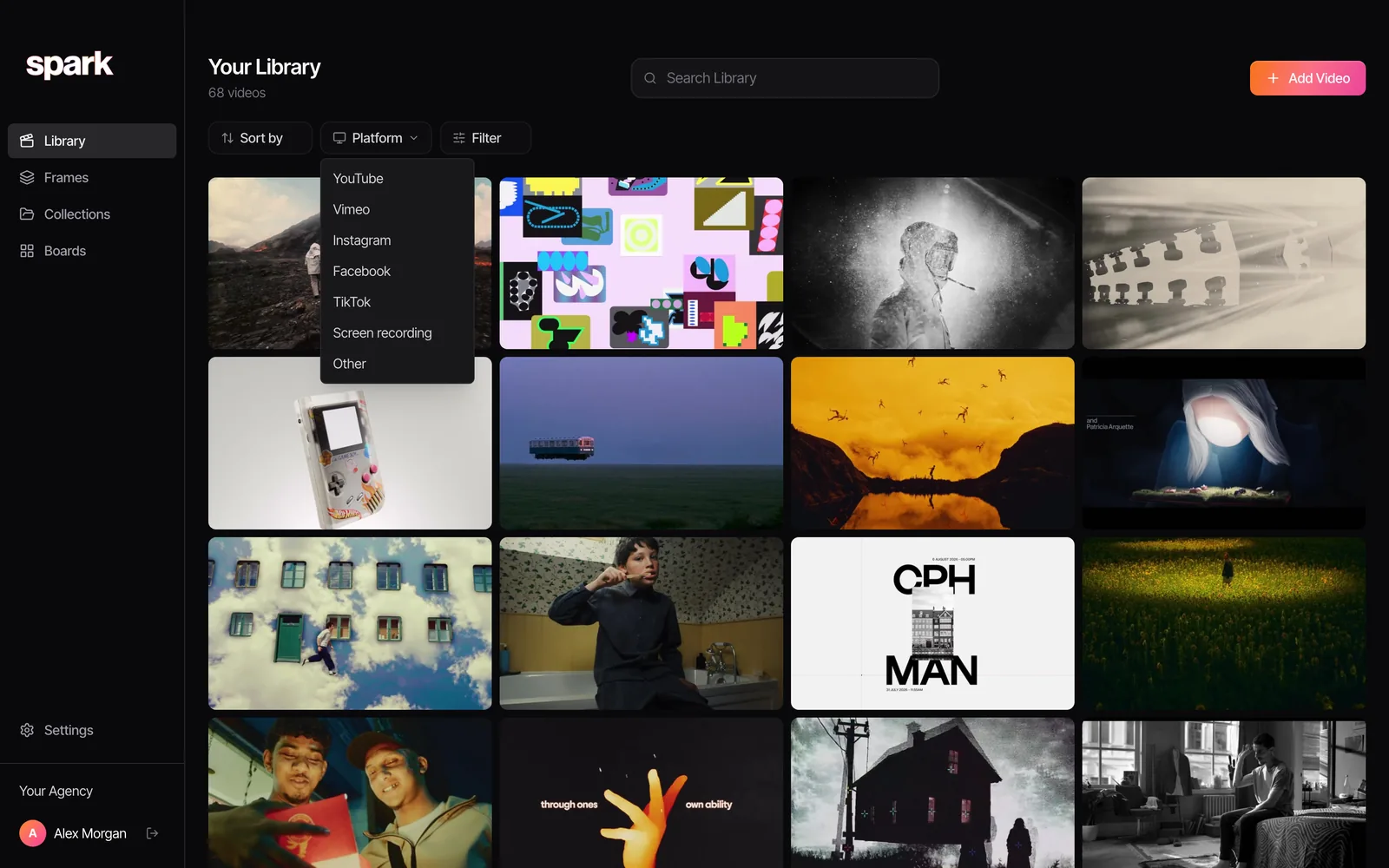
Everything you save sits in one library, whichever app it came from. The Platform filter narrows it to Facebook (or YouTube, Vimeo, Instagram, TikTok, your screen recordings) in one click.
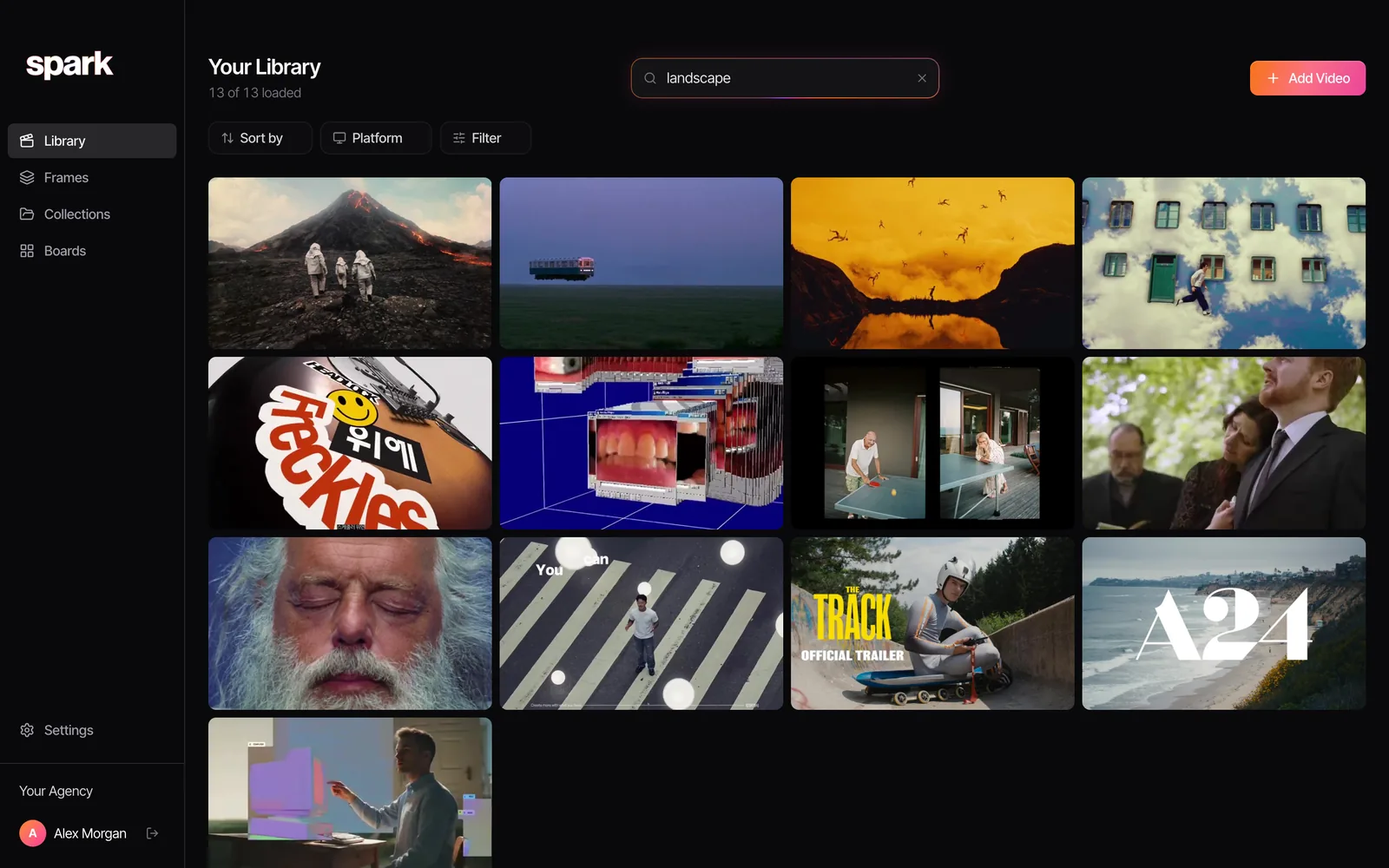
Creator and Studio go further: every saved video gets a written description of what happens in it and a transcript of what's said, so a search for "griddle" or a line from a voiceover finds it. Facebook's Saved page can't do that.
From any saved video you can pull a still with Export Frame, or a looping moment with Export GIF on Creator and Studio. For a file you've recorded yourself, our free browser GIF maker works from the file and uploads nothing.
Credit, permission and private posts
Facebook is personal in a way most feeds aren't, so a little more care is due.
- Internal use only. Saved references are for research, pitches and treatments. Never repost, never put them in a reel of your own, never use them in an ad.
- Credit the makers. The director and production company, the brand and agency, not the Page that shared it.
- Private is private. A video posted to friends or in a closed group wasn't published. Ask the person before you keep it anywhere, and don't put it in a shared library without their say so.
- Ask for anything public. If a reference needs to appear outside the room, get permission first.
If you also save from Instagram, the same habits apply to Instagram reels, and saving LinkedIn videos covers the other feed where brand films land. Already lost one? Finding a video you saved months ago has the rescue steps.
FAQs
Where do saved videos go on Facebook?
Into your Saved items, at facebook.com/saved on a computer, sorted by type in the left-hand menu. Facebook removed the separate Watchlist, so videos you marked Watch later are in Saved too. Saved reels also appear under your name, then Reels, then Saved reels.
Can I download a Facebook video that someone else posted?
No. Facebook's help centre says you cannot download reels or legacy videos created by others. You can ask the person who posted it for the file, screen record it for internal reference, or save it into a reference library that keeps a copy.
How do I download my own Facebook video?
In the Facebook app, tap your profile picture, then Reels, open the reel and tap Options, then Download reel. This works for videos posted since the end of September 2025, which are all reels, and it isn't available on computers. Older videos keep whatever download options they had.
Can other people see my saved Facebook videos?
Your Saved items are private. Collections are private by default too, but each can be set to Only me, Friends, Public or Contributors only, and you can only choose that setting when creating a collection in the iPhone or Android app.
How do I save a video from the Meta Ad Library?
The Ad Library has no save or download button. Keep the ad's link, built from its Library ID, or paste that link into Spark, which saves the ad's video into your library. Treat saved ads as internal reference: the creative belongs to the advertiser.
Why did a video disappear from my Facebook saved items?
A save points at the original post. If the person deletes it, changes who can see it, or the account goes, the video leaves your Saved list. If you'd hate to lose a reference, keep a copy somewhere you control as well as the save.
Keep reading
All articles
How to Save Pinterest Videos (Not Just the Pin)
Pinterest is brilliant at finding motion and quietly bad at keeping it. A board of video pins is a board of bookmarks to other people's uploads.
How to Save Vimeo Videos for Reference (When There's No Download Button)
Vimeo is where directors keep the work they're proudest of, usually with downloads switched off. Here's how to keep a reference without a download button.
How to Save WhatsApp Videos to Your Computer (Mac and PC)
WhatsApp is where references get swapped and where they drown. Here's how to get a video out of a chat and onto your computer, and how to stop the good ones sinking.