
How to Search Videos by Dialogue and Transcript
You remember the line, not the video. Here's how to search by transcript, whether it's one YouTube clip, a drive of rushes or two years of saved references.
By the Spark team ·
Here's a scene we know too well. Someone in the room says "remember that running spot where the voiceover went something like 'we don't sell shoes, we sell Saturdays'?" Everyone nods. Nobody knows where it is. The pitch is Thursday.
How you search video by transcript depends on which of two problems you've got. If you know the video, you need its transcript and Ctrl+F, and that takes a minute: YouTube, Premiere Pro and Descript all hand you one. If you don't know the video, you need to search many transcripts at once, which only works if everything was transcribed before you went looking. That second problem is the common one, and the one most guides skip.
Which problem do you have?
| You know... | Where it lives | Tool | Price (as of October 2026) |
|---|---|---|---|
| The video, not the moment | YouTube | YouTube transcript panel | Free |
| The video, not the moment | A file on your drive | Whisper or Descript | Whisper free and open source. Descript free for 60 minutes a month, paid from $16 a month billed yearly |
| The project, not the clip | An edit in progress | Premiere Pro or DaVinci Resolve | Premiere from £21.98 a month. Resolve free, Studio $295 one-off (on offer at $236 this month) |
| Roughly the words, not the video | Somewhere on public YouTube | Filmot | Free |
| Roughly the words, not the video | Your own saved references, across apps | Spark or a DIY Whisper archive | Spark free for 15 videos, transcription from £16 a month |
| It was a meeting, not a film | Zoom, Teams, Meet | Otter | Free for 300 minutes a month |
Find your row, skip to the section. Hunting a line in an ad? Skip the meeting notes.
Find a line inside one YouTube video
YouTube makes a transcript for nearly every video with speech, from automatic captions when the creator hasn't uploaded their own. On a laptop:
- Open the video and click ...more under the title.
- Scroll down the description and click Show transcript. A panel opens beside the player, every line timestamped.
- Type a distinctive word into Search transcript at the top of the panel. (YouTube tests layouts; if the box isn't there, Ctrl+F or Cmd+F does the same job.)
- Click the line. The video jumps to it.
- To send someone that exact moment, click Share, tick Start at, copy.
The phone app has Show transcript too, but searching it is a faff. Hunt quotes on a laptop.

Two things trip people up. If the creator turned captions off, or it's music only, there's no transcript button at all. And automatic captions mangle names: "Wieden+Kennedy" can come out as anything. Search the plainest, oddest noun in the line, not the brand. (If your YouTube research lives in a heap of playlists, organising YouTube videos for creative research is the step before this one.)
One more: Filters > Features > Subtitles/CC on YouTube's results page only narrows to videos that have captions. It doesn't search what's said in them.
Search what was said across all of YouTube
If you know the words but not the video, Filmot is the nearest thing to a search engine for YouTube dialogue. It indexes subtitles and auto captions, supports exact phrases in quotes, and narrows by channel or language. Coverage is patchy, so a miss proves nothing, but for "which interview did the director say that in" it's often the fastest answer there is.
It only covers public YouTube. The spot you saved from Instagram, the TikTok, the Vimeo link a DoP sent at midnight: none of them are in it.
Search your own footage
If it's a file you own, transcribe it and search it properly.
Premiere Pro
Premiere's text-based editing is the real deal. Switch to the Text-Based Editing workspace, double-click a clip and click Transcribe in the Text panel, or tick automatic transcription in your import settings. The Search field in the Text panel highlights every match and the arrows step through them.
For a whole project, use the Search panel (the magnifying glass, top right), which arrived with Media Intelligence in Premiere 25.2 in April 2025. It shows visual, transcript and metadata results together, for clips that have been transcribed. The catch: Adobe says dialogue search is exact text matching while visual search understands plain language. "Rain on a window" finds rain. "Talking about her dad" won't find someone saying "my father". Type the words they actually said.

Final Cut Pro and DaVinci Resolve
Final Cut Pro 12 (January 2026) added Transcript Search in the Browser: click the magnifying glass, then the chevron by the search field, and choose Transcript. English only, Apple silicon only, and it skips multicam and compound clips. Final Cut is $299.99 one-off or part of Apple Creator Studio. DaVinci Resolve 21 added IntelliSearch for finding content across the Media Pool. If you already cut in either, try them before paying for anything else.
Descript
Descript treats the transcript as the edit: delete words and the video follows. Cmd+F (Ctrl+F) opens Search in script across the whole project. Great for interviews and talking heads. Weaker as an archive, because every file has to go into a project first, and it's built to edit one thing, not remember a thousand.
If the footage is a cut going out for client review rather than an archive, Frame.io transcribes uploads too, so a reviewer can jump to a line. It's a review tool rather than a library, a difference we pick apart in Spark vs Frame.io.
The free, private route: Whisper and grep
For a folder of files you'd rather not upload anywhere, OpenAI's open source Whisper runs on your own machine. On a Mac with Homebrew and Python, open Terminal in the folder and run:
brew install ffmpeg
pip install -U openai-whisper
whisper *.mp4 --model small --output_format srt
Every MP4 gets an .srt subtitle file: each line of dialogue with its timecode. Then search the lot:
grep -i -B1 "saturdays" *.srtEach hit shows the file, the line and (thanks to -B1) the line above, which in an SRT is the timecode. Crude, free, and for a one-off hunt through 40 interview rushes it beats any subscription. If Terminal isn't your thing, MacWhisper wraps the same model in a proper Mac app.
The catch is that you end up with a pile of text files. No thumbnails, no idea which reference was for which pitch, and the rest of the team can't search it.
Searching what you saved on Instagram, TikTok and everywhere else
This is the bit the platforms won't fix. Instagram's Saved tab and TikTok's Favourites can't be searched by what's said in the videos. Nor can a Pinterest board, a Slack channel or a WhatsApp chat full of links. If you're digging something out of those right now, we wrote a platform by platform rescue guide for finding a video you saved months ago.
The long-term answer is to stop keeping references in places that can't hear them. One library, transcribing everything as it arrives, so search works on day one instead of the day you need it.
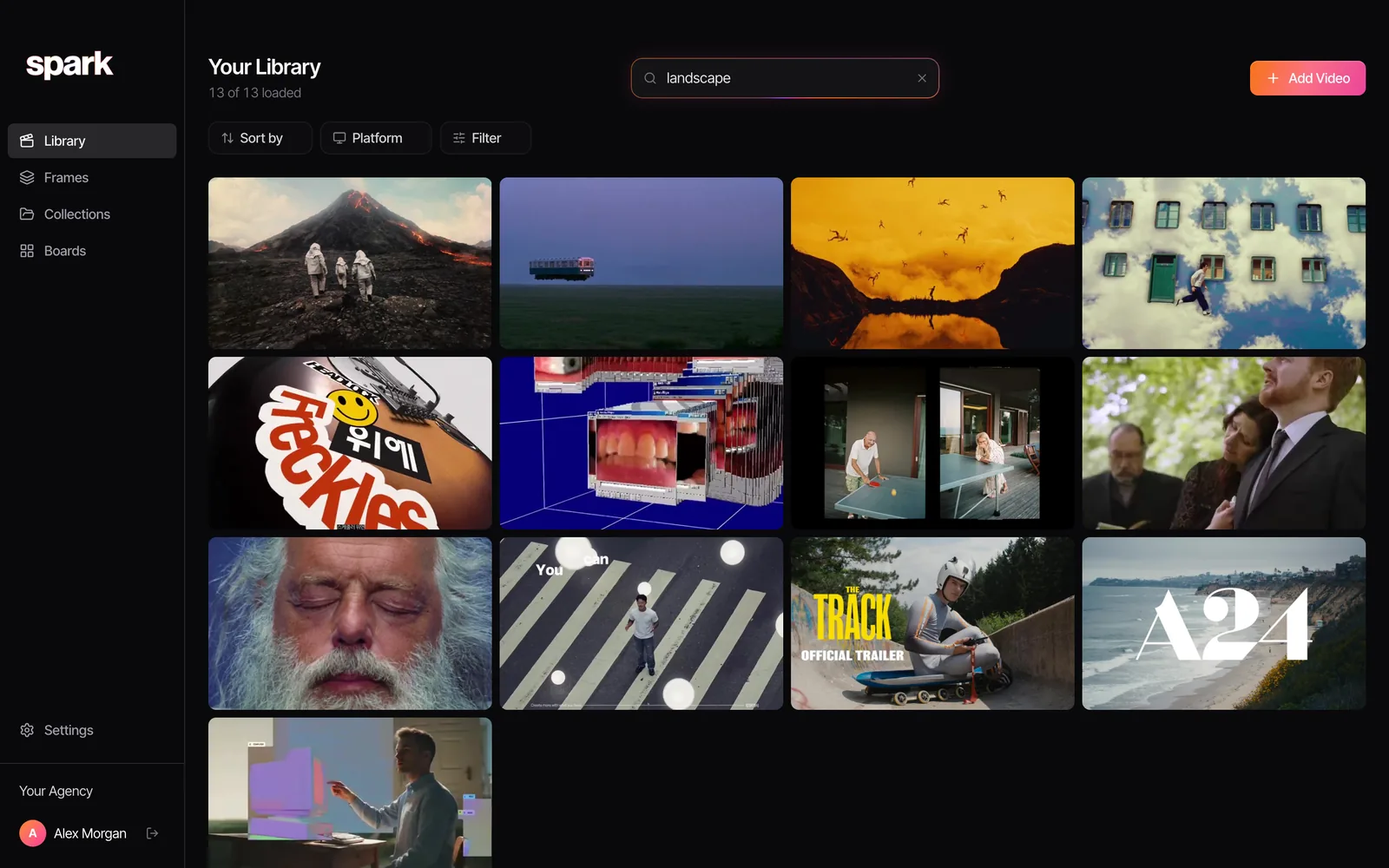
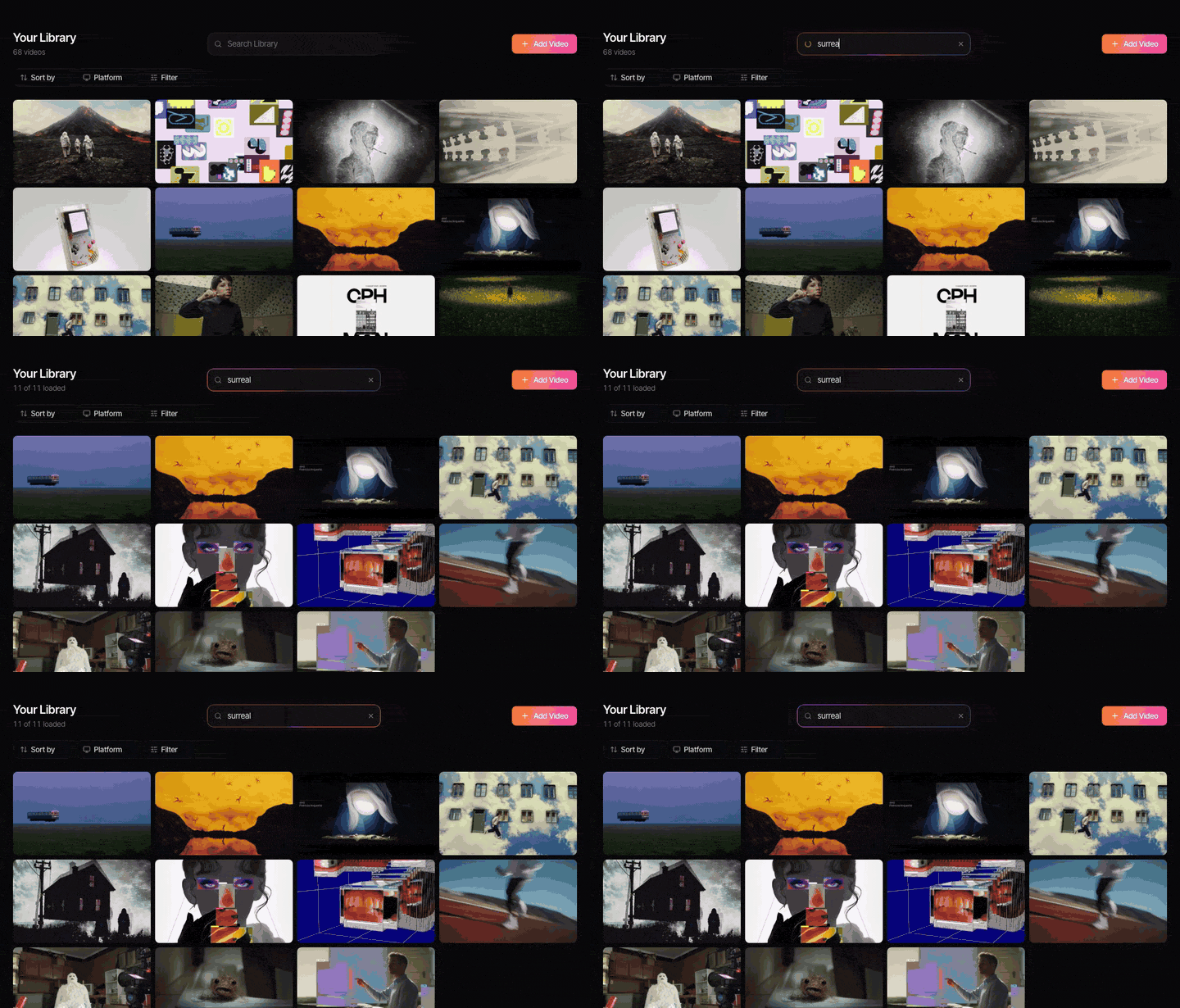
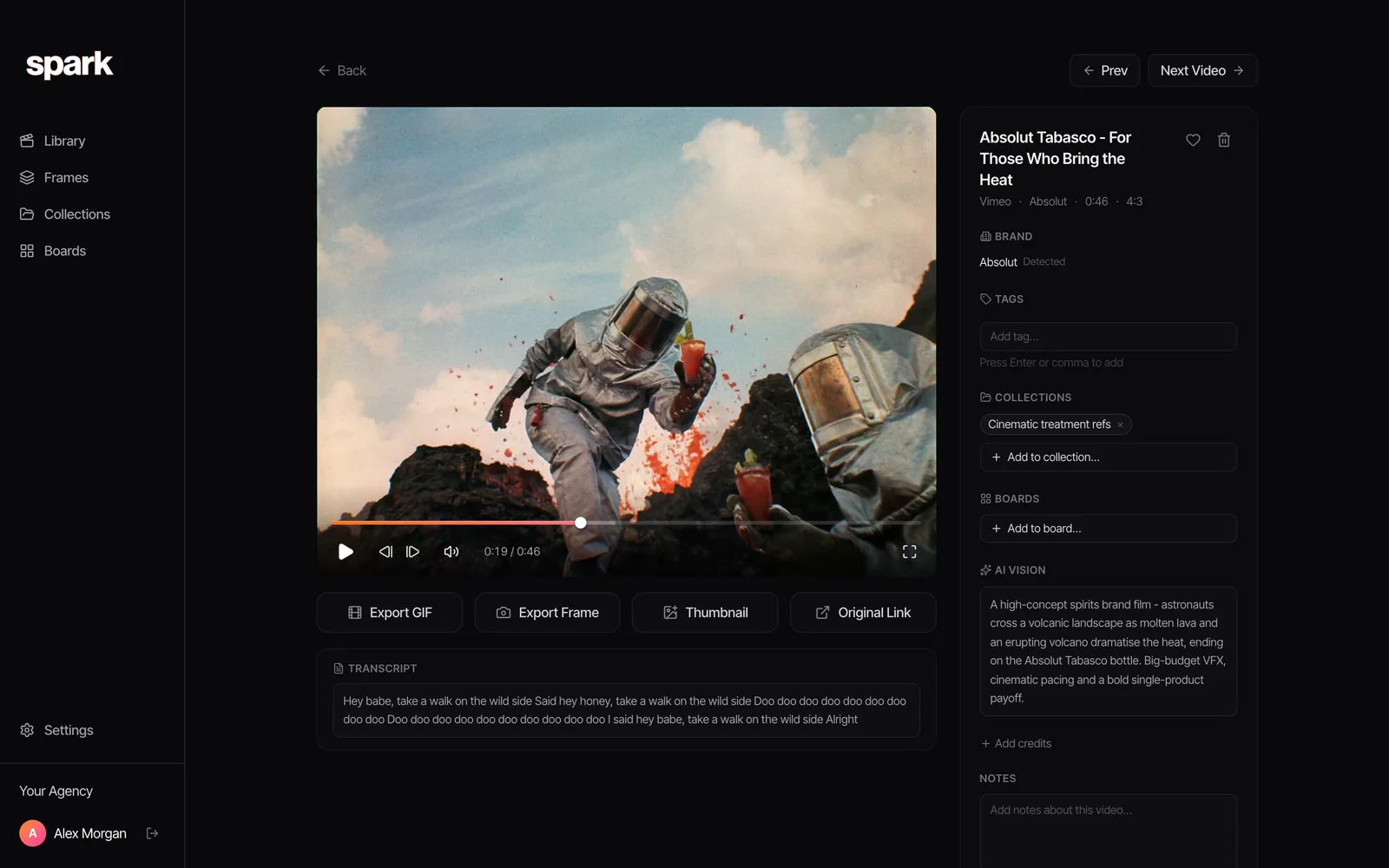
That's what we built Spark to do. Save a reference however suits you: paste a link, send a reel to @sparkreferences, use the Chrome extension, or forward it on WhatsApp. Spark downloads it, writes an AI description of the picture and transcribes the audio. From then on, the search box looks through what was said as well as what was shown. Transcription and AI descriptions start with Creator at £16 a month.
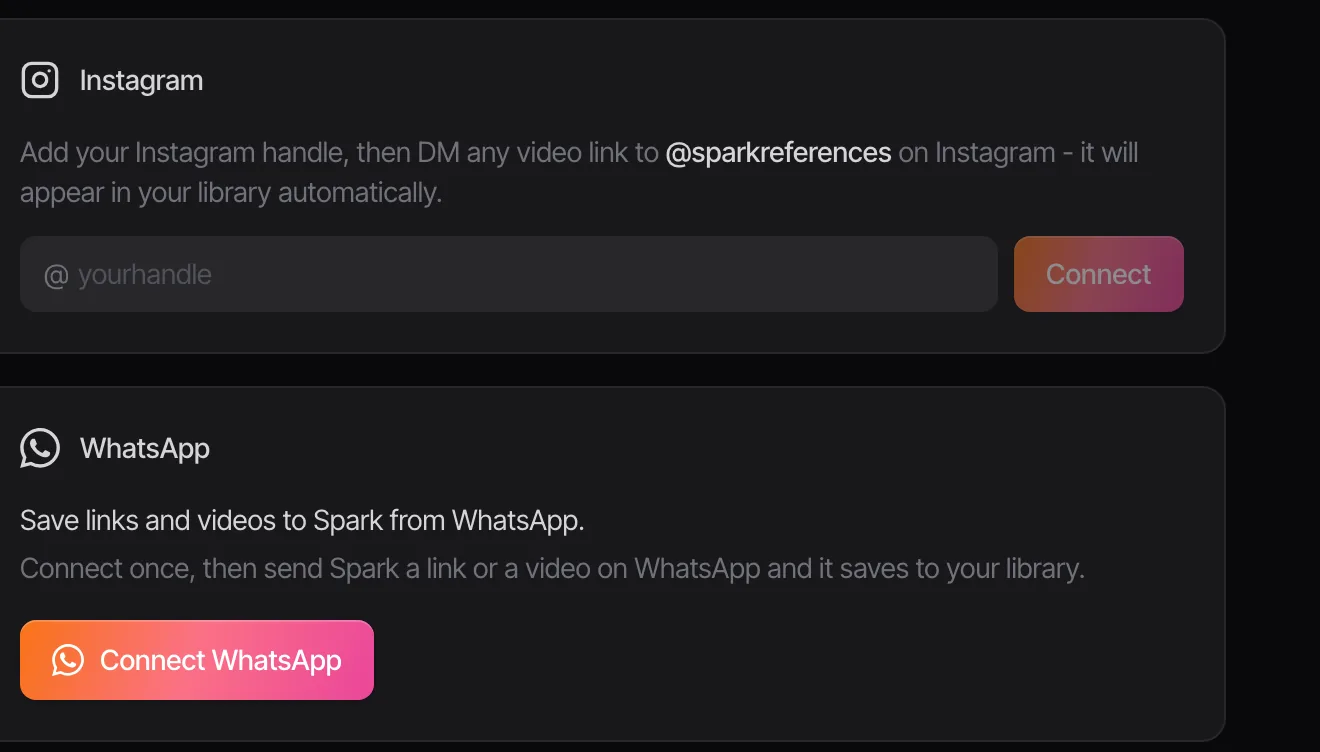
The search runs on meaning as well as matching letters. So "a voiceover about running at the weekend" has a fair chance of finding our Saturdays line even when you've misremembered every word of it. That's the difference from Premiere's exact text match.
Being straight about the limits:
- Spark tells you which video said it, and the full transcript sits on the video's page so you can read the line in context. It doesn't yet drop you on the exact second the way YouTube's panel does.
- Music-only edits and silent fashion films have nothing to transcribe. For those, search leans on the AI description of the picture.
- Like every speech model, it can mishear a brand name.

Setting this up properly? The wider method (what to save, how to tag, how to keep it tidy) gets its own piece: a reference library you can search, and the tools that can hold one are compared in best creative reference management tools. Once you've found the clip, a browser GIF tool will turn the moment into something you can drop on a slide.
How to search dialogue well, whatever the tool
Most failed transcript searches are the searcher's fault. Five habits fix most of them:
- Search the rarest word. "Saturdays" beats "we sell". Common words return hundreds of hits.
- Don't lead with names. Speech models are worst at brands, surnames and anything spelt creatively. Search the ordinary words around the name.
- Try what it might have heard. If "Wieden" fails, try "Weeden". If "Ciclope" fails, try "cyclops".
- Quotes for exact phrases where the tool supports them, and drop them when you're unsure of the wording.
- Mind accents and music beds. A voiceover over a loud track gives a patchier transcript. If a search fails on a video you're sure about, open the transcript and read it. You'll usually spot the mishearing in seconds.
Which one, then?
One YouTube video: the transcript panel, free and right there. Your own rushes mid-edit: Premiere or Resolve, because the transcript lives where you're cutting. A private folder on no budget: Whisper and grep. Meetings: Otter or whatever your call software already does.
And if the real problem is that your references are scattered across five apps and all you ever remember is what someone said, that's a library problem, not a search problem. It's the problem that made us, a production company, build Spark in the first place.
FAQs
Can I search YouTube videos by what is said in them?
Inside one video, yes: open Show transcript from the description and search the panel, or use Ctrl+F or Cmd+F. Across all of YouTube, YouTube's own search doesn't really do it, but Filmot indexes YouTube subtitles and searches them. Neither works if the video has no captions.
How do I find a specific quote in a long video?
Get a transcript, then search it for the most unusual word in the quote. On YouTube that's the built-in transcript panel; for a file, transcribe it with Whisper, Descript or Premiere Pro and search the text. Clicking the matching line in YouTube, Descript or Premiere jumps to the moment.
Can I search my Instagram saved reels or TikTok favourites by dialogue?
No. Neither app lets you search saved videos by what's said in them. To do that you need them in a library that transcribes them, which is what Spark does with reels sent to it by DM and TikTok links pasted in.
Is there a free way to transcribe and search my own videos?
Yes. OpenAI's Whisper is open source and runs locally, so nothing is uploaded. Run it on your files to get SRT subtitle files, then search them all at once with grep or your computer's file search. Slower to set up than a paid app, but it costs nothing.
Does Premiere Pro search dialogue across a whole project?
Yes, through the Search panel that arrived with Media Intelligence in Premiere 25.2 (April 2025). It searches the transcripts of every transcribed clip in the project, plus the visuals. Dialogue matching is exact text, so search the words as spoken.
How accurate are automatic transcripts?
Good enough to search clear English speech, less reliable with names, jargon, strong accents and speech over loud music. That's why searching the plainest, rarest word in a line beats searching a brand name or a full sentence.
Keep reading
All articles
How to Build a Shared Creative Reference Library for Your Team
A team library fails for different reasons than a personal one. Set up ownership, rules, client separation and a ten-minute weekly habit, and it survives past the first month.

How to Organise YouTube Videos for Creative Research
Watch Later is not a research system. Here's the playlist setup we use for YouTube research, the bits YouTube quietly took away, and when it's time for something better.
How to Save Video References from Websites
That title sequence on a studio's website isn't a lost cause. Find where the embed really lives, download it if you're allowed, and screen record it properly if you're not.