
How to Build a Video Ad Swipe File That Your Team Actually Uses
Saving an ad takes ten seconds. The swipe files that get used are the ones where someone can find the right opening months later, without remembering who made it.
By the Spark team ·
An ad swipe file is a library of other brands' ads you keep to learn from: the openings, formats and offers that work, saved somewhere your team can search. To build one people use, save from five sources (the Meta Ad Library, TikTok Creative Center, YouTube, LinkedIn and brands' Instagram accounts), write the same six notes on every ad, name and tag it by technique, group it into collections by brand or by hook, cut the hook as a GIF for decks, and review the lot for half an hour every week.
That last step is the one that keeps it alive. Without it you have a folder of screenshots called ads_inspo that gets opened twice.
We make Spark, a reference library for video, and ads are a big share of what people save in it. This is the system we'd set up for a new team on its first day. It works in a spreadsheet and a shared drive. It works faster in a tool built for video. If you're new to the ad libraries themselves, our walkthroughs of the Meta Ad Library and TikTok Creative Center cover the searching. This post is about what happens after you find a good ad.
Why most swipe files die
The term comes from copywriting, where writers kept folders of ads they could swipe ideas from. Video makes the job harder. The material moves, it sits on someone else's account, and it disappears. Outside the UK and EU, a Meta ad leaves the library the day it's switched off. TikTok's Top Ads rotate as the rankings move. Instagram posts go when accounts go private.
So a swipe file usually fails in one of three ways. It's a list of links that quietly break. It's organised by brand, so you can only find an ad if you remember who made it. Or it has no owner, so the good finds never rise above the noise. Each step below fixes one of those.
Step 1: Pick five sources and stop there
You don't need twenty ad tools. You need a few sources you check on purpose, and somewhere to put what you find.
| Source | Good for | Watch out for | Getting it into Spark |
|---|---|---|---|
| Meta Ad Library | Everything running on Facebook and Instagram, with start dates and versions | No performance data; most non UK or EU ads vanish when they stop | Paste the ad's link, with its Library ID, into Add Video |
| TikTok Creative Center | Ads ranked by CTR and by 2 and 6 second view rates | Only ads advertisers allowed; the rankings rotate | Paste the Creative Center link |
 Brand YouTube channels | Long cuts, launch films and director's cuts | Finding the pre-roll you saw takes digging | Paste the YouTube link |
 LinkedIn video posts | B2B brand films and founder videos | Hard to find again once they leave your feed | Paste the post link |
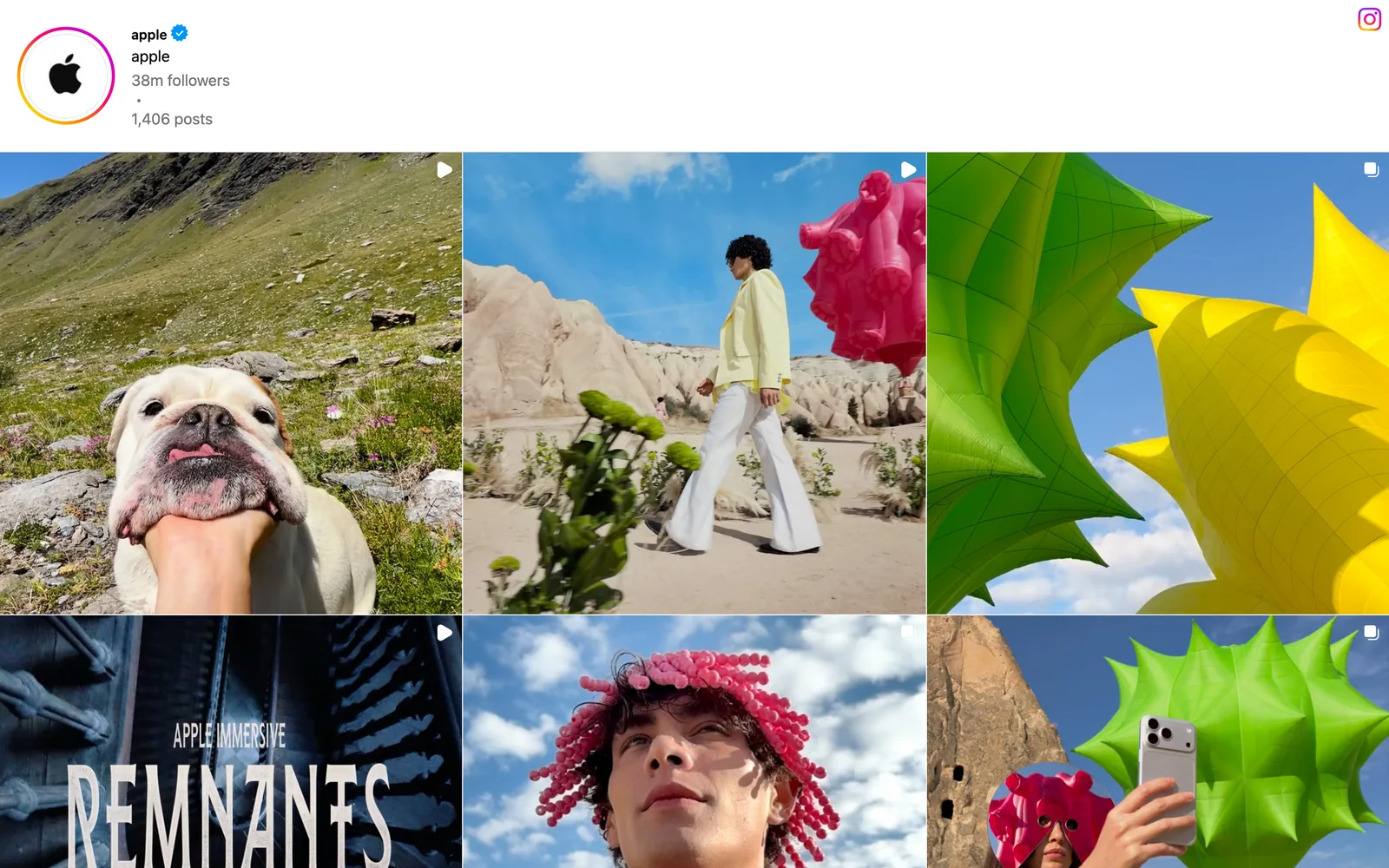
 Brands' Instagram accounts | Organic posts and the creators a brand works with | Ads and organic posts mixed together | Paste the link, or DM it to @sparkreferences |


Two of these will matter more than the rest for any given client. Check those every week and dip into the others when a brief calls for them.
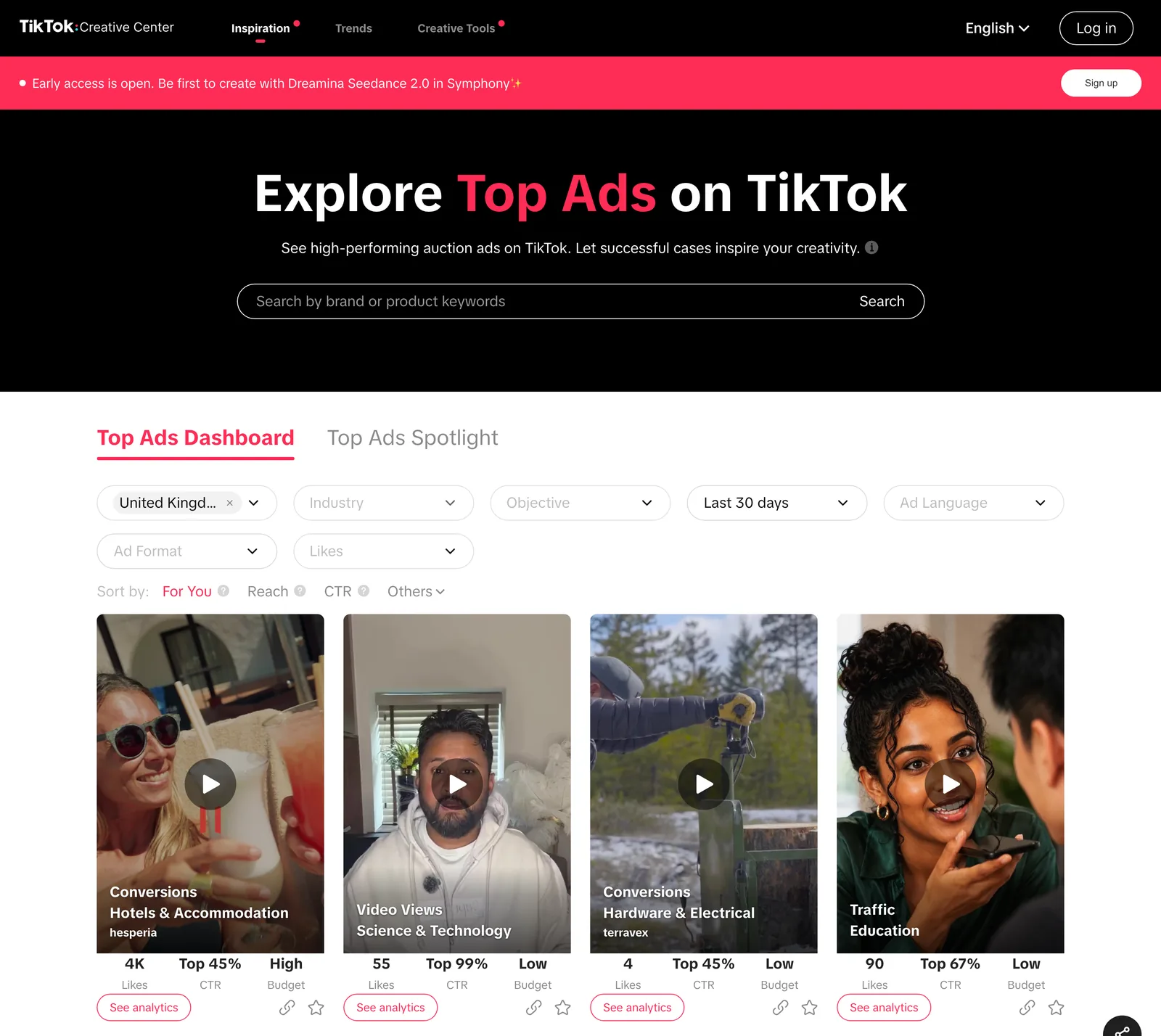
TikTok Creative Center is the only one that hints at results, with a CTR rank, view rates and a budget level under each ad. Write those down when you save, because next month the ad may not be in the list.
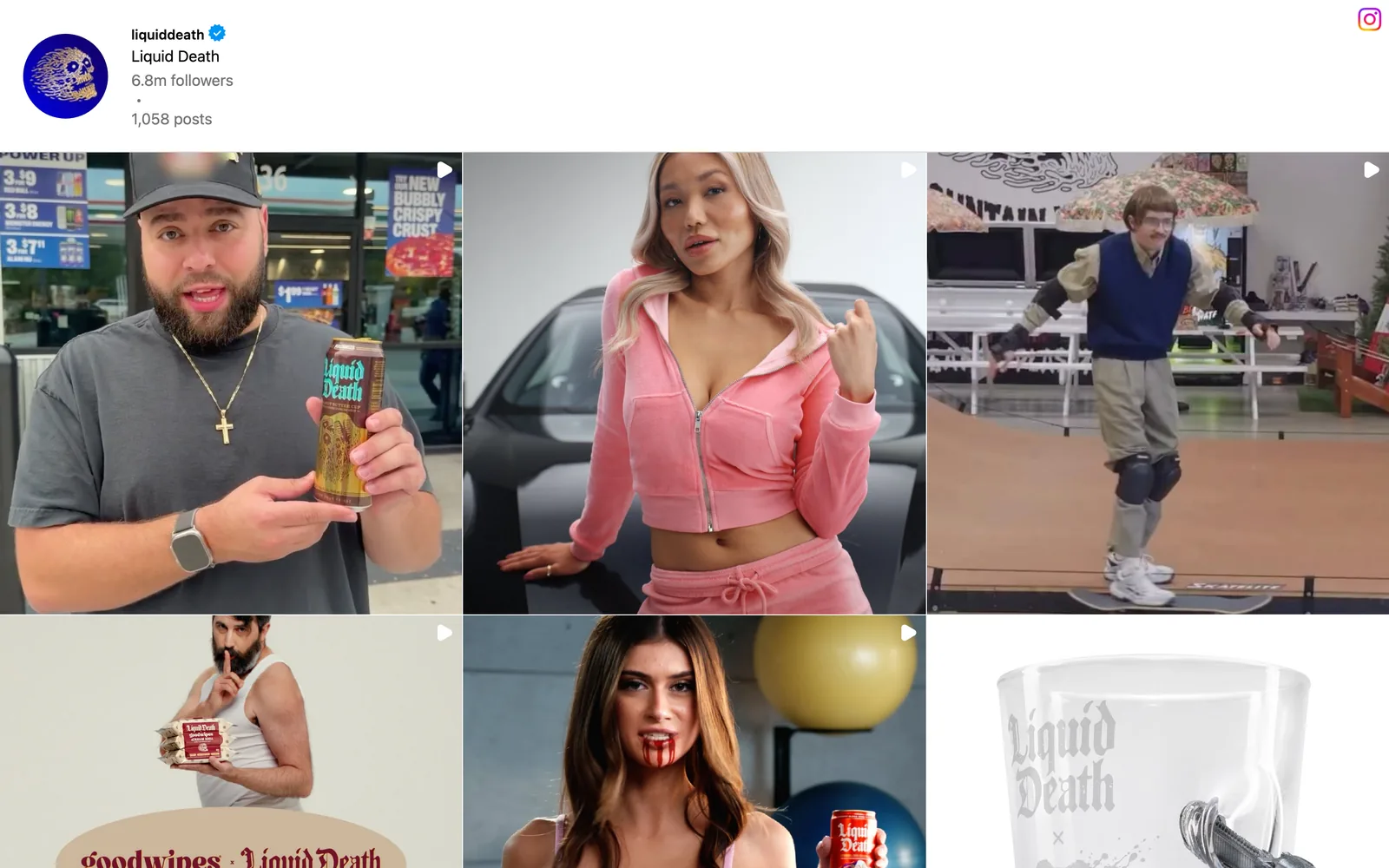
Brand accounts are worth more than they look. Compare a brand's grid with its Ad Library page: a post that turns up in both is one the brand chose to put money behind, which tells you more than its likes do. For B2B briefs, LinkedIn is where the brand films live, and our guide to saving LinkedIn videos covers getting them out of the feed.
Two more libraries exist if your clients spend there. LinkedIn runs its own Ad Library, and Google's Ads Transparency Centre covers search, display and YouTube ads. For an ad that only lives inside one of those, Spark's built-in screen recorder is the dependable route: record the window, and the clip lands in your library like any other reference.
Step 2: Save the video, then write six notes
Save the video itself. A screenshot loses the motion, which is the point of a video ad, and a bookmark dies with the listing. Then write the same six notes on every ad, every time. Consistency matters more than detail here: six short answers you can scan beat a paragraph you won't read.
| Note | What to write | Why you'll want it later |
|---|---|---|
| Hook | What's on screen and what's said in the first two seconds, in plain words | It's the part you'll brief most often |
| Format | Talking head, demo, unboxing, sketch, montage, animation, plus the ratio | Lets you pull every vertical talking head in one search |
| Length | Seconds, rounded | A 6 second bumper and a 45 second story aren't comparable |
| Offer | What it asks for: a discount, a trial, an install, or nothing but the brand | Separates hard sell from brand work |
| Creator or brand | Whose face and whose handle it runs under | Creator ads are cast, shot and briefed differently |
| Date seen | The day you saved it, plus the start date if the library shows one | Tells you how long it ran and keeps stale trends out of decks |
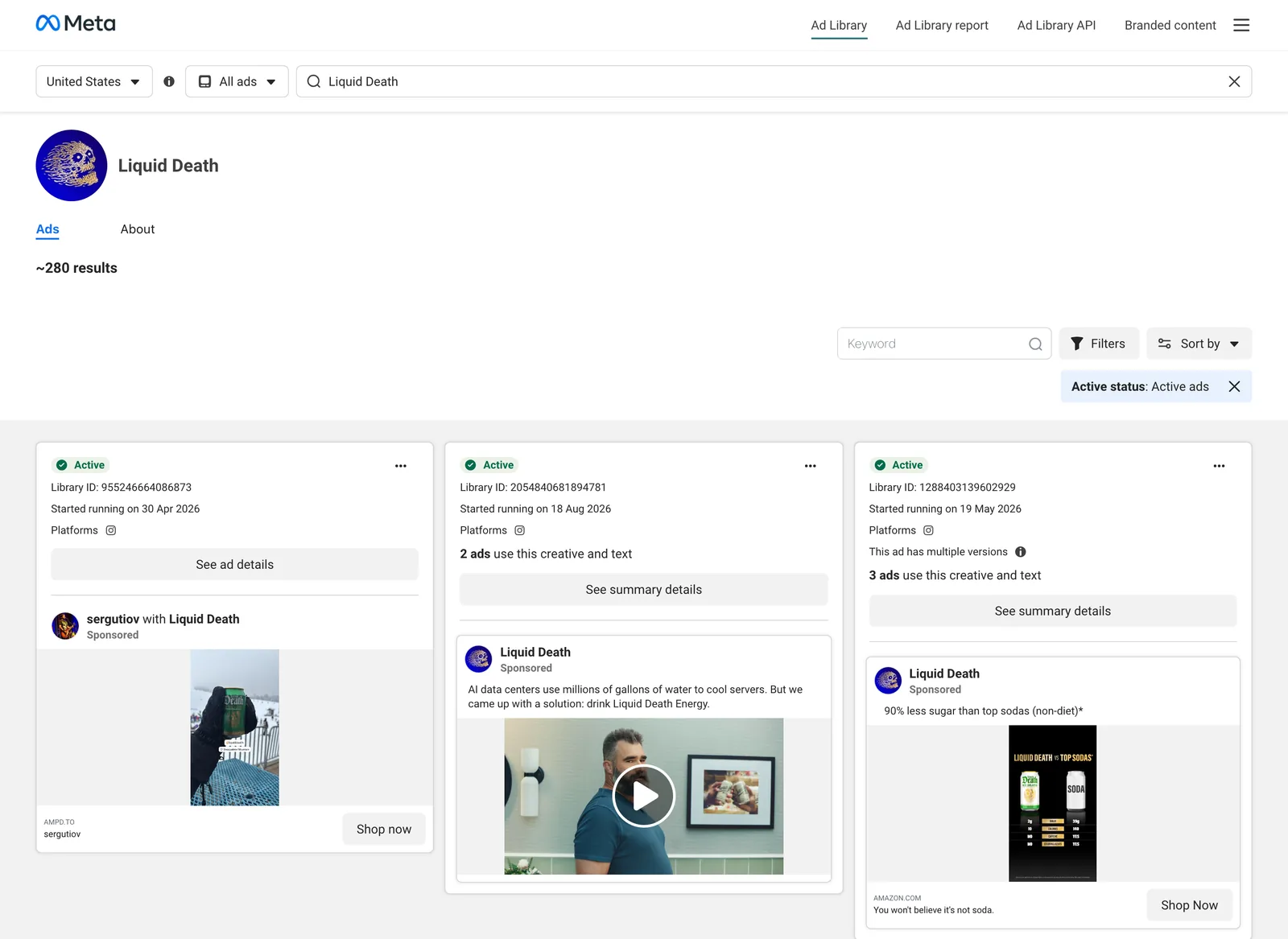
Here's what that looks like on a real card. The middle Liquid Death ad below runs under the brand's own name.
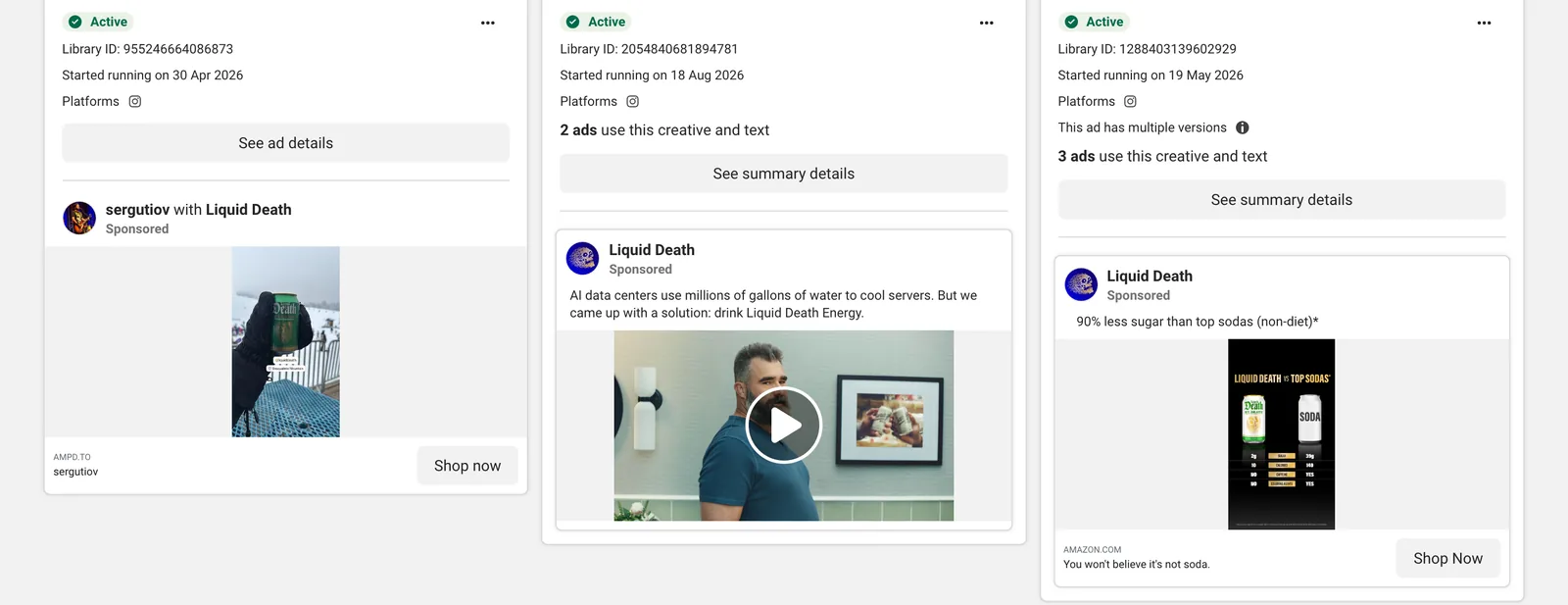
Hook: a man talking to camera, over a line about AI data centres using millions of gallons of water to cool servers. Format: talking head. Offer: none beyond the product, with drink Liquid Death Energy as the punchline. Creator or brand: brand. Date seen: October 2026, running since 18 August 2026. Length goes in once you've played it. The card also says two ads use the same creative and text, which is worth a line too, because a brand running one film twice is a brand that likes the film.
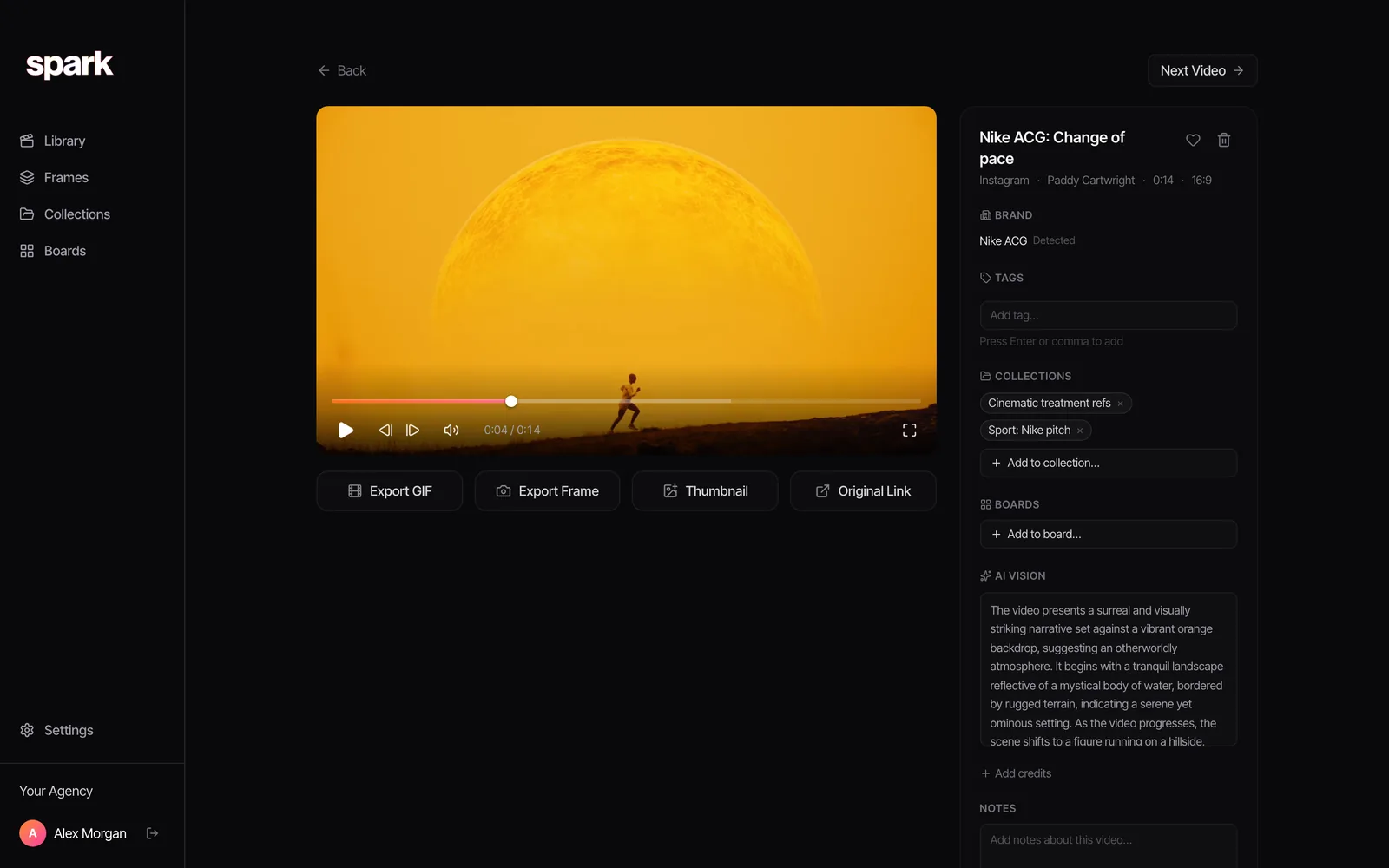
In Spark, every saved video has a page with a title you can rename and a Notes box at the bottom. We put the hook in the title and the other five notes in Notes. On Creator and Studio, Spark also writes an AI description of what happens in the video and transcribes the speech, so the spoken hook is already written down. You still write why you saved it. The software can't know that.
Step 3: Name each ad like a line in a contents page
The title is what people scan, so make it carry the two things they'll remember: who and what happened. Our pattern is brand, then the hook in five words or fewer, then the format.
Liquid Death, AI water joke, talking head
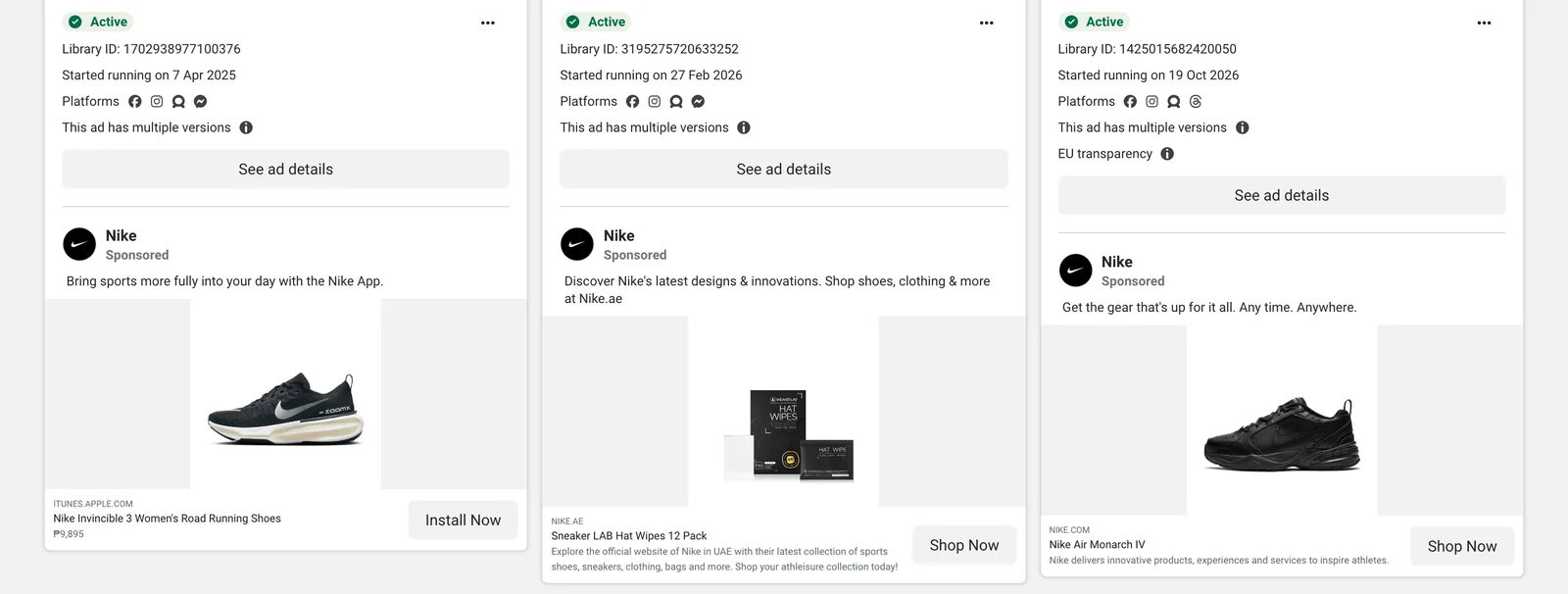
Nike, app ad with Invincible 3, product still
Three rules keep it tidy. Write the hook as what happens ("product falls into frame"), never as a verdict ("great opening"). Leave dates out of the title, because the library already sorts newest first and the date seen sits in your notes. And keep the format words identical every time, so "talking head" never becomes "to camera" or "piece to camera" halfway through the year.
Step 4: Tag by technique, from a short typed list
Tags are where a swipe file stops being a pile. In Spark the Tags field is typed by you, so the vocabulary is yours to control, and it's worth writing it down before anyone starts.
Keep it to four families:
- Hook type: product first, problem in progress, question, reply to a comment, POV text, list.
- Format: talking head, demo, unboxing, sketch, montage, animation.
- Offer: discount, trial, install, none.
- Craft: kinetic type, one take, macro product, split screen, voiceover only.
Twenty to thirty tags across the four is plenty. Brand isn't a tag, because the brand is already in the title. Our full tagging vocabulary for video references goes further on synonyms and who tags what, and if the swipe file feeds creator briefs, the UGC moodboard method breaks hook families down shot by shot.
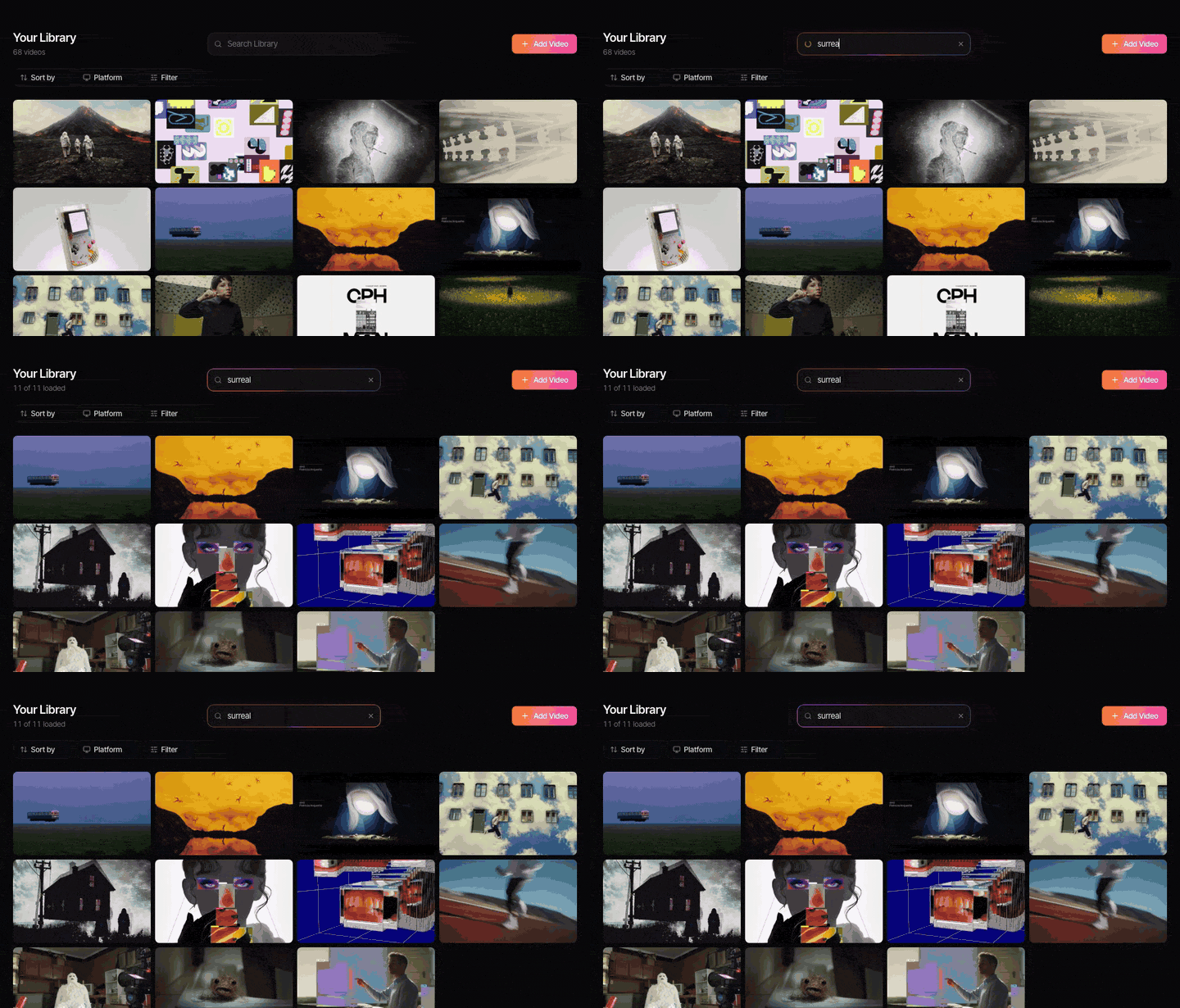
The payoff comes months later. Someone asks for "the ad where the guy jokes about servers" and nobody remembers the brand. With a transcript and a hook in the title, it's one search.
Step 5: Collections by brand, or by hook
Both work. They answer different questions, so most teams end up with some of each.
By brand when you're tracking a client's category. One collection per competitor, and the account team can see at a glance what each one has been running since the last pitch.
By hook when you're developing ideas or briefing creators. One collection per hook family, mixing brands freely, so a writer stuck on an opening sees ten ways other people solved it.
The same ad can sit in both, and in Spark a collection holds a project's videos and the frames you pulled from them together. A collection can be shared as a public link, or you can Invite people to it. Creator includes 15 collections and Studio is unlimited, which matters once you have a collection per competitor.
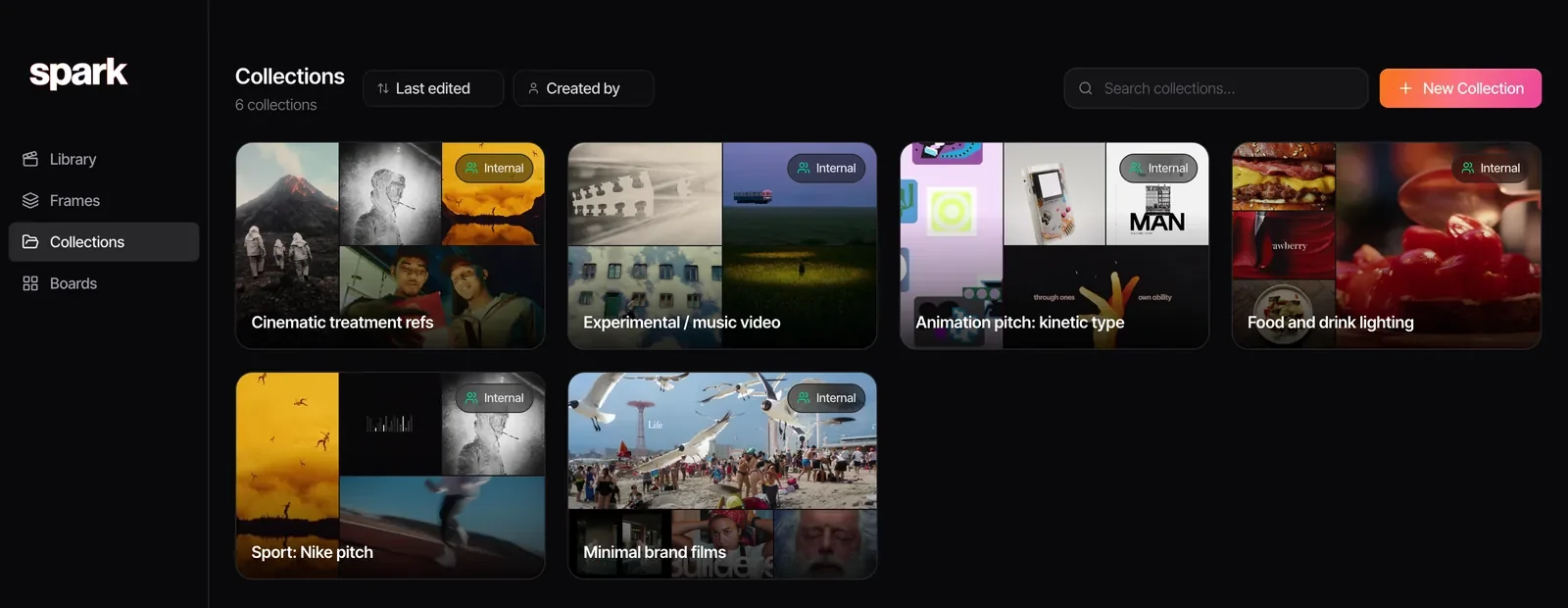
One more we'd always add: a Best of collection capped at twenty ads. When something better comes in, something leaves. It's the collection you send a new starter, and the one that ends up in pitch decks.
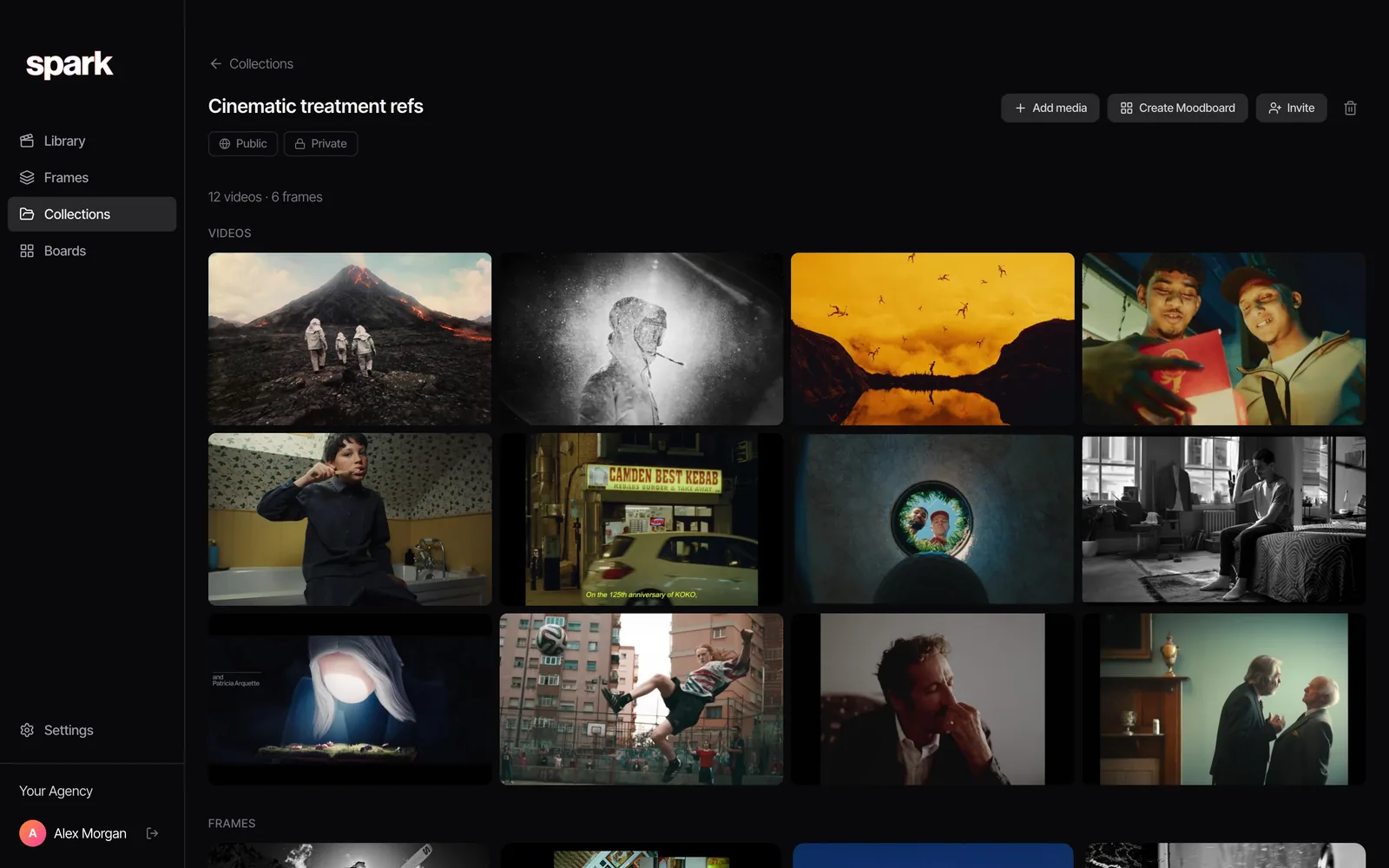
Step 6: Cut the hook as a GIF for the deck
A link in a deck asks the client to leave the deck. A two second loop of the hook doesn't. So for anything that might end up in a pitch, cut the opening as a GIF while you still remember why you saved it.
In Spark, Export GIF (Creator and Studio) lets you set the in and out points, nudge them, pick a frame rate and a width, and saves the GIF to Frames. Keep it to the first two or three seconds, which is the hook, and which also keeps the file small enough for a deck.
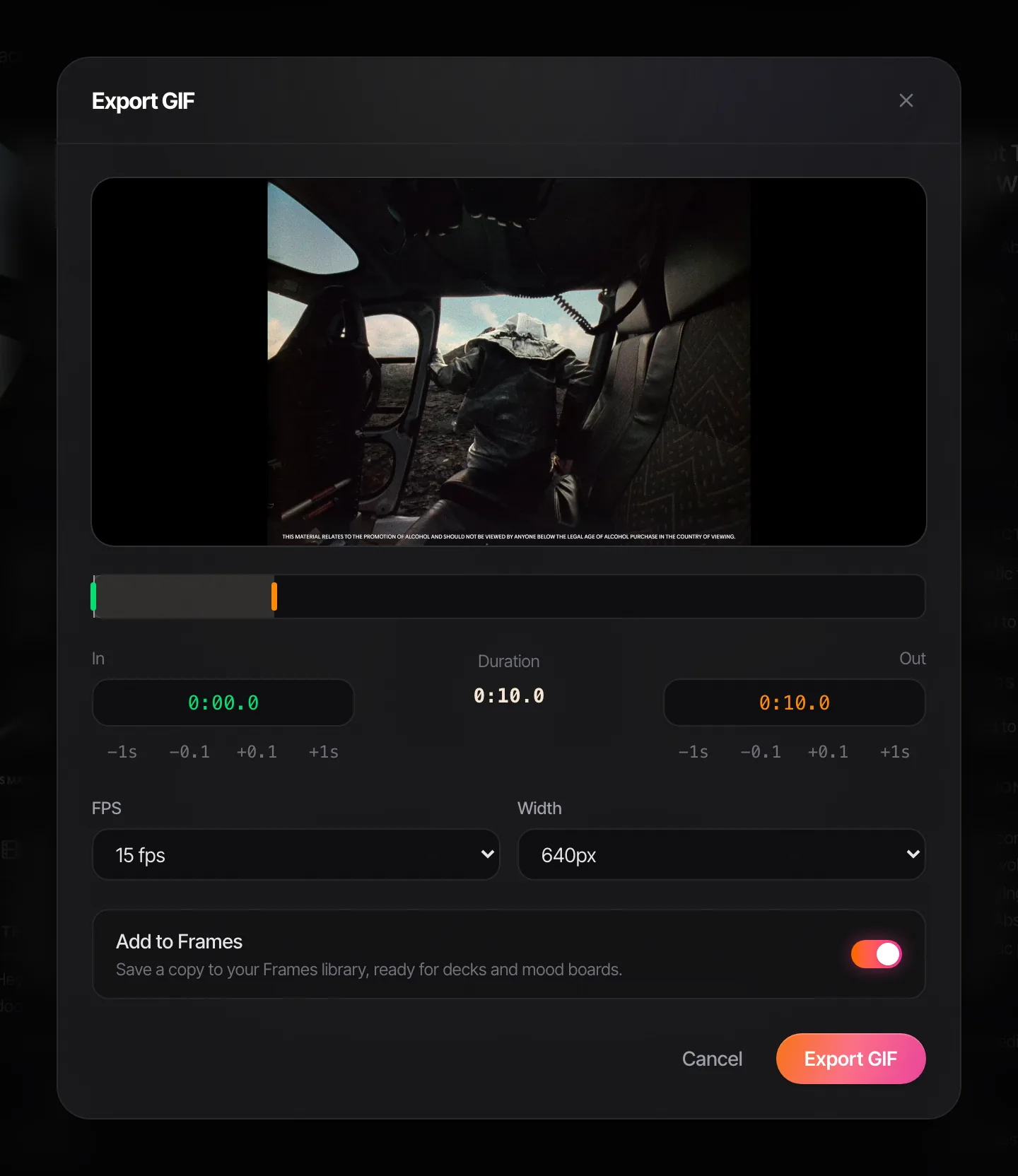
A good hook GIF reads on its own, with the sound off, in a slide the size of a postcard.


From a collection or a board, Create Moodboard lays your frames and GIFs out as slides and exports them to Google Slides, Canva, PowerPoint, Keynote or PDF. The GIFs keep moving everywhere except the PDF.
If the ad is your own, or a file you're allowed to download, our free video to GIF converter does the same trim in the browser, frame-accurate, with nothing uploaded.
Step 7: Review it every week, for 30 minutes
This is the habit that separates a swipe file from a graveyard. Put it in the calendar on a fixed day, give it one owner, and run the same five steps:
- Clear the inbox. Anything saved without its six notes gets them now, or gets deleted.
- Check what's still running. Open last month's saves from the source (Spark keeps an Original Link button on each saved ad) and note which ads are still live. Long runners earn a mark in the notes.
- Promote three. Pick the week's three best, move them into Best of, and post them to the team with one line each on why.
- Tidy the tags. Merge the duplicates someone invented this week.
- Write down one pattern. A single sentence in a running doc: what you saw more of this week. After a quarter, that doc is a trends deck.
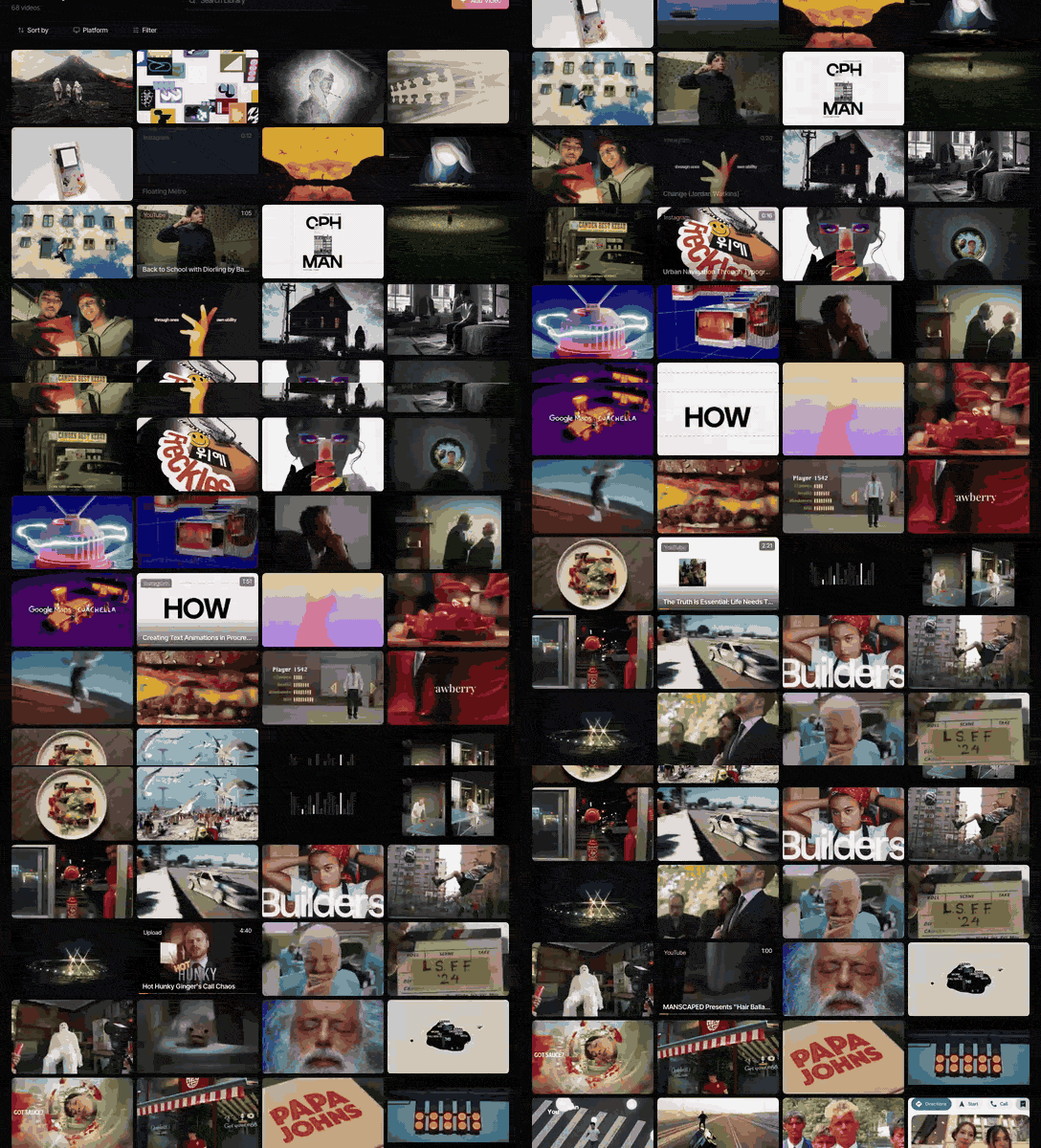
On Studio, two things make the weekly session shorter. The Slack integration saves links posted in a connected channel straight into the library, so the team's finds arrive without anyone retyping them. And the Claude and ChatGPT connector can gather references onto a board when you ask, say every ad from one brand. We've covered using Claude and ChatGPT with a reference library separately, and compared the dedicated tools in the best ad swipe file tools.
Keep it internal, and credit the makers
A swipe file is for research and pitching inside your team. The ads belong to the brands and the people who made them. Don't re-upload them, don't cut them into your own work, and ask before anything leaves the building beyond a pitch deck. When an ad does go in a deck, credit the brand and the agency or director where you know them. Some websites promise to download any ad for you; we'd stay away from them, both for the malware risk and because the ad library route keeps the listing's address with the video.
FAQs
What is an ad swipe file?
An ad swipe file is a collection of other brands' ads you save to learn from: hooks, formats, offers and craft that work. The name comes from copywriters keeping ads they could swipe ideas from. For video ads, a good one keeps the video itself, a few consistent notes on each ad and tags that let you find it by technique.
What should I write down for each ad in a swipe file?
Six things: the hook (what happens in the first two seconds), the format and ratio, the length, the offer, whether it runs under a creator's name or the brand's, and the date you saw it plus its start date if the library shows one. Add one line on why you saved it. Keep the wording consistent so you can search and sort it later.
Should I organise a swipe file by brand or by hook?
Use both. Group by brand when you're tracking a client's competitors, and by hook family when you're developing ideas or briefing creators. Tools with collections let the same ad sit in both groups without saving it twice.
How do I save video ads from the Meta Ad Library?
The library has no save or download button. Copy the ad's link, which contains its Library ID, and keep the video somewhere you control, because most ads outside the UK and EU disappear when they stop running. Spark saves the video ad from that link when you paste it into Add Video.
Can I build a swipe file in a spreadsheet?
Yes, and plenty of teams start there: one row per ad with the link and the six notes as columns. The weak point is the video. Links break when ads stop running, and a spreadsheet can't search what's said in a clip, so pair it with a folder of saved files or a video library.
Is it legal to keep a swipe file of competitors' ads?
Keeping ads for internal research and pitching is common practice, but the ads remain the advertisers' work. Don't republish them, re-upload them or use the footage in your own ads without permission, and respect each platform's terms. Credit the brand and makers when an ad appears in a pitch deck.
Keep reading
All articles
How to Use ChatGPT and Claude for Creative Research (and With Your Reference Library)
An AI chat is a brilliant vocabulary partner and an unreliable librarian. Use it for the first job and it saves hours. Trust it with the second and you'll be hunting for films that were never made.

How to Make a Ripomatic (or Mood Film) for a Pitch
A good ripomatic lets a room feel the film before it exists. A careless one turns up online with other people's footage and your client's logo on it.

How to Make a Showreel: Editors, Motion Designers and Directors
Assume whoever's hiring stops watching after the first few seconds unless you give them a reason not to. Here's how to cut for that, from the opening shot to the loops on your portfolio page.