
How to Collect References From Clients (Without 40 WhatsApps)
A client who sends forty links has told you everything and nothing. Ask for four, each with a sentence and a timecode, and you'll learn more.
By the Spark team ·

To collect references from a client, ask for three they love and one they don't, with a sentence on what they love about each and a timecode for the moment that matters. Give them one place to send them, so they arrive together instead of across forty messages. Then reply within a day or two with a board they can open from a view-only link and a short deck that shows what you heard, so the next conversation is about a direction and not a pile of links.
That's the whole method. The rest of this post is the detail: the exact wording of the ask, where references should go, how to file them, how to read them without copying them, and what to send back. It's written from the producer's and director's side of the table, and it works with or without Spark.

Why client references go wrong
A reference without a note is a riddle. The client sends a film because one thing in it caught them, and the film contains forty other things. You guess, build a direction on the wrong one, and the first meeting goes on undoing it.
The other problems are logistical. References arrive in a WhatsApp, two emails, an Instagram DM to the director and a voice note. Some are links that die. Some are screenshots of something nobody can trace. A few turn out to be competitors' ads. None of it is anyone's fault, but all of it costs a day.
So the method fixes three things: what you ask for, where it goes, and what you send back.
Step 1: Ask for three they love and one they don't
Put this in the brief, or send it on its own. Short enough to answer on a phone.
Before we start, could you send us three films, ads or posts
you love for this project, and one you don't?

For each one:
- the link
- one line on what you love about it (or don't)
- the moment that matters, as a timecode, e.g. 0:12

All in one reply to this email, please.
Why three. One reference is a wish. Three give you a pattern, and the pattern is what they want. If three very different films all share warm window light, it's the light.
Why one they don't like. It's often the most useful of the four. It marks the edge of the brief, and clients are usually clearer about what they dislike than what they like.
Why a line each. It turns a riddle into an instruction. "Love the pace" and "love the casting" send you in different directions from the same film.
Why a timecode. A 90 second film can hold forty shots. A timecode tells you which one, and it saves a call.

If you're writing a full brief, the ask belongs in it. Our video creative brief template has a references section built around these four questions.
Step 2: Give them one place to send to
Most clients won't open a new app for you, so meet them where they already are and make it one place. One email thread with a clear subject, or one WhatsApp chat for the project. Not three people's DMs. Say which in the ask, and when references turn up somewhere else, reply "could you add that to the thread?" and move it yourself if they don't.
Then your side does the saving, the day things arrive. Links that die and videos lost in a chat are how good references disappear, and finding them months later is a job nobody wants. We've written up how to find a video you saved months ago for when it's already too late.
In Spark, the saving takes seconds wherever the reference landed:
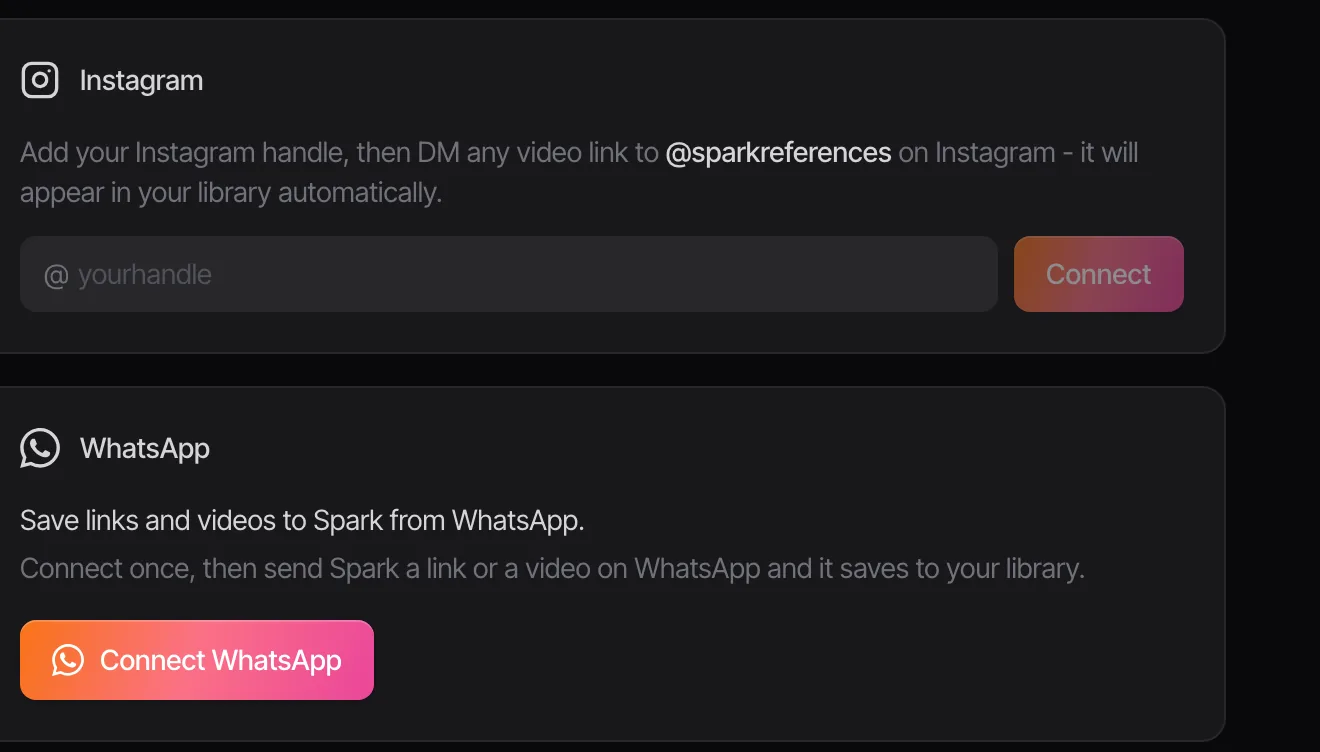
- On WhatsApp: connect WhatsApp to Spark once, then forward the client's links or videos to Spark from your phone and they land in your library. It works on every plan. Our guide to saving WhatsApp videos to your computer covers the other routes.
- On Instagram: if a client sends you a reel in your DMs, share it on to @sparkreferences from your own Instagram account and it saves to your library. This is for your own saving; a client can't DM references into your library.
- By email or anywhere else: paste the link into Add Video. Files the client attaches can be uploaded, and anything you can only watch inside their portal goes in through the built-in screen recorder.
When the client is on Spark too
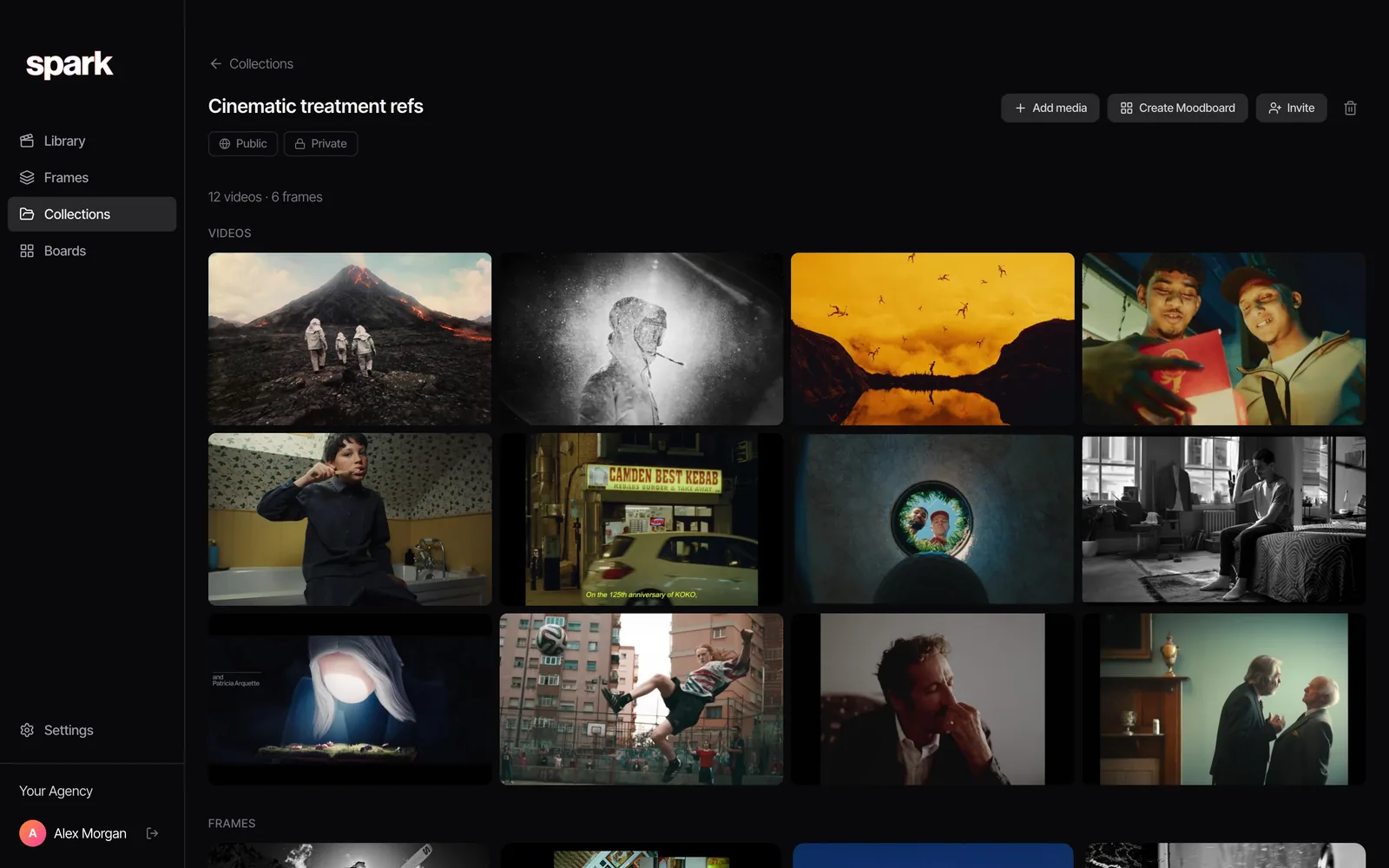
Some clients have their own creative team, and some are agency partners who already use Spark. Then you can skip the thread. Make a collection for the project and use Invite: the link adds the collection to their Spark app, and they can add references to it from their own library. Invite links last a week, so send a fresh one if it expires.
If they aren't on Spark, the collection is still useful as a window. Make it public and send the link, and the client can see everything that's been gathered so far in a browser, theirs and yours, and reply in the thread with anything missing.
Step 3: File each reference with the client's own words
The day the four references arrive, save them and write down what the client said next to each one, in their words. Their sentence is the most valuable thing in the reply. Don't paraphrase it.
In Spark each saved video has a title you can rename and a Notes box. Our convention is short and boring on purpose:
Title: Client ref 2, love the pace
Notes: "Love how fast it cuts in the middle." 0:12 to 0:20.
       Sent by [name], [date], by email.
Put the client's name and project in the collection, not in every title. And keep their references separate from yours, in a collection of their own or with a tag you type, such as client ref. Later, when someone asks "was that theirs or ours?", you'll know. Our guide to running a shared reference library has more on keeping one client's material away from another's.
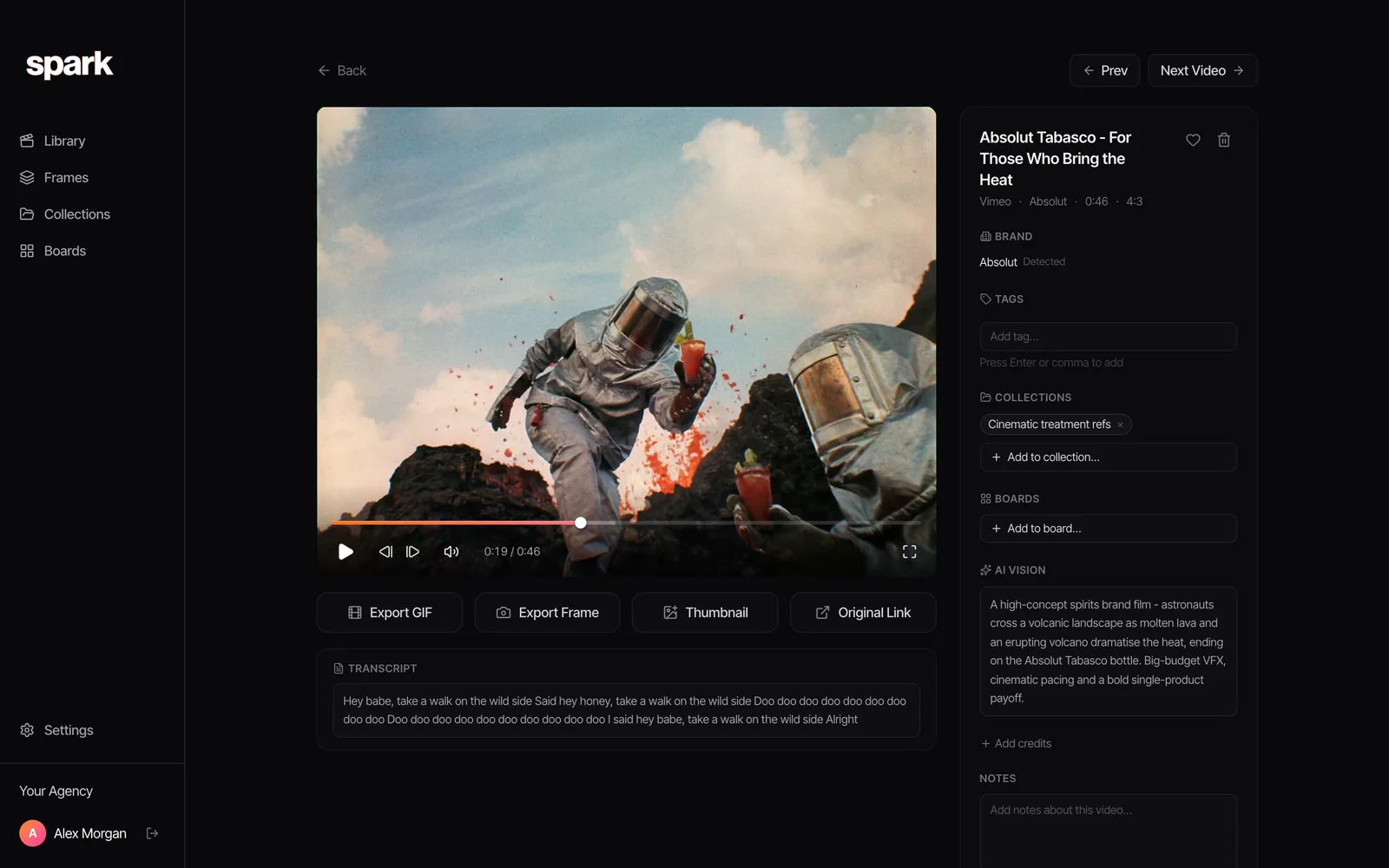
Then grab the moment. Go to their timecode in the player (comma and full stop step one frame at a time) and use Export Frame to save a clean still to Frames. On Creator and Studio, Export GIF cuts the few seconds they love as a loop. Those stills and GIFs are what you'll put in front of them in step 5.
Step 4: Read them without copying them
The point of a client's references is to understand what they want. Recreating them is a different job, and usually a worse one. Four habits help.
Find the thread. Lay the three side by side and ask what they share. It's rarely the subject and often the light, the pace, the colour or the casting.



Three different films, three different subjects, one colour. If a client sent you those, they aren't asking for a train, a fan or a wide lens. They're asking for teal and green. Run each still through our free colour palette extractor and you can show them the shared palette in numbers.
Use the one they hate. It tells you where the edge is. If they love three handheld films and hate a locked off one, you've learnt the camera language without asking.
Separate the what from the how. A client loves an ad where a runner leaps across a giant moon. What they love might be the scale, the silhouette or the amber sky. Each of those can be done a hundred ways that aren't that shot. Write the principle down ("one figure, enormous sky, warm") and work from that.
Spot the traps. A reference that's a competitor's ad needs a conversation about how close is too close. A track they love isn't a track you have the rights to. And if their three references disagree with each other, ask which one wins; don't average them.

Step 5: Reply with a board and a deck
Answer within a day or two, while the references are fresh. Send two things: a board they can open, and a short deck that says what you heard.
The board
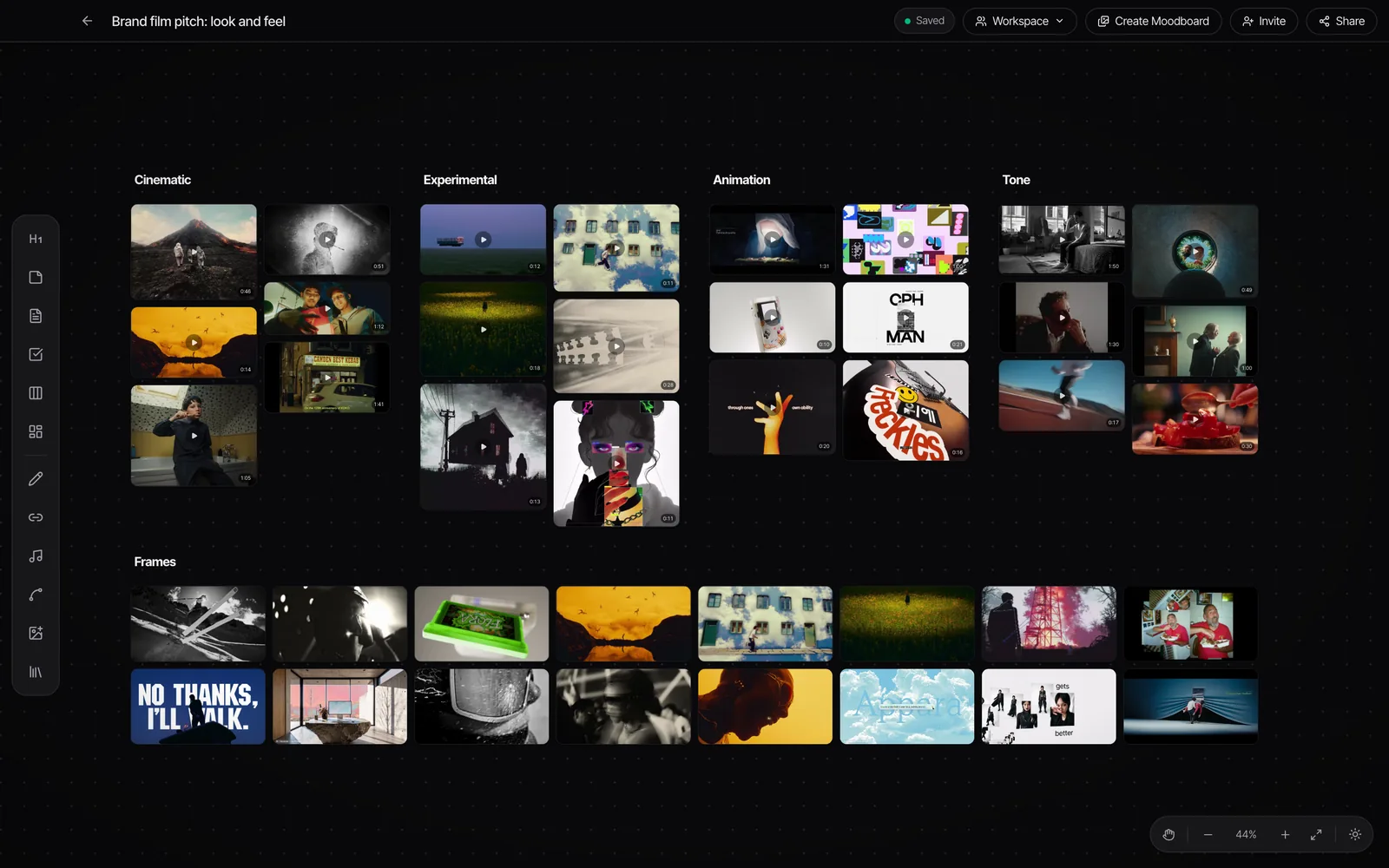
Build a board with their references on one side and your direction on the other: your own references, the frames you pulled, a heading and a line of notes for each idea. In Spark, every saved video plays in place on the board, and Share gives a view-only link the client can open in a browser. You can rotate or revoke that link at any time, which is handy once the project wraps or the client contact changes.
The deck
The deck is the version that gets forwarded to people who weren't in the meeting. Keep it short:
- What you sent us. Their four references, each with their sentence.
- What we heard. The thread, in one line per reference.
- What we'll avoid. The one they don't like, and why it's useful.
- Where we'd take it. Your direction, as frames and GIFs.
- One question. The decision you need from them to move on.
In Spark, Create Moodboard turns the board or collection into slides with layouts and shuffle, and exports to Google Slides, Canva, PowerPoint, Keynote or PDF. GIFs stay animated in Slides, PowerPoint, Keynote and Canva; only the PDF freezes them, so send the deck file when the movement matters.
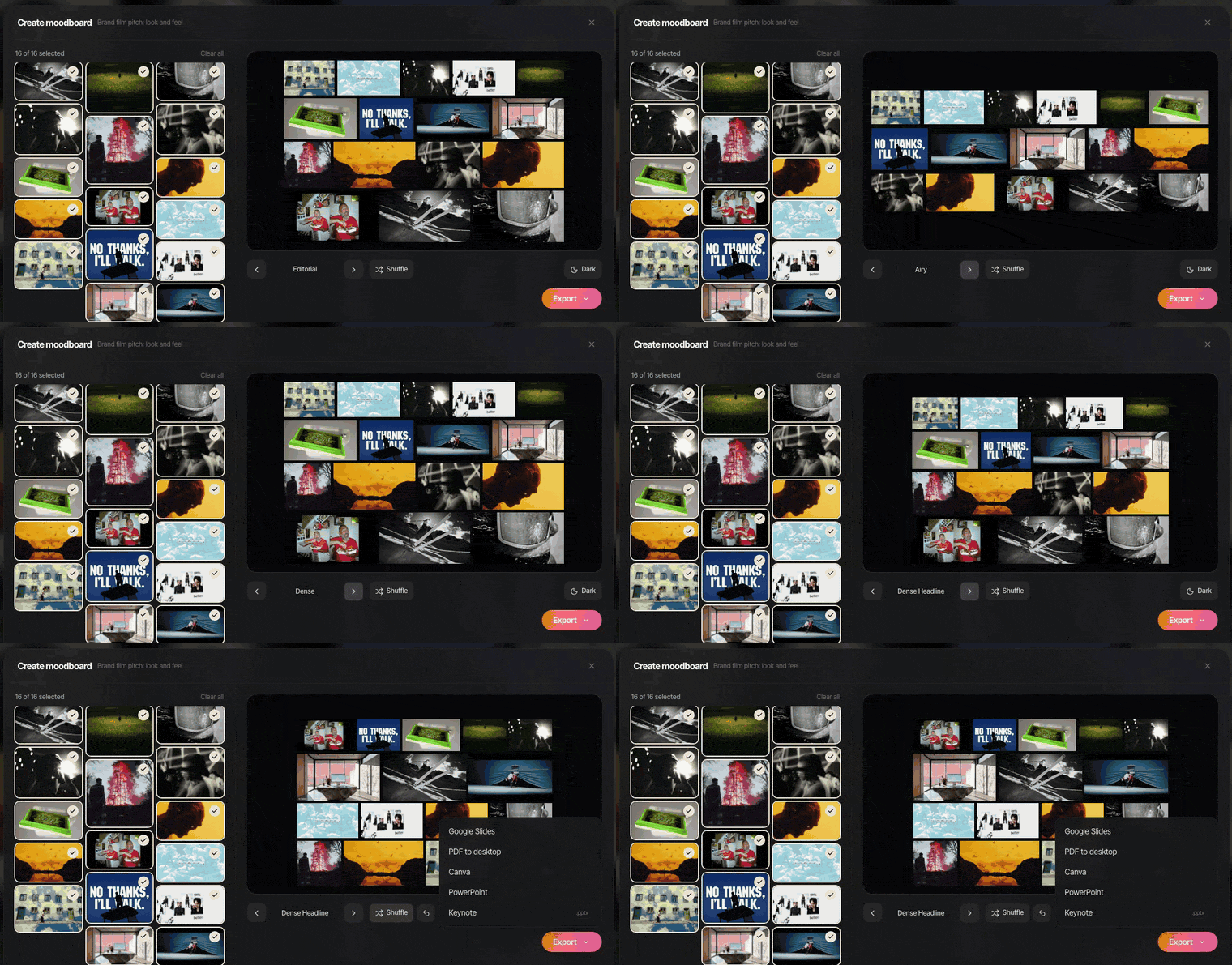
Not using Spark? Our free moodboard maker lays out up to 40 images or GIFs in the browser and exports a .pptx where the GIFs play when you present. For the bigger picture of what goes on a board for a shoot, see making a moodboard for a video project.
Keep the thread going
After the first reply, the same rules hold for every round. New references go in the same thread or collection. Every one gets a sentence and a timecode. Your replies stay as a board and a deck, never as a paragraph of links. If your own team swaps references in Slack while this is going on, our guide to stopping references getting lost in Slack covers the habits and Spark's Studio integration that saves links from a chosen channel.
And when the job wraps, keep the collection. The references a client sent for one film are a head start on the next brief from the same client.
FAQs
How do you ask a client for references?
Ask for three films, ads or posts they love and one they don't, with a line on what they love about each and a timecode for the moment that matters. Ask for all four in one reply, in one place. Short, specific questions get better answers than "send us anything you like".
How many references should a client send?
Three they love and one they don't is enough to see a pattern and its edges. More than that is fine if they come with notes, but forty unexplained links usually hide what the client wants. If they send many, ask them to pick their favourite three.
What should I do with references a client sends on WhatsApp?
Save them the day they arrive, before they're buried in the chat. With Spark you can forward links or videos to Spark on WhatsApp and they land in your library on any plan. Otherwise, copy the links into one document with the client's comment next to each, and save any video files somewhere your team can reach.
How do I share a moodboard with a client who doesn't use the same software?
Send a link they can open in a browser or a deck file. In Spark, Share gives a view-only link to a board, and Create Moodboard exports slides to Google Slides, Canva, PowerPoint, Keynote or PDF. GIFs stay animated in the slide formats but freeze in a PDF.
Is it OK to copy a client's reference?
Use it to understand what they want, not as a shot list. Pull out the principle (the light, the pace, the colour) and design your own way of getting there. Recreating a specific ad or film closely can raise copyright and brand issues, especially if the reference is a competitor's ad, and licensed music needs its own clearance.
Where should client references be stored?
In one place per project, separate from your own references and from other clients' material. A collection per client project works well, with the client's comments saved next to each reference. Keep it after the job ends, because it's a head start on their next brief.
Keep reading
All articles
How Much Does Video Production Cost in the UK? (2026 Guide)
Every video quote is the same handful of lines in different sizes. Here they are, priced from published 2026 rates, with three worked budgets and the questions that get you a quote you can compare.

Video Production Proposal Template (and What Clients Actually Read)
Clients read three things in a proposal: whether you understood them, what they'll get, and what it costs. Here's a template built around those, with every budget line explained.

Director's Treatment Examples: What Winning Commercial Treatments Include
Real commercial treatments rarely go public, because they carry someone else's script. So here's where to find the ones that are, and an invented one built page by page to show what each page is for.