
How to Create a GIF from an Instagram Reel
Instagram won't make the GIF for you. Here's how we get the reel, crop it for a horizontal slide and keep the file small, without being a menace about it.
By the Spark team ·
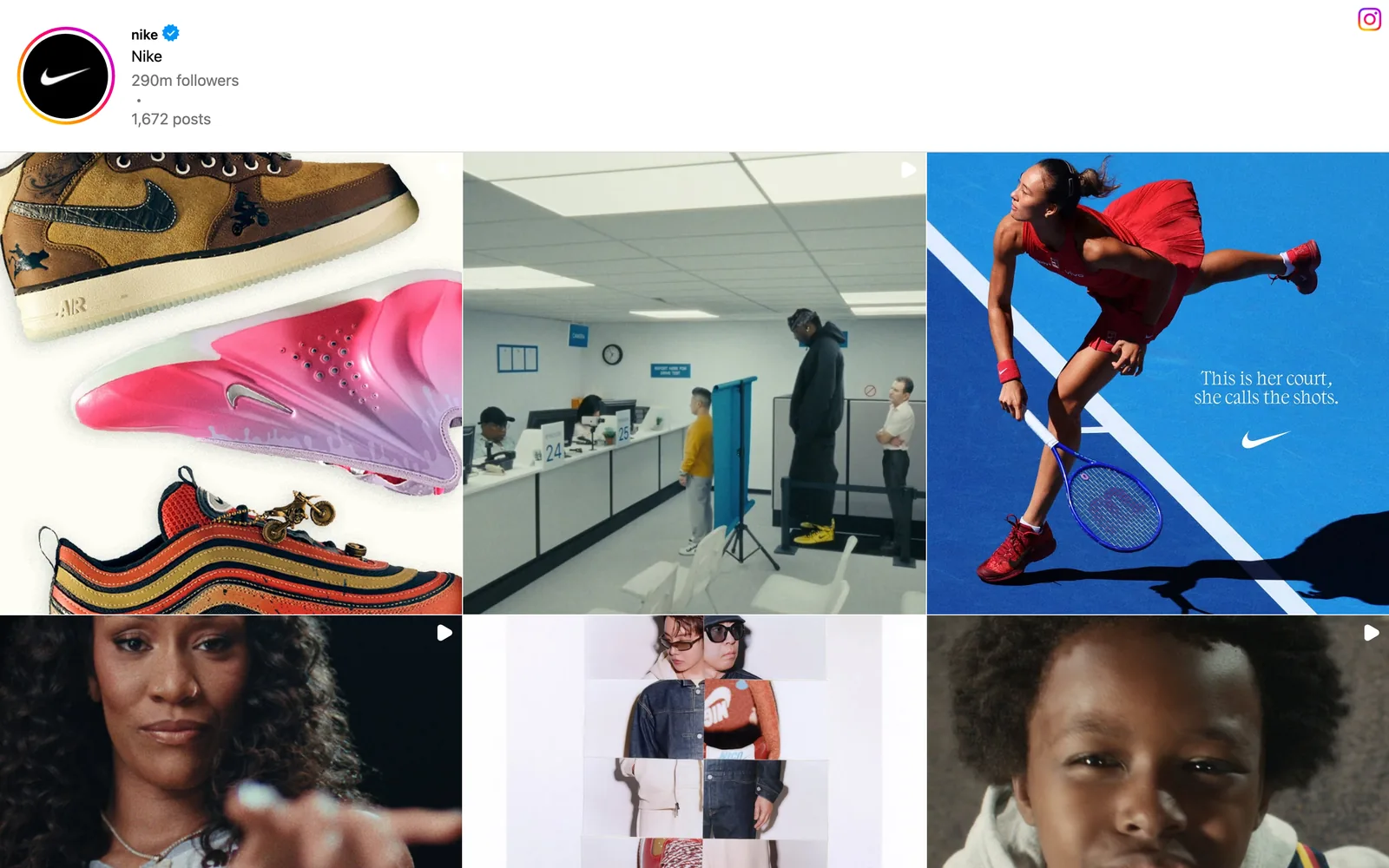
There's no "save as GIF" button anywhere in Instagram, so going from an Instagram reel to a GIF is always two jobs. Get the video file. Then convert it. For your own reels, use the original from your camera roll. For someone else's public reel, Instagram's Share, Download option gives you a watermarked copy if the creator allows it, and a screen recording covers the rest. Crop the tall 9:16 frame if it's going on a horizontal slide, export at 320 to 480 px wide, and you're done.
Most guides skip the crop. Big mistake. It's the bit that decides whether your GIF looks deliberate or looks like someone held their phone sideways in a meeting.

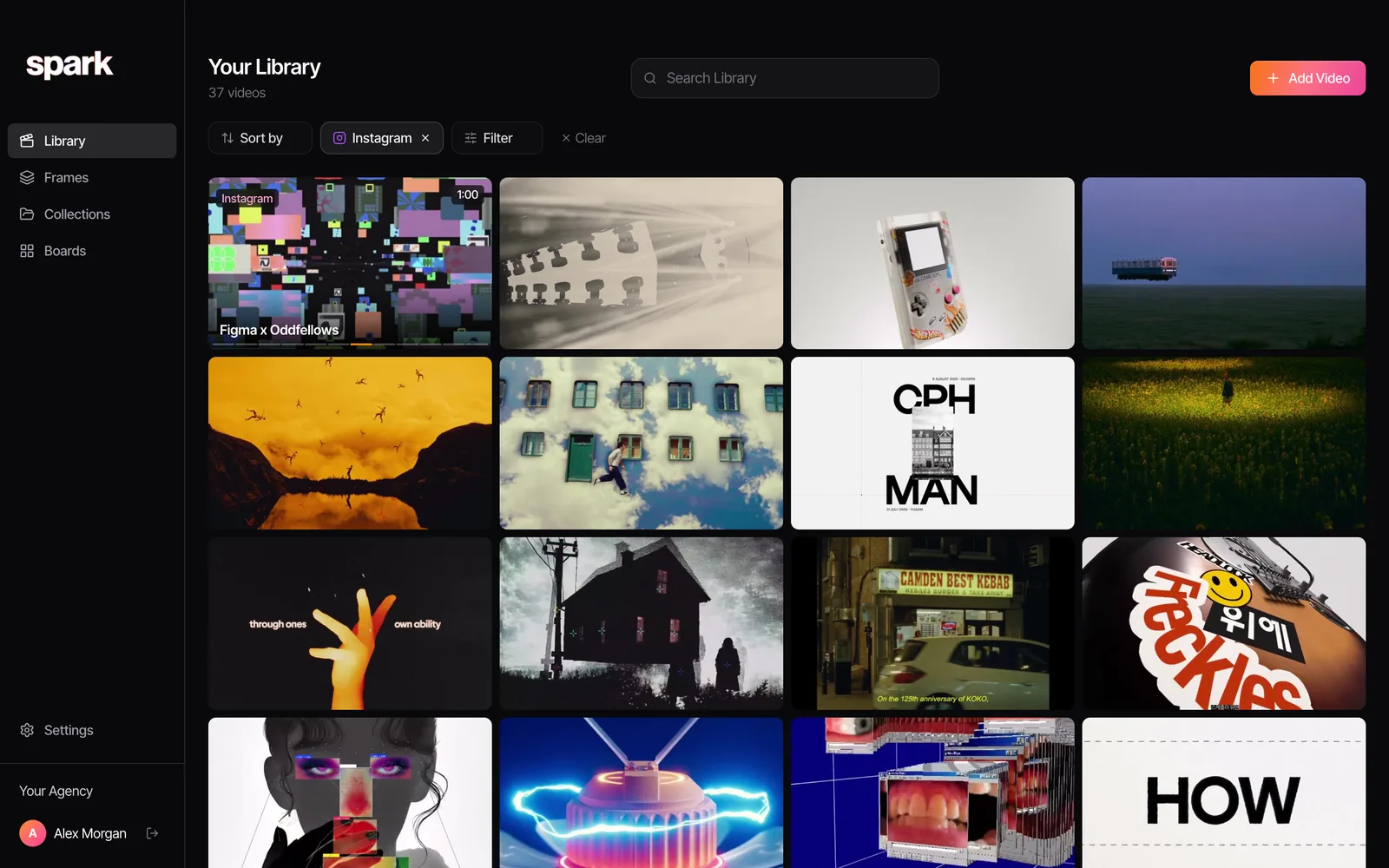
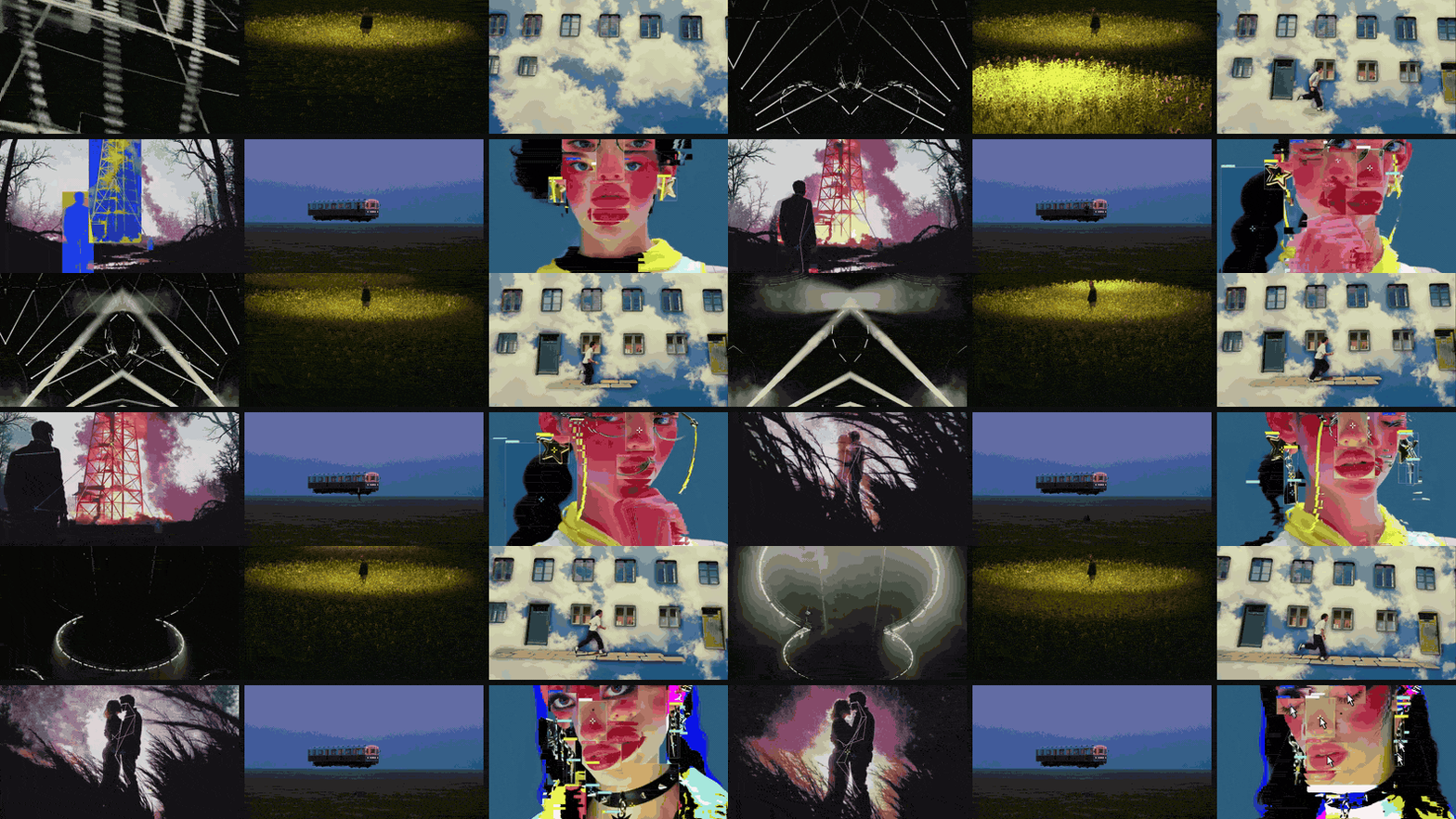
At Perspective Pictures we pull GIFs out of reels all the time. Of the 68 references in the library you see in these screenshots, 37 came from Instagram, and reels like these end up as loops in treatments, pitch decks and the odd Slack thread where words weren't cutting it.
First: whose reel is it?
If it's yours, crack on.
If it isn't, a bit of manners goes a long way. A credited GIF of someone's reel in an internal deck ("this camera move, this edit rhythm") is everyday practice in production. Reposting that GIF publicly, putting it on your website or cutting it into an ad is a different thing, and it needs the creator's permission. Instagram letting you download a reel is not a licence to reuse it.
So: your own content, internal references with credit, or ask. A DM that says "we love this, can we use a loop of it in a pitch?" gets a yes more often than you'd think. Motion designers in particular tend to be delighted.
Step 1: get the video file
Your own reel
The best source is the file you uploaded, which is probably still in your camera roll or your edit folder. It's sharper than anything you'll get back from Instagram, which recompresses everything on upload.
If you only have the posted version, open the reel from your profile, tap the three dots and look for Download (the wording has shifted between app versions). Instagram can also keep copies of what you post on your phone automatically; that lives under Archiving and downloading in Settings.
Someone else's public reel
- Open the reel and tap the Share icon (the paper plane).
- Tap Download in the row of options.
- The video saves to your camera roll with the creator's handle as a watermark.
This only appears on reels from public accounts, and creators can switch it off. Instagram also turns it off by default for public accounts belonging to under-18s. If Download isn't there, the creator doesn't want copies floating around, and that's worth respecting for anything beyond a private reference.
For a deck, the watermark is handy. It's the credit, done for you. Just don't crop it off in step 2 and forget to put one back.
No download option
A screen recording works on anything you can play. On iPhone, add Screen Recording to Control Centre in Settings, then swipe down and tap it. On most Android phones it's in Quick Settings. Turn on Do Not Disturb first, or a WhatsApp from your mum may float across the shot.
You'll also record Instagram's buttons, caption and username on top of the video. That's the price of this route, and the crop in step 2 gets rid of most of it. (On a laptop it's the same idea. Our guide to making a GIF from a YouTube video has the desktop version, including frame-accurate in and out points.)
Step 2: decide what to do with 9:16
A reel is 1080 x 1920. Pitch decks and treatments are horizontal. Drop a full vertical GIF onto a 16:9 slide and it either fills the height as a skinny strip, or someone shrinks it until it's a postage stamp.
File size is the other problem. At 480 px wide, a vertical reel is 480 x 853 pixels, roughly three times the pixels of a horizontal 480 x 270 clip. GIF size follows pixel count closely, so the same width costs about three times the bytes.


Three sensible options, and we use all of them:
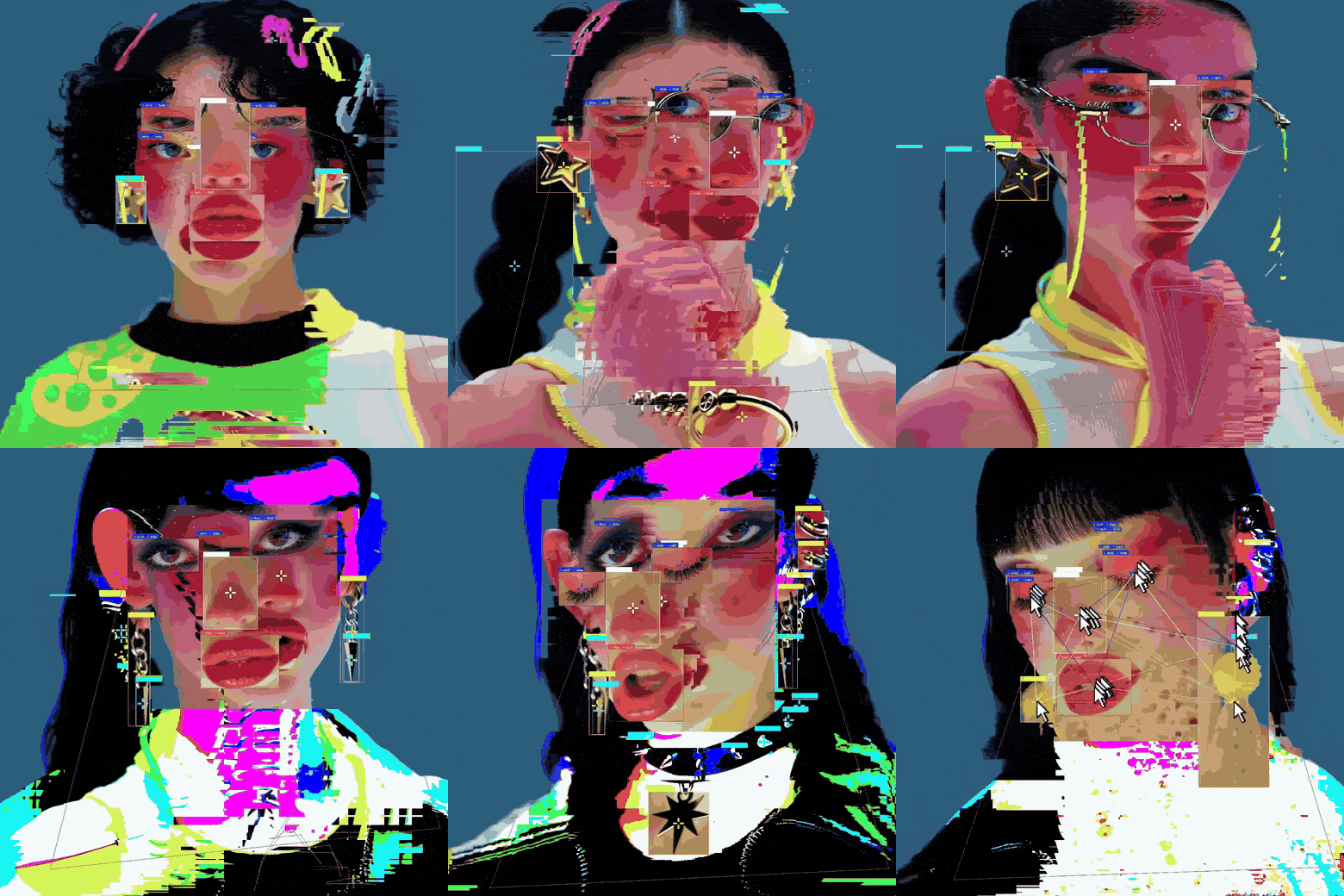
- Keep it vertical, go narrow. 320 to 360 px wide, sitting beside text on the slide. Best when the whole frame matters: a full outfit, a vertical reveal, that surreal face above.
- Crop to 4:5. Loses a little top and bottom, keeps most of the shot, and gets rid of the caption overlay on screen recordings. This is our default for reels.
- Crop square. Smallest file, cleanest on a moodboard grid. Only works when the action is in the middle of the frame, like the bee.
Our browser converter keeps the aspect ratio of whatever you give it, so for a crop use FFmpeg, or crop in any editor and export an MP4 first. This makes a square GIF from the centre of the reel, starting 1 second in and lasting 4 seconds:
ffmpeg -ss 1 -t 4 -i reel.mp4 -vf "crop=iw:iw,fps=15,scale=480:-1:flags=lanczos,split[a][b];[a]palettegen=stats_mode=diff[p];[b][p]paletteuse=dither=bayer:bayer_scale=3" reel-square.gifFor 4:5, swap crop=iw:iw for crop=iw:iw*5/4. If the action sits high in the frame, add a vertical offset in pixels: crop=iw:iw:0:300 takes the square starting 300 px from the top.
Step 3: convert it
The quick way: our converter
Drop the file in, drag the handles to your moment, then nudge the in and out points one frame per keypress (comma and full stop) until the loop lands. Pick a width and frame rate and download. It runs in your browser and nothing gets uploaded, so a client's unreleased reel stays on your machine. Clips up to 30 seconds, no watermark, no sign-up.
For a vertical reel, start at 320 or 360 px and 12 fps. If an iPhone file won't open in Chrome, it's probably HEVC; try it in Safari.
The online way: ezgif
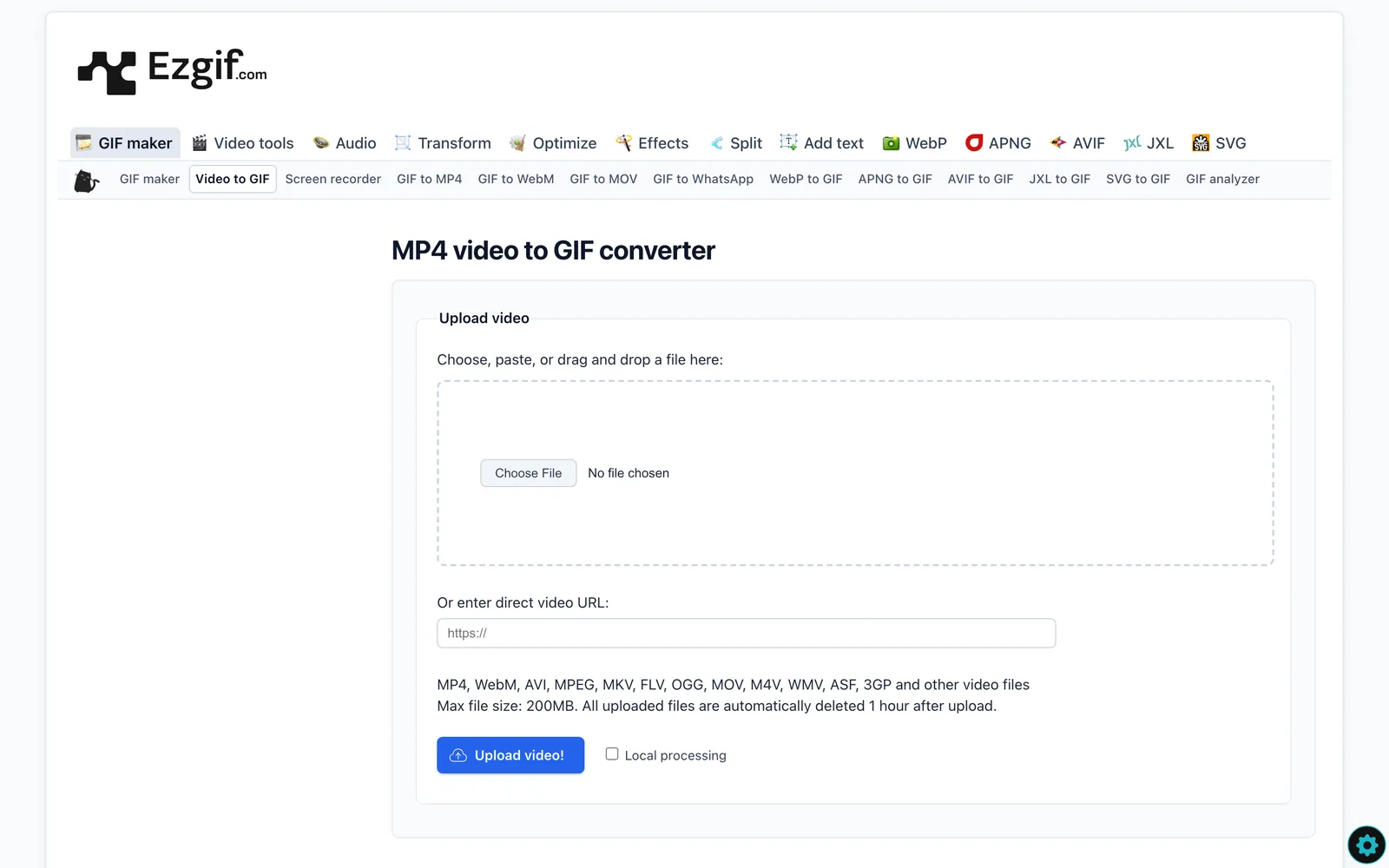
ezgif is the old faithful, and it's free. Its video to GIF page takes files up to 200 MB and says uploads are deleted after an hour. There's now a local processing tick box too. We'd still keep anything under NDA off a third-party server, but for a public reel it's fine.
On your phone: Shortcuts
On iPhone, the Shortcuts app does it without a laptop. Make a new shortcut with three actions: Select Photos, Make GIF and Save to Photo Album. Run it, pick the reel, and the GIF lands in Photos. You don't get much control over size, so it's better for the group chat than for a deck. On a Mac, Gifski is the free app we'd reach for; it's covered properly in converting MP4 to GIF on a Mac.
The settings that matter
We exported the same 4-second clip from our own launch film at a range of settings. Horizontal footage, but the lessons carry straight over to reels:
| Width | Frame rate | File size |
|---|---|---|
| 800 px | 15 fps | 9.19 MB |
| 640 px | 15 fps | 5.97 MB |
| 480 px | 15 fps | 3.44 MB |
| 480 px | 12 fps | 2.85 MB |
| 320 px | 12 fps | 1.32 MB |
Width is the big lever. Then frame rate, then length. For a reel, 12 fps is usually plenty: most reels are cut fast, and the cuts carry the energy more than the frame rate does. Keep it to two to four seconds.
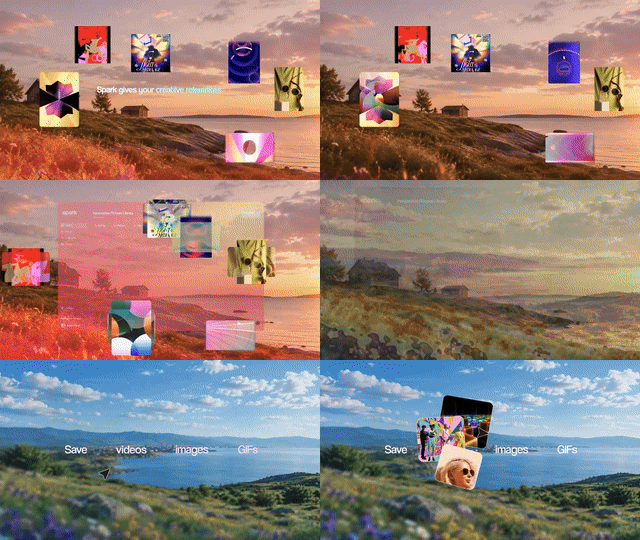
Up against a hard limit, like Slack emoji or a client's creaky inbox? Our guide to reducing GIF file size ranks every trick by what it actually saved, and the free GIF compressor will hunt for a target size for you. For why GIFs band and how a proper palette fixes it, read how to turn a video into a GIF without losing quality.
Which reels make good GIFs?
Not all of them. Tight palettes and simple motion convert beautifully. Busy neon nightlife, confetti and anything shot at night on a phone at high ISO turn to mush.
Kinetic type, flat animation and clean product shots are the easy wins. Grabbing a reel for its colour, not its motion? A single frame might do the job better, and the palette tool on this site pulls the swatches out of a still in a couple of seconds.
Doing it in one place with Spark
If you save a lot of reels as references, the download, convert, rename, lose-it-anyway routine gets old fast. Ours used to be split three ways: Instagram's Saved tab, a camera roll full of watermarked downloads, and a desktop of GIFs called things like reel crop v2 FINAL.
In Spark you DM the reel to @sparkreferences straight from the Instagram app, and it lands in your library with its source URL attached. That works on the free plan, up to its 15-video cap. On a paid plan it's also described and transcribed, so next month you can find it by the scene or by a line someone says.
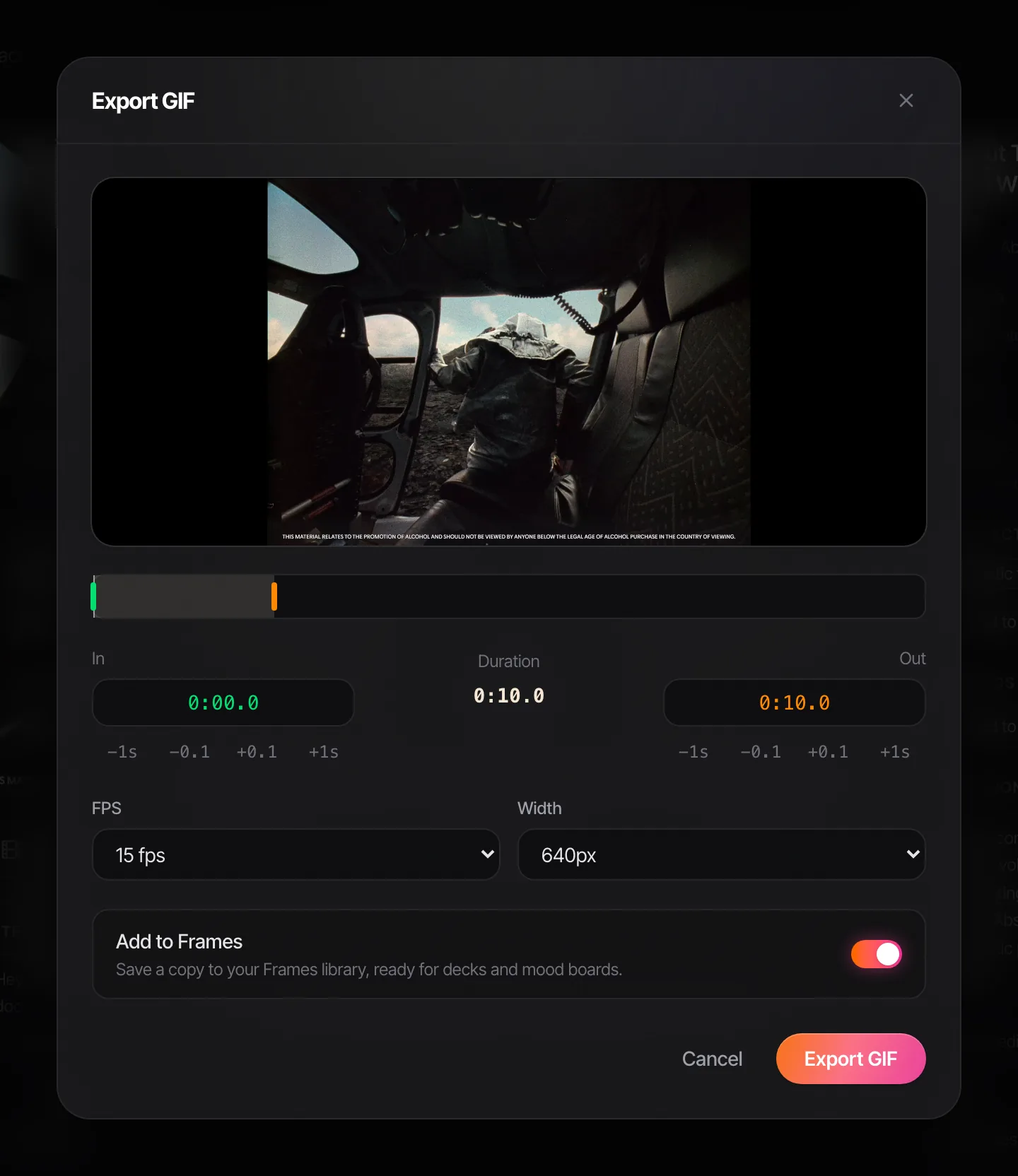
When a deck needs a loop, open the reel in Spark and hit Export GIF. Set the in and out points, nudge them by a second or a tenth, pick a frame rate and width, and it saves a copy to Frames.
Saving reels by DM is free up to the cap. GIF export, AI descriptions and transcription come with Creator (£16 a month) and Studio (£23 per user a month).
Credit it on the slide
Whatever route you take, put the handle on the slide. A small "@creator on Instagram" under the GIF costs nothing, makes you look like you know what you're doing, and stops the client asking "is this ours?" halfway through the meeting. If you cropped off the watermark, this is where the credit goes back.
Heading for a moodboard instead of a single slide? The moodboard maker we built lays GIFs out as a deck, and they keep moving when you present the .pptx in Keynote or PowerPoint. The same file imports into Google Slides and Canva too. Building a bank of reels for future pitches? Read how to save Instagram reels for creative inspiration first. Good saving habits make this job shorter.
FAQs
Can you turn an Instagram Reel into a GIF on Instagram itself?
No. Instagram has GIF stickers for Stories (via GIPHY), but nothing that turns a reel into a GIF file. You need to get the video, by downloading it, using your original or screen recording, and convert it with a separate tool.
Is it legal to make a GIF from someone else's reel?
Using a credited GIF as an internal reference in a pitch deck is common practice, but it isn't a licence. Posting it publicly or using it commercially needs the creator's permission. Instagram's Download button doesn't change that.
Why can't I download a reel from Instagram?
The Download option only appears on reels from public accounts, and creators can turn it off. It's also off by default for under-18s with public accounts. If it's missing, you can screen record for a private reference, or ask the creator.
How do I make a GIF from a reel on my iPhone?
Download or screen record the reel so it's in Photos, then run a shortcut with the Select Photos, Make GIF and Save to Photo Album actions. Or open Video to GIF in Safari, pick the video, trim it and download the GIF to the Files app.
What size should a GIF from a reel be?
320 to 360 px wide if you keep it vertical, or 480 px if you crop it square or 4:5. Keep it to two to four seconds at 12 to 15 fps. That usually lands between about 1 and 3 MB, small enough for Slack and most decks.
Why does my reel GIF look grainy?
Reels are already heavily compressed by Instagram, and GIF is limited to 256 colours per frame, so the two stack up. Start from the best file you can get (your original if it's yours), don't scale up, and use a converter that builds a palette from the clip rather than a generic one.
Keep reading
All articles
How to Convert MP4 to GIF on Windows
The Photos app won't do it, Clipchamp will (just about), and ScreenToGif is better than its name suggests. Every free route on Windows, tested and ranked.

How to Make a GIF from a TikTok Video
TikTok will make you a GIF if the creator allows it. For one that looks good on a slide, you'll want the video, a sensible crop and a GIF that isn't 12 MB. We measured that last bit.
How to Turn a Video into a GIF Without Losing Quality
A GIF can't hold your footage's colours, but it can fool the eye. We exported one clip 13 different ways and measured what each setting really costs.