
How to Save Videos From X (Twitter) for Reference
X has a bookmark for everyone, a download button for subscribers, and a lot of clips that were never the poster's to begin with. Here's the honest way to keep one.
By the Spark team ·

To save a video on X (formerly Twitter), tap the Bookmark icon on the post. It goes to Bookmarks in your menu, and only you can see it. To keep the file itself, X offers Download video to paying subscribers, and only on posts where the poster left downloads switched on; nothing posted before 25 July 2023 can be downloaded. For everything else, a screen recording is the honest route.
One thing up front, because it saves you a wasted afternoon: Spark, the reference library we make, doesn't accept links from X. It saves from Instagram, TikTok, YouTube, Vimeo, Facebook, LinkedIn and Pinterest, but X isn't on the list. Below we cover what X itself lets you do (checked against X's own help pages on 24 October 2026), how to record a clip properly, and how to get a recording or an allowed download into Spark if you use it. We're the team behind Spark, and this is how we handle X clips ourselves.

The routes at a glance
| Route | What you get | Cost | The catch |
|---|---|---|---|
| X Bookmark | A private pointer to the post | Free | Gone if the post is deleted |
| X Premium Download video | The video file | A paid X subscription | Only if the poster allowed it, and not for posts before 25 July 2023 |
| Apple Mac screen recording | A video file | Free | Sound only on macOS 27 or later |
| Windows Snipping Tool recording | A video file | Free | Check the sound before you rely on it |
| Spark Spark's screen recorder | The clip in your library, searchable | Free plan, then from £16 a month | It's a recording, not the original file |



Bookmarking posts on X
X's help page, About Bookmarks, keeps it simple:
- Open the post.
- Tap the Bookmark icon. X confirms it's bookmarked and offers a link to see all of them.
- To remove one, tap the icon again from your Bookmarks timeline. The more icon at the top of that timeline removes every bookmark at once, so mind where you tap.
Bookmarks are private. X's own FAQ says they're only viewable to you, and they aren't the same as Lists, which gather posts from other accounts by topic and can be found by other people.
Finding your bookmarks later
Open the Bookmarks tab in the navigation menu and you get a timeline of everything you've kept. For free accounts that's one list. Bookmark folders are a paid feature: X Premium's help page lists them in the Basic tier, along with longer posts and editing.

Folders are worth it if you bookmark a lot and file as you go. They don't fix the deeper problem. A bookmark points at the post, so a deleted post, a suspended account or a poster who protects their posts takes your reference with it. And if the video was reposted from someone else's work, the post you bookmarked is exposed to a takedown as well.
Downloading videos with X Premium
X does have a download button, with conditions. Its page on sharing and watching videos says that X Premium subscribers, and subscribers to the Plus, Premium, Super and Ultra plans on The X Subscription, can download videos from certain posts. The conditions:
- The poster decides. Since 25 July 2023, videos are downloadable unless the poster switched off Allow video to be downloaded while writing the post. That choice can't be changed after posting.
- Older posts are out. Anything posted before 25 July 2023 can't be downloaded.
- Under 18s are off. Videos from accounts under 18 aren't downloadable.
To download, go to the video, tap the three dot icon in the top right corner and tap Download video. Direct messages have their own version: from version 10.24 of the iPhone and Android apps, a video sent in a DM can be downloaded with a long press unless the sender opted out.
Two things to keep in mind. You get X's copy, which has been compressed for streaming, so if a reference really matters, the maker's own file will look better. And a poster who switched downloads off made a choice: a screen recording for internal research is one thing, passing the clip around is another.

Recording a video from X on a Mac or PC
When there's no download, record it. The rule of thumb: record the moment you need, cleanly, at the biggest size the player will give you.
On a Mac
Apple's guide to screenshots and screen recordings has the details:
- Press Shift-Command-5 to open the Screenshot toolbar.
- Choose Record Selected Portion and drag the frame to the edges of the video. (Record Selected Window arrived in macOS Tahoe 26.)
- Open Options. Include System Audio records the sound the video is playing, but Apple says that needs macOS 27 Golden Gate or later. On older versions you'll get pictures without sound.
- Click Record, play the clip, and stop with Command-Control-Esc or the button in the menu bar.
On Windows 11
Microsoft's Snipping Tool guide gives the shortcut: Windows logo key + Shift + R. Drag a box round the video, click Start, then Stop, and save it or open it in Clipchamp to trim. Do a five second test first and play it back with the sound up, so you know what your version records.
Make it worth keeping
Streaming players often start at a low resolution and step up, so let the clip play once before you record, then go full screen. Hide the cursor. Start a second early and stop a second late. And record both sides of anything that's about an edit, because a single frame can't hold a cut.


Dark scenes are where recordings suffer most. A streamed clip is already compressed, the recorder compresses it again, and smooth shadows and haze start to band.

What we'd skip: the "Twitter video downloader" sites. They're mostly adverts wrapped round a paste box, they love a fake download button, and some ask you to install an extension that can read every page you visit. With a recorder built into your computer, there's nothing they offer that's worth that.
Keeping X clips in Spark
Spark doesn't take X links
We'd rather say it plainly than have you find out halfway through a pitch. Spark refuses links from X (and twitter.com). If you paste one, it won't save.
So with X, Spark is where the clip ends up, not how you get it. There are two ways in.
Route 1: record it inside Spark
Spark has its own screen recorder. Click Add Video, open the Screen recording tab and choose what to capture: a window, an area or the whole screen. Then choose the sound: system audio, your microphone, both, or none. On a Mac, Spark's recorder captures system audio from macOS 13, so you don't need the newest macOS to get the clip's sound. Play the clip, stop, trim the ends, and add it to your library.
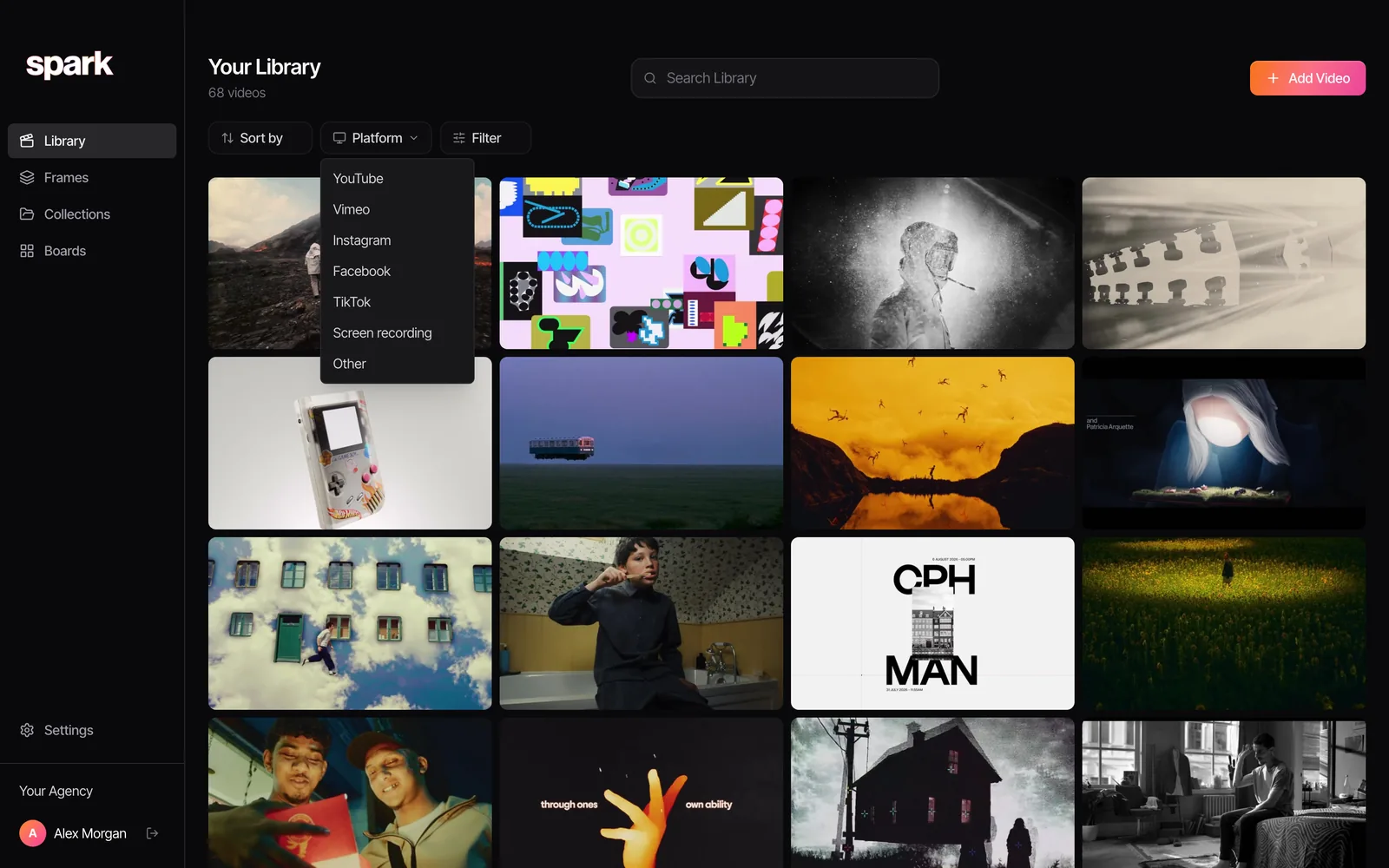
Recordings get their own line in the Platform filter, so everything you've recorded off X (or a client portal, or a site Spark doesn't support) is one click away.
Route 2: upload a file you're allowed to keep
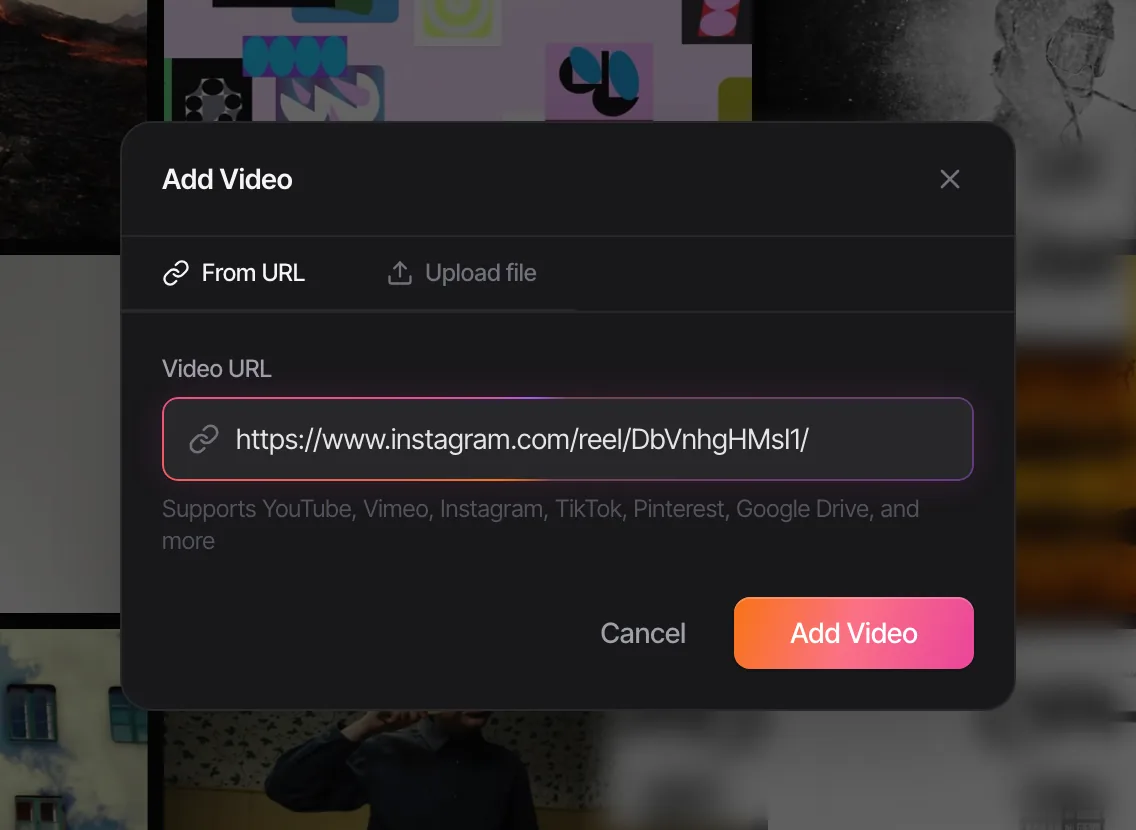
If you've downloaded a video through X Premium on a post that allows it, or the maker has sent you the file, upload it: Add Video, then Upload file. It joins the library like any other reference, and because it's your file, it's one of the things Spark can hand back to you later.
Whichever route, write the post's link and the maker's name into the notes. A recording has no source unless you give it one.
Then cut the moment you need
Open the saved clip and step through it: arrow keys jump five seconds, J, K and L shuttle, and comma and full stop move one frame at a time.

Export Frame drops a clean still into Frames. Export GIF (Creator and Studio) trims a loop for a deck, with the frame rate and width you choose.
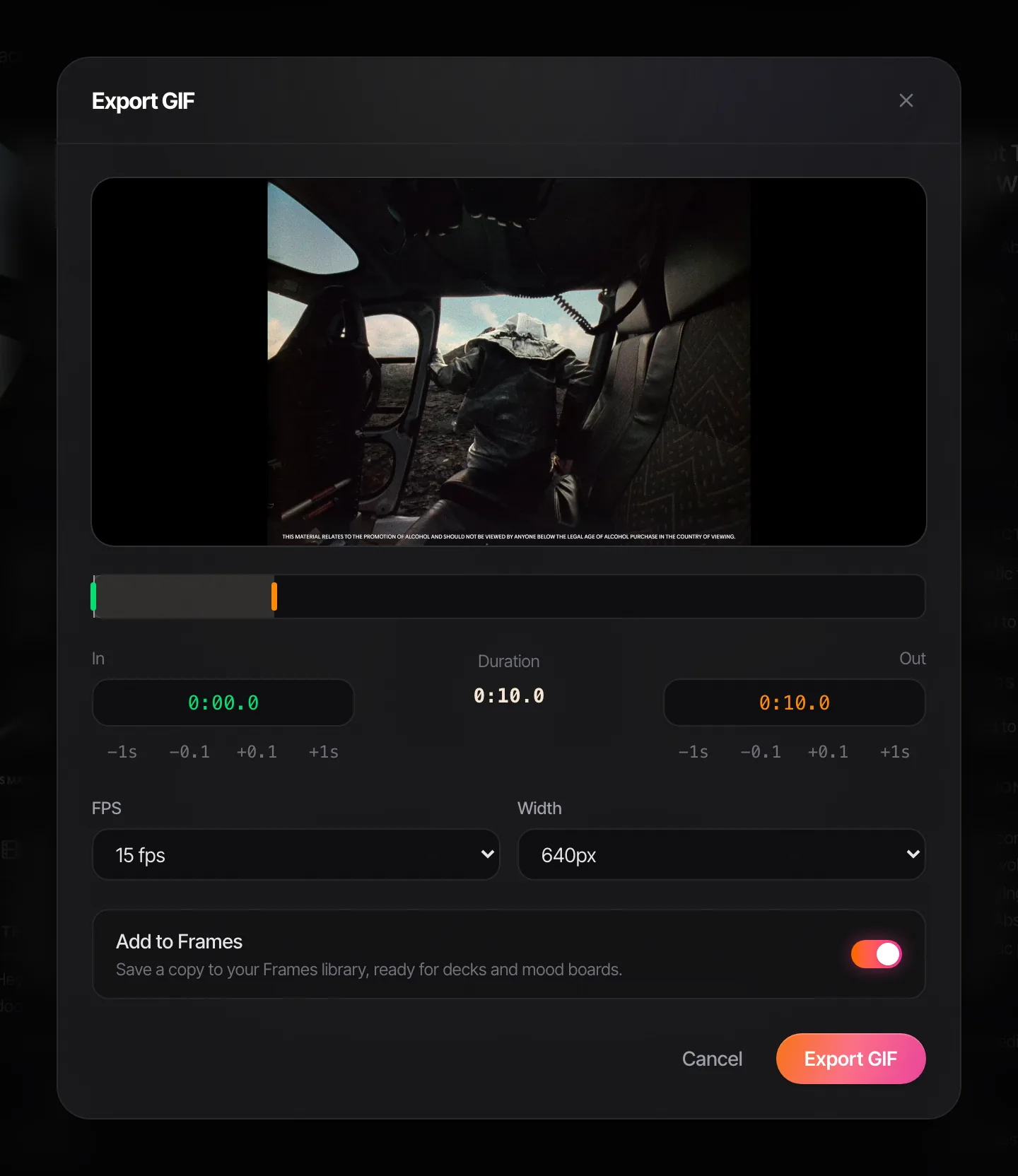
Without Spark, our free video to GIF converter does the same from the recording file, frame accurate, in your browser, with nothing uploaded. For a step by step on that, see turning a screen recording into a GIF, and on a Mac, converting MP4 to GIF covers the free apps too.
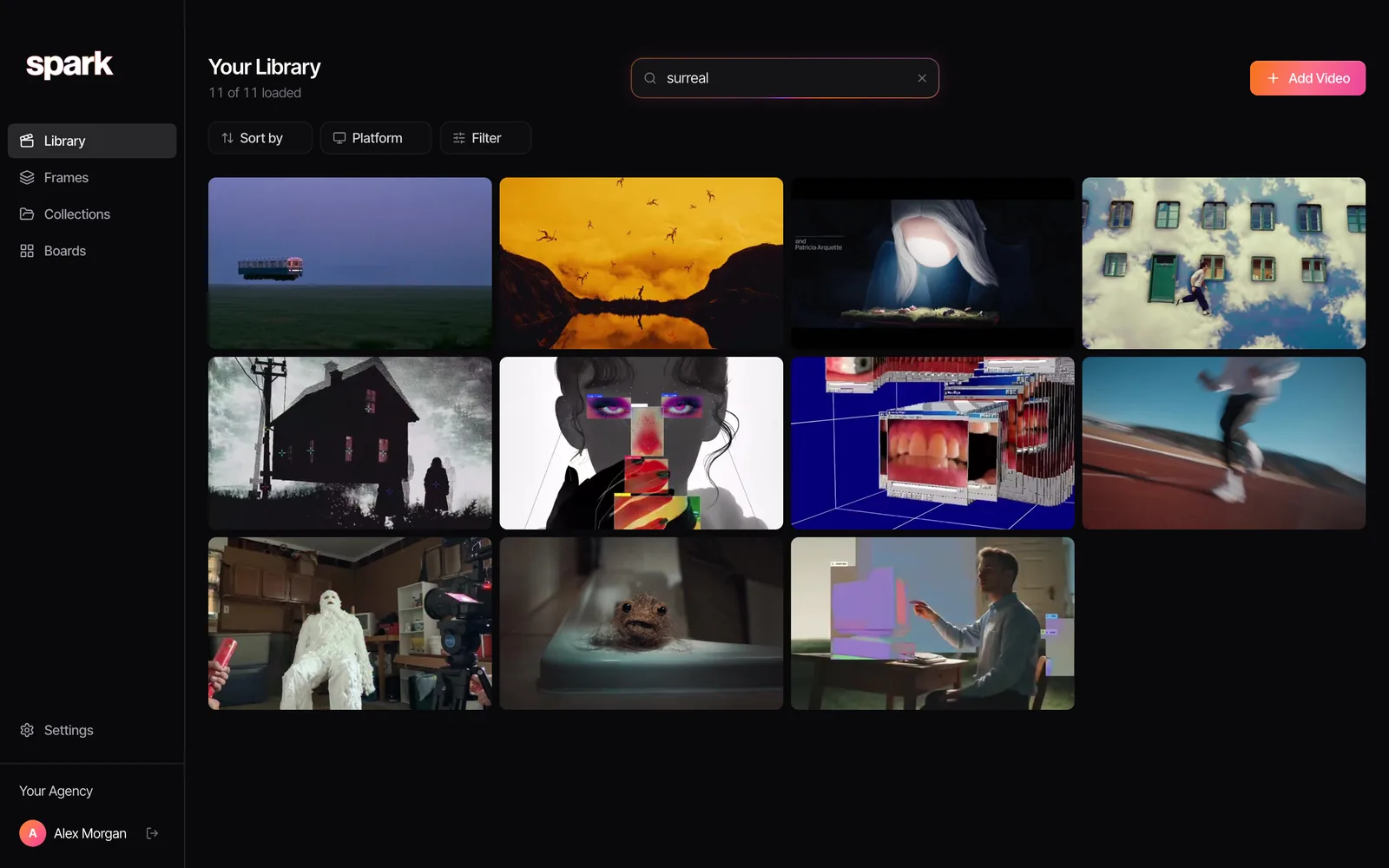
On Creator and Studio, Spark also writes a description of each video and transcribes any speech, recordings included, so you can find the clip later by what happens in it.
Etiquette for saving from X
Plenty of video on X was cut from someone else's film and posted by an account that didn't make it. That changes the job.
- Trace the maker first. Search the clip's title or a still, find the director, studio or brand, and save their name with it. Credit them, not the account that went viral with it.
- Respect the switch. A poster who turned downloads off didn't want copies passed around. Record for internal research if you must, and keep it there.
- Keep it inside the team. References are for treatments, pitches and conversations with your crew. Never repost, and never put someone's footage in your own work without permission.
- Ask when it counts. If a clip is going to steer a project, or appear anywhere public, contact the maker.
For recording from the wider web, see how to save a video from a website, and saving LinkedIn videos covers a feed that Spark does take links from. Once clips are piling up, the four habits in building a searchable creative library keep them usable, and if one has already gone missing, try finding a video you saved months ago.
FAQs
How do I save a video from Twitter?
Tap the Bookmark icon on the post to keep it in your private Bookmarks. To keep the file, X Premium subscribers can tap the three dots on the video and choose Download video, if the poster allowed downloads. Otherwise screen record it with Shift-Command-5 on a Mac or Windows logo key + Shift + R on Windows 11.
Can you download videos from X without Premium?
Not with X's own tools. Download video is for paying subscribers and only works on posts where the poster left downloads on. Without a subscription, a screen recording is the straightforward route for an internal reference.
Why can't I download a video on X even with Premium?
The poster may have switched off Allow video to be downloaded, which can't be changed after posting. Videos posted before 25 July 2023 and videos from accounts under 18 can't be downloaded either.
Are X bookmarks private?
Yes. X says bookmarks are only viewable to you within your account. Bookmark folders, which let you sort them, are part of X Premium's Basic tier and above.
Does Spark save videos from X?
No. Spark refuses links from X and twitter.com. You can record the clip with Spark's built-in screen recorder, which captures system audio, or upload a video file you're allowed to keep, and either way it sits in your library with everything else.
How do I record an X video with sound on a Mac?
Apple's own recorder (Shift-Command-5, then Options, Include System Audio) records the computer's sound from macOS 27 Golden Gate. On earlier versions it records pictures only. Spark's recorder captures system audio from macOS 13.
Keep reading
All articles
How to Save Pinterest Videos (Not Just the Pin)
Pinterest is brilliant at finding motion and quietly bad at keeping it. A board of video pins is a board of bookmarks to other people's uploads.
How to Save Vimeo Videos for Reference (When There's No Download Button)
Vimeo is where directors keep the work they're proudest of, usually with downloads switched off. Here's how to keep a reference without a download button.

How to Save WhatsApp Videos to Your Computer (Mac and PC)
WhatsApp is where references get swapped and where they drown. Here's how to get a video out of a chat and onto your computer, and how to stop the good ones sinking.