
How to Make a Moodboard in Notion
Notion is very good at the notes beside the pictures. The pictures themselves, and especially the moving ones, need a bit more care, so here's how we'd set it up.
By the Spark team ·
To make a moodboard in Notion, create a gallery database (type /Gallery view on any page and press enter), make each reference a card with the picture as the first block of its page, and set Card preview to Page content under Layout so the picture shows on the card. Turn on Fit image so wide frames aren't cropped, and add properties for the section, the credit and why each reference is there. Two limits shape everything else: on the free plan every upload has to be 5 MB or less, and an embedded reel only lasts as long as the original post.
We make Spark, a reference library for video. Our honest view: Notion is great for the notes beside the pictures. The why, the credit, the client's comments, the link to the treatment draft. It's weaker at moving pictures and at presenting, and this guide shows where those edges are. Menu names and limits are from Notion's help centre and pricing page, checked in October 2026.
Step 1: Create the gallery database
There are three ways in, all from Notion's gallery help:
- A new page: create a page, and under Get started with, click the ••• and choose Gallery.
- Inline on an existing page: type /Gallery view and press enter. This is the one to use, because the brief can sit above the board on the same page.
- An existing database: click the + next to the database or view name and choose Gallery. Your old reference table becomes a wall of pictures without retyping anything.
Name it after the job. "Brand film, tone references" will still make sense next spring.
Step 2: Give every card properties worth searching
This is where Notion beats a slide deck. Every card is a page, and every page can carry properties you can filter and sort by. These are the ones we'd start with:
| Property | Type | What it's for |
|---|---|---|
| Section | Select | Tone, colour, light, framing, movement, wardrobe |
| Why | Text | Five words on why it's here: "the haze, not the costume" |
| Credit | Text | Film, director and cinematographer; or brand and production company |
| Source | URL | Where it came from, so you can find the original again |
| Status | Select | Maybe, in, cut |
Choose which of them show on the cards from the settings menu, under Property visibility. We show Section and Why, and hide the rest. Then make one view per section with a filter on Section, and the client can flick between them as tabs.
If you want a fuller tag vocabulary, our guide to tagging video references has one, and building a searchable creative library explains why five words of "why" beat twenty tags.


Step 3: Put the pictures on the cards
Open the settings menu at the top right of the gallery, go to Layout and pick a Card preview:
- Page cover shows the cover image you've set on each card's page.
- Page content shows the first block of the page. If that block is an image or video, it shows on the card.
- A Files & media property, if you've made one, shows the files uploaded to it.
We use Page content. Put the picture as the first block of each card's page and write the notes underneath. Open the card and you get the reference at full size with the reasoning below it, which is exactly what a moodboard page should be.
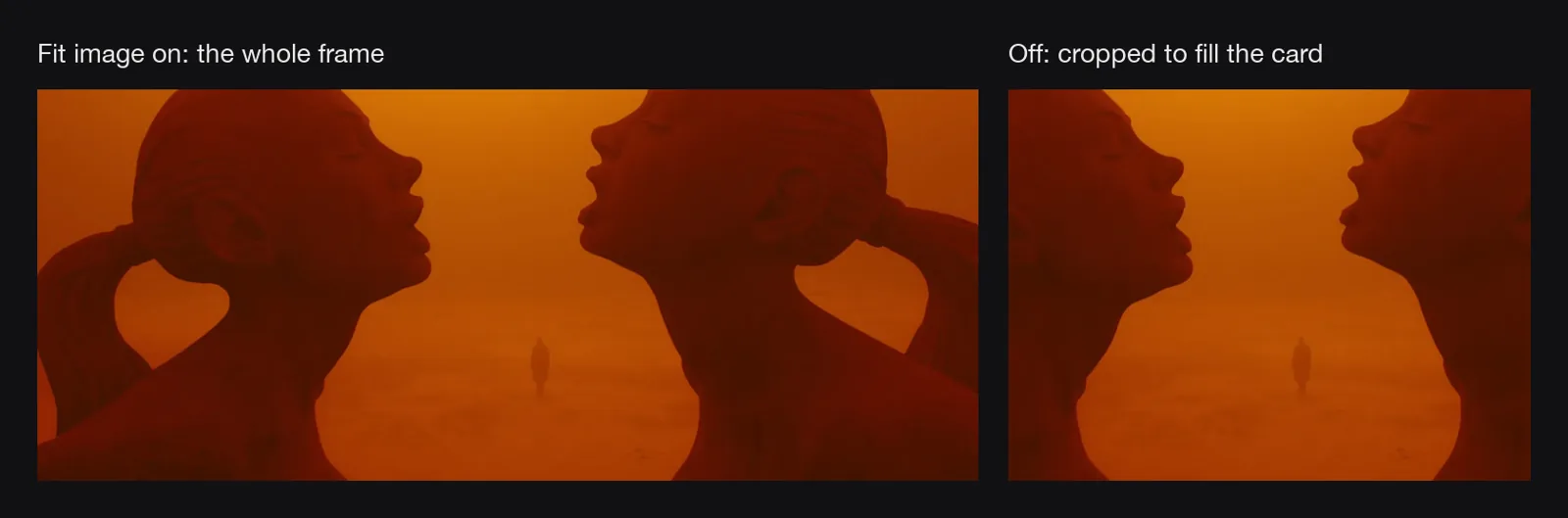
Under Card preview, switch on Fit image. With it off, Notion crops each picture to fill the card, which is fine for phone screenshots and brutal on a scope frame. Under Layout, set Card size to the largest option. A moodboard of postage stamps isn't a moodboard.
To add a reference, click New in the gallery, paste or drag the picture in as the first block, and fill in the properties. Images go in from the + in the left margin, choosing Image, or with /image.
From the browser, Notion's Web Clipper (Chrome and Safari, plus the share sheet on iPhone and Android) saves a whole web page into a database you pick, and records the original address in a URL property. Two catches for moodboards: you can't add tags or properties while clipping, and what you get is the page, not the picture or the clip. Clip a reel and you've saved Instagram's page about the reel. It's a good way to log a link quickly and a poor way to keep the reference itself.
Step 4: Give the board a cover
Hover over the top of the page and click Add cover. You can upload a file, paste a link to an image, or pick from Notion's own gallery, and Notion also offers Unsplash stock photos. Skip those. A cover is the first thing a client sees, and it should be one of your references, not a generic landscape.
Notion's help recommends cover images at least 1,500 pixels wide, and says there's no perfect size because covers adjust to the width of the window. A wide frame with one simple idea in the middle copes with that best.

While you're in the page settings, ••• then Appearance & layout has Full width, which shrinks the margins and fits more cards on a row. Worth it for any board with more than a dozen references.
Step 5: Moving references, the 5 MB limit and embeds
What fits under 5 MB
On Notion's free plan, images, videos and attachments can be up to 5 MB each, according to Notion's pricing page. Plus (from £8.50 per member a month as of October 2026) lifts that, and Notion's media help gives 5 GB a file on paid plans.
How much video is 5 MB? We tested it on our own 62 second launch film. The 1080p master straight out of the edit runs at 19.1 Mbps, so 5 MB holds about two seconds of it. Re-encoded to H.264 at a sensible quality (ffmpeg's default CRF 23, no audio), the same film averages 4.2 Mbps, about ten seconds per 5 MB. At 720p it's 1.9 Mbps, about 21 seconds.
So on the free plan, a moving reference has to be short, smaller, or a GIF. GIFs are the easy answer: every one of the 24 clip GIFs on this blog is between 0.54 MB and 1.42 MB, each two to four seconds long and 400 to 700 pixels across, and GIFs play in an ordinary image block. Uploaded video goes into Notion's own player and waits for a click.


Make the GIF from the moment that matters with our video to GIF converter, and if it comes out heavy, the GIF compressor can aim for a target size such as 1 MB.
Why embeds go blank
Notion can embed links from YouTube, Vimeo, Instagram, TikTok, Pinterest and hundreds of other sites: use /embed or paste a link and choose to embed it. It's tempting, because nothing counts against the 5 MB limit. But an embed is a window onto someone else's post. Notion's embed help is plain about the consequences: if the source changes, the change shows in Notion too; some sites block embedding and show Failed to Load; and embeds that need a login on another site won't work in Notion's desktop or mobile apps.
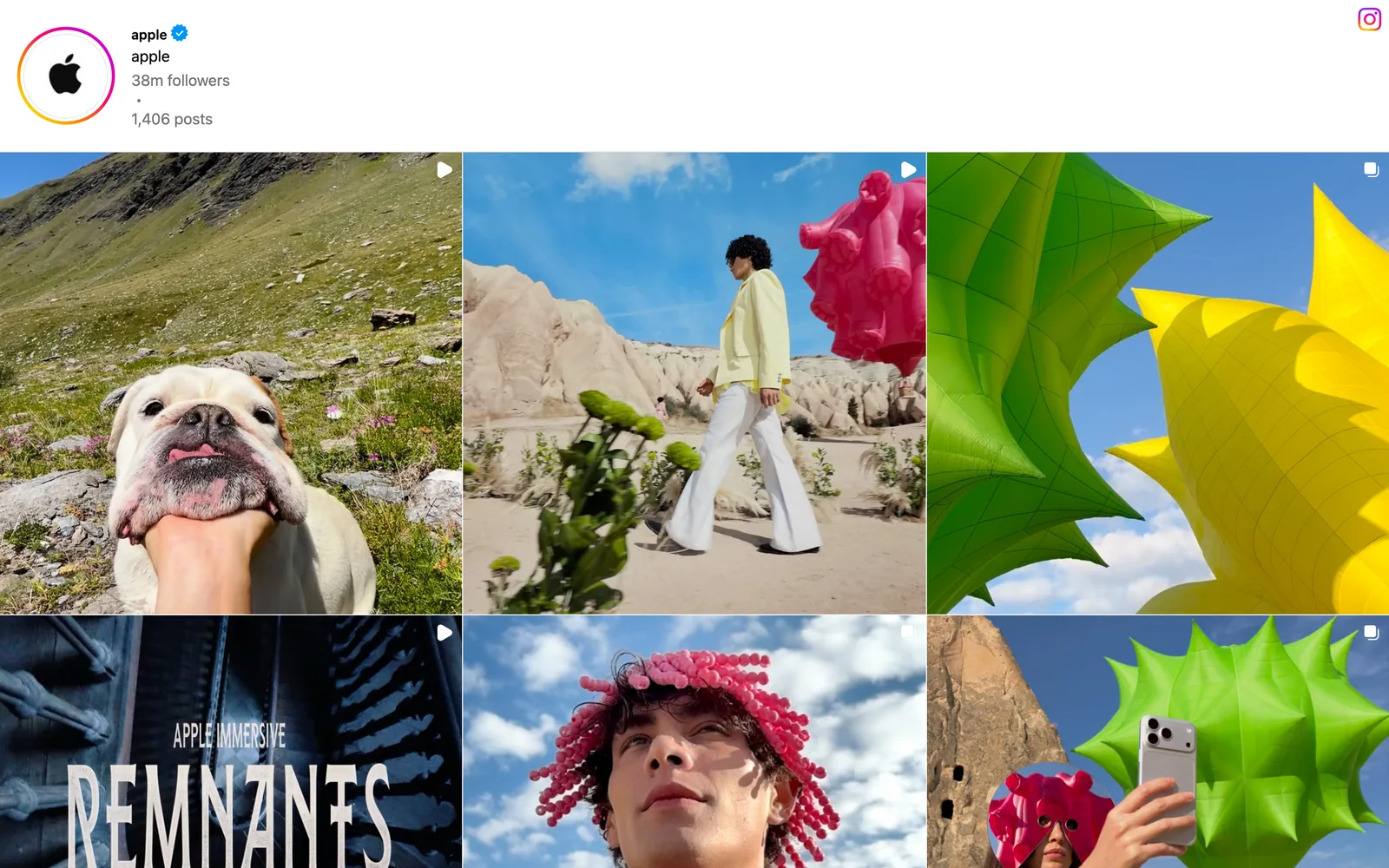
When a creator deletes a reel or a brand pulls a campaign, the embedded card goes with it, and you find out when the board is on screen. For any reference the board depends on, keep a copy, not a window.
Step 6: Or start from a template
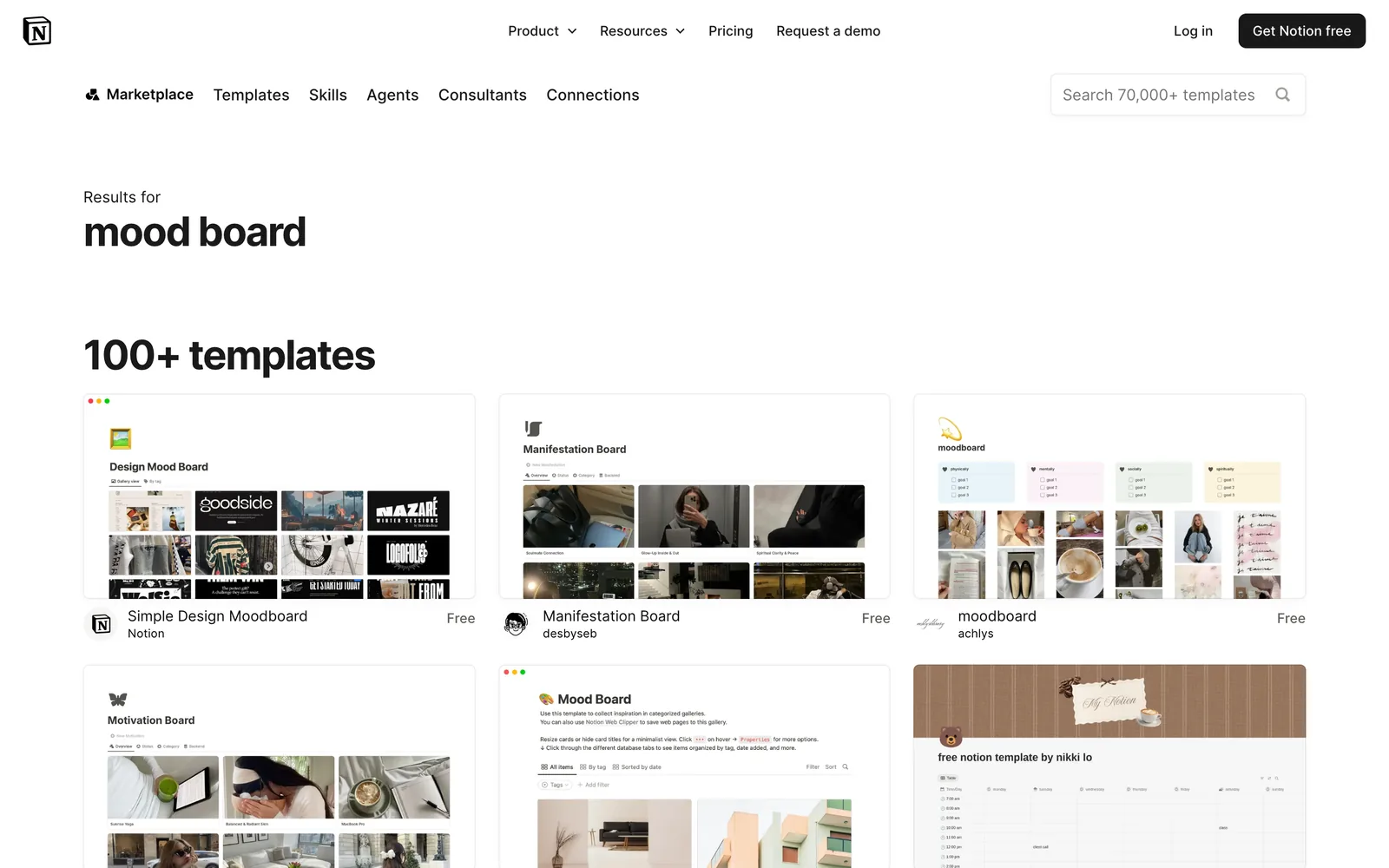
Notion's template marketplace, the page at the top of this post, returns more than 100 results for mood board. The ones we opened were free. Notion's own Simple Design Moodboard previews as a plain gallery of pictures, which is the right skeleton, and plenty of the community ones are personal mood and manifestation boards rather than creative work, so check the structure before you duplicate one: a gallery view, properties you'd keep, and nothing you'll spend an hour deleting.
Then apply Steps 2 to 4: your sections, Fit image on, your own cover.
Getting a Notion moodboard in front of a client
Notion boards are good for sharing with a team that already works in Notion. For a client in a pitch, they're less natural: there's no slide mode, and a gallery on a laptop screen in a meeting room reads like a database, because it is one.
Exporting doesn't help much either. ••• then Export gives you PDF, HTML or Markdown and CSV. A full page database exports as a CSV with a Markdown file for each card, and including subpages in a PDF needs the Business or Enterprise plan, according to Notion's export help. Either way you get a document, not a deck, and any GIF in a PDF stops moving.
What we'd do: hover over each picture and click the download icon, drop the files into our moodboard maker, choose a layout and export a .pptx for PowerPoint, Keynote, Google Slides or Canva. Then put the Notion link in the deck's last slide for anyone who wants the notes.
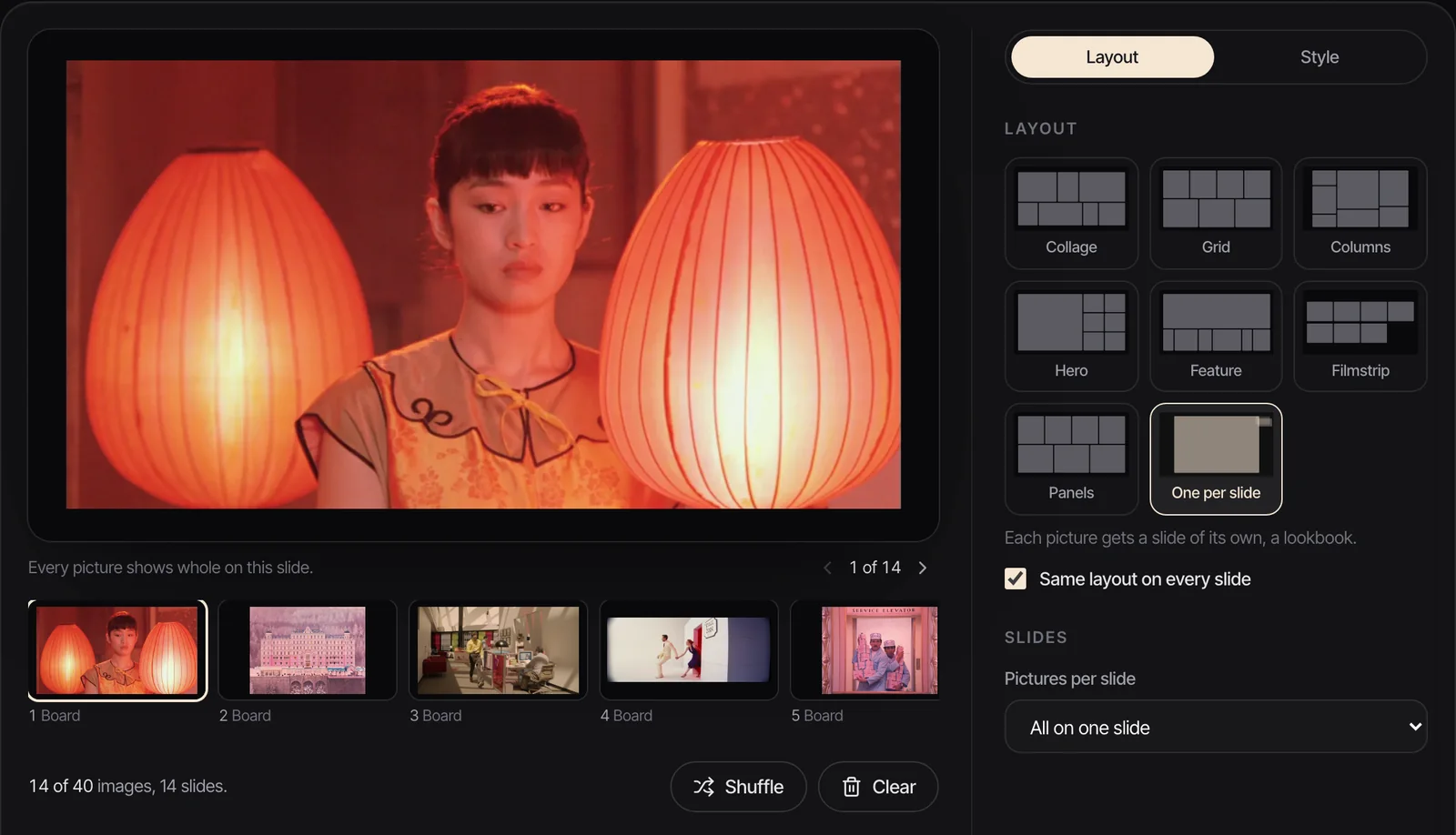
If your team designs in Figma, our guide to making a moodboard in Figma covers the same board with tighter layout control. Canva is quicker if it needs to look polished by lunchtime. For a freeform canvas instead of a database, Milanote vs Miro compares the two board apps.
Where the clips should live
Notion is a fine reference log. For the clips themselves, it runs into the two walls above: 5 MB uploads on the free plan, and embeds that depend on someone else's post. We go through the trade offs in the best creative reference management tools, and in reference library vs DAM for teams wondering whether they need something heavier.
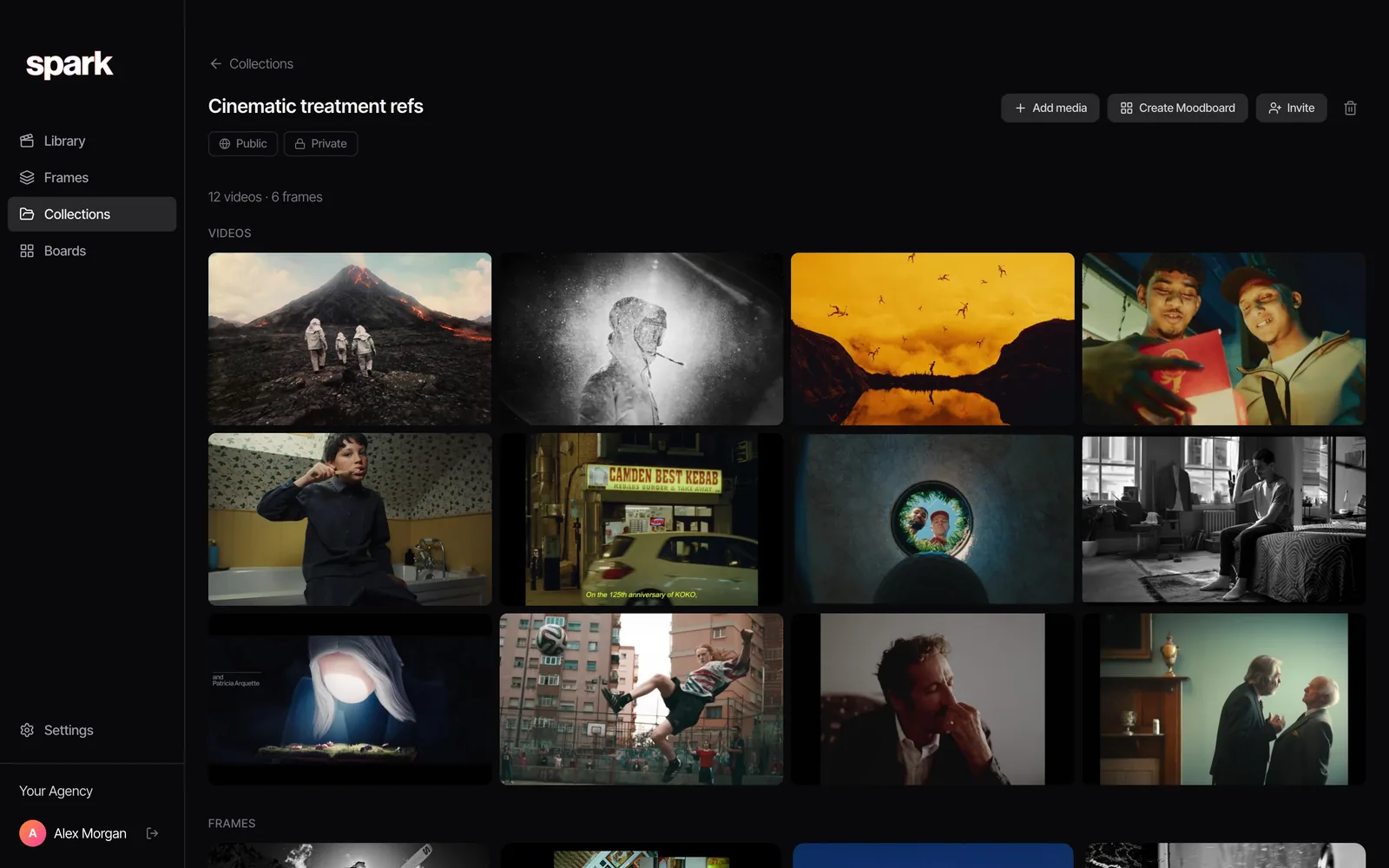
The split we'd recommend: notes in Notion, clips in Spark. Spark is a desktop app for Mac and Windows. Paste a link from Instagram, TikTok, YouTube, Vimeo, Facebook, LinkedIn or Pinterest and it saves the video into a library, so a deleted post doesn't take your reference with it. On Creator and Studio it writes an AI description of each video and transcribes what's said, so a search for "night swim" or a line of dialogue finds the clip.
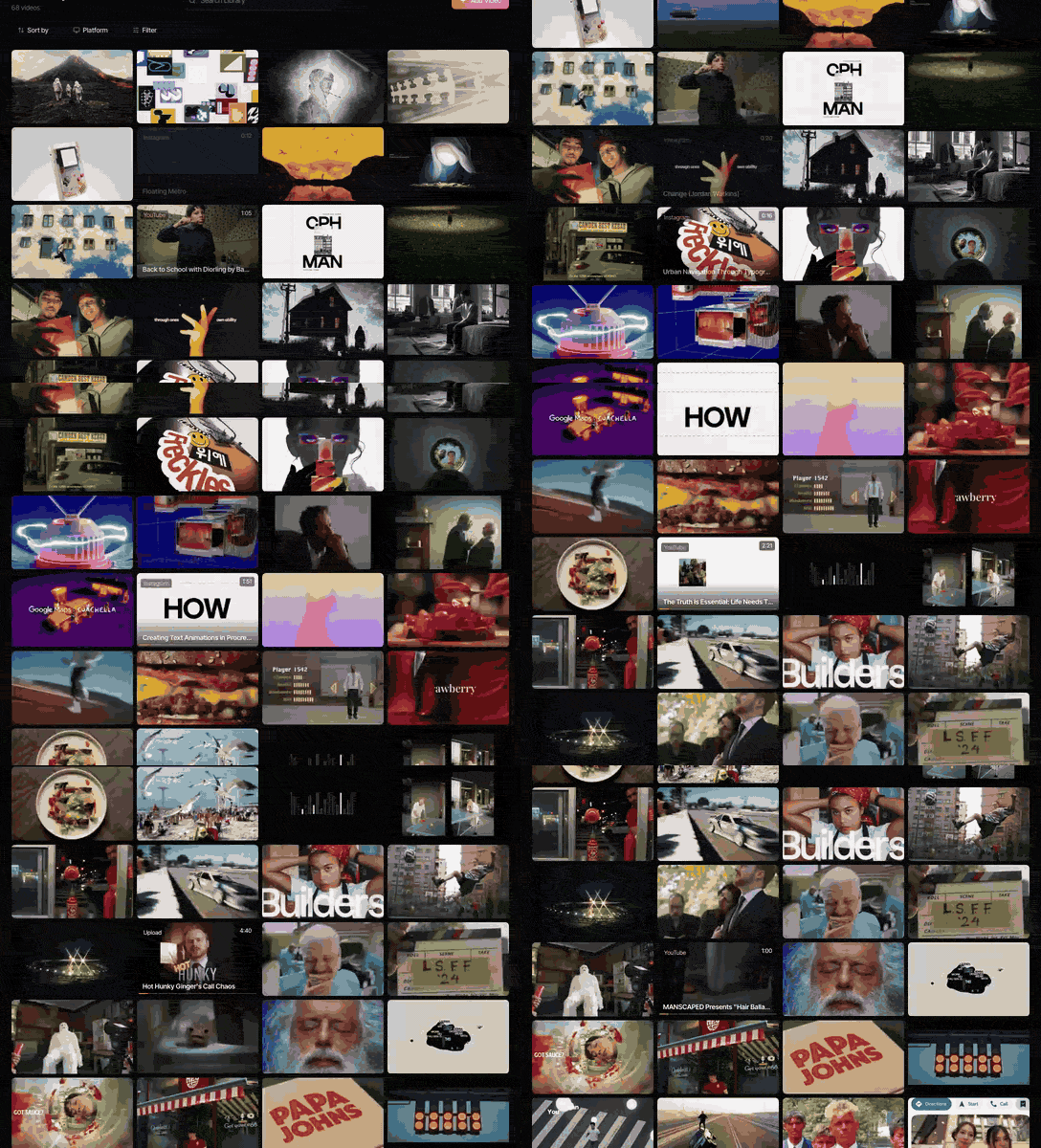
A collection in Spark holds a project's videos and frames together and can be shared as a public link. Paste that link into the Notion brief, beside the notes, and the board and the clips point at each other.
FAQs
Can you make a moodboard in Notion?
Yes. Create a gallery database with /Gallery view, make each reference a card with the picture as the first block of its page, and set Card preview to Page content under Layout. Turn on Fit image so wide frames aren't cropped, and add properties for the section and the reason each picture is there.
What is the file upload limit on Notion's free plan?
5 MB per file for images, videos and attachments, as of October 2026. That's roughly two seconds of a high bitrate 1080p master, or about ten seconds once re-encoded at a normal quality. Plus, from £8.50 per member a month, lifts the limit.
Why is my Notion embed not loading?
Some sites block embedding, which shows as Failed to Load. Embeds that need a login on another site don't work in Notion's desktop or mobile apps. And if the original post is deleted or made private, the embed goes blank, because Notion only shows what the source still serves.
Do GIFs play in Notion?
Yes. Upload a GIF as an image and it loops in the block with no click needed. On the free plan it has to be 5 MB or less. All 24 short clip GIFs on this blog come in under 1.5 MB, so a few seconds at a sensible width fits easily.
How do I show pictures on Notion gallery cards?
In the gallery's settings menu, open Layout, then Card preview, and choose Page cover, Page content or a Files & media property. Page content shows the first block of each page, so put the picture first. Switch on Fit image to stop Notion cropping it.
Is there a free Notion moodboard template?
Yes. Notion's template marketplace has more than 100 results for mood board, including Notion's own free Simple Design Moodboard. Many are personal mood boards, so check that a template uses a gallery view with properties you'd keep before duplicating it.
Keep reading
All articles
How to Make a Moodboard in Figma or FigJam
Figma gives you more control over a moodboard than any slide app. It also freezes your GIFs in the editor, which matters the moment your references move.
How to Make a Moodboard on Pinterest (and Turn It Into a Deck)
Pinterest is still the quickest place to fill a board. Getting that board in front of a client as a deck is where it stops helping, so here's the whole route, both halves.

Free Moodboard Templates for Film, Video and Brand Pitches
Most template downloads are a grid of grey boxes behind an email form. These eight fill themselves with your pictures and leave as slides, ready for PowerPoint, Keynote, Google Slides or Canva.